OnlyFans Academy
.png)
Here's the more interesting question, though: what happens when you point this stuff at someone who's already built the audience?
Established creators aren't starting from zero. They have an identity, a following, a working theory of what sells. What they usually don't have enough of is room, more angles on a concept that's landing, more formats, more content out of the time they're already spending. That's the gap Sozee.ai is trying to fill. As Sozee CEO Jake Scott puts it, whether you’re a real creator or an AI character, “you have to keep feeding the machine.”
Why Sozee exists
Sozee started with an access problem. When ChatGPT arrived in 2022, almost everyone got AI tools except adult creators and the businesses built around them. “That entire corner of the internet was locked out of the AI revolution,” Scott says. So the team secured licensed data, trained its own models, and tested directly with creators and agencies.
A second problem showed up once creators did reach AI: it worked like a slot machine. Type a prompt, pull the lever, and get a different face, room, and body every time, which is nothing you can build a brand on. Sozee is built to fix both.
So what is it, actually? An AI model of you from three photos
Sozee is an AI content studio that lets a creator build a digital version of themselves - their own likeness - generating new photos, photo sets, and video. Not a replacement for the creator, more like an extension cord. One good photo becomes a starting point instead of a finished asset.
What separates it from general-purpose generators like ChatGPT, Nano Banana, or Higgsfield is focus. Sozee trains its own models on licensed data, supports NSFW, and is built only for creators, so the hard part (getting an output that looks exactly like you from minimal input) happens behind the scenes. Your reference photos are passed into every generation, which is what keeps your face, body, and style consistent across a whole set, not just one lucky frame.
(It also supports fully invented characters: answer ten or eleven questions about the look you want, and Sozee generates the character for you. But the more useful case is what it does for someone who already has a real account and a real audience.)
Setup is three photos: one of your face, two of your body. Optional face angles and expression references help, but that's the floor: "three images and you're ready to go," as Scott puts it. From there you're working out of template libraries, describing what you want, nudging aesthetic and framing and expression until it looks like you, not like a generic AI output wearing your face.
Scott's framing on this, and it tracks: creators want control over the result without needing to know anything about how the AI actually works. So the interface leans into creative levers, casual phone-camera shot vs. studio polish, a specific expression, a different angle, instead of technical sliders nobody asked for. If you'd rather not prompt at all, Sozee's AI Copilot and agent let you describe what you want in plain conversation, and every prompt box can enhance what you type automatically.
There’s no model-training wait, either: you can start generating right away. From there, you direct a shoot instead of gambling on a prompt. Photo Control gives you five slots (setting, outfit, shot style, expression, and object), and everything you build is saved and reusable: a bedroom setup from a few reference photos, a go-to outfit, a sponsor’s product. Build your world once, and every shoot after it gets faster. Live Mode goes a step further, rendering your character over your webcam in real time, so you act, and your character performs.
Where it actually gets useful
The best use case is dead simple: you post a photo, it does the numbers, and you want more of that — right now, while it's still relevant, not three weeks from now at the next shoot. One-Click Photo Shoot turns that single image into a coherent set of up to ten, with your face, outfit, and setting held steady while the angle, pose, and expression change. That includes sequenced SFW-to-NSFW sets where you decide how far it goes. Image-to-video animates it. Voice cloning adds another layer if you want it.
Or flip it: you've got tons of photos and basically no video. Feed the photos in as reference and generate motion content instead of starting from scratch.
Same logic for trends: see a Reel, TikTok, or YouTube Short taking off, paste the link, and Sozee recreates it starring you. The Explore library is refreshed with trending formats too, so you don’t have to go hunting for ideas.
Then there are customs. A fan wants a specific photo or a voice note and is ready to pay right now. Sozee lets that sale happen almost instantly, with no new shoot, whether the creator is independent or works with an agency. Agencies also use it to keep fan accounts and channels like Reddit, X, and forums stocked with exclusive content, which used to be too much work to keep up with.
There's also a quieter use case: trying an idea before you commit real time and money to it. New outfit, new setting, a whole different vibe you're not sure about. Run it through the digital model first, see if it's worth a real shoot. Cheap way to fail fast on a concept instead of finding out after the fact.
Who it’s for
Sozee was built first for adult creators, with sequenced NSFW shoots and body and prop references that stay consistent in every image. In July and August 2026, it opened up to creators in general, because the overlap is huge: everyone needs day-in-the-life and get-ready-with-me content to drive traffic. Micro-influencers use it for sponsorship deliverables, dropping a brand’s product into a shoot and producing the whole brief in an afternoon instead of a full shoot day.
For agencies, each client gets its own isolated workspace with separate characters, vault, connected accounts, and credits. And there’s a market that didn’t exist before: people who would never start a Fanvue or OnlyFans page or show their face, and who now earn through a persona they built. “We’re bringing in a net-new market,” Scott says.
Generation is one step, not the whole day
Sozee bundles generation with editing, scheduling, publishing, and analytics, so you don't have to export things to four other tools. Everything lands in a Vault, the Scheduler posts per character to Instagram, TikTok, X, Facebook, Reddit, and Fanvue, and the analytics split what Sozee posted from what you posted, so you can see exactly what it's worth.
They're also working toward recommending what to make next based on what's actually performing — which, if it works, is the real endgame here: closing the loop between "we made a thing" and "here's what it did." That's the job of the upcoming AI Autopilot. The goal, as Scott describes it, is for Sozee to be a partner rather than a tool: indexing performance in real time, comparing your content with similar creators, and proactively helping you make what works next.
The guardrails, briefly
Anything NSFW or potentially compromising (photos, video, or voice clones) requires what Sozee calls deepfake KYC: a live-camera check that matches your face to your reference photo, using the same kind of technology banks use. AI characters go through a separate manual review, and Sozee runs back-end detection for uploads of existing creators and celebrities.
For real creators, that's the point: nobody else can make that content of you. Sozee says you keep ownership of your uploaded photos and likeness, that your uploads don't train their models, and that their training data comes from licensed deals instead. The platform also goes through quarterly security audits.
Quality-wise, their internal bar is roughly 7 usable generations out of every 10, and you can request a credit refund on any generation that misses. On disclosure, Sozee encourages creators to label AI-generated posts, and on OnlyFans it's no longer optional: AI content needs an #AI tag in the caption. Either way, your fans' trust is what all of this is built on.
Getting good results
Scott is upfront that AI isn’t perfect and that most disappointing results trace back to inputs. “Garbage in, garbage out,” he says. His advice: use the highest-quality reference photos you can, be specific in prompts but not overly specific, and don’t expect every generation to land on the first try.
The internal bar is seven usable outputs out of ten, and as you dial it in, that climbs to eight, then nine. That learning curve is exactly why the credit refunds exist.
Where this is going
He compares today’s backlash to the arrival of digital cameras and Photoshop: people are sensitive to AI content right now, but it isn’t slowing down. “Creators who leverage AI content generation and platforms like Sozee are going to outperform, out-post, and out-volume the creators who won’t use it,” he says.
He sees it as a net positive for real creators: more shots on goal, room to niche down to a very specific audience, and a cheap way to test ideas before going out and filming the winners for real. Over the next three to five years, he expects AI influencers to become genuinely famous, with fans connecting to characters who don’t exist “the same way we connected with Monica or Ross from Friends.”
The platforms are moving the same way. OnlyFans’ terms now let creators post AI-generated and AI-enhanced content, as long as it depicts the verified creator on the account and carries an #AI tag in the caption. Deepfakes of anyone else are still an instant ban. Fanvue already has a dedicated policy for AI creators.
The monetization platforms have stopped treating AI content as a threat and started writing rules for it, because a creator who can post more earns more, and so does the platform. Supercreator has a full breakdown in its OnlyFans AI content policy guide.
Bottom line
The taste and judgment still have to come from you. Sozee's bet is just that it can multiply what's already working, without turning every good idea into another full production day.
The early numbers back that up. Since Sozee’s public launch in March 2026, Scott says he’s seen creators grow accounts to 20,000-100,000 followers and earn 5,000 - 20,000 a month, and the team ships updates three to five times a week. His stated goal: any creator, real or AI, making money within their first seven days.
It also pairs naturally with the other half of the business. Sozee keeps the content coming, and Supercreator turns the traffic that content drives into paying fans in the DMs, from customs to PPV.
Try Sozee at sozee.ai.
Your Next AI Model Might Be You: How Sozee.ai Helps Creators Make More Content

.png)
You're not wrong to be tempted by a cheap CRM with a hard price cap. For a lot of teams, it's the right call. This guide covers what CreatorHero does well, what its pricing really costs at different revenue levels, where it stops, and which alternatives fit the agencies that outgrow it.
What Is CreatorHero?
CreatorHero is an OnlyFans CRM and management platform built for agencies running several creator accounts and a human chat team. You access creator accounts inside the app, then work from one dashboard covering fans, chatters, and revenue.
Its pitch is operational control. You see which chatter sold what, how many hours they worked, which fans are about to expire, and which PPVs went unopened. Everything runs on your people. The software organizes and speeds up their work.
CreatorHero at a Glance
| CreatorHero | |
|---|---|
| Built for | Agencies with human chat teams |
| Base price | $39.99 per creator per month |
| Revenue fee | $0 to $260 per creator per month, by revenue tier |
| Total range | $39.99 to $299.99 per creator per month |
| Free trial | 7 days |
| Payment | Credit and debit cards |
| Team access | Unlimited team members with role permissions |
| AI features | Chat summaries, translation, traffic analysis |
| Autonomous AI chatter | Not listed among its features |
Figures come from CreatorHero's public pricing table, checked in October 2026. Confirm current rates before you commit.
What CreatorHero Does Well
Chatter tracking. The platform shows revenue per chatter and hours worked so that you can compare people on a level playing field. If you manage a team of more than ten or fifteen chatters, that feature earns its fee.
PPV follow-up automation. When a fan opens a PPV and doesn't buy, CreatorHero sends a scheduled follow-up. Welcome messages with time delays and attachments run the same way. These automations remove the repetitive part of chatting without replacing the chatter.
Online mass messages. You can send personalized mass messages only to fans who are online right now, and they land in the Priority tab.
Vault and fan context. Media labels show what a fan has already bought, and fan spend sits above the profile picture in the chat. Chatters stop sending content a fan owns.
Traffic tracking. Social account follower and view tracking, plus AI traffic analysis, help you see which acquisition sources send fans who actually pay.
A price cap you can plan around. The revenue fee stops at $260 per creator. For high earners, the bill stops growing.
Where CreatorHero Falls Short
Here's the catch: every feature above makes your human team faster. None of them reduce how many humans you need.
CreatorHero's AI covers summarizing chat history, translating messages, and analyzing traffic. Those help a chatter work through a conversation. They don't handle the conversation. If your growth ceiling is that you can't hire or keep enough chatters, the software leaves that ceiling where it is.
Three other limits worth knowing:
- Pricing climbs with revenue. Your fee rises as accounts grow, even when the software did nothing new for that account.
- Cards only. There's no invoicing or other payment method listed, which can be a problem for larger agencies with set payment processes.
- No free tier. You get a 7-day trial, then $39.99 per creator starts.
CreatorHero Pricing Explained
CreatorHero charges a flat $39.99 base fee per creator plus a revenue-based success fee. Here's the published table.
| Creator monthly revenue | Base fee | Success fee | Total per creator |
|---|---|---|---|
| $0 to $1 | $39.99 | $0 | $39.99 |
| $1 to $500 | $39.99 | $10 | $49.99 |
| $500 to $1,000 | $39.99 | $20 | $59.99 |
| $1,000 to $2,500 | $39.99 | $40 | $79.99 |
| $2,500 to $5,000 | $39.99 | $80 | $119.99 |
| $5,000 to $10,000 | $39.99 | $120 | $159.99 |
| $10,000 to $20,000 | $39.99 | $160 | $199.99 |
| $20,000 to $50,000 | $39.99 | $220 | $259.99 |
| $50,000+ | $39.99 | $260 | $299.99 |
What does that mean in practice? The fee is heaviest, as a share of revenue, on smaller accounts. A creator earning $500 to $1,000 a month pays $59.99, or 6% to 12% of their revenue. At $5,000 to $10,000 a month, the same fee is 1.6% to 3.2%. At $50,000, the $299.99 cap is under 0.6%.
So the model is friendly to a roster of big earners and expensive for a roster of small ones. If you're building an agency from smaller accounts, run the numbers first. Ten creators earning $1,000 to $2,500 a month cost $799.90 a month. Ten earning $5,000 to $10,000 cost $1,599.90.
For comparison, Supercreator's CRM Premium starts at $15 per account per month, so ten accounts cost $150. That's a CRM-to-CRM comparison. CRM Premium includes 500 AI messages a month and doesn't offer a top-up, and the two platforms' feature sets differ, so check what each plan actually includes.
Who Should Stay on CreatorHero
You're a good fit if three things are true. Your chat team is already staffed and stable. Your bottleneck is visibility into who performs, not the number of chatters. Your roster skews toward higher earners, and the cap protects you.
If that's you, switching tools adds migration work for little gain. Keep it, and review the pricing table each quarter.
Who Should Look at Alternatives
Look elsewhere when one of these shows up:
- You can't find or keep enough chatters, and revenue stalls whenever someone quits.
- Accounts go quiet overnight or on weekends because nobody covers those shifts.
- Your smaller accounts cost more per revenue dollar than they should.
- You want the CRM and the chatting handled in the same system.
That's a coverage problem, and it points to a different shortlist than a better CRM.
CreatorHero Alternatives at a Glance
| Tool | Best for | Built-in AI chatter | Pricing model |
|---|---|---|---|
| Supercreator | AI-assisted chatting inside the CRM | Yes, Izzy | Free CRM tier; paid plans per account, plus 5% of AI sales on Super AI |
| Infloww | CRM workflows | No (AI reply suggestions only) | Per creator profile, tiered by earnings, from $40/month. |
| OnlyMonster | Security-focused multi-account access | Partial (AI suggestions + automated DMs) | Tiered by 30-day earnings, $30 to $250 per account per month. |
| Fansmetric | Reporting-heavy agencies | No (In private access) | Flat $39 (Standard) / $99 (Pro) per account per month |
| Fans-CRM | Free, CRM-only setups | No | Free |
Pricing for tools changes often, so confirm rates with each vendor.
1. Supercreator: Best for Cutting Chat Workload
Supercreator puts Izzy, an AI chatter, inside the same CRM your team already works in. More than 25,000 customers use the platform, and Izzy chats, qualifies fans, and sells content around the clock. She learns a creator's tone and slang from a personality description, follows guardrails on blocked words, topics, and prices, and passes hot or sensitive conversations to your humans.
For a CreatorHero user, the practical difference is who does the chatting. CreatorHero speeds up your chatters. Izzy takes the low-ticket, high-volume conversations off their plate so they can spend time on VIP fans.
Features:
- Izzy AI chatter with guardrails and human handoff
- Full OnlyFans CRM with fan lists, message library, and activity logs
- Multi-login access management with role permissions
- Free CRM Lite tier for up to 10 accounts, plus a 14-day trial of paid features with no card required
- Pricing by plan: CRM Premium from $15 per account per month (500 AI messages, no top-ups), and Super AI from $99 per account per month plus 5% of AI net sales
See the line-by-line breakdown on the Supercreator vs. CreatorHero comparison.
2. Infloww: Best for Established Chat-Team Workflows
Infloww is a CRM and chatting platform, delivered as a downloadable app, with team management built in. It suits agencies that want a mature option for organizing chat teams. Its AI Copilot (in beta) suggests replies, but like CreatorHero, it runs on human chatters. Our Infloww alternatives guide covers the wider shortlist, and the Supercreator vs. Infloww comparison shows the feature gaps.
3. OnlyMonster: Best for Security-Focused Access
OnlyMonster centers on multi-account access and login controls, running each account in an isolated session with its own proxy, plus a unified inbox and team permissions. If your main worry is account security, it's a reasonable lateral move, but its built-in AI (reply suggestions and automated DMs) assists your team rather than running full sales conversations. Details are in the Supercreator vs. OnlyMonster comparison.
4. Fansmetric: Best for Reporting Depth
Fansmetric pairs a CRM with conversion and spend reporting for agencies that want to analyze performance in detail. It answers "where is revenue coming from" well. Its AI Chatter is still in private access, so for most agencies, chat volume still sits with the team. Compare the two in the Supercreator vs. Fansmetric breakdown.
5. Fans-CRM: Best for Free, CRM-Only Setups
Fans-CRM is free to use (premium features are listed as coming soon) and covers the CRM basics: a chatting helper, a fan database, roles and permissions, shift scheduling, and an antidetect browser. It suits smaller operations that want a no-cost CRM and don't need an AI chatter. The Supercreator vs. Fans-CRM page lists what each includes.
How to Switch From CreatorHero Without Losing Revenue
- Export before you do anything. CRM-side data: fan notes/tags/labels, custom fan lists, saved scripts and message templates, and chatter performance history. Back up what you're leaving.
- Move one creator first. Pick an account with steady revenue, not your biggest earner, and run it on the new platform for two weeks.
- Rebuild your automations. PPV follow-ups and welcome sequences don't transfer. Recreate them before the account goes live so you don't lose that revenue in week one.
- Track conversion daily. A dip in the first few days is normal while a new system learns your fans. A dip still there at day 14 points to a setup problem.
- Migrate in batches. Add one account at a time once the first is stable. Overlap your CreatorHero billing period, so you're not forced to rush.
Choosing Between Staying and Switching
If your chat team is staffed and your question is visibility, CreatorHero is a solid answer, and the pricing cap is a real advantage at the top of your roster. If your question is capacity, no CRM fixes that on its own.
Supercreator's Izzy handles the high-volume conversations around the clock and hands VIP fans and sensitive chats to your team, while the CRM and multi-login tools keep your chatters organized. You can start on the free CRM Lite tier (up to 10 accounts) or a 14-day trial of paid features with no card required, and see how one creator performs before you move anything else. Book a demo to watch Izzy handle a live conversation before you decide.
CreatorHero Review and Alternatives for OnlyFans Agencies (2026)
.png)
Read as a whole, the update is focused on protecting the platform, its users, and its reputation. It gives OnlyFans broader discretion to act when it sees a risk, adds clearer rules on data use and AI-generated content, makes notices and disputes more formal, and clarifies several payment and subscription terms. Many core terms, including the 20% platform fee, stay the same.
This guide walks through what changed, section by section, and what creators should do about it. If you use Izzy, Supercreator's AI chat assistant, you'll also find our take on how it fits with the update.
Key changes
| Area | What the new terms say | Section |
|---|---|---|
| Enforcement | Action can follow a breach or possible breach, likely reputational harm, or a failure to answer information requests promptly | 14.b |
| Notices and disputes | Reasonable efforts to notify of material changes; disputes must be made in writing within six months | 14.d |
| Account management | The terms acknowledge that third parties may help creators manage their accounts | 8 |
| Payments | Conversion fees, added taxes or fees, payment retries, non-refundable subscriptions | 9, 10 |
| Data and AI training | Restrictions on tools built to collect data from content, and on using content to train AI systems | 8.7 |
| AI-generated content | Must clearly feature the verified creator and carry a label such as #ai | 19.b |
| Advertising | Affiliate arrangements fall under advertising labeling rules | Advertising |
Enforcement: broader grounds for action
The biggest structural change is in section 14.b. Where the previous wording referred to serious or repeated breaches, OnlyFans can now act, while it reviews the facts, if it thinks a user has or may have breached the terms.
Two further grounds are added:
- Conduct OnlyFans considers to have caused, or be reasonably likely to cause, loss or reputational harm to the platform or its users.
- Failure to provide requested information promptly.
The power to suspend accounts or hold earnings already existed. The new wording widens the stated basis for using it, but doesn't say a possible breach will always lead to suspension. These are general enforcement provisions, not rules aimed at a specific type of tool.
Practical step: make sure someone on your team checks platform messages and answers information requests quickly.
Notices and disputes: keep a written record
OnlyFans can now change the terms without notice in some cases and commits only to reasonable efforts to notify users of other material changes. It may also suspend accounts without prior warning, while still committing to notify users of the action and give a statement of reasons.
Creators have six months to dispute those decisions under section 14.d, but the dispute must now be made in writing. Save every notice, response and relevant account record so the history is available if you need to challenge a decision.
Data collection and AI training (section 8.7)
Section 8.7 is the clause most creators are asking about. It says users may not use manual or automatic tools designed to collect data or information from Content or Direct Services, or to get around access controls. It also says Content and Direct Services may not be used to train or enhance software, machine learning, or AI systems.
The clause centers on collecting data from content and training AI systems on it. For creators using AI chat tools, what matters is how a tool uses your conversations: Izzy uses conversation history only to generate replies within your own account, and you choose which chats it handles. Tens of thousands of creators, including some of the top 0.01% on OnlyFans, use Izzy this way. More on Izzy below.
Using conversation context to produce a reply and using data to train a model are different activities. Being clear about that distinction helps explain the purpose of Izzy's processing. It does not, on its own, resolve every question about the separate wording on access and data collection, which must be considered against the applicable rules and the actual workflow.
Third-party account management
The new terms explicitly acknowledge that creators may work with third parties to help manage their accounts and fan interactions. That reflects how many creator businesses already operate, with teams, agencies, and software supporting day-to-day work. OnlyFans' relationship remains with the creator as the account holder.
Supercreator has supported creators and agencies in this kind of work for five years. Today, tens of thousands of creators use our CRM and Izzy to organize fan relationships and conversations, while staying in control of how and when they're used.
Our experience informs our confidence in the service we provide. It does not mean that every tool works the same way or that usage alone establishes platform approval. Creators should understand the services they choose, how those services use information and what control they retain.
AI-generated content: feature the creator and label it
Section 19.b allows content generated, altered, or enhanced by AI only if it clearly features the verified creator, is labeled with a signifier such as #ai or #AIGenerated, and follows the Terms of Service and Acceptable Use Policy.
The scope includes altered and enhanced content, not only fully generated images, so check what your editing apps actually change. Content that is mostly AI-made and doesn't clearly show the verified creator isn't permitted.
The same spirit of transparency works well for chats. If you use an AI chat assistant like Izzy, a simple #AI label in your bio and a short note in your first message keep things clear for fans. See our recommendation below.
Payments, payouts and subscriptions
Several changes affect money directly and are worth reviewing even if day-to-day operations feel unchanged.
| Area | What the new terms say | What to watch |
|---|---|---|
| Currency conversion(10.e) | Payouts needing conversion include processing and exchange-rate fees | Compare net receipts on non-USD payouts after the effective date |
| Added charges(9.f) | Taxes, fees or other amounts may be added for legal or payment-network reasons | Checkout totals may differ from listed prices |
| Payout verification(10.a) | Bank details may be checked against identity verification | Keep bank and ID details consistent |
| Legal entitlement(14.e) | Earnings may go to a third party entitled by law or court order | Applies to liens, levies and court orders |
| Declined renewals(9.i) | Failed payments may be retried several times | May recover some failed renewals |
| Refunds(9.j) | Subscriptions are described as non-refundable | Local consumer law may still apply |
| Cancellation(9.l) | Fans can cancel via support as well as the unsubscribe button | Make sure your team knows both routes |
Advertising and redistributed content
Paid sponsorships and affiliate arrangements now expressly count as Advertising Content. Captions must include a label such as #ad, #paidpromotion, or #sponsored, plus the brand advertised and who paid.
Liability limit: Section 13.i spells out that OnlyFans isn't responsible for content circulated by other users, on OnlyFans or elsewhere. That limit on liability already existed; reporting and takedown routes for creators are separate.
What stayed the same
- The 20% platform fee on creator interactions.
- OnlyFans' right to close an account with 30 days' notice for any reason.
- The perpetual, transferable license creators grant OnlyFans over their content.
- The liability cap toward business users: the greater of 100% of fees paid or USD 5,000.
- The one-year limit for bringing a claim.
What this means for AI and creator tools like Izzy
Izzy is used by tens of thousands of creators, including some of the top 0.01% on OnlyFans, and we're not aware of any creator having an issue because of Izzy. Looking at the broader changes, OnlyFans is rightly focused on protecting its platform, and the update isn't necessarily aimed at the tools creators use day-to-day.
Here's how Izzy relates to section 8.7 of the updated terms:
- Training: Your conversation history is used to generate replies within your own account.
- Transparency: Many creators let fans know that some chats are supported by AI or their team, with a simple #AI label in their bio.
- Control: You decide which conversations Izzy handles, and you can pause it or turn it off at any time.
We're closely monitoring the updated terms and will let customers know if anything changes. Supercreator is an independent company and can't speak for OnlyFans or provide legal advice, but we're very comfortable with creators using Izzy today.
Recommended: mention AI in your bio and first message
We strongly recommend that every creator mention team and AI support in their bio, and ideally in their first message to new fans. It sets clear expectations, builds trust, and follows the same transparency approach OnlyFans takes with AI labeling. It also reduces concerns for creators, because fans know from the start how messages are handled.
Many creators already have a legal notice in their bio covering copyright. A line about team and AI support fits naturally there, together with an #AI label. Here's an example you can adapt:
LEGAL NOTICE: Images and videos are the property of me and protected under US and international copyright laws. Copying, duplicating, publishing in any form of media, including the web, manipulating, transmitting, or reproducing without my prior written permission is strictly forbidden and would constitute a breach of copyright. My team, AI, and I are always here to make sure you get exceptional service for all your personal requests, and you will be replied to as quickly as possible anytime you reach out via direct message. Review all of the OnlyFans Terms of Service, especially the Fan and Creator contract. #AI
This article provides general information and Supercreator's operational perspective. It is not legal advice. Individual questions should be assessed against the applicable agreement and policies.
OnlyFans Terms of Service Update (2026): What Changed
.png)
You're not looking to leave because Infloww is bad software. You're looking because your chatters are maxed out, your acquisition costs keep climbing, and adding another CRM tab isn't going to fix either problem. That's a different search than "best OnlyFans CRM," and it points to a different shortlist.
This guide covers the tools agencies actually move to, what each one does differently, and where the switch tends to go wrong.
Should You Actually Switch?
Before you touch your stack, answer one question honestly: is the problem the software, or is it the workload the software was never built to carry?
Infloww, OnlyMonster, CreatorHero, and most of the tools on this list started as chatter management platforms. They organize your team, your inbox, and your fan data. They weren't built to replace the chatting itself. If your agency's real bottleneck is that you can't find or afford enough human chatters, swapping one CRM for a similar CRM won't move the number that matters.
Here's the catch: if you switch tools without changing what's actually eating your margin, you'll be back here in six months evaluating a different CRM for the same reason.
The alternatives below split into two groups. Most give you a better version of what Infloww already does. One, Supercreator, changes what the software is responsible for by putting an AI chatter directly into the CRM.
Infloww Alternatives at a Glance
| Tool | Best For | AI Chatter Built In | Pricing Model |
|---|---|---|---|
| Supercreator | AI-assisted chatting inside the CRM | Yes — Izzy AI | Free until you earn $500, then $0.05/message + 5% commission |
| OnlyMonster | Security-first teams | No | Subscription; contact for current pricing |
| CreatorHero | Structured, multi-role chat teams | No | Subscription; contact for current pricing |
| FansMetric | Metrics-heavy agencies | No | Subscription; contact for current pricing |
| Fans-CRM | Simple CRM-only setups | No | Subscription; contact for current pricing |
| FlirtFlow | Persona-driven chat teams | No | Subscription; contact for current pricing |
| BuddyX | Lean teams on a budget | No | Subscription; contact for current pricing |
Pricing on competitor tools changes often and most don't publish it, so confirm current rates directly with each vendor before you commit.
1. Supercreator: Best for AI-Assisted Chatting
Supercreator is built around Izzy, an AI assistant that chats, qualifies fans, and sells content inside the same CRM you'd otherwise use just for organizing your team. Based on Supercreator's own platform data, more than 25,000 creators and agencies run their OnlyFans operations through the CRM, and Izzy alone handles over 6,000 active accounts and more than 100 million messages a month. That volume is the reason agencies switch here instead of to another chat management tool: the chatting itself gets automated, not just organized.
Izzy learns a creator's tone, slang, and boundaries from a detailed bio setup, then handles the bulk of fan conversations while escalating anything sensitive, like a terms of service risk or a VIP request, to a human. Full CRM functionality, including access management for multi-login teams, ships alongside it, so you're not stitching together two separate platforms.
Features:
- Izzy AI chatter, live 24/7, trained on each creator's voice and red lines
- Full OnlyFans CRM: fan lists, exclusion rules, message library, activity logs
- Multi-login access management with role permissions
- Free to start, billing only kicks in after a creator earns $500 through the AI
Best for: agencies that want to cut chat headcount without cutting revenue, and individual creators who can't staff a chat team at all.
2. OnlyMonster: Best for Security-First Agencies
OnlyMonster covers the same core ground as Infloww: multi-account access, a unified inbox, and team permissions built for agencies managing several models at once. If your main complaint about Infloww is account security or login controls specifically, this is a reasonable lateral move.
Features:
- Multi-account, password-less login management
- Unified inbox across creator accounts
- Team-level permission controls
- Basic analytics and reporting
The trade-off is the same one you'd have with Infloww: chatting still runs entirely on your human team. You're solving a UI or security preference, not a staffing problem.
3. CreatorHero: Best for Structured Chatter Teams
CreatorHero leans into role-based workflows, shift scheduling, and performance tracking for agencies running larger chat teams. Agencies that already have enough chatters, and just want tighter oversight of who's doing what, tend to land here.
Features:
- Employee shift scheduling
- Performance and profitability reporting per chatter
- Role-based access controls
- Message and sales monitoring
Like most tools on this list, CreatorHero doesn't automate the chatting itself. It makes your existing human team easier to manage, which matters if management is your actual pain point.
4. Fansmetric: Best for Metrics-Heavy Agencies
Fansmetric's angle is reporting depth: conversion tracking, spend analysis, and export options for agencies that want to slice performance data outside the platform. If your team is disciplined about hitting numbers and just needs better visibility into which chatters and which fans are driving revenue, it's a fit.
Features:
- Detailed conversion and sales reporting
- Exportable analytics for external review
- Fan spend and behavior tracking
- Standard CRM and inbox tools
Reporting depth doesn't reduce your chat workload. It just tells you more clearly where that workload is going.
5. Fans-CRM: Best for Simple, CRM-Only Setups
Fans-CRM keeps things closer to a straightforward inbox and fan database, without the layered team-management features some of the others pile on. Smaller operations or solo creators who don't need shift scheduling or multi-role permissions sometimes prefer the lighter footprint.
Features:
- Core fan CRM and messaging inbox
- Basic team access controls
- Message templates and saved scripts
- Straightforward setup with less configuration overhead
It's a reasonable pick if your team is small enough that Infloww's extra layers feel like overhead rather than help.
6. FlirtFlow: Best for Persona-Driven Chat Teams
FlirtFlow focuses on message templates and saved scripts built around specific creator personas, which suits agencies that lean heavily on scripted chatting and want that library well organized.
Features:
- Saved text and video message scripts by persona
- Mass message automation
- Basic fan CRM and inbox
- Bump automations for reactivating fans
The scripts still need a human to send them and adapt them mid-conversation. It's an organization upgrade, not a staffing one.
7. BuddyX: Best for Lean Teams on a Budget
BuddyX targets smaller agencies and solo creators who need the core CRM and automation basics without paying for enterprise-level team features they won't use.
Features:
- Core CRM, inbox, and fan tracking
- Mass messaging and bump automations
- Basic analytics
- Lower overhead for small teams
If your agency is one or two people managing a handful of accounts, this keeps the toolset proportional to the team size.
The Earnings-Based Pricing Trap
Watch how a tool prices itself before you sign anything. Some platforms in this category charge a flat percentage of your account's total earnings, regardless of whether the software actually touched that revenue. If a fan pays for content the AI never mentioned, you're still paying a cut on it.
Supercreator's model ties cost to what the AI actually sells: $0.05 per AI-sent message plus a 5% commission on AI-generated sales, with no charge at all until a creator earns their first $500 through the platform. Ask any tool you're evaluating exactly what triggers a charge. If the answer is vague, that's the catch to watch for.
How to Switch Without Losing Revenue
- Export everything first. Fan lists, message history, and vault content need to move with you. Don't start a migration without a backup of what you're leaving behind.
- Run both platforms in parallel for one model. Test the new tool on a single account before moving your whole roster. This protects revenue while you learn where a script or automation needs adjusting.
- Rebuild scripts and bios before going live. A rushed setup is the most common reason a switch underperforms in the first week. Give the AI or your team the same detailed bio and script library you'd have wanted from day one.
- Watch conversion rate daily for the first two weeks. A dip in the first few days is normal while a new system learns your fans. A dip that doesn't recover by week two means something in the setup needs fixing, not more time.
- Migrate the rest of your roster in batches. Once one account is stable, expand one model at a time rather than all at once. That's the same pattern agencies use when adopting AI chatting for the first time, and it limits how much revenue is exposed to a bad setup.
Turning a Switch Into an Actual Fix
Picking a new tool only pays off if it solves the problem that sent you looking in the first place. If that problem is chat capacity, not organization, a straight CRM swap will leave you exactly where you started in a few months.
Supercreator's Izzy is built to remove that ceiling directly: she chats, qualifies, and sells around the clock, then hands off VIP fans and anything sensitive to your team. Combined with the full CRM, multi-login access management, and no cost until a creator earns their first $500, it's built for agencies that outgrew what a chat-management tool alone can do.
See the full side-by-side breakdown in the Supercreator vs. Infloww comparison, or book a demo to see Izzy handle a live chat before you commit to a switch.
Infloww Alternatives: 7 Tools OnlyFans Agencies Are Switching To in 2026
.png)
No, that's not a reason to distrust every vendor. It's a reason to compare the actual features against your actual operation before you commit a chat team to one system.
This is a straight, tool-by-tool look at the platforms agencies and creators use to run OnlyFans management day-to-day: what each one is genuinely good at, where it falls short, and a criteria table at the end to help you weigh them against your own setup.
What This Software Actually Does
OnlyFans management platforms extend the native OnlyFans inbox with tools designed for creators and teams. Depending on the platform, these can include individual staff access, fan profiles with spending and purchase history, reusable scripts, more advanced mass messaging, chatter analytics, automation, and AI-assisted or autonomous chatting. They do not replace OnlyFans; they provide an additional management layer around it.
Supercreator
Best for: creators and agencies that want AI covering real chat volume, not just the busywork around it.
Supercreator is built around Izzy, an AI chatter that handles full fan conversations rather than just suggesting replies for a human to send. Izzy can independently handle routine conversations and lower-priority fans based on the agency’s configuration, while human chatters can focus on VIPs, sensitive conversations, and custom requests. More than 25,000 creators and agencies use the CRM, with over 6,000 actively running Izzy.
Features:
- Izzy AI chatter handles full conversations, not just suggested replies
- Role-based multi-login access management
- Fan CRM with spend history and segmentation
- Chatter and account performance analytics
- Auto-translation for multilingual fan bases
Where it falls short, honestly: the AI-first approach is the wrong fit for agencies whose whole model is built around fully human, high-touch chatting with no automation at any tier. If that's the operating philosophy, a CRM-only tool without an AI layer built to run conversations may feel like a better match.
Infloww
Best for: teams that want the widest feature coverage in one dashboard.
Infloww built its CRM specifically for the adult-content creator space rather than adapting a general-purpose tool. That focus shows in how much of the day-to-day workflow it covers in one place: fan messaging, a fast chatting mode called Messages Pro, and a growing set of AI automations layered on top of the core CRM. It is one of the more established products in the OnlyFans CRM category and supports multiple creator platforms.
Features:
- Dedicated OnlyFans and adult-platform CRM
- Messages Pro for faster, streamlined chatting
- AI automation tools for repetitive tasks
- Data security and platform-compliance focus
- 24/7 support
Where it falls short: breadth comes with a learning curve. Infloww covers a broad set of workflows, so smaller teams should use the trial period to determine whether they need that breadth and how long onboarding will take. Agencies looking for an AI that independently manages extended sales conversations should confirm the current scope directly with Infloww. For a closer side-by-side, see how Supercreator compares to Infloww.
CreatorHero
Best for: creators and agencies looking for an all-in-one management platform with strong human-chatting workflows.
CreatorHero has expanded beyond its earlier extension-based experience. It now offers a broader management platform with desktop and browser access, team management, messaging automation, analytics, tracking, vault tools, and AI features. Its chatting tools remain focused on helping teams work faster inside a centralized workflow.
Features:
- Chrome extension; works inside the native OnlyFans inbox
- Fan spend shown directly on the chat list
- Script autocompletion with folder organization
- Vault media labeling and duplicate-send prevention
- Personalized mass messages to currently online fans
Where it falls short: as an extension rather than a standalone platform, it leans more toward speeding up human chatting than replacing volume with automation, and role-based access and analytics are lighter than what a larger multi-model agency typically needs.
See the full Supercreator vs. CreatorHero comparison for the detailed breakdown.
OnlyMonster
Best for: agencies prioritizing centralized account access and multi-account workflows.
OnlyMonster leans into centralized management of multiple accounts, including an anti-detect browser-like system designed for centralized multi-account access for teams managing several creators at once, alongside AI-assisted reply suggestions and centralized analytics.
Features:
- Browser and desktop access
- Team roles, permissions, and shift scheduling
- Chatting tools and messaging automations
- Creator, fan, revenue, and social-media analytics
- Tracking and marketing insights
- Vault and content-management tools
Where it falls short: like several tools in this space, detailed pricing isn't published upfront, which means budgeting requires a sales conversation before you can compare it cleanly against tools that do list pricing. Compare it directly against Supercreator here.
Other Notable Tools
FansMetric combines chatting, analytics, team management, and marketing attribution, with particularly detailed tracking for promo links, chatter work hours, message volume, and earnings. It's a strong candidate for agencies that prioritize acquisition attribution and operational reporting alongside inbox management. See how it compares to Supercreator.
Fans-CRM currently offers free access to tools including centralized messaging, automations, content management, and team roles. This makes it financially accessible to creators and smaller agencies, although users should independently evaluate its security documentation, support, integrations, and data-export options before connecting a revenue-generating account.
How to Choose the Right Platform
Dedicated vs. general CRM. A tool built specifically for OnlyFans understands things a generic CRM never will: PPV pricing logic, vault content, and platform-specific compliance risk. Every tool covered here is purpose-built for this category, which is exactly why a generic sales CRM isn't on this list at all.
Security and access control. This is the single most important line item and the easiest one to skip past on a sales call. Ask specifically whether chatters get individual logins with permission levels, or whether the tool still requires sharing the actual OnlyFans password. Shared passwords create significant and avoidable security risks, including weak accountability, difficult access revocation, and greater exposure when a team member leaves. Prefer platforms that provide individual logins, role-based permissions, access logs, and prompt revocation. Also check whether the platform stores the OnlyFans password, supports two-factor authentication, keeps audit and message logs, encrypts data, allows straightforward access revocation, and publishes clear data export and deletion policies, and ask whether it has undergone any independent security audits.
Use this table as a starting framework, then confirm current details directly with each vendor before you commit:
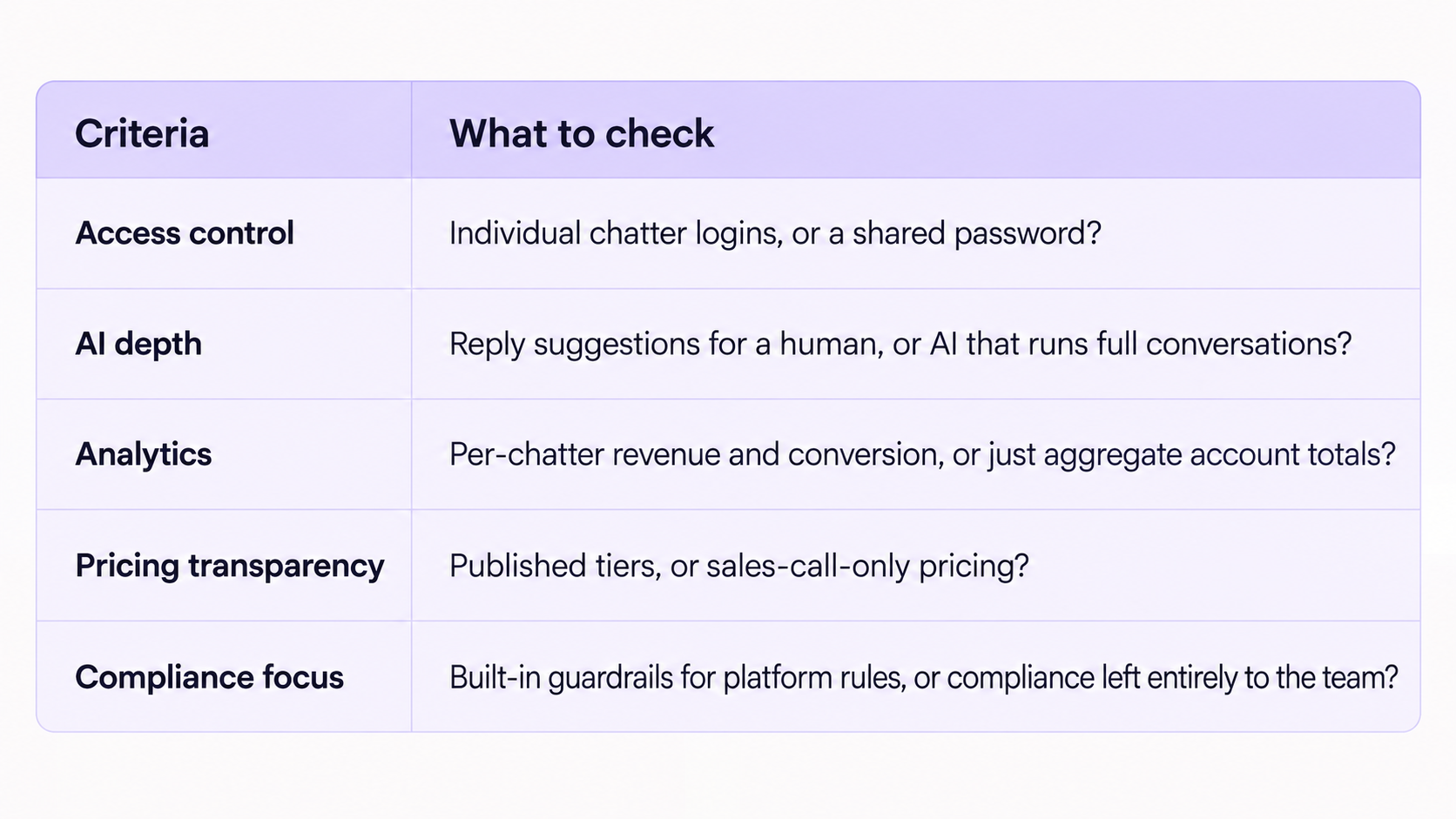
The Mistakes That Cost Money When Switching Platforms
Switching without checking data portability first. Before migrating, confirm which fan notes, tags, purchase records, scripts, media labels, and analytics you can export from the old platform and import into the new one. Do not assume the two systems use compatible formats.
Signing an annual contract before a real trial. Avoid committing to an annual plan until the platform has been tested with representative chat volume, team roles, and account workflows. The discount only matters if the system works for the operation.
Ignoring the learning curve on total cost. A cheaper tool that takes a chat team two extra weeks to get fluent on isn't actually cheaper once lost conversion during that ramp-up gets counted.
Not confirming who owns the data on exit. Ask upfront what happens to fan notes, tags, and history if the agency leaves the platform. Some tools make this easy. Others don't, and finding out at the point of leaving is the worst possible time.
See How Supercreator Compares on Your Own Numbers
The right platform depends on where your actual bottleneck is: chat volume, access security, analytics, or compliance risk. If volume is the constraint and you want to see how an AI chatter that runs full conversations fits into a real chat team, book a demo, and we'll walk through it against your current setup. If you're a solo creator wanting to try the CRM and Izzy on your own account first, you can start for free. For the category basics, this breakdown of what an OnlyFans CRM does and how to choose one is a good next stop.
Best OnlyFans Management Software Compared
.png)
No, this isn’t another list of reasons to be scared of AI in your DMs. It’s a plain answer to the question you’re actually asking: which parts of a messaging workflow AI can assist with, where human review remains important, and what platform and legal questions you must resolve before enabling automated sending.
What "AI Chatter" Actually Means in 2026
The term “AI chatter” covers tools with different levels of automation. Some draft replies for human approval; others generate and send messages automatically. More capable systems can use a configured creator persona, prior messages, fan purchase history, and sales context to generate a new reply. These capabilities should be verified for the specific product rather than assumed from the category name.
Tasks AI Can Support or Automate
Performance depends on the product, configuration, fan segment, review process, and current platform rules.
Round-the-clock assistance. AI can draft or, where permitted and appropriately configured, send replies outside human shifts. This can reduce coverage gaps, but teams still need monitoring, escalation, and a current platform-policy review.
First-touch and qualification. Supercreator supports automated first replies and conversation qualification, including passing promising conversations to a human chatter with context. This can shorten response times when configured appropriately.
Structured sales flows. AI can support configured PPV pitches, bundle offers, follow-ups, and renewal messages. Results should be monitored for voice, pricing, product selection, timing, and conversion quality.
Fan context. A connected CRM can surface prior messages, purchases, preferences, and spending patterns so replies do not require manually reviewing the full conversation history.
Language support. Translation can help creators and teams communicate across languages, but important sales terms, boundaries, and sensitive messages should be checked for tone and meaning.
Here's the catch: none of that means the AI should touch every conversation. The goal isn't 100% automation. It's freeing up the hours that were going to repetitive chat so a real person can spend them on the fans who actually move revenue.
What AI Does Not Replace
High-value and high-touch conversations. When an account’s revenue is concentrated among a smaller group of fans, routing those conversations, and custom or sensitive requests, to experienced people can reduce the cost of a poor or inconsistent interaction. Set routing rules from the account’s actual spending and conversation data.
Sensitive and high-risk situations. Configure immediate stop-and-escalate rules for suspected minors, self-harm, threats, coercion, prohibited content, personal-data requests, and boundary violations. A suspected-minor interaction should end without further sexual engagement and follow the platform’s reporting process. Self-harm language should trigger a documented crisis-response protocol and appropriate support resources, not improvised counseling by either AI or a chatter.
Voice consistency without setup. An AI sounding right in one test message and an AI staying in character for four thousand messages across three months are two different problems, and the second one is the one that actually matters for a working page. For more on why that gap exists and how to close it, see keeping an AI's voice consistent over thousands of messages.
Reliability at real volume. A chatter tool that works fine on a demo account can fall apart once it's handling the message load of a real, busy page. If you're evaluating tools, it's worth asking directly about whether a chatter tool can actually hold up at volume before you commit an entire operation to it.
Compliance cannot be delegated to the model alone. Restricted-word rules and automated guardrails can reduce known risks, but they do not guarantee compliance. Use current platform policies, maintained controls, monitoring, audit logs, and human escalation together. A general-purpose chatbot with a short prompt is not a substitute for that system. This is worth understanding in more depth: see the compliance risk built into running AI chat at scale.
Check the current platform rules before enabling AI messages. Reuters reported in July 2024 that OnlyFans’ terms explicitly prohibited using an AI chatbot to write chats or direct messages. Supercreator’s current product page states that its AI chatter operates within OnlyFans’ terms and recommends transparency. Because these statements conflict, and platform terms can change, confirm the current rule and approved workflow directly before using AI-generated DMs. Do not treat guardrails or human availability as proof of platform authorization.
The Disclosure Question, Answered Honestly
AI-companion regulation is developing, but its application to creator-platform DMs is not settled. California and New York have enacted rules requiring defined AI companion services to disclose their non-human nature and maintain safeguards, including self-harm protocols. Whether a particular OnlyFans messaging workflow falls within those definitions depends on the product, operator, purpose, users, and jurisdiction.
The FTC also opened a Section 6(b) study in September 2025 involving seven consumer-facing AI-chatbot companies. The inquiry focuses on risks to children and teens and asks, among other things, how companies disclose chatbot features, risks, and data practices. It does not itself create a disclosure law for OnlyFans messages. Get jurisdiction-specific legal advice instead of treating “the trend line” as the rule.
Here's the catch: this isn't primarily a legal question. It's also a platform one. OnlyFans has its own conduct rules that apply regardless of what any state disclosure law says, and getting those wrong is what actually gets an account flagged. If you haven't reviewed them recently, OnlyFans' own Terms of Service is the place to start, since platform-level compliance and legal disclosure requirements aren't the same thing and both matter.
Where law or platform policy requires disclosure, follow that requirement. Where it does not prescribe an answer, creators and agencies should set a documented transparency policy that considers fan expectations, creator consent, consumer-protection risk, and brand trust. Product controls do not transfer that responsibility away from the operator.
How to Decide What to Automate First
Don't be one of the operators who either automates everything on day one or refuses to automate anything out of caution. Neither extreme works well.
A cautious rollout starts with a narrow, permitted use case and explicit exclusions. Keep high-value, custom, sensitive, or ambiguous conversations with people. Expand only after the test produces enough conversations to evaluate response quality, escalations, complaints, pricing errors, conversions, and policy compliance. Use a minimum sample size and decision criteria rather than a fixed number of days.
If results are weak, diagnose the full system before expanding: persona and source data, product catalog, pricing, routing, exclusions, model behavior, integration quality, uptime, monitoring, and the suitability of the selected use case. Some problems can be fixed through configuration; others indicate that the workflow still needs human handling or a different tool.
See the Difference for Yourself
Keeping automated conversations consistent and reducing known policy risks requires more than a settings toggle. Izzy is built around configured creator personas, fan context, monitoring, escalation rules, and restricted-word guardrails. According to Supercreator, aggregated patterns across thousands of creator accounts help inform those controls; this is a risk-reduction measure, not a guarantee of platform compliance. Book an agency demo or start as a creator.
OnlyFans AI: What It Can Support, Where Humans Still Matter, and What to Check First

.png)
No, you don't need a 20-person team to run this properly. What you need is structure that scales without you personally holding it together. This is the operator's playbook for that structure: roles, hiring, onboarding, acquisition, chatting, tools, and the mistakes that quietly sink most agencies before they hit real revenue.
If you haven't launched yet, the legal setup and business-plan groundwork is worth reading first. This guide picks up from there: you've decided to build the agency, and now you have to actually run it.
An OFM Agency Is a Business, Not a Hustle
Many agencies begin with a founder handling most functions for a small roster. That approach can become difficult as chat volume, creator needs, and reporting responsibilities grow. The breaking point is determined by workload and service scope, not by a universal number of accounts.
The trap isn't ambition. It's staying in founder-does-everything mode past the point where it can carry the weight.
Here's the catch: unstructured growth feels productive right up until it isn't. Revenue climbs for a while on pure hustle, then plateaus hard, because there's a ceiling on how many conversations one exhausted person can personally hold in their head. The agencies that keep growing past that point are the ones that build structure before they're forced to.
A healthy structure means three things exist on paper, not just in the founder's head: who owns which model relationships, who's responsible for chat quality, and who's watching the numbers. If those three things live only in one person's memory, the agency doesn't survive that person having a bad month.
Internal Structure: The Roles Every Agency Needs
The omniscient founder trap is real: doing recruitment, chatting, marketing, and finances all yourself works for a while and then quietly caps your growth, because you become the bottleneck for every decision.
One practical structure for a growing agency separates the following responsibilities:
- Owner or agency manager. Sets strategy, owns model relationships, makes the final call on commission structure and hiring.
- Chat manager or team lead. Owns chatting quality across the roster. Reviews conversations, coaches underperforming chatters, and is the first line of defense when something looks off in a chat.
- Chatters, tiered by experience. Junior chatters handle high-volume, lower-spend conversations. Senior chatters or the founder handle VIPs and custom requests.
- Model liaison or onboarding lead. Owns the relationship with each model: collecting content, running the bio and setup process, being the point of contact when a model has a question.
- Marketing or acquisition lead. Owns the traffic side, whether that's social funneling, paid promotion, or cross-promotion deals.
At one or two models, one person can wear several of these hats. The point isn't to hire five people on day one. It's to know which hat is being worn at any given moment, so nothing falls through the cracks when the agency grows. Getting role-based access and chatter performance tracking set up properly from the start makes this far easier to formalize later; this breakdown of role management and chatter benchmarks covers the access-control side of this in more depth than fits here.
Hiring and Training Chatters
For agencies that manage fan messages, chatter hiring can materially affect revenue, brand consistency, and retention. A structured hiring process is more defensible than relying on instinct alone.
Rethink what you're hiring for. A great chatter isn't necessarily someone who's chatted before. It's someone who writes naturally, reads context fast, and can hold a fan's attention without sounding scripted. Writing ability and emotional reading matter more than industry tenure.
Where to find chatters. Potential sources include reputable job boards, relevant professional communities, and referrals from people you trust. Use a documented application and paid skills test, and require candidates to respect former employers’ confidentiality and intellectual property. Paid job listings on general freelance platforms work too, but expect a much higher volume of unqualified applicants to filter through.
Evaluate experience and adaptability. Prior experience can shorten ramp-up time, but it does not guarantee fit with a creator’s voice, boundaries, or processes. Test writing quality, judgment, and coachability with paid, anonymized scenarios before granting account access.
Train with controlled access. Begin with approved scripts, anonymized examples, product knowledge, creator boundaries, escalation rules, and supervised practice. If a trainee observes live work, use role-based access, confidentiality terms, and the minimum fan data necessary. Review a defined sample of early conversations and document coaching. Saved scripts and message templates shorten this ramp significantly, since a new hire isn't improvising tone from a blank page on message one.
Model Onboarding: Why the First Week Sets the Tone
Creator onboarding establishes expectations, permissions, boundaries, security controls, and the information needed to represent the creator consistently. Rushing it can create avoidable operational and trust problems.
A working onboarding process generally runs through six steps:
- Kickoff call. Set expectations on commission, communication cadence, and what the agency needs from the model versus what the agency handles.
- Bio and persona setup. Collect tone, boundaries, slang, and backstory details in enough depth that a chatter (or an AI chatter) can sound like the model, not like a generic template. Document enough detail for approved team members or tools to follow the creator’s voice without defaulting to a generic template
- Content and product catalog build. Organize existing content into a sellable catalog with tags and pricing, so chatters aren't hunting for the right clip mid-conversation.
- Boundaries and red lines. Document what the model won't discuss or sell, in writing, so no chatter has to guess and no fan gets an answer that damages trust.
- Soft launch on one or two fan segments. Start chatting with a limited slice of the fan base rather than flipping every conversation over at once, so early mistakes are cheap to catch.
- Full handoff with a review checkpoint. Once the soft launch looks solid, hand off full chatting, but schedule a check-in at one and four weeks to catch drift before it compounds.
Onboarding should continue until the creator, agency, and authorized team can work from the documented persona, boundaries, catalog, and escalation rules without repeated clarification. Set review points based on risk and performance rather than a fixed universal timetable.
Acquisition and Marketing: An OFM Agency Is a Marketing Agency Too
Signing models is only half the job. The other half is generating the traffic that turns a signed model into a revenue-producing one, and agencies that treat marketing as an afterthought plateau fast.
Possible acquisition channels include the following. Their effectiveness and permissibility depend on the creator, audience, jurisdiction, platform rules, budget, and measurement setup:
- Organic social funneling (for example, X, Instagram, TikTok, or Reddit): can build an owned audience without paying for every impression, but requires sustained labor and strict compliance with each platform’s adult-content and linking rules.
- Creator collaborations and permitted cross-promotion: can introduce a creator to an adjacent audience when all participants consent, and the promotion complies with platform rules. Results vary by audience fit and offer.
- Paid promotion on platforms that allow it, plus adult-specific ad networks: faster scale, but margin gets tighter fast if conversion isn't tracked closely.
- Agency directories and professional listings: can help creators discover and evaluate agencies. Supercreator’s OnlyFans agency directory is designed for creator-to-agency discovery; it should not be described as a fan-acquisition channel.
- Affiliate or shoutout deals: paying another creator or account for a mention, usually cheaper than paid ads but harder to scale predictably.
Most agencies get the best return by mastering one or two of these before spreading thin across all of them. Chasing every channel at once usually means doing all of them badly.
Chatting: The Heart of the Business
For agencies that manage fan conversations, chat can be an important revenue and retention channel. It can support PPV sales, custom requests, and repeat purchases, but its contribution varies by creator and business model.
Chatting is its own job, not a side task. Treating it as something anyone can pick up between other duties is how quality slips. The best agencies treat chatting as a specialized skill with its own hiring bar, training path, and review process.
The phases of a conversation. Broadly: greeting and qualifying a new fan, building rapport and reading spend signals, pitching PPVs and upsells at the right moment, and retention messaging for fans who've gone quiet. Each phase needs a slightly different tone, and chatters who only know how to sell struggle with the rapport-building phase, while chatters who only know how to chat struggle to close.
Shift organization. Coverage matters because fans buy on their own schedule, often late at night or during a break at work. Most agencies split shifts to cover peak hours across time zones rather than staffing one block and hoping fans show up during it. Tools such as Izzy, Supercreator’s AI chatter, are designed to provide off-hours coverage, personalization, monitoring, guardrails, and human handoff. Before enabling AI-generated messages, confirm the current OnlyFans terms and obtain appropriate creator authorization; keep human review and intervention available, and disclose AI assistance where required or appropriate. Platform rules can change, and public reporting has described restrictions on AI-generated direct messages.
Essential Tools
Basic tools. A shared drive or vault for content, a spreadsheet or CRM for tracking fan spend, and a scripts library so chatters aren't improvising tone from scratch every time.
Specialized OFM tools. Supercreator provides role-based permissions and team-performance reporting so agencies can limit internal access and attribute activity. Agencies must still ensure that every user and workflow is authorized by the creator and complies with current platform terms and privacy obligations.
Artificial intelligence. AI tools can assist with drafting, qualification, lower-priority volume, and off-hours coverage, depending on configuration and current platform rules. Use monitoring, guardrails, clear escalation paths, and human review; evaluate quality against defined metrics before expanding scope.
The Mistakes That Make Agencies Fail
In structure: staying in founder-does-everything mode past the point it can scale, and having no documented process for onboarding, roles, or escalation, so quality depends entirely on who happens to be working that day.
In hiring: hiring purely on experience without testing actual writing and reading in a real conversation, and skipping training because "they've done this before."
In acquisition: spreading thin across every channel instead of mastering one or two, and treating marketing as the model's problem instead of the agency's job.
In chatting: letting anyone chat without review, ignoring the gap between shifts, and treating volume as the only metric that matters instead of watching revenue per hour and repeat purchase rate alongside it.
Run It Like the Business It Is
Everything above adds up to one thing: an agency that scales is one where roles, onboarding, and chatting quality don't live entirely in the founder's head. Supercreator is built to support exactly that operational layer, from role-based access that lets a chat team work without sharing a password, to Izzy covering the volume between shifts, to live analytics showing exactly which chatters and models are driving revenue. If you're running an agency and want to see how the structure in this guide maps onto a real platform, book a demo and we'll walk through it on your own roster.
You can also browse the agency directory to see how other agencies structure and present themselves.
How to Run an OnlyFans Agency in 2026

.png)
Quick Answer: What Is Supercreator's Inbox Copilot?
Inbox Copilot is Supercreator's prioritization layer that surfaces the fans most likely to buy before you start replying, so you stop spending chatting time on conversations that were never going to convert. It reads spending, subscription status, and activity to tag and rank your inbox automatically, with no setup beyond connecting your account.
What it gives you:
- Priority tags: Hot Buyer, New Subscriber, Expired, and Urgent Priority, updated automatically
- Total spend per fan visible before you open a chat, covering tips, PPV, and unlocks
- Filters to hide expired fans and other creators and sort by priority or spend
- Custom spending thresholds so tags reflect your pricing, not a generic benchmark
- One joint inbox across multiple accounts and creators
- AI-assisted suggestions from Izzy that you review and send, not autonomous replies
See who is worth your next few minutes before you open a single chat. Try Inbox Copilot.
Key takeaways:
- Inbox Copilot prioritizes your inbox by likelihood to buy, using spend, subscription status, and activity. No setup beyond connecting your account.
- Work Urgent Priority conversations first. It is the highest-signal tag, flagging the fan most likely to purchase right now.
- Total spend shows before you open a chat and excludes subscription fees, so it reflects discretionary spending. Click it for full transaction history.
- Filter out expired fans and other creators, and sort by priority or spend, to work only on conversations that can convert.
- Set your own spending thresholds in Fan CRM so tags match your pricing rather than a generic benchmark.
- Inbox Copilot assists the human chatter; Izzy runs autonomous touchpoints. They work together, covering the high-value side and the volume side.
Why Most Chatting Time Goes to Fans Who Never Buy
Most creators spend a big chunk of their chatting time on fans who were never going to purchase anything. The problem is not knowing which conversations those are until you’re already in them. Inbox Copilot helps you prioritize conversations by surfacing the fans most likely to convert before you start replying.
What Inbox Copilot Does
Inbox Copilot analyzes fan spending, subscription status, activity, and other account signals to help prioritize conversations.
The tags it assigns:
- Hot Buyer: a fan who purchased in the last 48 hours
- New Subscriber: joined in the last 7 days
- Expired: subscription has lapsed
- Urgent Priority: the algorithm has flagged this as the highest-probability opportunity in your inbox right now
These tags do not require any setup beyond having Supercreator connected to your account. They update automatically as fan behavior changes.
Start with Urgent Priority
The Urgent Priority tag is the most actionable signal in the inbox. When Inbox Copilot flags a conversation as Urgent Priority, it means the algorithm has identified that fan as one of the conversations most likely to benefit from immediate attention, based on their behavior and history.
Work these first; not after you have responded to everything else or after you have checked your notifications. These are the conversations with the highest likelihood of converting if you engage quickly.
The reasoning behind the tag is not always obvious from the outside, which is exactly why it is useful. You don’t need to analyze the fan's history manually to know they’re worth your next few minutes because the tag has already done that work.
Check Total Spend Before You Respond
Every chat in Inbox Copilot shows a running total of what that fan has spent across tips, PPV, and post-purchases. Subscription fees are excluded from this figure. If a fan has an account on your free page and another on your paid page, the spend shown is their combined total across both.
This number is visible without opening the chat. Before you decide whether a conversation is worth your time, you already know whether this fan has a history of spending.
Clicking on the spend figure opens the full transaction history. Every purchase, every tip, every PPV unlock is logged there. For a fuller view of a fan's subscription length, notes, and preferences, open the Fan CRM panel from the same conversation. That context changes how you approach the conversation. A fan who has spent significantly over six months gets a different response than someone who has never purchased anything.
Filter the Inbox Down to What Matters
The full inbox includes expired subscribers, other creators, and fans who are unlikely to convert. Inbox Copilot's filter options let you remove that noise so your queue shows only people who can actually spend.
Useful filter combinations:
- Sort by priority to surface Urgent Priority and Hot Buyer conversations first
- Sort by spending to work your highest-value fans before anything else
- Hide expired fans when your focus is on active subscribers
- Hide other creators to keep the inbox focused on fans rather than professional contacts
You do not need to use every filter at once. Set the combination that matches what you are trying to accomplish in a given session and adjust from there.
Customize Your Spending Thresholds
The default spending thresholds that determine your Fan Segments are set based on general account benchmarks. Those benchmarks may not match your specific pricing or fanbase.
In the console, go to Fan CRM and adjust what counts as a high spender for your account. If your PPV prices are higher than average, the default threshold will undercount who your real top fans are. If your prices are lower, it may overcount. Setting this correctly means the tags reflect your actual revenue tiers rather than a generic standard.
The Fan CRM is also where you manage broader fan segmentation beyond what Inbox Copilot tags automatically, including spending history, subscription status, and engagement patterns that inform how you approach different fan groups.
Work from One Joint Inbox Across Accounts
If you manage multiple accounts or multiple creators, Inbox Copilot consolidates everything into a single view. You do not need to switch between accounts or log in and out to see conversations across your roster.
Every chat in the joint inbox shows which account and creator it belongs to. If a chatter on your team is handling conversations on a creator's behalf, they can pull up the creator's bio directly from within the inbox without navigating away. That quick reference keeps tone and details consistent without requiring the chatter to memorize everything about every creator they manage.
Use AI for Message Suggestions, Not Just Full Automation
Inbox Copilot includes an AI assist option for generating message suggestions directly within the inbox. This is useful when you are stuck on what to say, when a conversation has stalled, or when you want a starting point to edit rather than writing from scratch.
The workflow:
- Generate a suggestion
- Review it
- Adjust it to fit the specific fan and conversation
- Send
Izzy AI powers the message suggestions inside the inbox. It's trained specifically for creator conversations, so the starting point is usually more relevant than starting from a blank page. But the review step really matters. A suggestion generated without context about the specific fan should be adjusted before it goes out.
This is different from letting Izzy run the conversation autonomously. Inbox Copilot's AI assist is a tool for the person doing the chatting and is not a replacement for them.
Auto-Translate for International Fans
Inbox Copilot translates messages on the fly so you can chat with fans in any language without leaving the conversation. The translation works in both directions, incoming messages from fans and outgoing replies, so the conversation stays in the fan's preferred language throughout.
For creators with international audiences, this removes the friction of managing conversations in languages you do not speak. For agencies managing creators across different markets, it means chatters do not need to be native speakers of every language in the roster.
How Inbox Copilot Fits into Your Broader Workflow
Inbox Copilot handles the prioritization and context layer of your inbox. Izzy handles the automated triggers that run alongside it, welcome sequences, re-engagement messages for inactive fans, and follow-up flows after purchases.
These work together rather than as alternatives. Izzy keeps automated touchpoints running in the background. Inbox Copilot tells you where your manual attention is most valuable when you’re in the inbox. Together, they cover both the volume side and the high-value side of fan communication.
Spending Your Chatting Time Where It Returns the Most
The fans who drive most of the revenue on any given account are a small percentage of the total subscriber count. Inbox Copilot makes that percentage visible and accessible before you open a single chat.
Inbox Copilot helps you spend your time where it has the biggest impact by surfacing high-value conversations first instead of forcing you to work through your inbox chronologically.
How to Use Supercreator’s Inbox Copilot to Focus on Fans Who Actually Buy

.png)
Quick Answer: Can an OnlyFans AI Chatbot Sound Like You?
Yes, an OnlyFans AI chatbot can sound like you, but only when it is trained on your real chat history rather than a written description of your style. Voice matching, not speed, is what determines whether a chatbot helps or hurts retention, because fans are paying for a relationship. The difference between a chatbot fans cannot detect and one that erodes trust is almost entirely in the setup.
What good voice customization comes down to:
- Upload real chat history, ideally six months, so the AI learns how you actually write
- Match tone, vocabulary, and fan memory, not just reply speed
- Set escalation rules so high-value fans route to a human
- Define hard boundaries for off-brand and flagged topics
- Disclose AI with #AI, which OnlyFans requires as of 2026
- Refresh the training every few months, so your voice does not drift
Want a chatbot that already understands how OnlyFans fans talk? See how Izzy calibrates to your voice.
Key takeaways:
- Voice matching matters more than speed. Any chatbot replies fast; the ones that retain subscribers sound like the creator.
- Good voice customization covers four layers: tone and register, vocabulary and slang, fan memory, and escalation rules.
- Train on real chat history, not written instructions. Six months of conversations beats any style description.
- Protect high-value fans with escalation thresholds. The chatbot handles volume; you handle the relationships that drive revenue.
- Disclose AI with #AI. OnlyFans requires it for AI-assisted conversations as of 2026, and undisclosed AI drives chargebacks.
- Voice drifts if you set it once and forget it. Refresh the training data every few months.
Why a Generic AI Chatbot Costs You Subscribers
One of the biggest concerns creators have about AI chatbots is that they’ll sound generic. Like a customer service bot, not like a person fans have been paying to talk to for months. That concern is valid, and it is also solvable. The tools built specifically for OnlyFans are designed around voice matching, not just automated replies.
This article covers what voice customization actually means in practice, which tools do it well, and how to set one up so fans cannot tell the difference.
Why Voice Matching Matters More Than Speed
Any chatbot can reply fast. The ones that actually retain subscribers are the ones that sound like the creator.
Fans on OnlyFans are not just buying content; they’re also paying for a relationship. When a message comes back sounding corporate or robotic, that relationship breaks. The subscriber who has been tipping consistently for three months starts questioning whether anyone on the other end actually knows who they are.
For accounts where fan engagement is a core part of the revenue model, voice matching is what determines whether a chatbot helps or hurts retention.
What Voice Customization Involves
There are a few different layers to what good voice matching covers:
- Tone and register are the most obvious ones. Whether the creator is playful and casual, more assertive, soft and intimate, or explicit and direct, the chatbot needs to reflect that consistently across every conversation. A mismatch in tone is what makes automated messages feel automated.
- Vocabulary and slang are where most generic chatbots fall short. Creators develop specific ways of speaking over time- specific words, phrases, emoji habits, and expressions their regulars recognize. A well-trained chatbot picks these up from chat history rather than defaulting to neutral language.
- Fan memory is the third layer. A chatbot that treats every conversation as if it is starting from scratch is going to frustrate fans who expect continuity. The better tools log purchase history, conversation context, and fan preferences so responses are informed by what has already happened in the relationship.
- Escalation rules are how you protect high-value fans from getting generic treatment. When a fan crosses a spending threshold, or when a conversation gets complex, the chatbot should route to a human rather than trying to handle it with automation.
OnlyFans AI Chatbot Tools That Match Your Voice
A few tools are worth knowing about, each with a different approach to how they learn and apply your voice.
Supercreator (Izzy)
The OnlyFans AI chatbot built into Supercreator is called Izzy. She is trained on over 500 million real OnlyFans conversations, which gives her a foundation in how fans actually communicate on the platform rather than how a generic language model imagines they do.
When you set up Izzy, you upload your existing chat history. The more of it you provide, the faster she calibrates to your specific tone and vocabulary. By around day four of a trial, most creators report the suggestions matching their voice closely enough to send with minimal editing. She is also multilingual, which matters for creators with international fan bases.
Using OnlyFans message bots effectively is about improving efficiency without sacrificing authenticity. The best results come from treating bots as assistants that enhance your workflow while keeping the fan experience personal and engaging. Follow these best practices:
- Be transparent about what's automated and what isn't.
- Use bots to gather and analyze fan data to better understand your audience and identify sales opportunities.
- Create personalized conversations at scale by training your bot to match your tone, personality, and messaging style.
- Automate repetitive or low-value tasks so you can spend more time building relationships with high-value fans.
- Respond quickly to keep conversations active and prevent fans from losing interest.
- Regularly refine your bot's behavior based on fan interactions and performance to continuously improve engagement and conversions.
What you configure directly: tone and chat style, which types of fans she engages with, escalation triggers that hand conversations to you or a chatter when the fan's spending crosses a threshold. The whole thing is managed through a dashboard alongside the OnlyFans CRM layer, so fan context, purchase history, and conversation data all feed into how Izzy responds.
The OnlyFans bot side of Supercreator handles the automated workflow triggers, welcome sequences, and re-engagement messages that run alongside Izzy's conversational responses.
Whisper Fans
Whisper Fans trains on your past chat history to learn your tone, language, and how you move through conversations. It is designed specifically for OnlyFans and positions itself around voice matching and sales. It handles PPV sending, tracks chat histories to avoid repetition, and routes custom content requests back to the creator for approval. It uses commission-based pricing rather than a flat monthly fee.
FlirtFlow
FlirtFlow emphasizes personality customization over templated responses. It learns from fan interactions over time and adapts its approach based on what engages each specific fan. The tool was built by a team with agency management experience, which shows in how it handles the sales side of conversations. It works in multiple languages and runs 24/7.
OnlyMonster
OnlyMonster lets you configure your tone of voice and writing style directly in the settings. It is better known as a multi-account management tool for agencies, so the voice customization is one feature within a broader operations suite rather than the core product. Worth considering if you are already using it for account management and want to add AI-assisted messaging without switching platforms.
How to Set Up Voice Customization Properly
Getting a chatbot to sound like you takes a few deliberate steps upfront. Skipping these is why a lot of creators who try chatbots conclude they do not work.
- Upload real chat history. Generic instructions like "be playful and casual" are not enough for a good voice match. The AI needs actual examples of how you write. Six months of real conversations gives it far more to work with than any written description of your style.
- Identify your patterns explicitly. Before you set anything up, look at a few dozen of your own messages and note the specific things you do: how you open conversations, what phrases you use repeatedly, how you handle fan requests, whether you use punctuation a certain way, which emojis you reach for. Write these down and include them in your chatbot's setup instructions.
- Set hard rules for what the bot should not do. Every platform has flagged terms that can trigger moderation. Beyond compliance rules, you also want to define your own limits: topics the bot should never engage with, scenarios it should hand to you, language that is off-brand. These boundary rules are as important as the style settings.
- Define your escalation thresholds. Decide at what point a fan gets transferred to a human. Common triggers: a fan who has spent above a certain amount in the last 30 days, a custom content request, any conversation that goes somewhere sensitive. The chatbot handles volume. You handle the relationships that actually drive significant revenue.
- Test before going live. Run the chatbot on a small segment of your subscriber base before enabling it for everyone. Check the tone, check the boundaries, and check whether the escalation rules are triggering correctly.
Keeping Your Voice Consistent Over Time
Brand voice is not static. Creators evolve. The slang changes, the content focus shifts, the relationship with the fanbase develops. A chatbot that was set up a year ago and never updated starts sounding like an old version of you.
Update your training data regularly, every few months at minimum. Add new chat examples that reflect how you are writing now. Adjust the tone settings if your style has shifted. Add new PPV content and offers to the chatbot's catalog so it is working with current material rather than selling content your regulars have already seen.
The most common reason voice drift happens is not that the chatbot learned the wrong thing. It is that the creator set it up once and forgot about it. Treat the voice settings as something you revisit rather than something you configure once.
AI Disclosure Requirements on OnlyFans
As of 2026, OnlyFans requires disclosure when AI is used to respond to fans. The standard approach is using #AI or #AIGenerated in relevant content. This applies to AI-assisted conversations, not just AI-generated media.
Most of the tools listed above have disclosure support built in. Some handle it automatically. Either way, getting this right proactively protects the account and prevents the chargeback risk that comes from fans who feel deceived when they find out later.
The Chatbot Is Only as Good as the Training You Give It
An AI chatbot on a well-configured account can handle a significant portion of fan conversations without fans noticing a difference. On a poorly configured account, it will produce generic output that erodes the subscriber relationships you have spent months building.
The difference is almost entirely in setup. Give the AI real examples to learn from, define your rules clearly, protect your high-value fans with proper escalation, and update the training as you evolve. Do that, and the chatbot becomes a genuine extension of how you work rather than a liability.
How to Customize an OnlyFans AI Chatbot to Match Your Brand Voice
.png)
Quick Answer: How Do You Grow on OnlyFans in 2026?
Growing on OnlyFans in 2026 comes down to a system built on three metrics: new subscriptions, earnings per subscriber, and churn. Creators who earn consistently are not making better content than everyone else. They have a profile that converts, they promote on the right platforms, they monetise beyond the subscription fee, and they use AI and automation to hold it all together at scale.
The growth system in short:
- Fix the profile first: clear bio, 15 to 20 posts live, hidden subscriber count, researched pricing
- Promote off-platform, because OnlyFans has no internal discovery. Reddit, Twitter/X, and Telegram move fastest
- Monetise with PPV, tips, and customs, not the subscription fee alone
- Cut churn with real engagement, since subscribers renew for connection, not content
- Layer in AI and automation to multiply a system that already works, never to replace one
Below is the full blueprint, metric by metric and platform by platform.
Key takeaways:
- Three numbers decide growth: daily new subscriptions (promotion), earnings per subscriber (monetisation), and churn (content and engagement). Each one points to a different fix.
- Never promote to a weak profile. Get the bio, 15 to 20 live posts, a hidden early subscriber count, and researched pricing in place first.
- OnlyFans has no internal discovery, so every subscriber comes from off-platform. Reddit, Twitter/X, and Telegram are the fastest free channels in 2026.
- Subscription fees are the floor. Real earnings per subscriber come from PPV, tips, and custom content.
- Subscribers renew for connection. Consistent posting plus genuine DM engagement is the difference between 5% and 2% monthly churn.
- AI and automation multiply a working system; they do not create one. Use them for volume DMs, welcome sequences, scheduling, and planning, and keep humans on strategy and high-value fans.
How to Grow Your OnlyFans: The Growth System Explained
Most creators who struggle on OnlyFans aren't struggling because their content is bad. They're struggling because they don't have a system. They post when they feel like it, promote on one platform, and treat every subscriber the same regardless of how much they spend or how close they are to churning.
The creators pulling consistent income have figured out three things: how to bring in new subscribers, how to get more money from each one, and how to keep them around. Everything else is just tactics in service of those three things. If you're just starting on OnlyFans, build this framework from day one rather than bolting it on later.
The Three Metrics That Drive OnlyFans Growth
Strip away all the noise, and OnlyFans growth comes down to three numbers:
- Daily new subscriptions tell you whether your promotion is working. If this number isn't growing, no amount of content quality will save you.
- Earnings per subscriber tell you how well you're monetizing the audience you already have. This is where PPV, tips, and custom content live. Most creators leave money on the table here because they rely entirely on subscription fees.
- Subscriber churn tells you how many people are leaving each month. A creator with 1,000 subscribers and 5% monthly churn loses 50 fans every month and has to replace them before growing. A creator with 2% churn is building something sustainable.
These three numbers tell you where your actual problem is. If new subscriptions are low, your promotion may need some work. If earnings per subscriber are low, your monetization strategy does. If churn is high, your content or engagement is the issue.
Before You Promote Anything, Get This Right
Driving traffic to a weak profile is a waste of every click. Before you push any promotion, make sure these are solid.
- Your bio needs to tell someone exactly what they're subscribing to without giving everything away. Clear enough that they know what to expect, specific enough that they're curious. Vague bios kill conversions.
- Have at least 15 to 20 pieces of content live before you start promoting. A new subscriber landing on a page with three posts will leave. Someone landing on a full, active feed has a reason to stay.
- Hide your subscriber count in the early stages. A low number signals low social proof and discourages new subscribers. Turn it off until you have enough that it works in your favor.
- Keep the text of your posts public so people can see what kind of content you post and how often. The content itself is locked, but the context around it should do selling work.
- Set your subscription price by researching what creators in your niche are charging. Too low signals low value. Too high reduces conversions on cold traffic.
Social Media Promotion by Platform
OnlyFans has no internal discovery. Every subscriber you get comes from somewhere else. Here's how each platform works in 2026.
X
Still the most creator-friendly mainstream platform for adult content. You can post explicit previews, link directly, and build a following without worrying about your account disappearing overnight. Post consistently, engage with followers, and use two-part posts where the second part (or the good stuff) is behind your OnlyFans link. Reply to posts in your niche within the first few minutes to catch algorithmic momentum.
68% of new creators say Reddit was their primary early traffic source. The reason is targeting. Subreddits are pre-sorted communities of people already interested in specific content types. Find three to five subreddits that fit your niche, post quality content consistently, and engage with the community rather than just dropping links. Accounts that only post promo get ignored. Accounts that actually participate convert.
Read more about how to grow your OnlyFans on Reddit
TikTok and Instagram
Both platforms restrict direct OnlyFans promotion and will ban accounts that push it too aggressively. Use these for personality and lifestyle content that builds curiosity, then funnel through a Linktree or landing page rather than a direct link. The goal is to make people want to find you, not to sell them on the spot.
YouTube
Growing in relevance as a traffic source in 2026. Behind-the-scenes content, creator lifestyle videos, and non-explicit teasers work well here. YouTube traffic converts well because subscribers have spent longer with you before they land on your page.
Telegram
Quietly one of the most effective paid promotion channels in 2026. Large Telegram channels in your niche sell shoutout slots, and their audiences are already warm and primed to spend. Building your own free Telegram channel as a funnel is also worth the investment early on. Unlike social media algorithms, every message reaches every subscriber.
Read more about how to grow your OnlyFans on Telegram
Snapchat
Still one of the strongest platforms for building loyal fans in 2026. Casual, behind-the-scenes updates, daily moments, and teaser content feel more personal than polished posts, helping build stronger connections over time. Snapchat works especially well because of its direct messaging and Stories, making it easier to turn engaged followers into paying subscribers without relying entirely on public algorithms.
Read more about how to grow your OnlyFans on Snapchat
How to Promote OnlyFans Anonymously
Privacy is a legitimate concern for a lot of creators, and it's entirely manageable with the right setup.
- Use a stage name consistently across every platform and keep it completely separate from anything tied to your real identity. The email address for your creator accounts should be new, not linked to personal accounts, and not synced to your phone contacts.
- Run at least two sets of social accounts: one for safe-for-work discovery platforms like Instagram and TikTok, and one for explicit promo on Twitter and Reddit. This reduces ban risk on the restricted platforms while letting you go further on the permissive ones.
- If local recognition is a concern, consider targeting international audiences early. Collaborating with creators in other countries and posting in English or Spanish opens up markets where your proximity circle is simply irrelevant.
- OnlyFans lets you geo-block specific regions. If there are places you specifically don't want finding your page, use it.
Collaborations and Shoutouts
Collabs are one of the fastest ways to reach new subscribers who are already in your audience's demographic.
For creator-to-creator collabs, find creators with similar subscriber counts and overlapping niches. The value exchange should feel equal on both sides. Joint content, reciprocal shoutouts, and co-hosted live streams all work. The key is finding someone whose audience would genuinely be interested in your content, not just someone with more followers than you.
Paid shoutouts from larger accounts can work but require vetting. Check that the account has real engagement before paying. Fake follower counts are common, and a shoutout from a 50k account with no real engagement will return nothing.
OnlyFans has a built-in referral program that most creators ignore. Offering existing subscribers a small incentive like a discount or free content unlock for referring a paying friend is one of the lowest-cost acquisition methods available.
Paid Promotion and Adult Ad Networks
Standard paid advertising on Google, Instagram, and Facebook does not work for OnlyFans. Direct links to adult subscription content get ads rejected and accounts suspended. This is not a workaround problem. It is how these platforms operate.
What does work is using a compliant landing page as the intermediary. Instead of sending ad traffic straight to your OnlyFans page, you send it to a landing page that complies with the platform's content rules and then routes interested visitors to your profile. This adds a step but keeps your ad accounts safe.
Adult traffic networks are the more direct paid route. These platforms specialize in adult content advertising and offer push notifications, banner ads, and pop-up formats with no content restrictions.
Read more about adult ad networks here
PPV Strategy and Earnings Per Subscriber
Most creators with low earnings per subscriber are under-using PPV. Subscription fees are the floor, not the ceiling.
Your best content should not go in the subscription feed. It should go in PPV. Post teasers on your main feed that build anticipation, then release the full version as a paid unlock. Keep PPV pricing consistent enough that subscribers trust the value, but test higher prices on clearly high-demand content.
Read more about how to make a PPV post on OnlyFans here
An OnlyFans CRM, like Supercreator, makes this practical at scale. When your subscriber list grows past a few hundred, tracking who opened what, who spent last month versus who hasn't in three months, and who is close to churning becomes impossible to manage manually.
Fan Engagement and Retention
Subscribers renew for connection, not content. You can have the best photos on the platform and still have high churn if fans feel like they're buying from a vending machine rather than following someone they actually like.
The basics: respond to DMs, acknowledge your regulars, ask for content feedback, and run polls on what fans want next. These are not optional extras. They are what separates a 5% monthly churn from a 2% one, and that difference compounds into a significant revenue gap over six months.
As your subscriber base grows, keeping up with DMs manually becomes unsustainable. An OnlyFans AI chatbot keeps the conversation going at volume without every message requiring your personal attention. The distinction matters: automation handles the repetitive interactions, but the strategy and high-value conversations still need a human.
Similarly, an OnlyFans bot can manage welcome sequences, re-engagement messages, and renewal reminders automatically, so these touchpoints happen consistently regardless of how busy your posting schedule gets.
AI and Automation in Your Growth Workflow
AI tools have changed what's possible for creators managing their accounts without a team.
For content planning, tools like ChatGPT help structure content calendars, script mass-message sequences, and brainstorm PPV campaign ideas. They don't replace the content itself, but they remove the planning bottleneck.
For social media, scheduling tools like Buffer and Later keep your promotional presence consistent across platforms without requiring you to post manually every day. Set the schedule once and let it run.
For fan communication, AI chatbot tools handle the DM volume that would otherwise eat your entire day. The more subscribers you have, the more this matters.
Automation does not replace the need for strategy. It multiplies the impact of a strategy that already works. If your content isn't converting and your promotion isn't driving new subscribers, no amount of automation will fix that.
Analytics and Tracking
You cannot improve what you don't measure. Creators who scale consistently track which content converts, where subscribers come from, which PPVs underperform, and when churn tends to spike.
OnlyFans provides basic analytics natively. For deeper subscriber behavior tracking, spending pattern analysis, and cross-platform traffic attribution, third-party OnlyFans analytics tools, like Superceator, give you the data layer needed to make decisions rather than guesses.
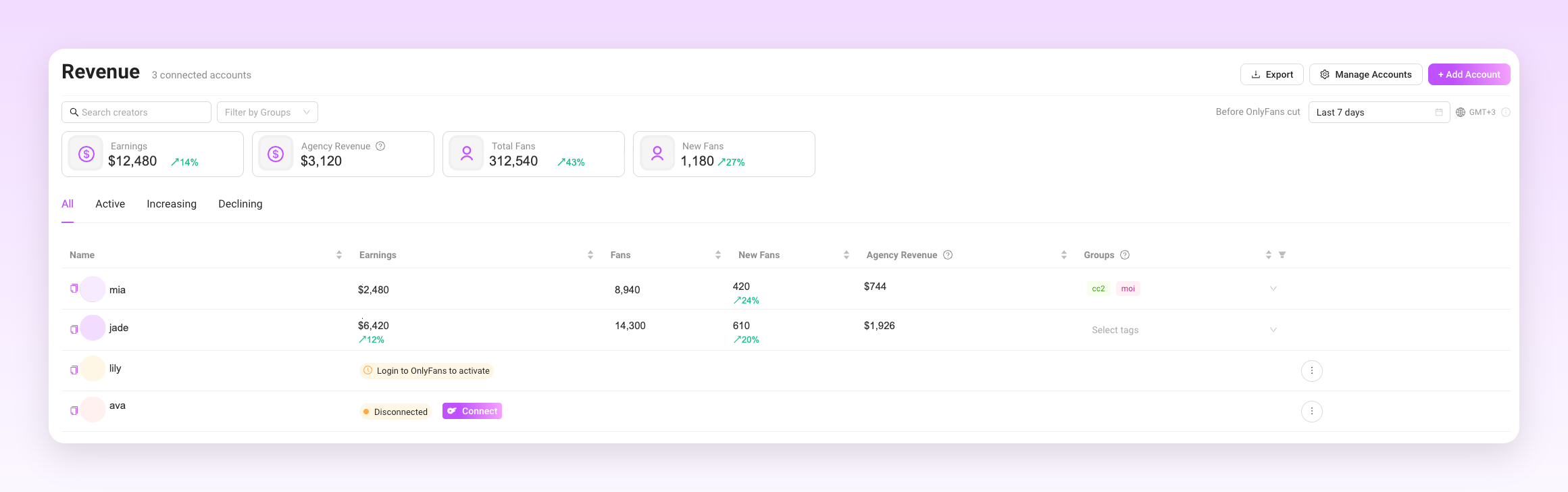
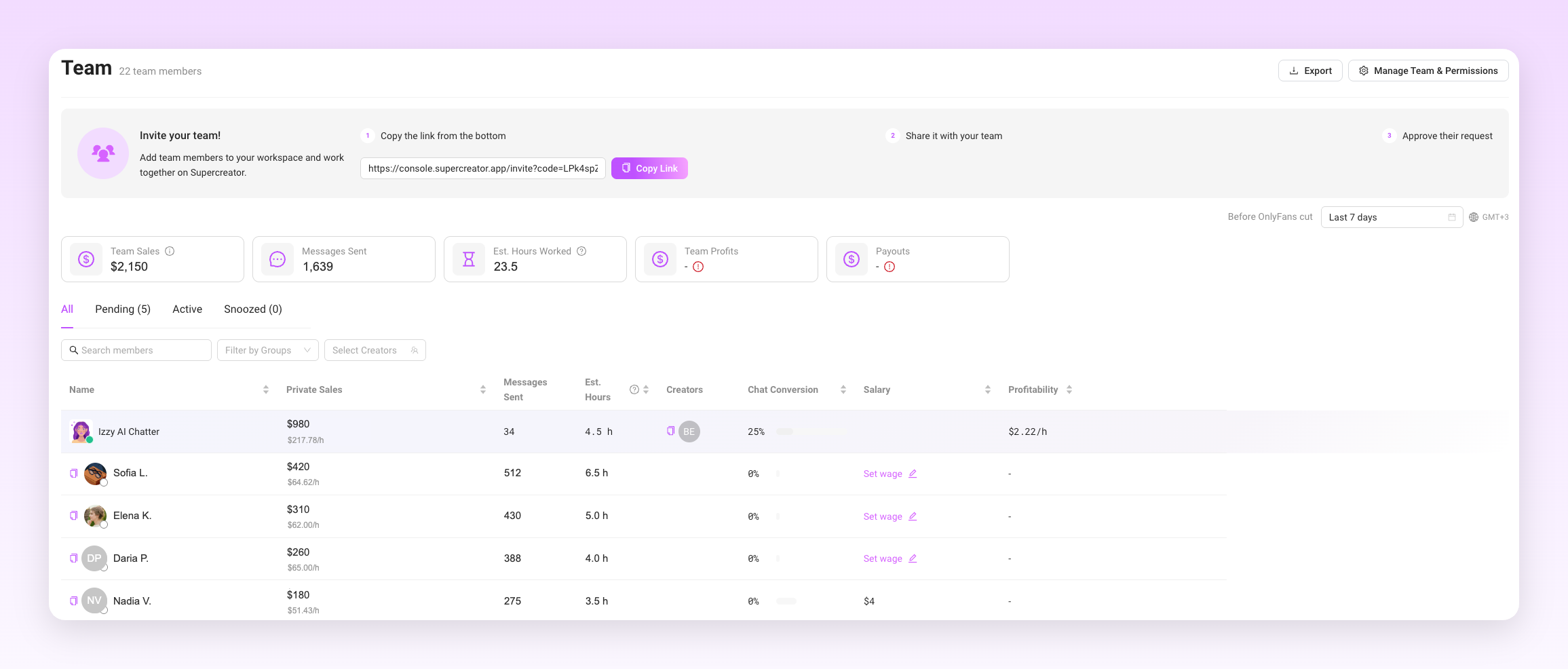
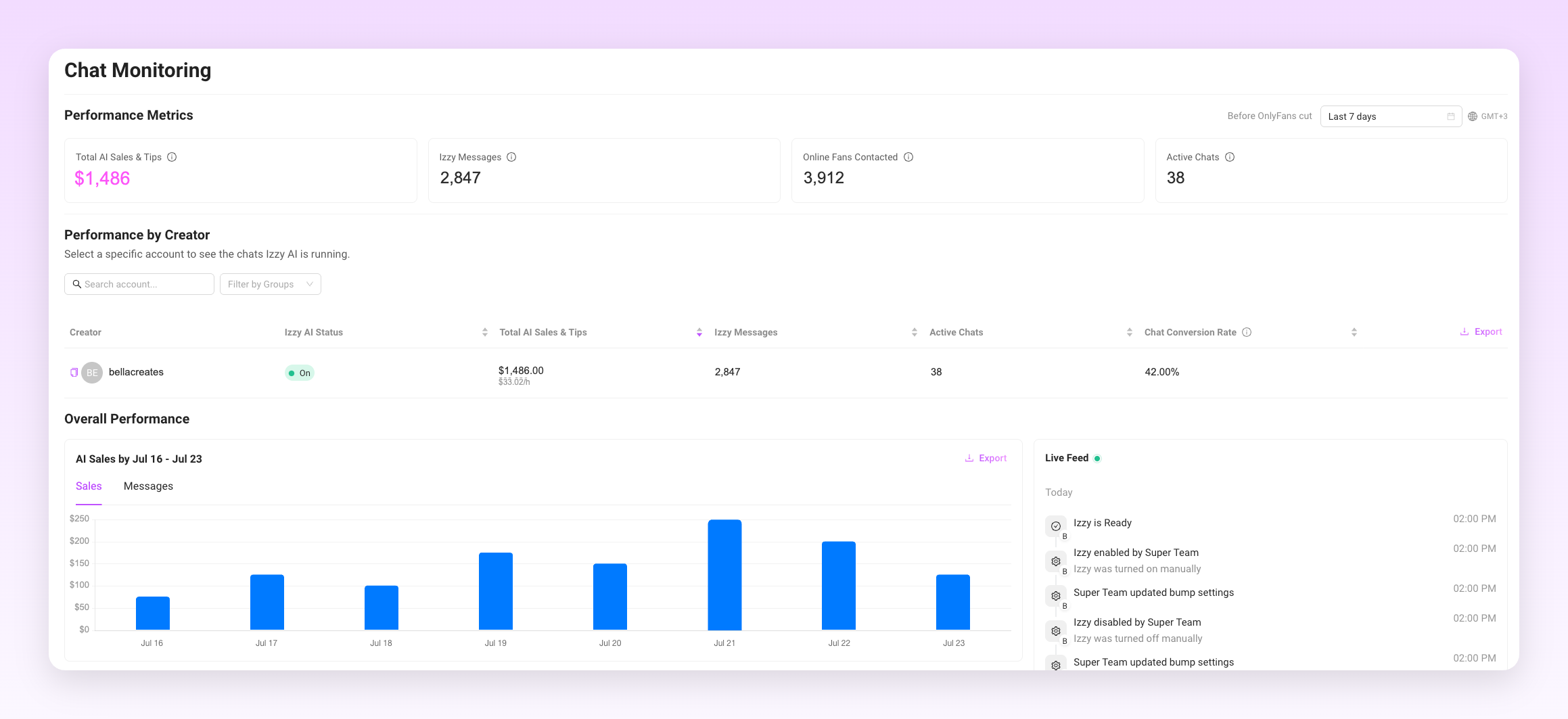
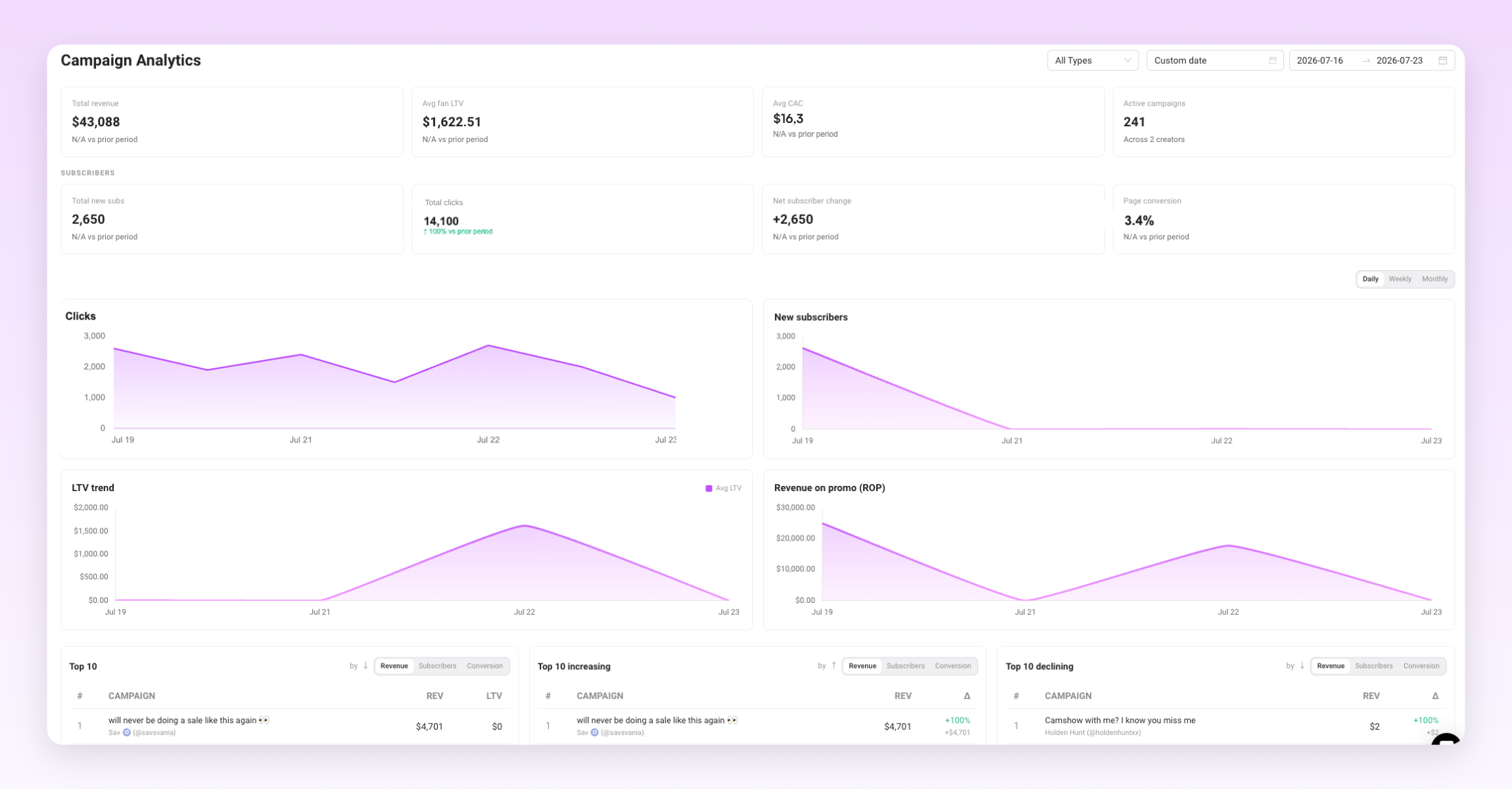
Run a monthly review on these numbers at minimum: new subscribers, churn rate, earnings per subscriber, and your top five performing posts. The patterns that emerge will tell you more about your strategy than any outside advice.
Growing Your OnlyFans Needs a System
The creators earning consistently in 2026 are not doing anything magical. They have a profile that converts, they show up on the right platforms, they monetize through multiple revenue streams, and they keep fans around through genuine engagement.
Build the system first. Optimize each part as you learn what works for your specific niche and audience. The platform rewards consistency and strategy more than any single viral moment.
How to Grow Your OnlyFans in 2026: The AI & Automation Blueprint
.png)
Quick Answer: Are OnlyFans Bots Safe to Use?
OnlyFans bots are safe to use only when they assist a real human creator rather than replace one. The platform allows automation that helps you work faster, and bans automation that deceives fans or bypasses its native system. Get that distinction right and a bot protects your revenue instead of risking your account.
What keeps a bot-assisted account compliant in 2026:
- Use tools that run inside the native OnlyFans interface, not scrapers or credential-harvesting extensions
- Keep a human in every conversation that matters, especially your top spenders
- Segment before you send, so automated messages never look like spam blasts
- Disclose AI with #AI or #AIGenerated wherever it substantially writes your content
- Keep every transaction on-platform, with no redirects to CashApp or crypto
Get any of these wrong, and you risk warnings, restrictions, and eventually a permanent ban with earnings forfeited. Read our guide below to discover exactly what OnlyFans bans, what it permits, and how to set up automation that stays on the right side of the line.
Key takeaways:
- OnlyFans allows automation that assists a real creator and bans automation that replaces one. That single distinction decides whether a bot protects your account or gets it banned.
- Banned outright: third-party scraper bots, unvetted extensions that bypass the native interface, fully automated AI personas with no human oversight, and any tool that redirects fans to off-platform payment.
- Permitted: assisted messaging, welcome sequences, inactivity-triggered re-engagement, and content scheduling, as long as a human stays in control.
- Segment your subscribers before automating, and keep top spenders in manual conversations. Identical mass DMs read as spam to moderation systems.
- Disclose AI with #AI or #AIGenerated wherever it substantially writes your content. Undisclosed AI also drives chargebacks, which are a separate account risk.
- Enforcement escalates: automated flag, warning, restrictions, then a permanent ban with earnings forfeited on repeat violations.
Using OnlyFans Bots Safely: The Full Guide
OnlyFans allows automation. It does not allow all automation. The distinction matters because creators who blur that line tend to find out where it is only after their account has been permanently banned.
This article covers what the platform actually prohibits, what falls within the rules, and how to set up compliant automation without putting your account at risk.
What OnlyFans Bots Are Banned (and Why)
The platform prohibits automation that deceives fans or bypasses the native system. Specifically:
- Third-party scraper bots that mass-collect fan data or simulate human behavior to trigger engagement are banned. These tools set off automated moderation flags because the activity patterns look nothing like a real creator.
- Unvetted browser extensions that operate outside the platform's framework and attempt to access account data or send messages through unofficial channels are prohibited. If the tool is not operating within the native interface, it is likely in violation.
- Fully automated AI personas that replace a real creator entirely and interact with fans without any human oversight are not permitted. OnlyFans requires a verified human behind every account. You cannot run a page where an AI is the only entity communicating with subscribers with no human involved.
- External payment redirects pushed through automated messages are a hard violation. Any tool configured to send fans to CashApp, crypto, or any payment method outside the platform puts the account at serious risk.
- Identical mass DMs sent to large subscriber lists without personalization or segmentation are treated as spam behavior. The content of those messages matters too. Flagged keywords in automated scripts can trigger moderation faster than manual messages would.
Which OnlyFans Bots Are Allowed?
The line OnlyFans draws is between deceptive automation and assisted automation. Tools that help a real human creator work more efficiently are generally within the rules. Tools that remove the human from the equation are not.
Compliant automation can include:
- Assisted messaging tools that surface fan context, suggest responses, and help creators reply faster while keeping the creator in control of the conversation. The AI supports the workflow rather than running it independently.
- Welcome message sequences sent to new subscribers when they join. These can be automated as long as they are not deceptive about their origin when AI is assisting.
- Re-engagement messages to inactive subscribers triggered by inactivity, not by a spam script. The timing and targeting need to be specific rather than blanket.
- Content scheduling for posts across the platform. Scheduling is not the same as automation that interacts with fans.
- AI disclosure is required when AI assists with generating text responses or content. Using #AI or #AIGenerated in captions is the standard approach. As of 2026, OnlyFans has been tightening disclosure expectations alongside broader regulatory pressure from the EU AI Act and US state-level legislation.
Safe vs. Unsafe Automation at a Glance
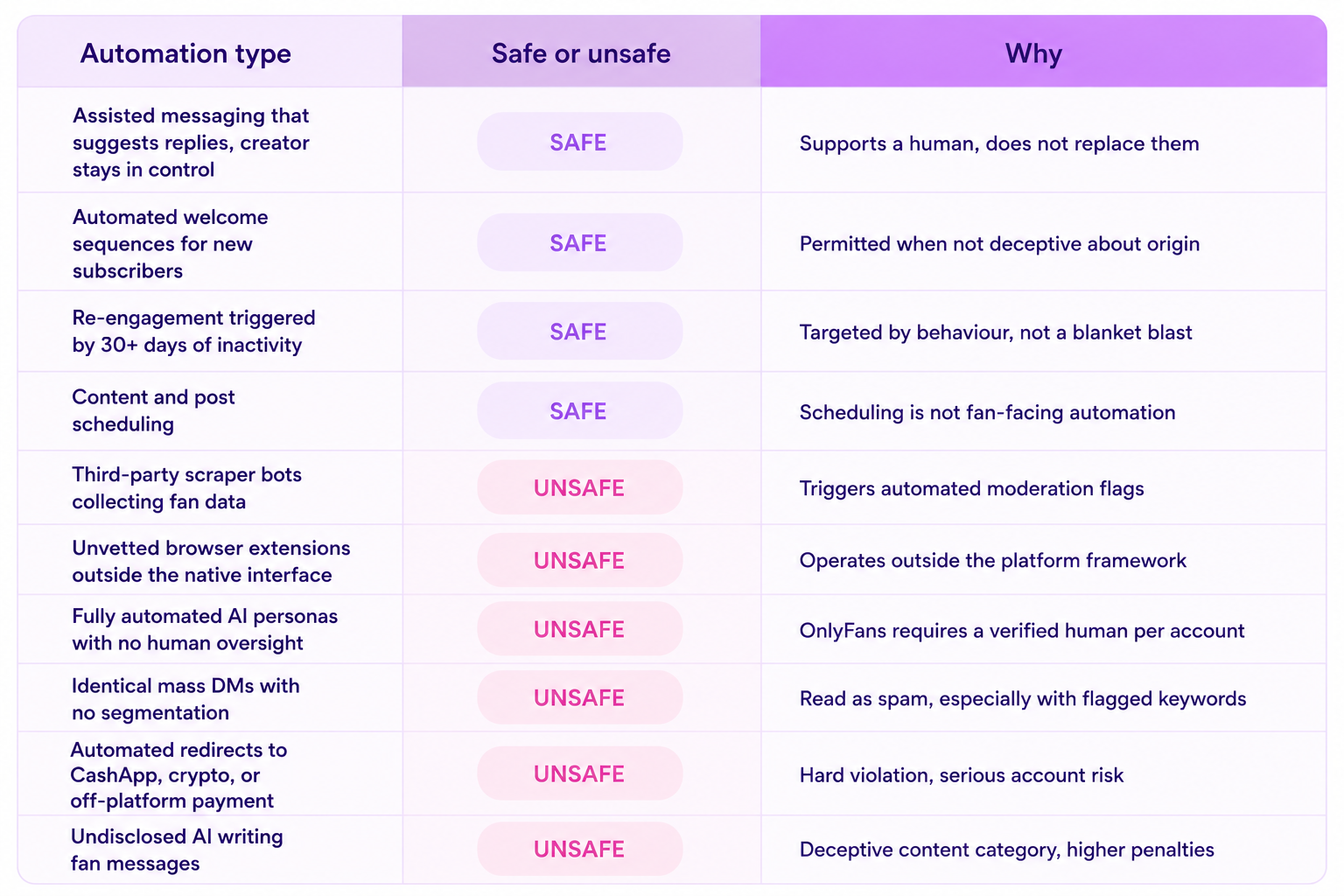
How to Use an OnlyFans Bot Without Violating Terms
The practical setup for compliant automation comes down to tool selection, configuration, and how you handle different tiers of subscribers.
- Choose tools that operate inside the platform framework. Software that integrates with the native OnlyFans interface rather than trying to bypass it is where the safety line sits. An OnlyFans bot built to work within platform guidelines handles welcome sequences, re-engagement, and follow-ups without triggering the suspicious activity patterns that flag moderation systems.
- Segment your subscribers before automating anything. Sending the same automated message to every subscriber regardless of their spending history or engagement level is both ineffective and risky. Fan segmentation lets you send targeted, relevant messages to specific groups rather than blasting everyone at once.
- Keep your top spenders in manual conversations. Automation handles volume. Your highest-value subscribers, the ones tipping regularly and purchasing PPV consistently, expect a level of personalization that automated messages do not deliver. Handing those conversations to a real chatter or the creator directly is not just good for relationships; it is how you protect the revenue those fans represent.
- Write automation scripts in your own voice. Generic automated messages read like automated messages. Fans notice. The more your scheduled sequences match how you actually write, the less friction there is between the automated touchpoints and the real conversations.
An OnlyFans AI chatbot that learns your tone and surfaces fan context before each reply keeps the conversation feeling personal even when the volume is high. The tool supports the creator rather than replacing them, which is the framework that stays within platform guidelines.
Managing Fan Tiers with Automation
Not every subscriber should receive the same type of automated engagement. Treating them as one group is both a compliance risk and a revenue leak.
- New subscribers are the right audience for automated welcome sequences. A personalized welcome message that triggers when someone joins, introduces what they can expect, and includes a low-friction first offer is compliant and effective.
- Inactive subscribers who have not engaged in 30 days or more are a good target for re-engagement automation. A triggered message based on inactivity, rather than a scheduled blast, keeps the approach targeted rather than spam-like.
- High-value fans should come out of the automated pipeline and into direct human interaction as soon as their spending patterns identify them. An OnlyFans CRM that tracks spend, purchase history, and engagement makes it easy to identify who crosses that threshold and flag them for personal attention.
- Cold subscribers who have never purchased should receive different messaging than active buyers. Segmenting by behavior means your automation is doing actual conversion work rather than creating noise.
The AI Disclosure Requirement
This is the part most creators underestimate. OnlyFans has been moving toward stricter AI disclosure expectations, and the broader regulatory environment in 2026 is pushing platforms to enforce this more consistently.
If AI is generating or substantially assisting with the text in your messages, that needs to be disclosed. The standard approach is including #AI or #AIGenerated in the relevant content. Doing this proactively protects the account from the "deceptive content" violation category, which carries higher penalties than most other policy breaches.
Disclosure is not just a compliance checkbox. Fans who discover undisclosed AI interactions tend to file chargebacks. Chargeback rates are something OnlyFans monitors at the account level. A pattern of chargebacks can trigger a review independent of any specific content violation.
What Happens When an OnlyFans Bot Breaks the Rules?
The enforcement pattern on OnlyFans for bot violations follows a predictable escalation: automated moderation flags the behavior, the account receives a warning or content removal, repeated violations lead to restrictions, and a third serious violation typically results in a permanent ban with earnings forfeited.
The automated moderation systems are pattern-based. Activity that looks inconsistent with how a real creator operates, such as messages sent at precise intervals around the clock, identical content sent to hundreds of fans in minutes, or login patterns that suggest multiple users sharing one account without proper tools, triggers review faster than most creators expect.
The other risk that comes up less often is chargeback exposure. When fans feel deceived by automation they were not told about, they dispute the charges. A high chargeback rate puts the account in a different kind of jeopardy than a content violation, and it is harder to appeal.
Automation That Works and Keeps the Account
The creators running the most efficient automated setups have one thing in common: they treat automation as infrastructure for a real human operation, not as a replacement for one. The bot handles the volume. The creator or chatter handles the relationships.
That framework is also what keeps accounts safe. OnlyFans can distinguish between a creator using tools to manage their workload and a creator who has handed their account to software entirely. The former is allowed. The latter is not.
Set up automation to do the repetitive work. Keep humans in the conversations that matter. Disclose where required. Those three things cover most of what keeps a bot-assisted account within the platform's rules.
OnlyFans Bots: How to Use Them Safely Without Getting Banned
.png)
Open any general AI chat tool right now. Paste in a paragraph describing your OnlyFans persona. Ask it to reply to a fan message. It will work. The reply will sound plausible, maybe even good.
That's not the hard part. It was never the hard part. The hard part is what happens on message 4,000, on a Tuesday at 2 am, three weeks after you wrote that prompt and forgot most of it. Does the bot still sound like you? Does it still know what you sell, what you charge, and what you never talk about? Or has it quietly drifted into a generic AI voice, the kind fans notice even when they can't name what changed?
That gap between a bot that sounds right once and a system that stays right for months is the whole difference between a weekend project and a business tool. This post is about what lives in that gap.
The Easy Part, and Why It's a Trap
A prompt is not a product. You can get a large language model to produce a warm, flirty, on-brand reply in about ten minutes. Anyone building a demo, a pitch deck, or a side project can hit that bar. It is the single easiest part of building anything that touches chat.
Here's the catch: a demo only has to be right once, for one conversation, in front of one audience. A real chatter has to be right thousands of times a day, across hundreds of fans, for months in a row, without anyone watching each reply. The failure mode isn't dramatic. It's slow drift. The AI starts using phrases the creator never uses. It forgets a detail it invented three messages ago. It starts sounding like every other AI chat tool on the market, because underneath the persona prompt, that's still what it is.
If your evaluation of a chatter tool stops at "does it sound good in a test message," you've tested the easy part and skipped the part that determines whether it works long after the demo ends.
Voice Consistency Isn't a Prompt. It's a System.
Sounding like a specific person, message after message, is not something you solve by writing a good character description once. Personality has to hold up under pressure: an aggressive fan, an unusual question, a slow week, a fan who's been chatting for eight months and would notice if the tone shifted.
That takes reference material the AI has to check against, not just a paragraph it read once and is now improvising from memory. It takes tone rules that specify not just what the creator sounds like, but what they'd never say. It takes guardrails that catch drift before a fan does, not after.
Izzy is built around this idea directly. Creators fill out a detailed bio covering their persona, their specific slang, their writing level, and the topics that are off-limits. That bio isn't a one-time prompt Izzy glances at once. It's the reference she checks against for every reply, for every fan, indefinitely. A creator with a bubbly, joke-heavy online persona and a creator with a soft, low-key tone don't get the same voice from the same underlying model. They get two different, specific, maintained voices, because the system is built to hold a distinction like that over time instead of averaging it away.
This is also where a controls layer becomes the actual product, not a feature bolted onto one. Tone settings, escalation rules, and approval flows exist so a creator or an agency can govern what the AI says, instead of hoping it behaves. You wouldn't run an OnlyFans account on hope. You shouldn't run your AI chatter on it either.
The Hallucination Problem Nobody Puts in the Demo
Here's the catch that matters most: an AI that invents a fact isn't making a cosmetic mistake. If the AI tells a fan the creator went to a concert last night that never happened, or promises a price that isn't real, or claims to remember something from a conversation that didn't occur, that's not a quirky bug. That's a business risk. Fans notice inconsistencies fast, and inconsistencies erode the exact trust the whole revenue model depends on.
A chatter tool built for scale has to constrain the model to known facts instead of letting it improvise. That means the AI pulls from what the creator told it, what's in the product catalog, and what happened in a fan's chat history, rather than generating a plausible-sounding answer when it doesn't have one. A generic AI chat wrapper doesn't have this constraint built in by default. It has to be engineered in, tested against, and monitored for failures, which is precisely the part a two-minute demo never shows.
Remembering a Fan vs. Actually Knowing Them
There's a real difference between a bot that "remembers" a fan because the current chat window is still open, and a system that references accurate history across weeks of conversation. The first is a party trick. The second is what makes a fan feel like they're talking to someone who knows them, which is the entire product OnlyFans creators are selling.
Getting that right means the AI needs structured access to real interaction history, not just whatever fits in a context window. It needs to know what a fan already bought, what they responded to, and what they said last month, and it needs that information to stay accurate as the conversation grows. Building that kind of durable, accurate memory across thousands of simultaneous conversations is a different engineering problem than keeping one chat thread coherent for twenty minutes.
What This Actually Looks Like for a Creator or an Agency
If you're evaluating a chatter tool, or you're already running one and wondering why performance feels inconsistent, the questions to ask aren't about how good the first reply sounded. They're about what happens on reply four hundred. Can you see what facts the AI is allowed to reference? Can you set specific red lines and confirm they're being enforced, not just suggested? Can you tell, after the fact, whether a reply came from real information about the creator or from the model filling a gap on its own?
Supercreator's approach to this comes from running the largest and most established AI chatter in the space, with more than 25,000 creators using the Supercreator CRM. That scale isn't a vanity number. It's what forces the controls layer to exist in the first place. A single-builder tool serving a handful of accounts can get away with a prompt and a hope. A platform serving tens of thousands of creators, with real revenue riding on every reply, cannot. The controls, the fact-checking, the memory architecture - all of it gets built because it has to, not because it looks good in a pitch.
And every Supercreator account gets a dedicated account manager to help tune that voice, not a support ticket queue. When a creator's bio needs adjusting, or a persona starts drifting, there's a person whose job it is to notice and fix it, backed by the largest customer success team in the category.
Final Words
A chatbot that sometimes sounds right is a demo. A chatbot that's always right is a product. The gap between those two things is where most vibe-coded tools quietly fail, not because the initial prompt was bad, but because nobody built the system underneath it to hold up past the first hundred messages.
If you're running fan chat at any real volume, that system is the thing worth evaluating, not the sample reply.
See the Difference for Yourself
Getting an AI to sound right once is easy. Getting it to stay right, for your voice specifically, across thousands of conversations, is what Supercreator has spent years building with Izzy. If you're running an agency and want to see the controls layer in action, book a demo and we'll walk through exactly how voice consistency and fact-checking work under the hood. If you're a solo creator, you can start for free and try Izzy on your own account. For a closer look at how the AI Chatter works day-to-day, the AI Chatter guide covers the setup end-to-end.
Anyone Can Make a Bot Chat. Almost No One Can Make It Chat Like You, Every Time
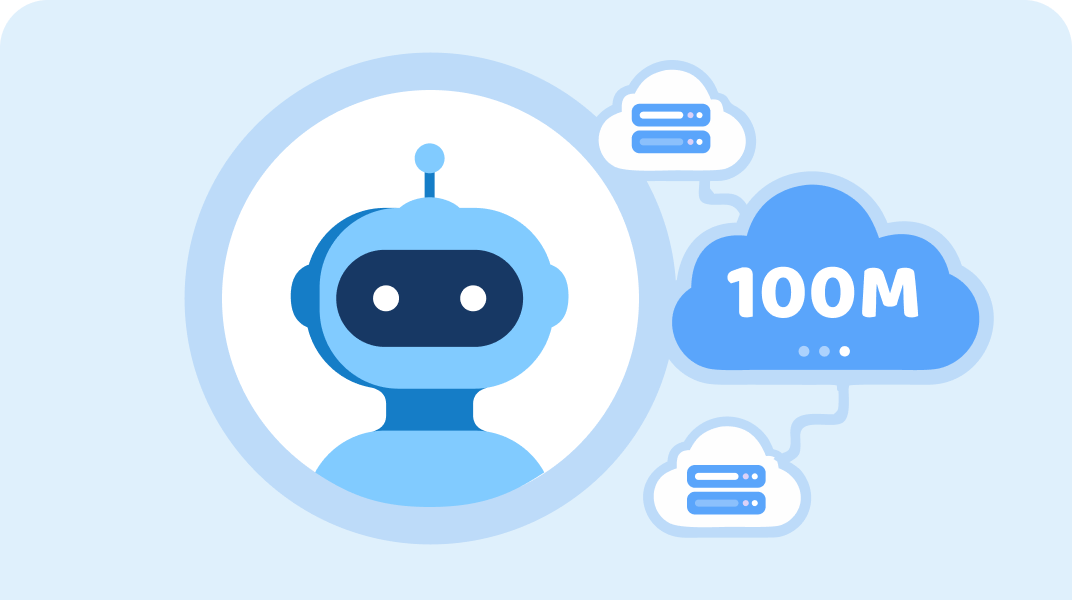
.png)
Anyone can wire up an API call and get a working chatbot for personal use this afternoon. It will work, too. It'll answer messages, hold a conversation, and feel like a real product, right up until it doesn't.
That's the trap with infrastructure specifically. Unlike a bad reply or a compliance miss, an infrastructure failure doesn't show up in a demo. It shows up three months later, at 11 pm, when a creator's fans stop getting replies and nobody outside the build team even knows why.
The Easy Part Is Also the Part That Hides the Problem
A single API key, one creator, low message volume: that setup will work reliably enough to convince you it's solved. The failure modes that matter don't appear at that scale. They appear once you're running for thousands of creators simultaneously, around the clock, with real money and real fan relationships depending on every message landing.
That's the uncomfortable truth about infrastructure. It's the one part of this whole category where "it worked when I tested it" tells you almost nothing about whether it'll hold up.
What Breaks at Scale That Never Breaks at Small Scale
Rate limits are the first thing that hits. A model provider's API has limits on how many requests you can send per minute, and a single creator chatting occasionally never comes close to them. Thousands of creators chatting simultaneously do, constantly, and a system not built to manage that hits a wall that looks, from the outside, like the AI just stopped responding.
Token exhaustion is next. Long conversations, detailed personas, and rich fan history all consume more of a model's context window over time. A system that isn't managing that budget carefully either starts truncating important information or starts costing far more per message than it should.
Then there's latency. A reply that takes eight seconds instead of one doesn't feel like a technical footnote to a fan. It feels like talking to someone distracted, or worse, like talking to nobody at all. Concurrency issues compound this: the more conversations happening at once, the more a poorly built system slows everything down simultaneously instead of handling load in parallel the way it needs to.
And there are outright outages. Every AI provider goes down sometimes. The question that matters isn't whether that happens. It's what happens to a creator's fan conversations in the fifteen minutes it takes to notice and reroute around it.
Reliability Is a Product Feature, Not a Technical Footnote
Uptime, failover, and monitoring sound like backend concerns until the moment they're the only thing standing between a creator and a night of silent fans. The real question isn't whether something upstream breaks eventually. It will. The question is whether there's a team actively watching for it, with a plan already built to reroute around the failure, or whether the creator just quietly stops getting replies and has no way to know why.
A weekend project built around a single API call has no answer to that question, because building the answer is a second, much larger engineering project on top of the first one. It requires monitoring infrastructure, alerting, failover logic, and a team on call to respond when something upstream breaks. None of that shows up in a demo, and none of it is optional once real income depends on the system staying up.
Real Infrastructure Means a Real Application, Not a Browser Tab
There's a difference between a tool built to be tinkered with and a tool built for someone to run a business on. Supercreator ships as a desktop app and a mobile app, not a browser tab someone has to remember to keep open. That distinction matters more than it sounds like it should. A browser tab closes. A laptop sleeps. A tool built around the assumption that someone is actively babysitting a tab is a tool built for a hobbyist, not an agency running ten creator accounts at once.
The Human Safety Net
When something does go wrong, whether it's a token limit hit, an upstream API failure, or anything else, the difference between a real platform and a solo build comes down to who's watching. Every Supercreator account has a dedicated account manager, backed by the largest customer success team in the category. There's an actual person and an actual team behind the system.
Compare that to the reality of a one-person tool. If the builder is unavailable, on vacation, asleep, or has simply moved on to their next project, there's no one else to call. The infrastructure has a single point of failure, and it isn't a server. It's a person.
The Proof Is in the Volume
Supercreator sends more than 100 million messages a month across the platform. That number isn't a marketing statistic. It's a stress test that's already happened, repeatedly, at a scale most tools will never see even once. Every rate limit edge case, every concurrency spike, every provider outage that infrastructure at that volume has ever hit has already been hit, diagnosed, and built around, long before any individual creator experiences it.
A tool that has never operated above a few thousand messages a month hasn't been tested against any of that. It might work fine at low volume for a long time. That tells you nothing about what happens the day volume spikes, which for a growing creator or agency, is exactly the day it matters most.
What to Actually Ask Before You Trust a Chatter Tool With Your Income
Ask what happens when the AI provider has an outage. Ask what the plan is for a sudden spike in message volume, the kind that happens the day a creator goes viral. Ask who gets notified if replies stop going out, and how fast. If the honest answer is "we'd probably notice eventually," that's not a system built for scale. It's a system that's gotten lucky so far.
Final Words
Vibe coding gets you a bot. It doesn't get you a team that keeps it running at 3 am when something breaks. That's the part of this category that's invisible until the exact moment you need it most, which is precisely why it's the part worth checking before you build a business on top of someone else's weekend project.
See the Difference for Yourself
Running AI chat at real volume takes infrastructure that's already been tested at real volume. Supercreator sends more than 100 million messages a month, backed by a dedicated account manager on every account and the largest customer success team in the category. If you're running an agency and want to see how the platform handles scale and reliability, book a demo. Solo creators can start for free and see it firsthand. For a look at how creators track performance once AI chat is live, see the analytics and chatter management guide.
It Works on Your Laptop. Would It Survive 100 Million Messages a Month?

.png)
No, getting your AI chatter to sound convincing isn't the finish line. Most creators and agencies think it is, because it's the part you can test in five minutes and the part every demo is built to show off. The part that protects your account happens somewhere you can't see it: in what the AI knows not to say, and how reliably it avoids saying it.
Once a chatter sounds like you and stops making things up, most builders think the hard work is done. It isn't. The harder, far less visible problem is making sure it never says something that gets a creator's account flagged, hit with a chargeback, or banned outright. That takes institutional knowledge no solo builder is in a position to have.
The Easy Part: One Rule, Told Once
You can tell a generic AI tool "don't talk about topic X," and it will usually listen, at least in that one conversation. What it cannot do is know the full, constantly shifting map of what gets creators in trouble on OnlyFans. That map isn't published anywhere as a clean list. It's assembled from patterns: what triggers a review flag, what correlates with a chargeback, what phrasing an algorithm treats as a violation this month that it ignored last month.
A single rule typed into a prompt covers a single known risk. It does nothing for the risks nobody's told you about yet, which is most of them.
Two Layers of Rules, Enforced at the Same Time
Real compliance for an AI chatter means enforcing two separate rule sets simultaneously, not one. The first is OnlyFans' own content and conduct guidelines, which are detailed, strict, and not always intuitive. The second is each individual creator's personal boundaries: topics they're not comfortable discussing, language they don't want used, lines specific to their brand that have nothing to do with platform rules at all.
A system built to handle this has to check both layers on every single message, for every creator, without letting either one slip. That's a fundamentally different task than writing "be respectful" into a system prompt and calling it done.
What You Don't Even Know to Look For
Here's the part that matters most, and it's the one almost nobody outside a large-scale operation has visibility into. Most creators, and certainly most one-person tool builders, don't know what language triggers a chargeback. They don't know which phrasing patterns tend to get flagged in platform review. They don't know which topics correlate with account strikes, because that correlation only becomes visible once you've watched it happen across thousands of accounts.
This is institutional knowledge earned from scale. It's not something you can prompt your way into, because it doesn't exist as a document you could read and encode. It exists as a pattern buried across a huge number of real conversations, real payment disputes, and real platform actions, and the only way to know it is to have watched it happen at volume.
The Data Advantage of Running at Scale
Supercreator sees this across a large, aggregated base of creators, more than 6,000 of whom actively use the AI chatter. Forbidden topics, chargeback patterns, and platform alerts get fed back into Izzy's guardrails continuously, which means the system gets better at avoiding risk every time it sees a new pattern anywhere in the network.
A single-creator or single-builder tool has a sample size of one. It only learns from what happens to that one account, which means it's always reacting after the fact, and only to problems that account has personally already hit. Scale is the only thing that turns "we got burned once" into "we now know this in advance."
Monitoring Never Stops, Because the Rules Don't Either
But there's a catch that applies even to a well-built system: this isn't a one-time setup. OnlyFans' guidelines shift. Payment processor sensitivity changes, sometimes without warning. A phrase that was fine six months ago can become a flag risk today. A chatter system needs ongoing monitoring and continuous updates, not a prompt someone wrote once and never revisited.
That ongoing work requires a real team dedicated to tracking policy and compliance patterns across an active creator base. It's the kind of commitment that scales down to nothing for an indie project, because there's no team to dedicate and no volume of data to monitor in the first place. A weekend build might get the rules right on launch day. It has no mechanism for staying right six months later.
The Human Layer on Top of the Automated One
Automated guardrails catch most things. They shouldn't be the only layer. Every Supercreator account also gets a dedicated account manager, and Supercreator runs the largest customer success team in the category, which means there's a person who knows a creator's account watching for the situations automation alone might miss. When something does go wrong, that's not a support ticket dropped into a queue. It's a direct line to someone who can act.
Compare that to what happens when a single-builder tool hits a compliance problem. If the builder is slow to respond, or unavailable, or has moved on to a different project, there's no team behind them to catch it. The creator is exposed for however long that gap lasts.
What This Means If You're Evaluating a Chatter Tool Right Now
Ask the tool, or the person selling it to you, a direct question: how do you know what gets creators flagged, and how often does that knowledge get updated? A vague answer, or one that's really just "we told the AI not to do bad things," tells you the compliance layer is a prompt, not a system.
Ask what happens when OnlyFans changes a policy. Does the tool update automatically, or does someone have to notice and rewrite a rule by hand, possibly after an account has already been affected? The difference between those two answers is the difference between a system built for real accounts and one built for a demo.
Final Words
A chatter that talks well but doesn't know the rules isn't saving you risk. It's creating it, quietly, in a way you won't notice until an account gets flagged, a payment gets disputed, or access gets restricted. The part of AI chatting that protects a creator's business isn't the personality. It's the compliance layer running underneath it, built from patterns a single builder has no way to see and maintained by a team whose job is watching for the next one.
See the Difference for Yourself
The compliance layer is the part of AI chatting you can't evaluate from a demo message, but it's the part that protects your account and your income. Supercreator builds that layer from patterns seen across thousands of real creators, backed by a dedicated account manager and the largest customer success team in the category. If you're running an agency and want to see how the guardrails work in practice, book a demo. For the platform-side rules every creator should know regardless of which tool they use, start with the OnlyFans Terms of Service guide and the breakdown of restricted words on OnlyFans.
Sounding Right Isn't Enough. It Also Has to Keep You Off OnlyFans' Radar

.png)
For creators, choosing an agency can still mean navigating aggressive contracts, unclear expectations, privacy concerns, and hard-to-verify promises. Aruna Talent was built around a different idea: what if an agency designed its business around what puts a creator in a stronger long-term position?
Founded in 2022 by two operators who came from e-commerce and forex, Aruna entered the creator economy without being tied to the industry's existing way of doing things. From the outside, its founders saw an industry that often prioritized short-term revenue over creator ownership, security, and longevity.
“Aruna was built to prove it works better run the other way. Not as a moral position, as a commercial bet.”
Four years and more than 60 managed creators later, that idea still shapes how Aruna approaches everything from hiring and creator selection to privacy, contracts, technology, and offboarding.
Building the Agency Backwards
One of Aruna's first challenges was standing out in an industry where almost every agency seemed to make the same promises.
In 2022, creators were already surrounded by agencies promising growth, transparency, and support. From a website or sales call alone, it was difficult to know which claims would translate into the experience of working together.
Aruna's response was to focus less on making claims and more on building systems that could support them.
Over time, that meant staffing functions many agencies might consider overhead: content protection, messaging quality assurance, account security, identity separation, audience growth, and creator wellbeing.
These departments don't necessarily generate revenue directly. But for Aruna, that's not the point. The agency sees them as part of the infrastructure that keeps creators protected, supported, and willing to stay for the long term.
That focus on retention eventually became central to the business. Instead of asking only how much an account could earn this month, Aruna began asking what the creator would still have after months or years of working together.
What 300+ Creator Consultations Taught Aruna
One of Aruna's biggest changes came from something surprisingly simple: listening to its own calls.
The agency records consultations with consent for training and quality review. Once it had accumulated enough conversations, the team began analyzing them systematically instead of relying on assumptions about what creators cared about.
The results challenged one of the industry's most common beliefs.
After analyzing more than 300 consultations, Aruna found that privacy, family, and fear of recognition appeared in 91% of conversations. Contract terms and concerns about eventually leaving appeared in 87%.
Revenue split, one of the first things many agencies focus on, appeared in just 48%.
“The industry has spent a decade perfecting its answer to a question women aren't asking.”
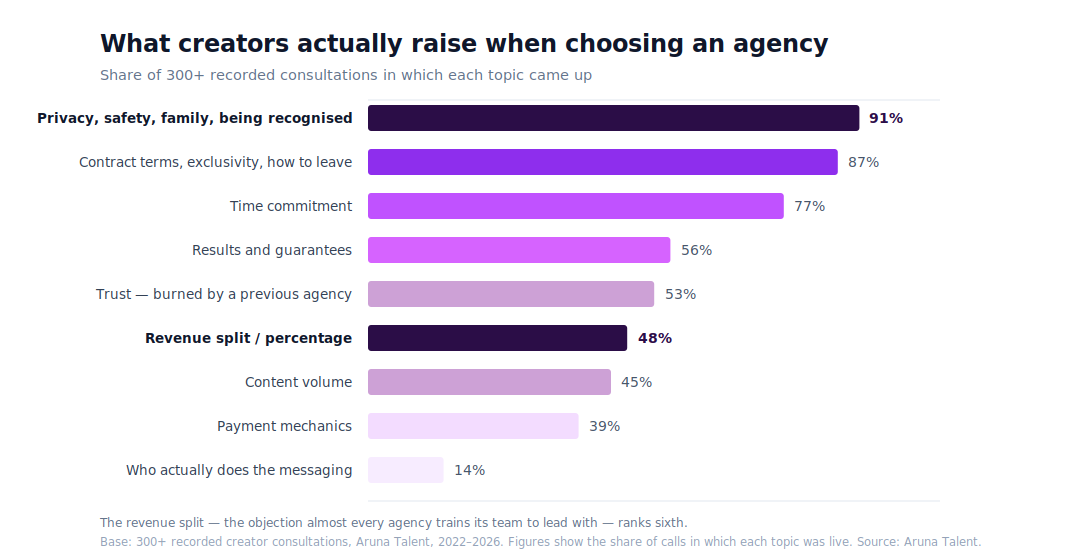
That discovery changed Aruna's consultation process. Today, a typical first call lasts around 30 minutes and focuses heavily on listening. Questions about privacy and about what happens if a creator wants to stop come early in the conversation, rather than being buried behind revenue projections.
It also changed how the agency approaches sales.
Aruna's acquisition team doesn't have the authority to sign a creator on the spot. They qualify the applicant, document the conversation, and the wider team decides whether the partnership makes sense.
The acquisition team is measured on the quality of its recommendations rather than simply the number of creators signed. Terms aren't individually negotiated either: Aruna says everyone is offered the same arrangement.
For the agency, the people deciding who joins should ultimately be accountable for whether the team can deliver for that creator.
Privacy Is Infrastructure, Not a Promise
The consultation data also reinforced something Aruna had already begun investing heavily in: privacy.
For many creators, the biggest concern isn't whether an account can grow. It's whether that growth can happen without exposing their legal identity to family, employers, or people in their everyday lives.
Aruna treats that as an operational problem rather than a reassurance given during a sales call.
Before a creator's first post goes live, the agency works on persona architecture, geo-blocking, account security, and identity separation. It also operates content protection and DMCA monitoring across more than 500 sites.
The goal is to think about exposure before it happens rather than only respond after something has leaked.
That approach extends to copyright takedowns. Aruna specifically avoids putting a creator's legal name into takedown filings, since information submitted through these processes can potentially become publicly accessible.
Across more than four years and 60+ managed creators, Aruna reports zero identity leaks.
It's the kind of work that doesn't necessarily show up on a revenue dashboard, but for an agency whose own data says privacy is one of creators' biggest concerns, it's a core part of what management is supposed to provide.
Who Aruna Is and Isn't Built For
Aruna no longer describes itself simply as a management company. Instead, it sees the relationship as a consulting partnership.
That distinction matters because the agency expects creators to remain active participants in their own growth.
The biggest quality Aruna looks for isn't an existing following, previous OnlyFans experience, or already-high revenue. It's conviction.
“We would rather back a woman with no following, no experience, and no advantages who intends to work than a promising one who's undecided.”
In fact, the majority of women applying to Aruna are either pre-revenue or earning under $5,000 per month.
What matters more is whether they're prepared to treat the work seriously.
Aruna considers the first 90 days particularly important. Ideally, creators put in around 30 hours during their first week, where their schedule allows, followed by roughly 20 hours per week afterward. According to the agency, the creators who front-load that early period are more likely to still be earning well two years later.
That selectivity also means Aruna says no.
Applicants already under contract with another agency are automatically declined. And if a creator's boundaries don't fit Aruna's model, the agency says it would rather refer her elsewhere than persuade her into an arrangement she isn't comfortable with.
The goal isn't to sign everyone who could potentially generate revenue. It's to build partnerships that both sides believe can actually last.
Building an Agency Creators Can Leave
Perhaps the clearest example of Aruna's philosophy is how it handles something most agencies would rather not focus on: leaving.
Either side can end the agreement with 30 days' written notice. According to Aruna, there is no exit fee or financial penalty for doing so.
When a creator leaves, administrative control of her OnlyFans account returns to her, along with her content and performance history. Subscribers remain with the account, meaning the audience and recurring income she spent time building don't disappear simply because the agency relationship ends.
Final earnings are settled, handles are rebranded, and infrastructure is handed back.
“Everything an agency believes about a creator shows up in how it behaves when she stops being profitable to it.”
Aruna says creators who previously left have even returned later with their accounts intact, something the agency sees as possible only when leaving isn't treated as a betrayal.
This is also why Aruna recommends creators ask about exit terms before getting caught up in commission percentages.
The split determines what you earn while you're with an agency. The exit determines what you still control when the relationship ends.
Technology Without Removing the Human
Behind the scenes, Aruna has grown into a distributed team of more than 100 people, supported by centralized communication, internal dashboards, and systems that keep creator information accessible across the team.
AI has become an important part of that infrastructure. Internally, Aruna uses it to analyze consultations and meetings, support content protection, qualify applications, automate financial reporting, and power internal tools.
On the fan-facing side, the approach is more deliberate. Documented voice standards and quality assurance help keep each creator's messaging consistent across chatters and shifts. AI supports the team by reducing repetitive work, surfacing important fans, and maintaining consistency rather than replacing human judgment.
For agencies building a similar system, Aruna points to Supercreator as a way to support that workflow. Supercreator combines AI-assisted chatting and creator-approved customization with a CRM, inbox, automations, follow-ups, and mass messaging tools designed for creator teams.
For Aruna, AI works best as leverage for a well-trained team, not as a substitute for one.
Success Isn't Just What a Creator Earns
Another part of Aruna's model starts after the money comes in.
Creators entering the industry may suddenly find themselves earning significantly more than they have before, often without an employer withholding taxes or providing the financial structure that comes with traditional employment.
Making money and keeping it are two different skills.
That's why Aruna includes financial education around taxes, bookkeeping, what creators should set aside, and how they can think about the money they're earning beyond their next payout.
The agency also brings in outside confidence and mindset coaching to support creators with the psychological side of working in an industry that still carries significant stigma.
For Aruna, a successful creator isn't simply someone who has a strong month.
The longer-term goal is for her to leave the experience with something durable: money, financial knowledge, an audience, confidence, or a business she still controls, whether she's still creating content three years from now or not.
Where Creator Management Goes Next
Aruna expects AI to reshape the creator economy, but not necessarily by replacing everyone currently doing the work.
Instead, the agency expects chatting to become increasingly automated. Routine and mechanical tasks can be handled by technology, allowing trained teams to spend more time on conversations, decisions, and fans that actually require human judgment.
At the same time, that creates a bigger challenge for agencies.
If AI makes competent basic execution inexpensive, simply offering to post content and reply to fans won't be enough to justify a management fee.
The things that become more valuable are the ones that are harder to automate: judgment, protection, relationships, strategy, and accountability when something goes wrong.
Aruna also expects synthetic performers to become a meaningful part of the creator economy and sees diversification beyond a single platform as increasingly important.
But one of the trends the team is most optimistic about is the professionalization of creator management itself.
More agencies are developing real quality assurance, training, financial controls, security processes, and operational standards. At the same time, creators are becoming better informed about what they should expect from the businesses representing them.
That makes it harder to compete on promises alone.
What Creators Should Ask Before Signing With an Agency
For creators considering management, Aruna's first piece of advice is simple:
“Ask about the exit first, not the split.”
Before discussing percentages, ask what happens on the day you want to leave. How much notice is required? Is there an exit fee? Who controls the account? What happens to your content, subscribers, data, and earnings?
Then ask the agency what it turns down. Any agency can explain who it wants to sign. An agency with clear standards should also be able to explain who it won't sign and why.
Ask who actually messages your fans and whether the agency gives you a straightforward answer.
Ask specifically how your identity is protected, not simply whether the agency “takes privacy seriously,” but what systems are actually in place.
And be skeptical of guaranteed earnings. An agency can provide strategy, infrastructure, traffic, messaging, and expertise, but the creator herself remains one of the biggest variables in the result.
Final Thoughts
Aruna Talent’s creator-first approach goes beyond positioning. It shows up in how the agency measures creator concerns, invests in privacy and well-being, chooses who it works with, and handles the end of a partnership.
The philosophy is simple: measure what you claim and build systems that prove it.
For creators considering working with an agency, Aruna encourages asking the hard questions upfront — about privacy, contracts, expectations, and what happens if you leave.
In practice, Aruna Talent is a creator consulting partnership founded in 2022, working with a women-only roster on OnlyFans and adjacent platforms. The agency staffs identity protection, content takedowns, messaging quality assurance, and creator wellbeing as internal functions.
If you’re weighing your options, you can apply to Aruna Talent for a 30-minute, no-pressure conversation and honest numbers, whether or not the agency is the right fit.
Aruna Talent: A Different Approach to OnlyFans Management
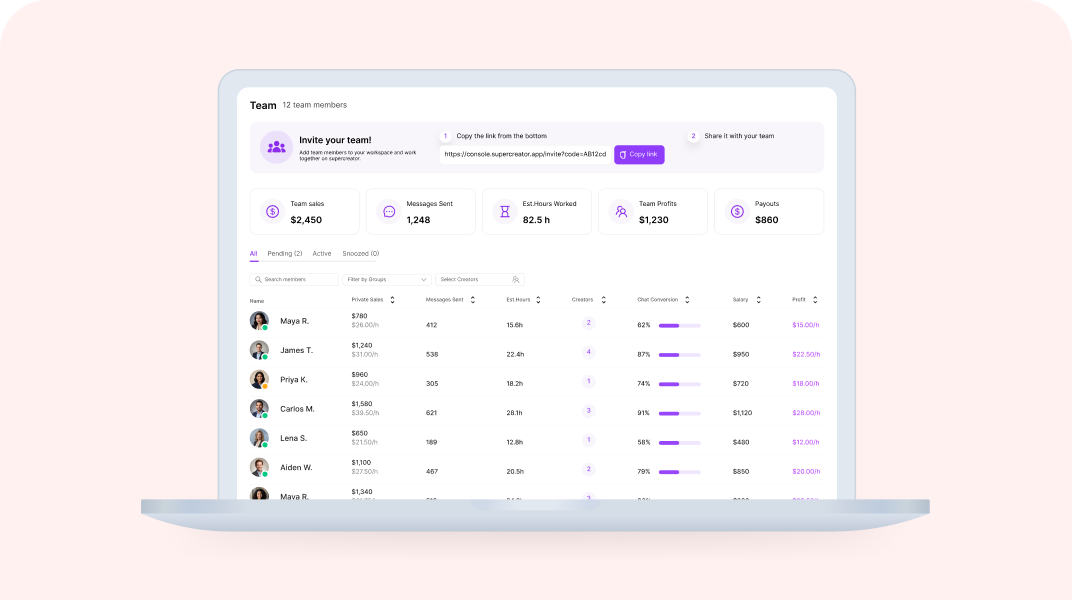
.png)
Quick Answer: How Do You Onboard a Chatter in Supercreator?
Onboarding a new chatter in Supercreator takes seven days, moving from access and orientation to independent work on live accounts. The agency sets up accounts and permissions first, then the chatter learns the fan data, calibrates to the creator's voice, and starts on low-value fans before handling PPV and full shifts. Rushing this is the fastest way to create problems that take weeks to fix.
The seven-day path in short:
- Before day 1: admin adds accounts to the Console, sets role-based permissions, sends the invite
- Days 1 to 2: access, orientation, and learning the fan data layer
- Day 3: voice and tone calibration against the creator's best messages
- Days 4 to 5: first live messages on low-value fans, then PPV and upsell training
- Days 6 to 7: independent shift with monitoring, then a structured review and sign-off
Onboarding your next chatter? Set up their permissions in the Console before you send the invite.
Key takeaways:
- Get the agency side ready first: add each OnlyFans account to the Console, set role-based permissions per chatter, then send the invite. Chatters never see login credentials.
- Days 1 to 2 are for orientation and reading the fan data layer in the CRM, not messaging. Do not put a chatter on a live account on day one.
- Day 3 is voice calibration. Have them draft ten sample replies against the creator's best-converting messages before anything goes live.
- Days 4 to 5 introduce live messaging on low-value fans, then PPV and upsell mechanics. Keep mass messaging supervised.
- Day 6 is a monitored independent shift; day 7 is a structured review and week-two scope, not another shift.
- Set benchmarks before go-live: response time under 15 to 20 minutes, message quality over volume, and PPV conversion tracked per chatter, per account, per week.
The 7-Day Chatter Onboarding Framework
Bringing a new chatter into an OnlyFans agency is where operations can quietly fall apart. The tools are set up, the accounts are connected, but nobody documented what the chatter is actually supposed to do on day one. They start cold, make avoidable mistakes, and the agency spends the next two weeks cleaning up instead of scaling.
Let’s walk through a day-by-day framework for onboarding a new chatter through Supercreator in seven days, from first access to working independently on live accounts.
Before Day 1: What the Admin Needs to Do First
The chatter cannot do anything until the agency side is ready. Before you send anyone an invite link, make sure these are in place.
Every OnlyFans account the chatter will work on needs to be added to the Supercreator Console individually. Each account requires its own login and password — you cannot switch between accounts within the same OnlyFans profile using the Desktop app. Log in to each account through the Supercreator app, go to the Accounts section, enter the OnlyFans username, and click Add Account. The account needs to show as Connected before anyone else can access it.
Once accounts are added, set the permissions for that chatter before you send the invite. Decide which accounts they have access to, what actions they can take, and what they cannot touch. Supercreator has role-based permissions, so locking this down before the chatter joins means they land in a controlled environment, not a wide-open one.
Then send the invite link. The chatter signs up with their email or Google account, and you approve their request from the Team Members page. One license per OnlyFans creator. Unlimited chatters can be connected to the same account.
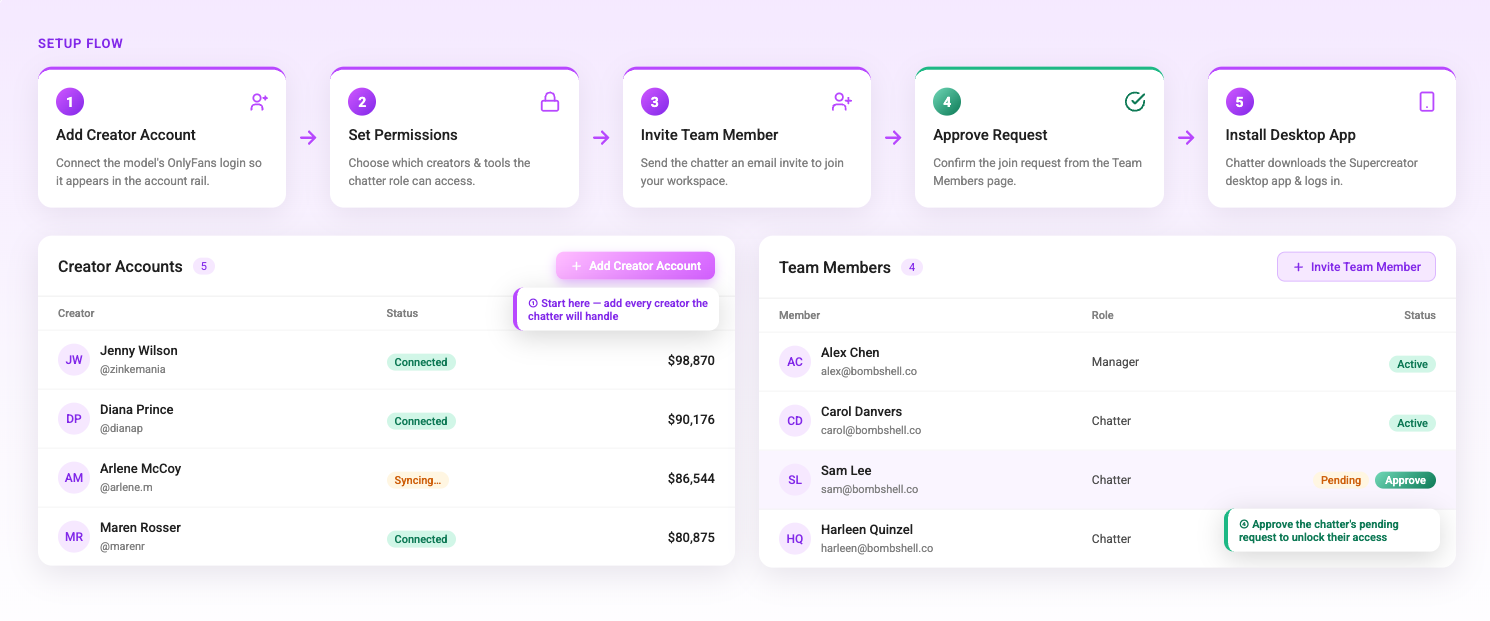
Day 1: Access and Orientation
The chatter receives the invite link, creates their account, and installs the Supercreator Desktop app. They need to sign in using the same email address associated with their Supercreator account in your workspace. This is a common point of confusion that is worth flagging explicitly before they start.
Once they are in, their first session should be orientation only. Show them the layout. Walk them through which accounts they have access to, how to find a fan's chat history, and where fan data lives. Do not put them on a live account on day one. The goal is familiarity, not production.
If the account is not showing up in their sidebar, it means the admin has not assigned it to them yet. This is worth troubleshooting before the orientation session so it does not eat up time.
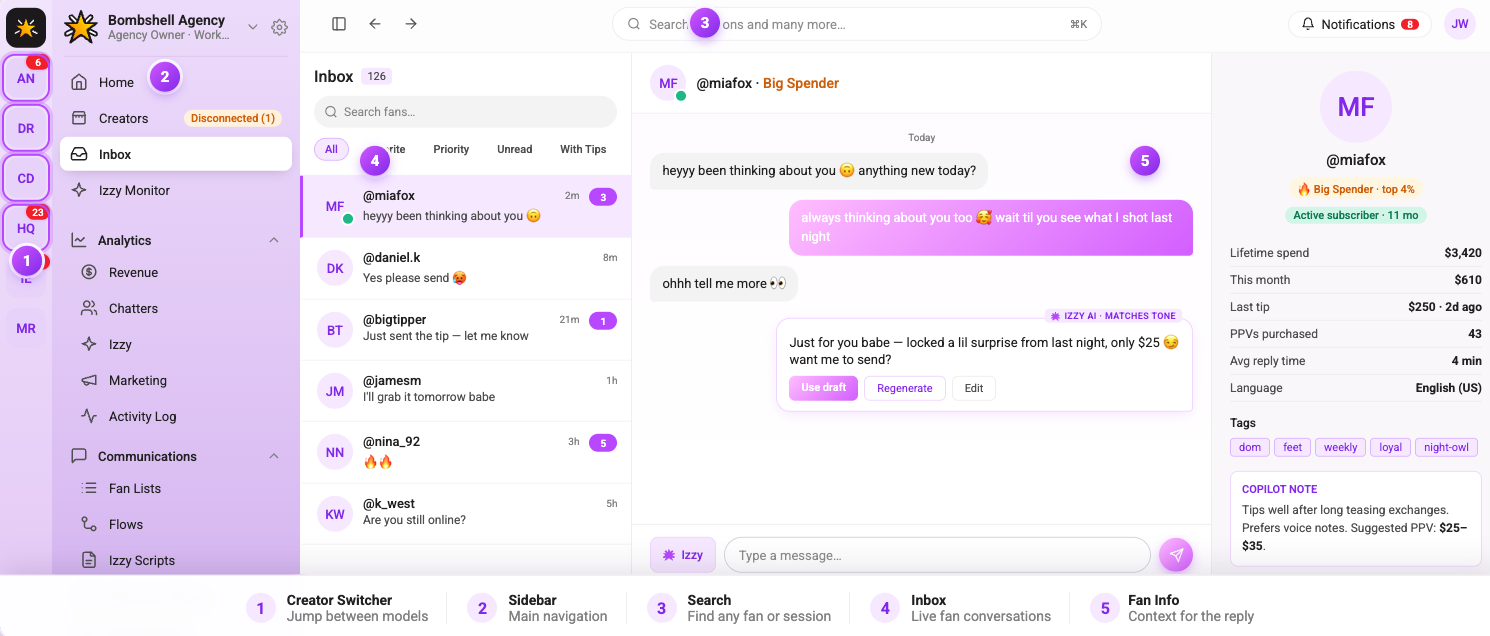
Day 2: Learning the Fan Data Layer
Before a chatter sends a single message, they need to understand how to read a fan. Supercreator surfaces each fan's purchase history, chat history, total spend, and content preferences before you open a reply window. This is what separates a targeted message from a generic one.
On day two, have the chatter spend time in the fan profiles without messaging anyone. Ask them to identify: who the top spenders on the account are, which fans have gone quiet in the last 30 days, and which content types are generating the most tips. This is an exercise in reading the data, not acting on it yet.
The OnlyFans CRM is where all of this lives. Getting comfortable with fan segmentation early means the chatter will send better messages from week one rather than defaulting to blasting everyone with the same offer.
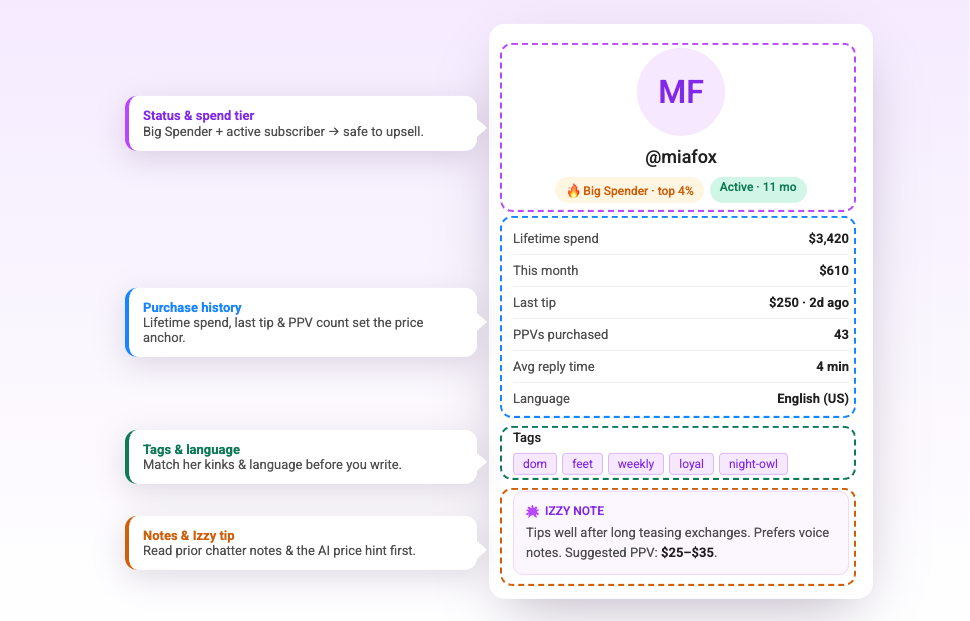
Day 3: Learning the Voice and Tone
Every creator has a specific way they communicate with fans. A chatter who sounds nothing like the creator breaks the illusion immediately and damages trust with subscribers who have been on the account for months.
Day three is about tone calibration. Have the chatter read through a sample of the creator's existing messages, especially the ones that generated tips or PPV purchases, which are the most instructive. Then have them write ten sample responses to common fan messages without sending any of them. Review the drafts together and give specific feedback on where the tone is off.
The OnlyFans AI chatbot is configured to mirror the creator's voice, which gives the chatter a reference point. The AI's suggestions are a baseline that the chatter should be able to match and build on. If their drafts are consistently below the quality of the AI's suggestions, that is a training flag worth addressing before they go live.
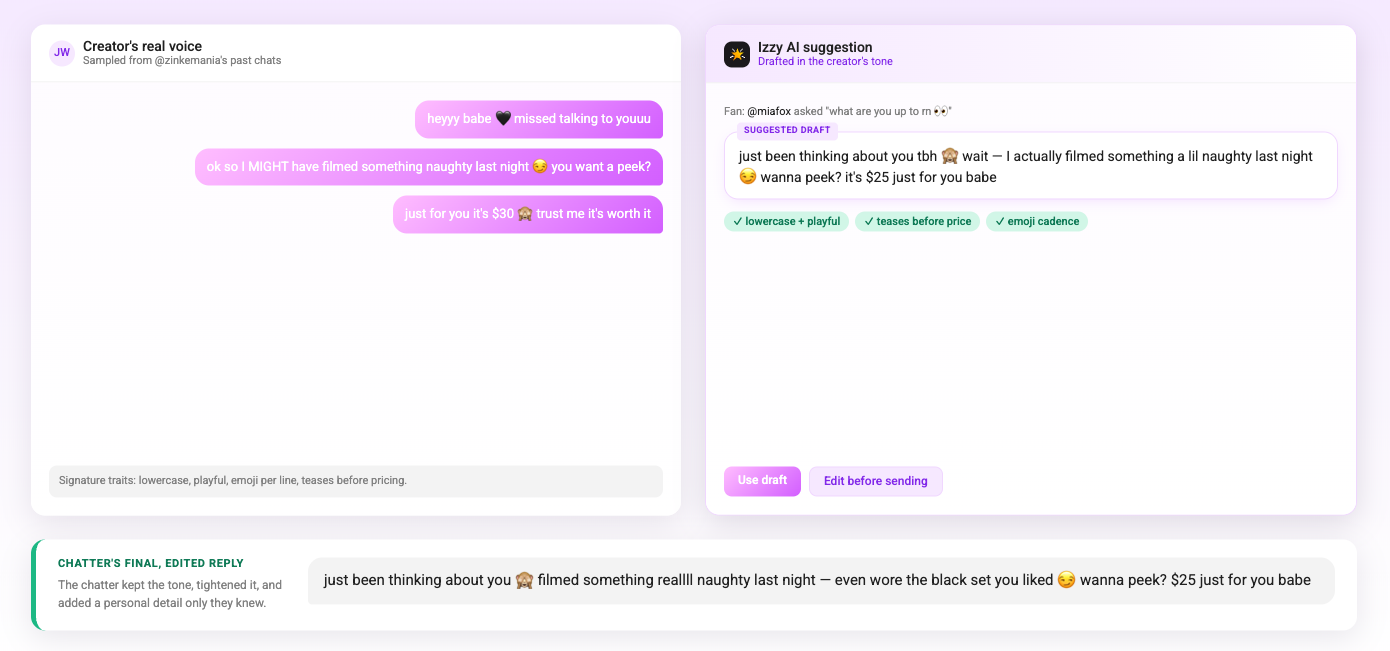
Day 4: First Live Messages
The chatter sends their first real messages on day four, but with guardrails. Start them on lower-value fans only; not the top spenders, not anyone in an active sales conversation. Let them handle routine responses, answer common questions, and send a few re-engagement messages to fans who have gone quiet.
Monitor the session closely. Review every message they send on day four. Look for tone inconsistencies, missed upsell opportunities, and whether they are using the fan context that Supercreator surfaces before replying. Give feedback the same day while the conversations are fresh.
The OnlyFans bot handles automated touchpoints like welcome messages and re-engagement sequences in the background. Make sure the chatter understands which interactions are automated and which require their direct input, so they are not duplicating messages that are already going out automatically
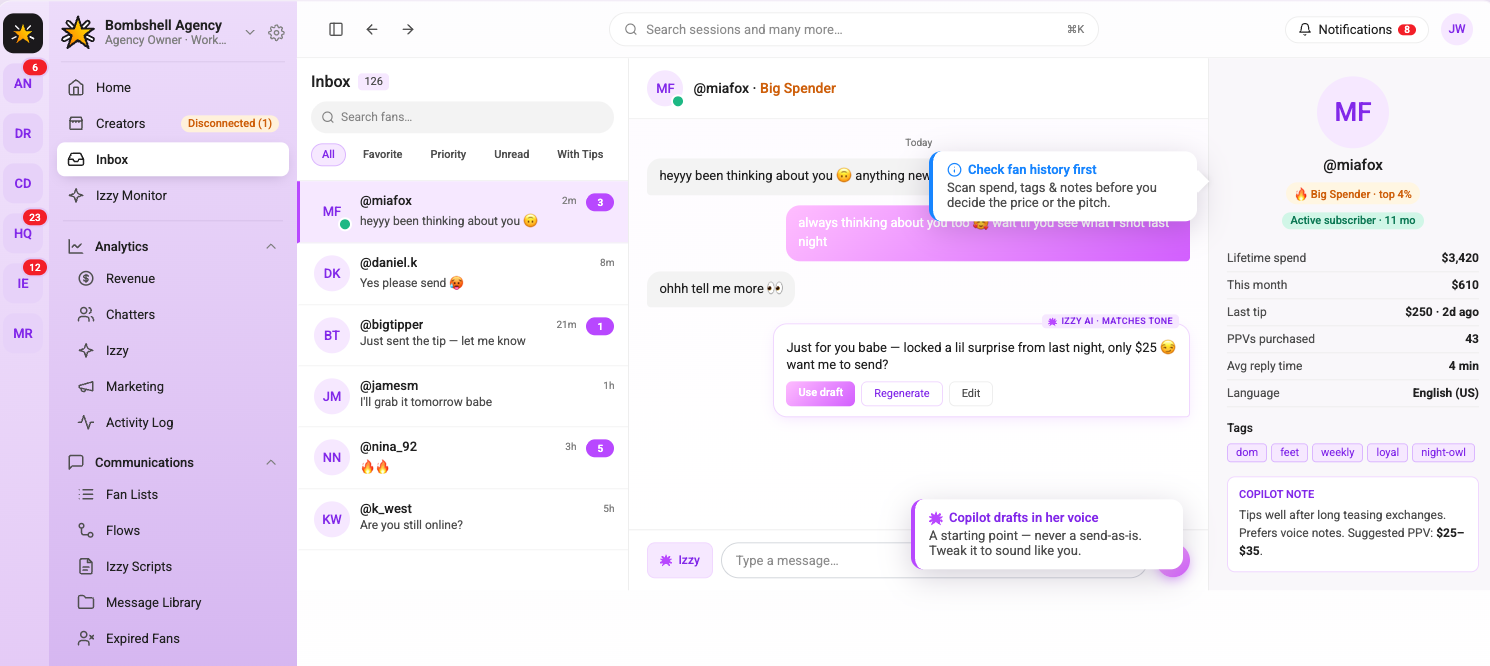
Day 5: PPV and Upsell Training
Handling routine messages is one skill. Selling is another. Day five is dedicated to PPV and upsell conversations: how to read when a fan is close to purchasing, how to pitch without being transactional, and how to follow up after a PPV goes unseen without coming across as pushy.
Walk through the agency's PPV scripts and mass message templates. Explain the logic behind each one, like why this offer goes to this segment, what the expected conversion rate is, and what a good response to a decline looks like. Role-play a few scenarios before the chatter tries it on a live fan.
This is also the point to introduce mass messaging. Show the chatter how to build a segment in the CRM, how to write a mass message, and how to track the results after it sends. Do not let them send a mass message independently on day five (that comes later). The goal today is understanding the mechanics.
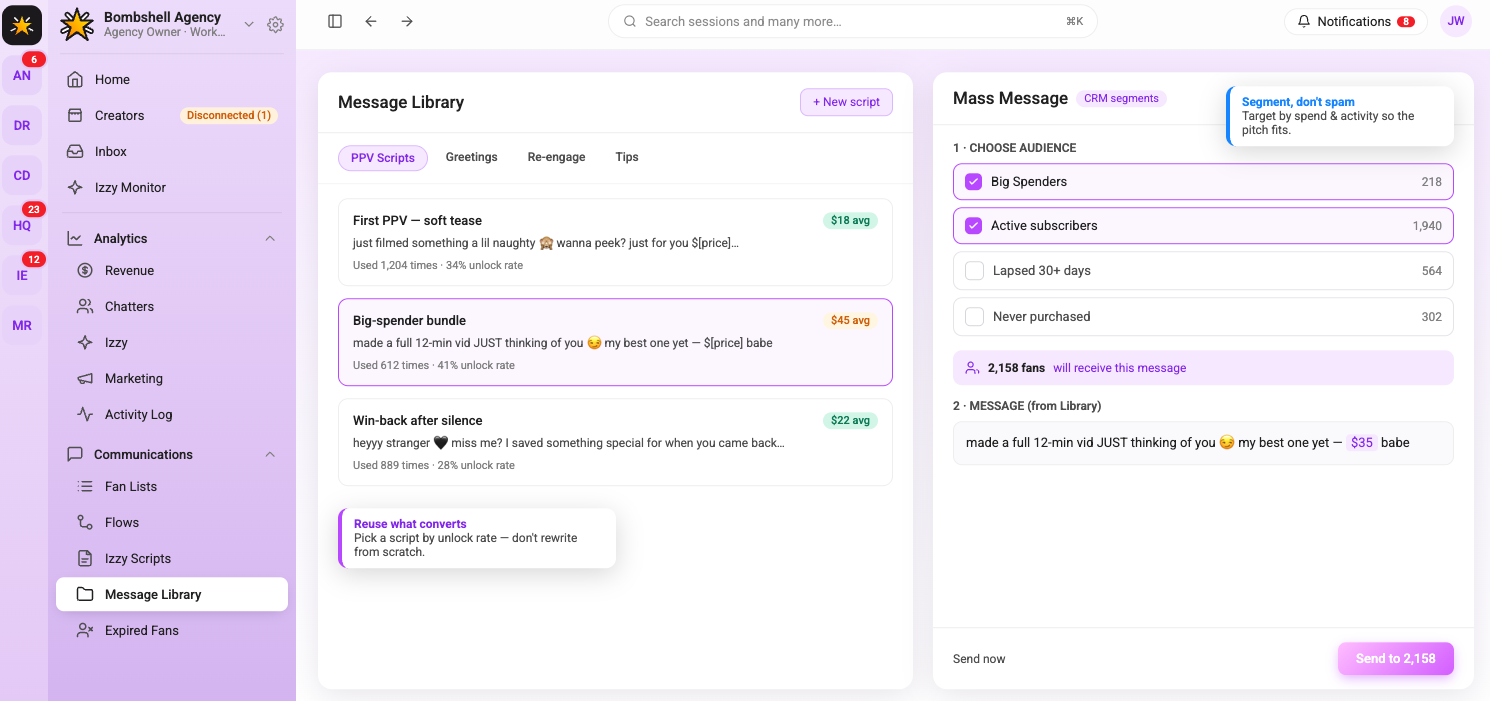
Day 6: Independent Work With Monitoring
By day six, the chatter works a full shift independently on their assigned accounts. They handle routine messages, re-engagement, and PPV pitches without step-by-step supervision. The admin monitors performance through the analytics dashboard rather than reviewing every individual message.
Check the chatter's metrics at the end of the shift: messages sent, PPVs pushed, conversions generated, and response time. Compare against the account's baseline from before they started. These numbers are not the full story on day six (one shift of data means nothing), but they establish a starting point for the week two review.
Flag anything that looks off: response times over 20 minutes, PPV open rates significantly below the account average, or fan complaints. Address these specifically before the chatter's next shift, not in a general debrief.
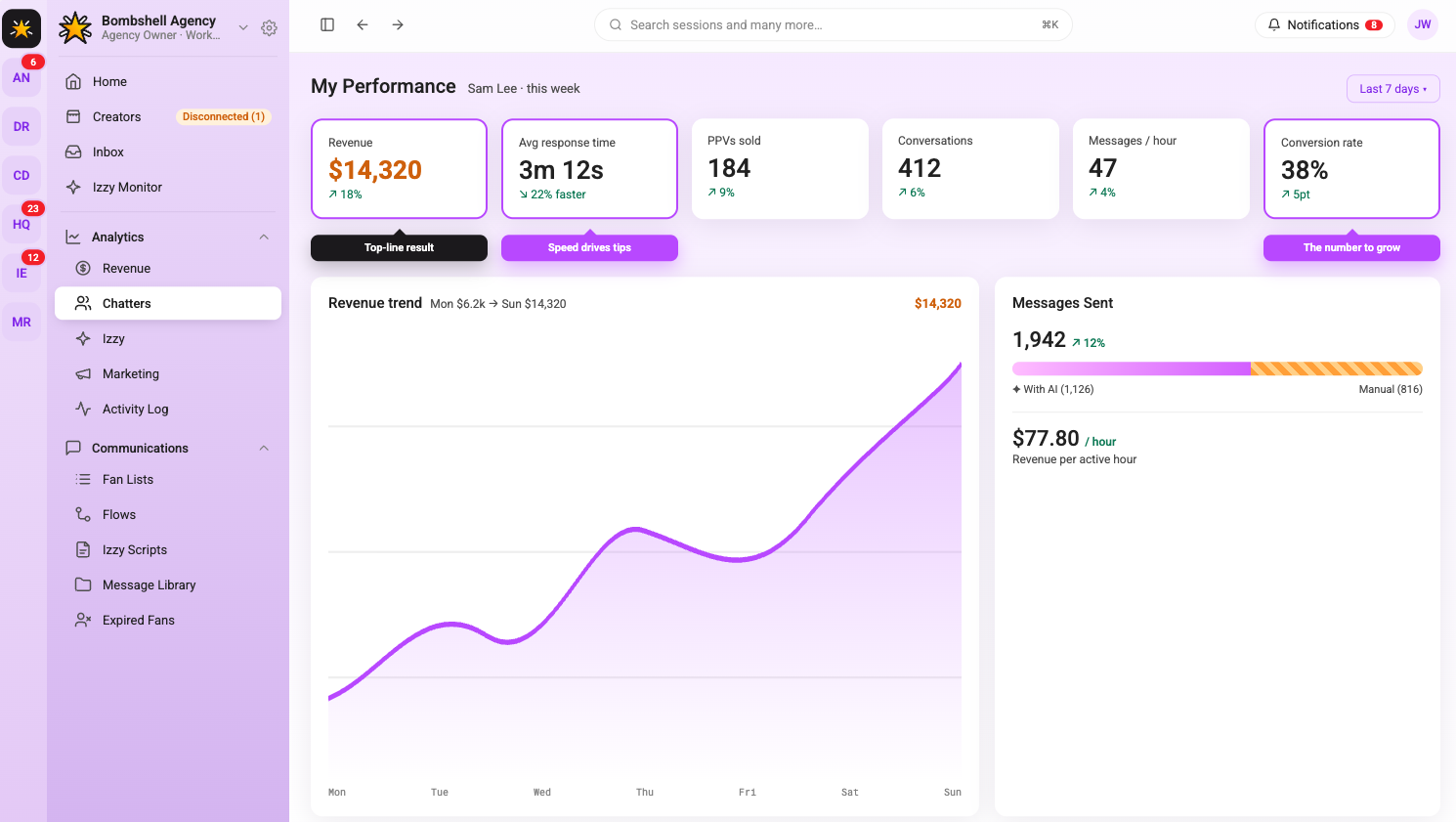
Day 7: Review and Sign-Off
The final day of onboarding is a structured review, not another live shift. Sit down with the chatter and go through the week: what went well, what the metrics show, where the tone still needs work, and what they are not yet cleared to handle independently.
Agree on a clear scope for week two. Some chatters are ready to handle mass messages independently after seven days. Others need another week on single-fan conversations before they are trusted with account-wide sends. Be specific about what is and is not in their lane.
Set a two-week check-in to review performance metrics again. Onboarding does not end on day seven; it transitions into ongoing performance management. The first seven days are about getting the chatter operational. The following weeks are about making them consistent.
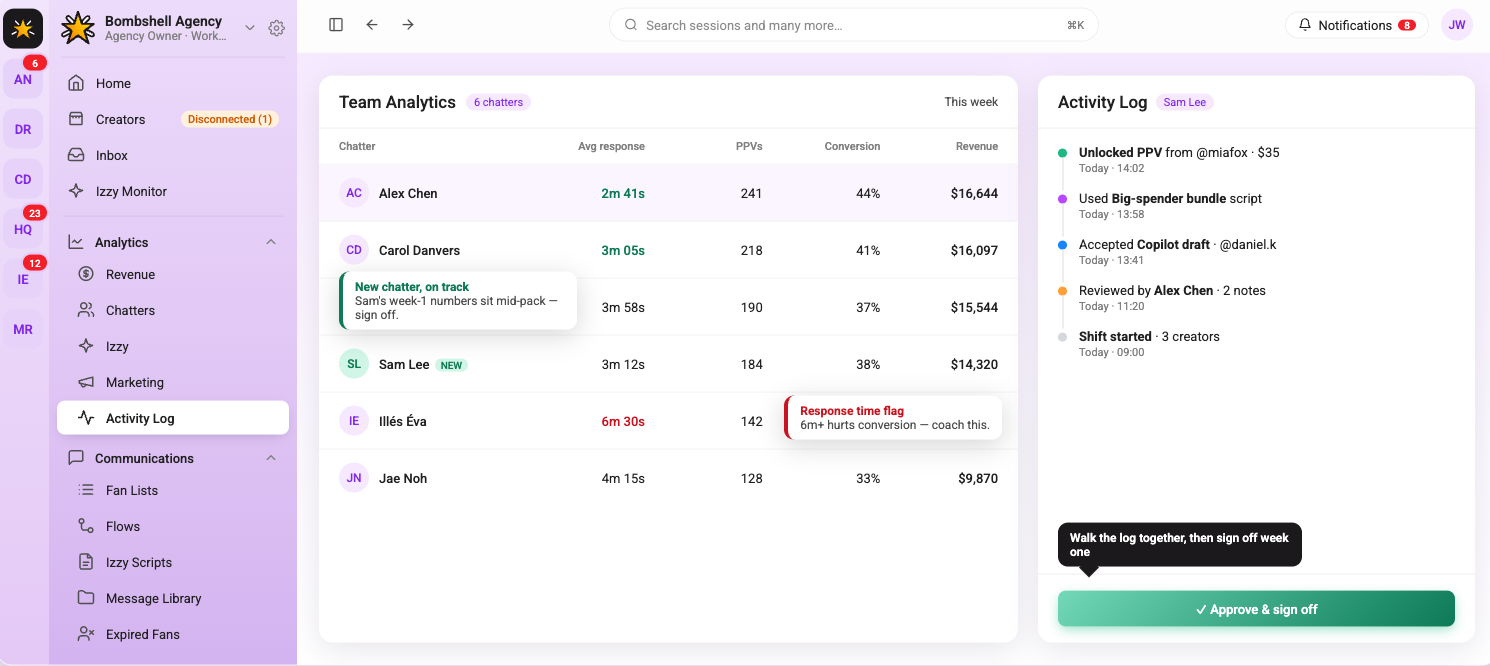
What Good Chatter Performance Looks Like
Agencies that onboard chatters without defining what success looks like end up with inconsistent results and no way to diagnose why. Before a chatter goes live, establish the benchmarks they are being measured against.
Response time is the most basic metric. Fans who wait more than 15 to 20 minutes for a reply are less likely to convert on a PPV offer. Message quality matters more than volume. A chatter sending 200 generic messages a shift is less valuable than one sending 80 targeted ones with a strong conversion rate. PPV conversion rate and tips generated per shift are the numbers that connect chatter performance directly to revenue.
Track these per chatter, per account, and per week. The analytics layer in Supercreator makes this visible without manually pulling data from multiple places. Agencies that monitor this consistently know which chatters are worth investing in and which need more coaching before they scale them to additional accounts.
A Seven-Day Onboarding That Sticks
Rushing a chatter through setup and dropping them on a live account is the fastest way to create problems that take weeks to fix. Seven days is enough time to get someone operational, calibrated to the creator's voice, and comfortable with the tools (if each day has a clear purpose).
The framework above is not a rigid script. Adjust based on the chatter's background. Someone who has worked with another agency's tools will move faster through the technical setup and spend more time on tone calibration. A brand new chatter needs more time on day four before they are ready for PPV conversations on day five.
The goal by day seven is a chatter who can handle a full shift with light supervision and knows exactly where their boundaries are. Everything after that is performance management, not onboarding.
How to Onboard OnlyFans Chatters in 7 Days Using Supercreator

.png)
Quick Answer: How Do You Set Up Izzy AI?
Setting up Supercreator's AI means connecting Izzy to your account, training her on your real chat history, and defining her rules before she goes live, so she automates routine fan conversations while your high-value fans still get a human. The whole setup takes a few hours when done properly, and the quality of that setup is what decides whether Izzy sounds like you or like a generic bot.
The setup in six steps:
- Connect Izzy to your OnlyFans messages, sales data, and fan profiles
- Train her on your voice with real chat history, your bio, and your product library
- Set the rules: which fans she talks to, when she is active, and how she escalates
- Turn on supporting automations: Flows, Bumps, and re-engagement sequences
- Review in preview and cap her volume before full rollout
- Monitor the dashboard and adjust from the data, not assumptions
Ready to hand off the repetitive inbox work? Set up Izzy and keep your top fans human.
Key takeaways:
- Izzy handles live fan conversations; Supercreator's Flows, Bumps, and Automations handle the triggered sequences alongside her. They cover the volume side and the high-value side together.
- The setup determines everything. Train Izzy on real chat history, fill out your bio, and load your product library so she knows what she is selling.
- Set the rules before she goes live: which fans she talks to, when she is active, and her escalation and moderation behaviour. Vague rules produce vague output.
- Review in preview and cap her chat volume before full rollout, then expand once you trust the tone and escalation.
- Keep high-value fans, custom requests, and emotionally complex conversations with a human. Izzy routes them rather than handling them.
- Refresh her training, product library, and escalation thresholds regularly. Check the dashboard weekly; a month of data shows real patterns.
How Supercreator's AI Automates Fan Conversations
Replying to fans takes time. A lot of it. For creators managing hundreds of active subscribers, keeping up with DMs while also producing content becomes a genuine operational problem. Izzy handles live fan conversations, including replies, personalized selling, and ongoing engagement, while Supercreator's automation tools handle re-engagement campaigns and follow-up sequences.
This is how to set her up and use her properly.
What Izzy Does
Izzy is Supercreator's AI chatbot, built specifically for OnlyFans fan communication. She syncs with your messages, sales data, and fan profiles, so every recommendation she makes is based on each fan's actual behavior rather than a generic script.
She can handle a high volume of conversations simultaneously, reply in multiple languages, identify which fans are likely to spend, and flag high-value conversations for human attention. Izzy handles the inbox volume that does not need your attention, so you can focus on the conversations that do.
Step 1: Connect Izzy to Your Account
Izzy syncs directly with your OnlyFans messages, sales data, and fan profiles when you activate her. This connection allows her to personalize responses based on what each fan has purchased, how long they have been subscribed, and how they typically engage.
Before activating her, make sure the OnlyFans settings that can limit her performance are turned off. The Supercreator help center documents which settings need to be adjusted. Skipping this step means Izzy cannot message certain fans even when she is active.
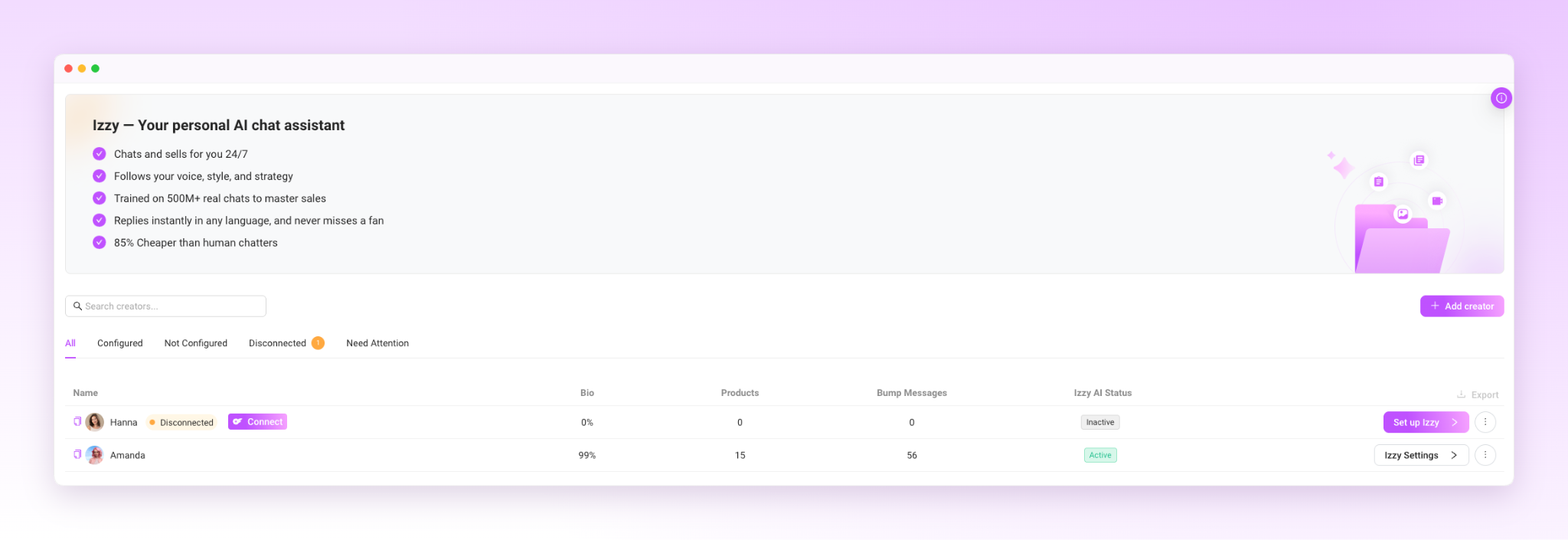
Step 2: Train Her on Your Voice
This is the step that determines whether Izzy sounds like you or sounds like a chatbot.
During onboarding, Izzy analyzes your existing chat history, tone, common phrases, and the emojis you use regularly. The more high-quality chat history Izzy can learn from, the better she can match your tone and communication style.
Beyond tone, fill out your creator bio in the Izzy setup and add your content and products to her library. Izzy needs to know what she is selling and what details to reference when fans ask questions. Keeping your products and content library up to date helps Izzy recommend the right content and create more relevant upsell opportunities.
One important detail: Write your setup instructions in the language you want Izzy to communicate in primarily. This gives her clearer guidance for matching your tone.
This helps her responses feel natural in that language rather than translated.
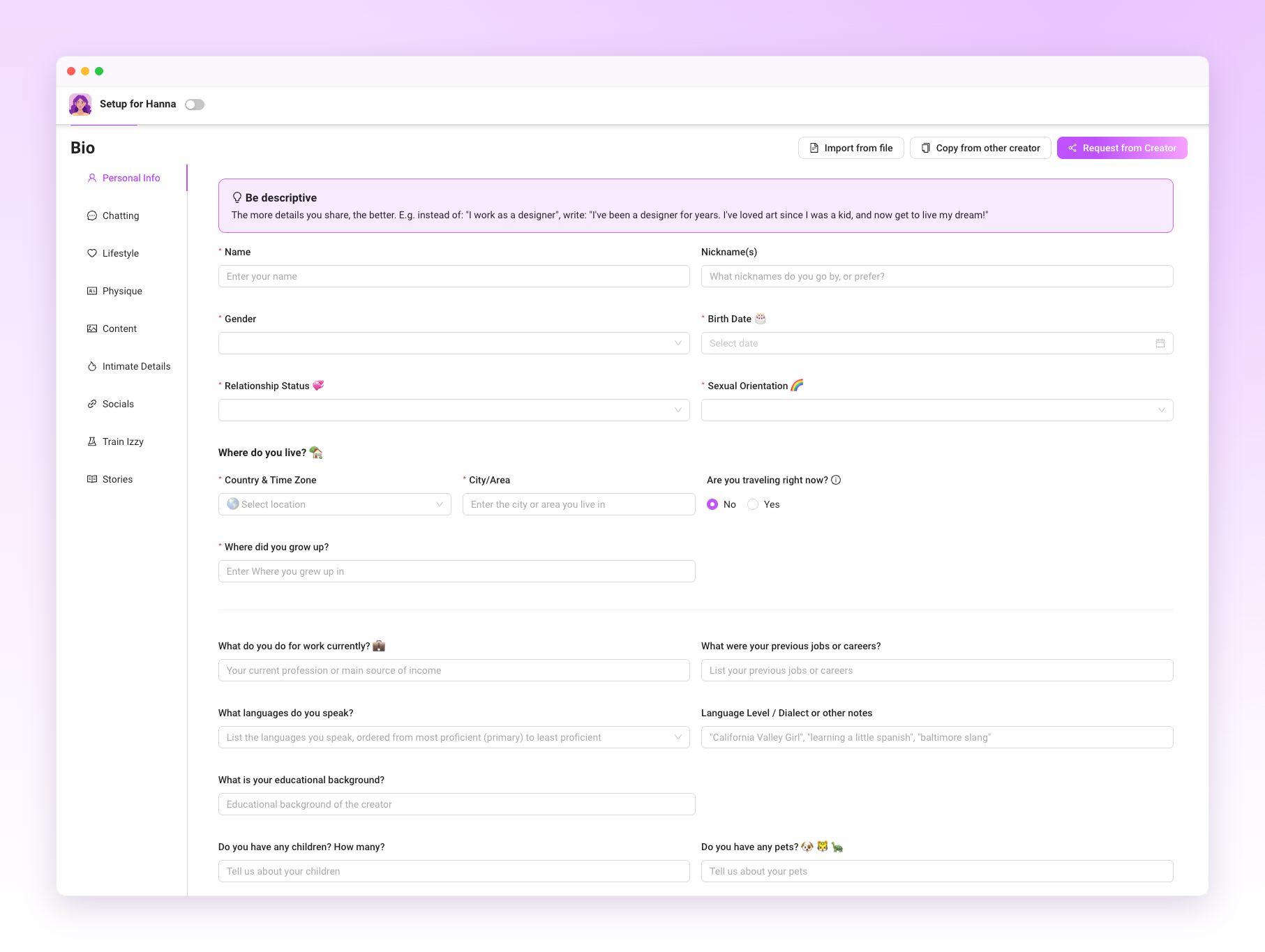
Step 3: Set the Rules Before She Goes Live
Izzy operates inside whatever parameters you define. Before activating her, decide:
Which fans does she talk to? You can exclude specific subscribers or entire Fan Lists from Izzy or automation entirely, which is useful for top spenders or fans you manage personally.
When she is active, you can set a schedule so Izzy handles the inbox during off-hours while you take over during your working hours.
How she should respond to specific scenarios. Configure conversation rules, exclusions, moderation behavior, and escalation settings before enabling Izzy.
Getting this right upfront is what keeps the account safe and the fan experience consistent. Izzy follows the rules you set. If the rules are vague, the output will be too.
AI disclosure: If you use Izzy to communicate with fans, make sure your account complies with OnlyFans' current AI disclosure requirements. Add the required AI disclosure to your profile before enabling AI conversations, and review it periodically to ensure it stays up to date.
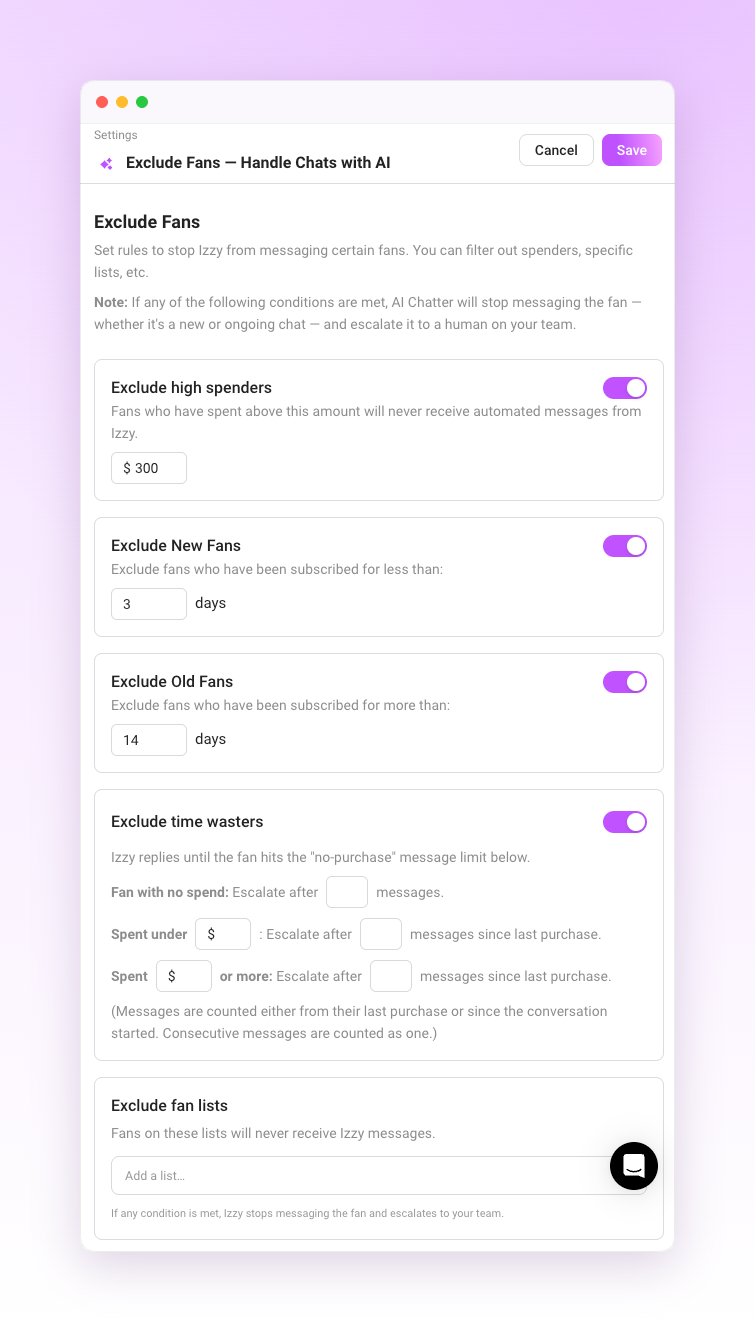
Step 4: Turn On the Automations That Support Izzy
Izzy handles live conversations, while Supercreator's Flows, Bumps, and Automations handle the triggers that run alongside those conversations.
Flows send sequences of messages based on fan behavior: a welcome sequence when someone subscribes, a follow-up after a PPV purchase, and a re-engagement message after a period of inactivity. Bumps resurface content or offers in conversations that have gone quiet.
These automations work best when they’re tailored to specific fan segments rather than sent to everyone. A new subscriber and a fan who has been with you for a year and has spent significantly need different messaging. Fan Lists, Segments, and CRM data tell you which fans belong where and how much they've spent across your workspace, so the automations deliver the right message to the right person at the right time.
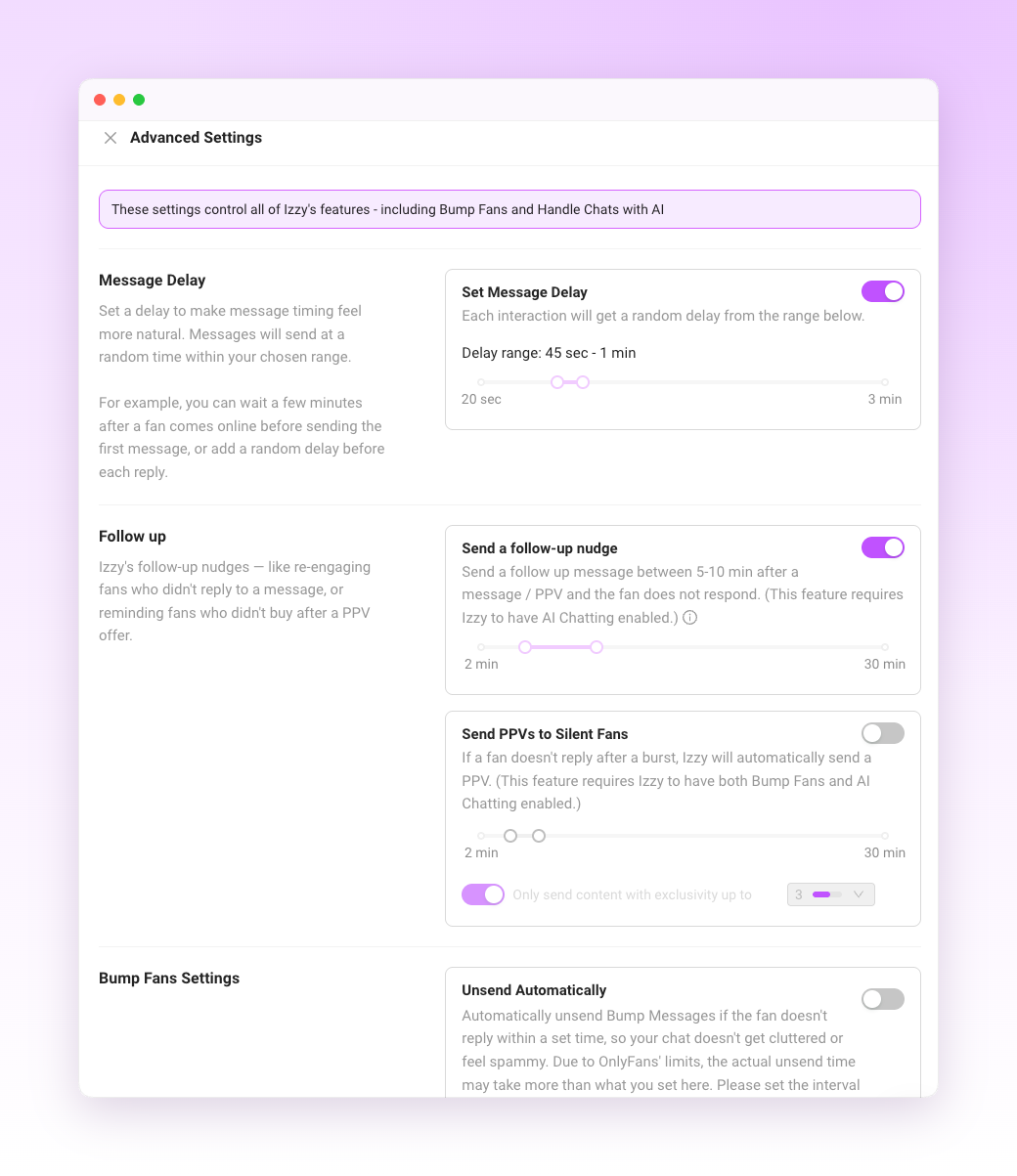
Step 5: Review Before You Go Live
Supercreator lets you preview Izzy's conversations during onboarding before she is active on your account.
You can also set a limit on how many chats Izzy handles initially. Starting with a smaller volume lets you check her output in real conditions without the full inbox being managed by AI before you are confident in how she sounds.
Common things to check in the preview:
- Does the tone match yours?
- Is she referencing fan history correctly?
- Are the upsell suggestions appropriate for the fan she is talking to?
- Are the escalation triggers working so that high-value conversations are being flagged rather than handled automatically?
Adjust anything that feels off before you expand her access.
Step 6: Monitor and Adjust from the Dashboard
Once Izzy is live, the dashboard lets you monitor conversations, performance, and key revenue metrics associated with AI-managed chats. This is where you track whether the setup is working and where you make adjustments.
The OnlyFans CRM layer underneath this tracks each fan's full history, spending patterns, and engagement data. Izzy uses available CRM context when generating responses, which is one of the differences between her and a human chatter who may not have time to review an entire conversation history before replying.
Check the dashboard regularly in the first two weeks. Look at which fan segments are converting, which types of messages are generating the most revenue, and whether any conversations are being escalated that probably should not be or handled automatically when they should have been flagged. Adjust Izzy's settings based on what the data shows rather than assumptions.
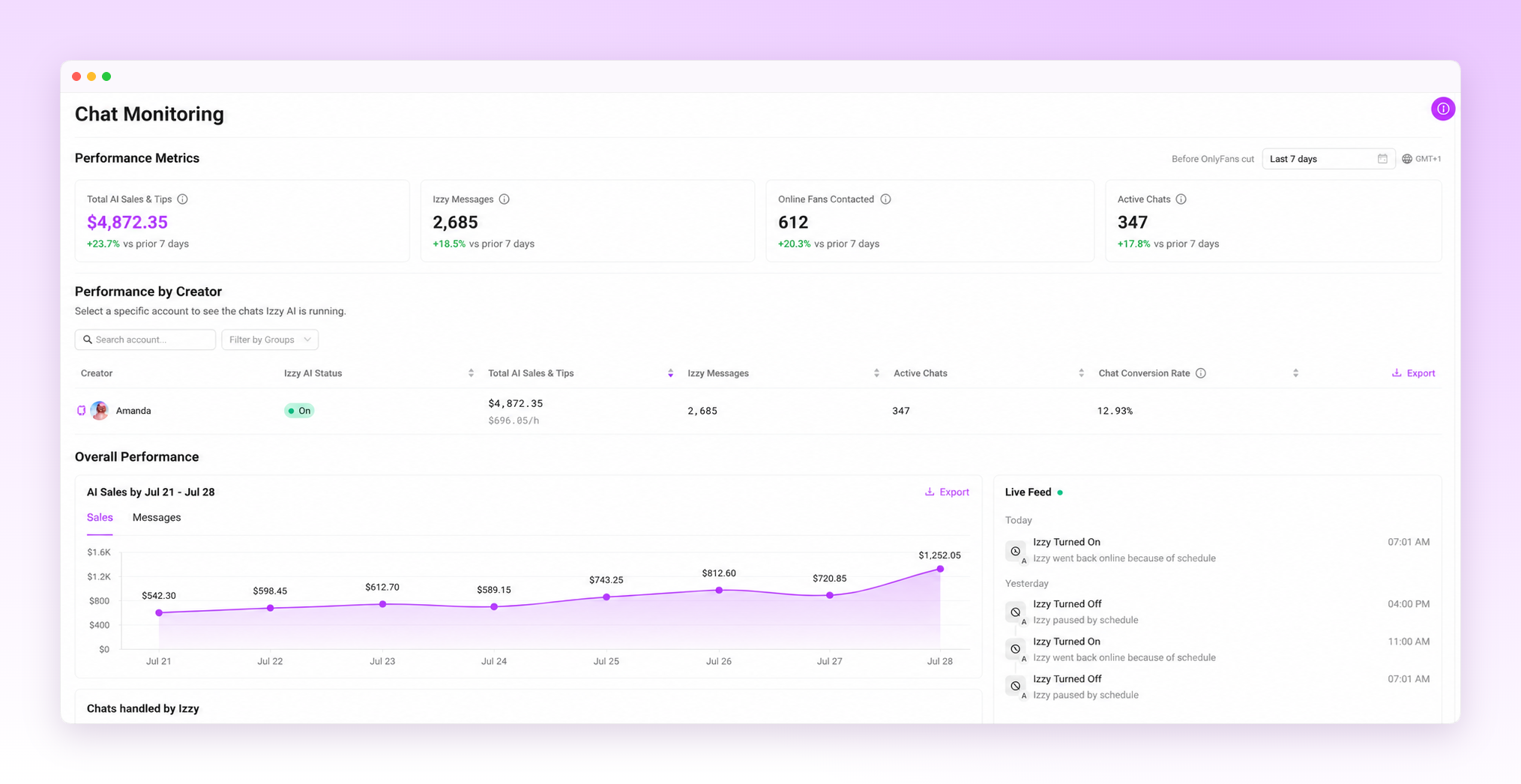
When to Take Over Manually
The fans worth managing personally are the ones spending consistently above average, the ones making custom content requests, and the ones who have been with you long enough that they expect a real connection. Consider escalating these conversations using Izzy's escalation rules rather than managing them with AI.
Beyond high-value fans, any conversation that feels emotionally complex, sensitive, or outside the normal patterns Izzy is trained on should be reviewed personally. Izzy is not equipped to handle every scenario, and the moderation system flags messages that involve prohibited topics. Anything that gets escalated using Izzy's escalation rules needs a human decision.
What Creators Actually Get Back
The practical outcome of a well-configured Izzy setup is time. Fans get faster responses, including at hours when you are not online, and those responses are shaped by their full conversation history rather than just the current thread. You get back the hours that were going into repetitive inbox management.
What changes operationally: the conversations that needed a human still get one, because Izzy is routing them rather than handling them. The conversations that do not need a human are handled consistently, at any hour, without burning out a chatter or eating into your content creation time.
The setup takes a few hours to do properly. After that, the adjustment is ongoing, but still light.
Getting the Most Out of Izzy
A few things that separate well-configured accounts from ones that underperform:
- Update her training data regularly. Your voice evolves. Refresh Izzy's training periodically as your tone, products, or messaging evolve.
- Add new content and products to her library as you create them. Izzy cannot recommend or upsell content she does not know exists.
- Review escalation patterns. If high-value fans are not being flagged or are waiting too long for human attention, adjust the thresholds.
- Check the dashboard weekly. One week of data means very little. A month of data shows patterns worth acting on.
Izzy Works When the Setup Does
A poorly configured Izzy produces generic output that erodes fan trust. A well-configured one handles the volume of a growing account while keeping conversations personal and consistent.
The difference is almost entirely in how seriously you take the setup steps. Upload real chat history, define your rules clearly, protect your high-value fans, and keep the training current. Do that, and Izzy helps save time, improve consistency, and give you more room to focus on high-value conversations.
Other Features Worth Knowing About
Inbox Copilot lets you prioritize which conversations to open first, using tags like Urgent Priority, Hot Buyer, New Subscriber, and Expired.
If you communicate with fans in multiple languages, enable Auto-Translation so incoming and outgoing conversations stay natural without manual translation.
Izzy also has access to total fan spend across your workspace, giving her more context when personalizing responses and recommendations.
How to Set Up Supercreator's AI (Izzy) to Automate and Personalize Fan Chats
AI Assistant Has Arrived! Ready to See It in Action?
.png)