OnlyFans Academy

.png)
Most creators and teams do not struggle because they lack effort. They struggle because their (already busy) day starts in a crowded inbox. Messages, sales opportunities, and follow-ups all compete for attention, making it hard to know what actually matters first.
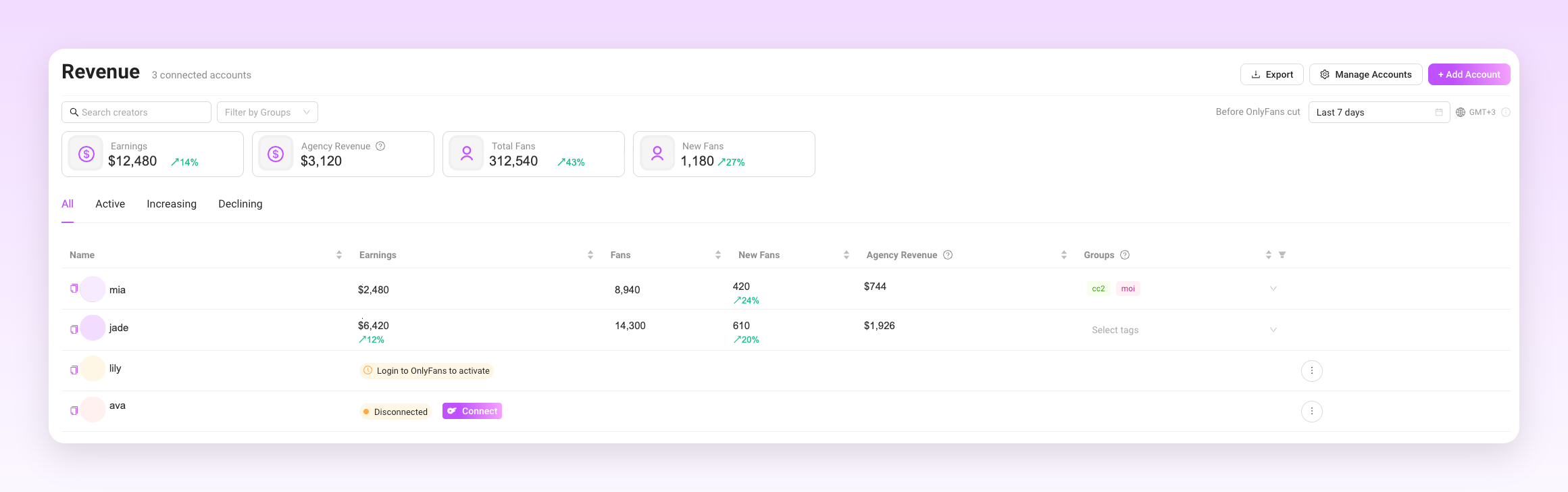
Supercreator’s Fan CRM gives creators a clearer starting point. Instead of deciding priorities based on message order alone, you work from the fan context. You can see who has purchased before, who is actively engaging, and where your attention is most likely to lead to a sale.
This becomes especially useful when using automation. Supercreator’s AI chatbot and OnlyFans bots can handle routine replies and engagement at scale, while the Fan CRM helps you stay in control. It helps you see which fans need a human response and how to structure your day with intention.
This guide walks through a practical workflow creators use to prioritize replies, sales, and daily tasks using the Fan CRM.
Start by Working From the Fan CRM Instead of the Inbox.
Creators begin by opening Supercreator’s OnlyFans CRM first, not the inbox. The inbox is used to send replies, but decisions about what to work on happen in the CRM.
When work starts in the inbox, messages are ordered by time. Recent messages appear urgent even when they are not tied to sales, follow-ups, or ongoing relationships. Important fans can easily be missed.
Starting in the Fan CRM shifts the focus from messages to people. Each fan appears with their history, past purchases, and recent activity. This makes it easier to see which fans you have already interacted with, which ones have bought before, and which ones need attention today.
Example scenario:
A creator logs in for a morning session. Instead of scrolling through unread messages, they open the Fan CRM. They can quickly identify fans they sold to recently, active conversations, and any fans marked for follow-up. Before replying to anything, they already know which conversations matter most and which can wait.
Use Fan Profiles to Decide Which Replies Come First
Before replying to any message, creators open the fan profile. This step replaces guesswork with context.
A fan profile shows past purchases, tipping behavior, and recent activity in one place. Instead of judging importance by message timing or tone, creators use this information to decide which replies deserve attention first.
This prevents treating every message as equal. Fans who have shown buying intent are prioritized over conversations that are unlikely to lead anywhere, even if those messages arrived later.
Example scenario:
Two fans sent messages overnight. One has tipped multiple times and purchased PPVs recently. The other has never purchased anything. When the creator logs in, they open both fan profiles before replying. Based on the history shown, the creator replies to the high-value fan first, even though that message arrived after the other one. The decision is based on intent, not timing.
In practice, not all fans contribute equally to income. A small percentage of fans typically generates the majority of revenue, while most conversations never turn into sales. Replying strictly in inbox order ignores this reality and pushes high-value conversations into the same queue as casual chats. The Fan CRM makes this imbalance visible so creators can focus first on fans whose behavior shows real buying intent.
Use Fan Context to Decide When and What to Sell
Creators do not decide what to sell from memory or habit. They check the fan context first.
Before making an offer, they look at:
- What the fan has already purchased
- How recently did they buy
- How they usually respond to offers
It also prevents repeating the same pitch or selling too aggressively. Sales become situational instead of automatic.
Example scenario:
A fan starts a casual conversation. Before suggesting a PPV, the creator opens the fan’s profile and sees that the fan bought a similar offer the week before. Instead of repeating the same pitch, the creator either waits and follows up later or offers something different that better fits the fan’s history.
Top spenders require a different level of attention. These fans expect fast, thoughtful replies and should never be buried under casual conversations. Inside the Fan CRM, creators can label high-value fans and return to them instantly without scrolling through message history. Notes reduce reliance on memory by capturing preferences, boundaries, tone, and past purchases. Whale conversations are treated as intentional sessions rather than interruptions, reflecting their true impact on revenue.
Organization is not limited to conversations. Knowing exactly where content lives matters just as much during live chats. When vaults are structured into clear folders, and fan notes surface context at a glance, creators avoid breaking immersion or rereading long threads. The CRM keeps everything visible, so replies stay smooth and consistent, even across long-running relationships.
Turn Your Fan CRM Into a Daily Task System
Creators use the Fan CRM to keep track of ongoing work instead of trying to remember everything. Replies, follow-ups, and sales are treated as tasks tied to specific fans, not as messages that disappear once they are read.
This matters even more when not every conversation is handled manually. Some replies may already be taken care of, while others still need a decision. The Fan CRM makes it clear what is left to do.
It becomes easier to stop and start work without losing context. When a creator logs back in, the CRM shows which fans still need attention and what the next action should be.
Example scenario #1:
A creator finishes a session knowing three fans need follow-ups later in the day. Those fans stay visible in the Fan CRM. When the creator logs back in, they do not scroll through old messages or rely on memory. The same fans are still there, clearly marked, ready for the next step.
Example scenario #2:
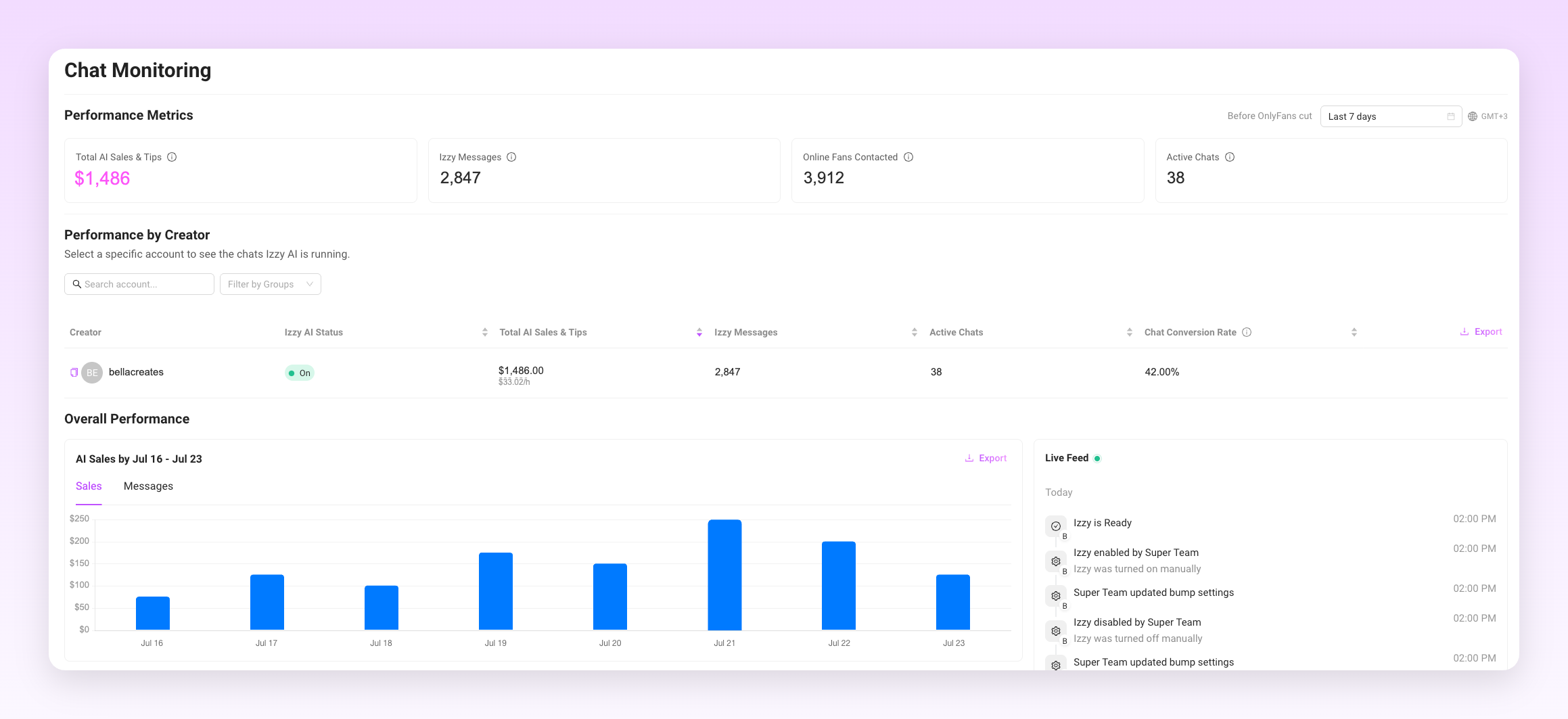
Another creator logs in after a busy day with a large number of new messages. There is no realistic way to reply to everyone manually. In this case, Supercreator’s AI chatter can handle routine replies and keep conversations moving. When the creator opens the Fan CRM, they can clearly see which fans already received automated responses and which ones now need a personal follow-up.
Instead of trying to keep up with every message, the creator works from a shorter, clearer list. Routine replies and background engagement can be automated with OnlyFans bots, while the Fan CRM shows which fans still need a follow-up, a decision, or a personal reply.
Automation is not limited to mass messages. Creators can automate common small talk, frequently sent replies, basic price negotiations, upsell transitions, and re-engagement nudges. This does not mean losing control or personality. Supercreator’s AI handles predictable interactions and helps surface conversations that benefit from human judgment, creativity, or emotional intelligence. Automation absorbs repetition so creators can focus on moments that actually matter.
Beyond conversations, creators juggle daily operational work that easily eats into selling time. Mass messages, wall posts, S4S coordination, and routine updates all need to happen, but none of them should interrupt active sales conversations. Using the Fan CRM alongside automation allows these tasks to be batched into predictable time blocks instead of scattered throughout the day. When routine work is contained, creators protect uninterrupted time for conversations that actually convert.
Use the Same Workflow Every Time You Log In
Consistency is what makes the Fan CRM useful over time. Instead of deciding how to work each time you log in, you follow the same routine and let the CRM guide the session.
Each session starts in the same place and ends the same way. This removes the need to rethink priorities or scan for what might be important. The workflow stays stable even when volume changes.
Example scenario:
Every time a creator logs in, the process is the same.
- They open the Fan CRM.
- They review priority fans.
- They reply where the context is clear.
- They sell where it makes sense.
- They mark progress before logging out.
Spending a small amount of time upfront on organization pays back quickly. Clear structure leads to faster replies, fewer mistakes, and smoother sales flows. Over time, this reduces mental fatigue and makes high-volume work sustainable, especially when managing multiple fans or accounts. The Fan CRM is designed to support this compounding effect rather than adding more admin work.
How Teams and Chatters Use the Fan CRM Together
Teams use the Fan CRM as the single place where all fan activity lives. Replies, offers, and follow-ups are tied to the fan profile rather than scattered across individual inboxes
How teams work inside the Fan CRM:
- A team member opens a fan profile before replying: They check recent messages, past purchases, and any open follow-ups. This replaces scrolling through chat history.
- The team member sends a reply or makes an offer: Any action taken is recorded on the fan profile automatically.
- The next team member sees the full context: When another chatter opens the same fan later, they see what was said, what was offered, and whether a follow-up is needed.
- Supercreator’s OnlyFans AI chatbot runs in the background: AI handles routine replies and keeps conversations active when no one is assigned. Its messages appear in the same fan profile.
- Humans step in where judgment is needed: Team members review the fan profile to decide whether to continue, sell, follow up, or leave the conversation to automation.
What this prevents:
- Duplicate replies
- Conflicting offers
- Missed follow-ups
- Guessing what already happened
The Fan CRM keeps every person and the AI chatbot working from the same context, so handoffs are clean, and nothing gets lost.
How the Fan CRM Changes the Way Creators Work Every Day
The Fan CRM helps creators focus on what matters instead of reacting to everything. Each session is guided by three questions. Who needs attention? What action leads to revenue? What should happen next?
Answering those questions from one place makes daily work clearer, faster, and easier to repeat.
How to Use Supercreator Fan CRM to Prioritize Replies, Sales, and Daily Tasks

.png)
OnlyFans has exploded in popularity since 2020, with over 210 million users on the platform, which is growing by approximately 500,000 new users and 7,000 new creators every single day. The income potential on OnlyFans ranges from a supplemental side income to raking in millions per month for top creators. However, the average OnlyFans income depends heavily on the number of subscribers, content quality, fan engagement, and marketing efforts.
Let’s look at OnlyFans earnings statistics, average incomes, strategies for increasing revenue, and OnlyFans tools to boost your income potential in 2026.

TL;DR: OnlyFans Income
- There are over 210 million users on OnlyFans, with earnings ranging from supplemental income to millions per month.
- Average OnlyFans creator earns $150 to 180 monthly; the top 1% earn 33% of total revenue.
- Top earners benefit from existing audiences, niche content, high-quality materials, and aggressive marketing.
- While most OnlyFans creators earn below-average incomes, strategic audience growth and consistency can lead to significant earnings.
- Male creators often make more, tapping into niches like LGBTQ+ and male fitness modeling.
How Much Do People Make on OnlyFans on Average?
So, what is the OnlyFans average income? The answer would be between $150 and $180 per month, which equates to around $2,000 per year. As a matter of fact, OnlyFans has paid out over $5 billion to creators to date.
However, averages don’t tell the whole story. According to research by Thomas Holland of XSRUS, OnlyFans income follows a “power law” distribution where the top 1% of creators earn 33% of total revenue, and the top 10% earn a whopping 73% of all revenue.
This means the top OnlyFans earners make exponentially more than the typical creator. While the average creator struggles to earn a supplemental income, the top creators easily earn five to six figures per month.
So, how is such a gap in OnlyFans earnings created between regular creators and the highest earners? Several factors are at play:
- Existing audience: Celebrities and influencers bring their existing social media followers to OnlyFans, creating instant revenue potential. Regular creators start from scratch, building their subscriber base.
- Niche: Top earners tap into lucrative, popular niches and kinks with massive demand, like celebrity gossip, fitness modeling, cosplay, BDSM, and more.
- Content quality and consistency: Big earners invest heavily in high-quality photos and videos, professional equipment, and studios, and employ teams to create copious amounts of content to satisfy subscriber demands.
- Marketing and promotion: Top creators aggressively market their OnlyFans across social media, interact with fans, utilize promotions, and collaborate with other models to gain new subscribers.
- Exclusivity: To gain subscribers, top creators offer exclusive content and experiences unavailable anywhere else. Limited-time sales and promotions also drive subscriber growth.
So, while the average AI OnlyFans creator income may be modest, creators who strategically build their audience, consistently produce premium exclusive content, engage with fans, and market aggressively can potentially earn a full-time income. But it requires significant effort.
Taxes and expenses: what creators actually take home
OnlyFans creators are typically classified as self-employed, meaning taxes are not automatically withheld from earnings. Depending on your country, you may owe income tax and self-employment tax on your profits.
As a general rule, creators should set aside 25 to 30% of gross earnings to cover taxes. This percentage may vary depending on location and total income, but failing to plan for taxes is one of the most common financial mistakes new creators make.
In addition to taxes, creators must consider:
- Platform commission (OnlyFans takes 20%)
- Equipment (camera, lighting, phone upgrades)
- Internet and software subscriptions
- Marketing costs (ads, paid promotions, shoutouts)
- Agency fees (if working with a management company)
After expenses, the actual take-home income may be significantly lower than the average suggests.
The 4-month “trust period”
New creators should also understand that earnings may be temporarily limited during the early stages of their account. OnlyFans applies internal risk controls to newly verified profiles, which can include caps on tipping amounts and payout thresholds.
For example, tips are often limited to $100 per transaction during the first four months while the account builds history and trust within the platform’s system. This “trust period” is designed to reduce fraud and chargeback risk, but it can also slow down revenue growth for new creators.
Once the account is established and vetted, these limits may increase. However, during the first few months, creators should plan for gradual income growth rather than expecting immediate high-ticket tips or large custom orders.
The Referral Revenue Stream
Another often-overlooked income source is the OnlyFans Referral Program. In addition to earning from subscriptions, tips, and pay-per-view content, creators can earn a 5% commission on the earnings of creators they refer to the platform (for up to one year, capped at $1 million in referral earnings per referred account).
This means that if you refer a creator who goes on to earn significant income, you receive 5% of their gross earnings (paid by the platform, not deducted from the referred creator). For example, if a referred creator earns $100,000 within their first year, the referrer would receive $5,000 in commission.
While this is not a primary revenue stream for most creators, it can become meaningful for those who build networks, mentor new creators, or operate within agency-style models. Importantly, this referral income is rarely reflected in “average creator income” statistics, which means some earnings data may underrepresent creators who actively leverage the program.
Do OnlyFans Creators Make More Than The Average Person?
According to the U.S. Census Bureau, the real median personal income in the United States is $43,800 as of 2022. This means the typical OnlyFans creator earning $150 per month or $1,800 per year falls significantly short of the average American’s income.
However, OnlyFans creators have the potential to earn significantly more than the median income. For example:
- A creator earning $500 per month makes $6,000 annually.
- At $1,000 per month, an OnlyFans creator makes $12,000 per year.
- A top 10% OnlyFans earner making $5,000 per month nets $60,000 annually.
So, while most OnlyFans creators underperform average incomes, those able to grow a sizable subscriber base of more than 100 fans have the potential to match or exceed average incomes. This requires creating premium content and aggressively promoting on social media to gain subscribers.
Additionally, OnlyFans has relatively low barriers to entry compared to traditional careers requiring college degrees or extensive training. With effort and persistence, creators can build a full-time income without formal qualifications.
But breaking past the average OnlyFans income level requires treating it as a full-time job, investing considerable time into content production, fan interaction, promotions, and platform optimization. Casual creators hoping for quick, easy money will almost certainly make less than average.
Read ahead for examples of top creators and how much they earn (hint: MUCH more than the average person).
Females Vs. Males: Who Earns More on OnlyFans?
The vast majority of OnlyFans creators are female, comprising 80% of users, according to recent data. However, male creators still represent a significant minority on the platform.
So, who earns more on average: male or female creators? Currently, top-earning male creators tend to outpace their female counterparts.
Key points:
- The average male OnlyFans income ranges between $1,500 and $7,500 per month.
- 30% of OnlyFans’ top 1% earners are male creators.
- Male creators increased 3X faster during the pandemic than female creators (450% vs 150% growth).
- Male creators need 1,000+ subscribers to earn more than $15k to $100k per month.
The reasons for the higher male creator earnings include:
- Strong niche demand: Male OnlyFans creators catering to niche LGBTQ+ and male fitness modeling niches can build highly targeted, loyal audiences.
- Rarity premium: There are comparatively fewer male creators, so subscribers may pay a premium for unique male content.
- Higher pricing thresholds: Male creators may feel more comfortable experimenting with higher subscription prices, given the social stigmas faced by female content creators.
However, females still dominate OnlyFans, comprising 70% of the top OnlyFans accounts. Additionally, the gender earnings gap narrows significantly for celebrities and influencers who transfer large social media followings to OnlyFans.
For non-celebrity creators building a subscriber base from scratch, male creators appear better positioned currently to exceed female earnings on average.
How Do Follower Numbers Impact Your Income on OnlyFans?
Gaining subscribers is the most crucial factor impacting the long-term earning potential on OnlyFans. More fans equals more paid subscriptions, content purchases, and tips.
According to OnlyFans, you can expect to convert 1 to 1.5% of social media followers into paying OnlyFans subscribers. Here’s a formula you can use:
(Total Followers × 0.015) × Subscription Price × 0.80 = Your Take − Home Pay
So, let’s look at how earnings scale in relation to follower counts:
How much do OnlyFans creators with fewer than 10,000 followers earn?
At 5,000 followers, expect around 50 subscribers. For $10 subscriptions, that’s $500 in monthly revenue. After the 20% OnlyFans commission, earnings are $400 per month or $4,800 per year.
This can provide a nice side income, but won’t pay the bills alone. You’ll need to actively promote your OnlyFans account on social media and gradually build up followers and subscribers over time.
How much do OnlyFans creators with 10,000-100,000 Followers Earn?
With 10,000 followers, expect 100 subscribers. At a $10 subscription fee, that’s $1,000 in monthly income and $12,000 annually after OnlyFans’ cut.
At 25,000 followers, you can expect around 250 subscribers, generating $2,500 per month or $30,000 annually.
Around 100,000 social media followers nets approximately 1,000 subscribers, paying $10,000 per month or $120,000 per year after the 20% OnlyFans commission.
This follower range represents where you can start earning a sizable full-time income from OnlyFans. However, it requires significant marketing and promotion to transition social media followers into paying OnlyFans subscribers.
How much do OnlyFans creators with over 100,000 followers earn?
The top OnlyFans creators boast huge social media followings of more than 500,000 fans. Convert even 1% of that to OnlyFans subscribers, and you’re looking at more than 5,000 paying fans, at $10 per month, that’s over $50,000 in monthly revenue or over $600,000 per year after the 20% cut.
And celebrities with followings in the millions can quickly build subscriber counts in the tens or hundreds of thousands, translating to multi-million dollar salaries.
Gaining thousands of highly engaged, paying subscribers is possible but takes tremendous work – years of social media marketing, high-quality content production, collaborations with similar creators, promotions, and savvy analytics.
Substantial earnings don’t happen overnight. But with consistent effort, creators can gradually build their income over time.
OnlyFans Earnings by Tier
| Tier | Estimated Monthly Earnings | Primary Content Strategy |
|---|---|---|
| Top 1% | $20,000 – $100,000+ | High-volume PPV, upsells, custom content, strong fan monetization funnels |
| Top 10% | $5,000 – $20,000 | Hybrid model: subscriptions + consistent PPV drops + active messaging |
| Median | $150 – $180 | Subscription-focused with occasional PPV, limited upsell strategy |
| Beginner | $0 – $500 | Low-volume posting, early growth stage, primarily subscription-based |
Top-tier creators
- These elite creators make up just 0.1% of all OnlyFans users yet earn about 76% of total platform revenue, with average monthly earnings of $146,000.
- Many are already famous or have unusually strong branding and niche appeal—think Blac Chyna ($15 million to $20 million a month), Bella Thorne ($10 million to $12 million a month), Cardi B ($8 million to $10 million a month), and Mia Khalifa ($6 million to $8 million a month).
- Their success comes from treating OnlyFans like a business: frequent premium content, savvy social media promotion, and high engagement through custom messages and tips.
Mid‑tier creators
- These creators typically make between $1,000 and $10,000 per month, representing perhaps 1 to 5% of top earners.
- They often aren’t mainstream celebrities but have built loyal fanbases—hundreds to low thousands of subscribers—and consistently post content, livestreams, custom requests, and direct messaging.
- They promote heavily on platforms like Twitter, Reddit, and Telegram, and invest in fan retention strategies like incentives and DMs to maintain steady income.
Average creators
- Most OnlyFans users fall into this category, earning roughly $100 to $1,000 monthly, with median earnings from $150 to $210 per month, and nearly half earn under $100.
- They tend to post sporadically or for hobby-level income, and often lack strong branding, cross-platform promotion, or fan-engagement strategies.
- This group includes casual part‑timers who struggle to convert social media followers into paid subscribers and rarely unlock revenue from custom content or tips.
Beginner creators
- Beginner creators are typically in their first few months on the platform and often earn between $0 and $500 per month while building visibility.
- Growth depends less on content volume and more on learning positioning, niche selection, pricing strategy, and cross-platform promotion.
- The first phase of OnlyFans is less about immediate profit and more about establishing a recognizable persona, testing content types, and building an engaged audience that can eventually convert into paying subscribers.
What to Expect When Starting on OnlyFans
Most beginner creators on OnlyFans earn less than $500 per month in their first few months, with many making under $100. It naturally takes time to build visibility, trust, and a paying subscriber base. New creators often overestimate how quickly they’ll make money, not realizing that competition is high and subscribers expect consistent content.
Beginners usually start with a few dozen followers or fewer and may convert only a small percentage into paying fans. Realistic early earnings often come from 5 to 20 subscribers, with revenue primarily from subscriptions and occasional tips. At this stage, creators who post regularly, promote on platforms like Reddit and Twitter, and respond to messages tend to grow faster than those who treat it passively.
To move beyond beginner status, creators should focus on:
- Developing a consistent posting schedule (typically three to five times a week)
- Cross-promoting on other platforms to increase visibility
- Offering discounts or free trials to attract first-time fans
- Engaging personally with early subscribers through DMs or custom content
Other Factors That Affect OnlyFans Income
Subscription price
Setting the right subscription price is crucial. Too high, and potential fans may hesitate; too low, and you’ll need more subscribers to break even. Most successful creators charge between $5 and $15 a month, balancing affordability with perceived value.
Content quality and posting frequency
High-resolution content, creativity, and consistency matter. Creators who post 3 to 5 times per week with diverse content (photos, videos, behind-the-scenes, and so on) tend to keep fans subscribed longer. Low-effort or infrequent posting leads to churn and poor reviews.
Promotion and marketing
Successful OnlyFans creators treat marketing as half the job. Promoting content on Twitter, Reddit, TikTok, or Telegram, plus collaborating with other creators, is key to gaining visibility and converting fans. A creator without external promotion is unlikely to grow.
Engagement
Responding to messages, offering custom content, and building one-on-one relationships increase tips, loyalty, and renewals. Fans are more likely to stay subscribed if they feel personally connected to the creator.
Niche
Some niches (cosplay, fetish, fitness, mature, or roleplay) tend to perform better due to dedicated audiences and less saturation. Niche creators can often charge more and attract highly loyal fanbases.
Existing audience
Creators who start with an existing following on platforms like Instagram, TikTok, or YouTube have a major advantage. A warm audience converts faster than trying to build one from scratch.
Exclusivity
Offering special content—such as limited-time posts, PPV messages, or behind-the-scenes material—adds value. Fans are more willing to pay for content they can’t find anywhere else.
Expenses
OnlyFans takes a 20% cut of all creator earnings. Creators are also responsible for equipment (camera, lighting, editing), marketing tools, and paying self-employment taxes, which can reduce net income significantly.
Earning Limits on OnlyFans
OnlyFans does have built-in earning limits that creators must work within, though they are high enough that most users won’t hit them. As of 2026, the maximum subscription price is $49.99 per month, though many creators choose lower prices (typically $5 to $15) to attract more subscribers. For tips and PPV content, the maximum tip is $100 for new creators (during the first four months), and $200 after that, while PPV messages are capped at $50 per item.
These limits were introduced in 2020 after high-profile cases led to refund and chargeback issues, so the platform adjusted its policies to protect fans and creators alike. While top creators may find these limits restrictive, especially for premium or custom content, most adjust by using bundled offers, multi-month discounts, or focusing on direct messaging and high-volume fan engagement to increase earnings.
Many creators also diversify beyond subscriptions and tips by offering custom videos and exclusive PPV content or creating external income streams (such as paid Telegram chats or physical merch). By understanding the platform’s limits and planning pricing strategies around them, creators can still maximize income, often by focusing on scaling their audience rather than charging the highest possible prices.
Hate Promoting Your OnlyFans?
Many creators say the hardest part of running an OnlyFans isn’t making content but promoting it. It’s a full-time job in itself, and for creators juggling emotional labor, boundaries, and creative burnout, promotion fatigue is real.
To make things easier, creators are turning to automation tools and content planners that help schedule posts, track engagement, and recycle high-performing content. A key strategy is to batch content and schedule promotional posts in advance, so creators aren’t glued to their screens every day. Others delegate promotion to managers or agencies, though this can cut into earnings.
One tool designed specifically to help with this is Supercreator, which streamlines content creation and cross-platform posting for adult creators. It helps users automate captions, generate image captions, optimize hashtags, and plan content calendars—all from a single dashboard. By taking care of the repetitive side of promotion, tools like Supercreator let creators spend less time marketing and more time doing what they love, or simply resting.
Getting Subscribers from Reddit
Reddit is one of the most popular platforms creators use to promote their OnlyFans, but it’s also one of the most misunderstood. Many creators struggle to convert views into paying subscribers. That’s usually not because Reddit “doesn’t work,” but because it requires a completely different mindset compared to Instagram or Twitter. Reddit is not built for direct selling. It’s built for discovery.
Think of Reddit as top-of-funnel awareness, not a checkout page. The goal isn’t to push subscriptions immediately but to attract attention, build curiosity, and move users toward your profile organically. High-performing creators use Reddit to post engaging teasers that spark interest, not full previews or aggressive calls-to-action. A subtle bio link and a consistent posting presence often convert better than repeated “Subscribe now” captions.
The most common mistakes creators make on Reddit include posting low-quality images, dropping OnlyFans links in every comment, mass-posting across dozens of subreddits in a short time, and ignoring subreddit rules. Reddit communities are strict, and moderators actively remove promotional content that feels spammy. Repeated self-promotion or copy-paste captions can also trigger shadowbans, where posts appear live to you but are hidden from most users, effectively killing reach without warning.
Another major mistake is failing to engage. Reddit users reward authenticity and participation. Creators who reply to comments, join discussions, and contribute outside of self-promotion tend to build stronger visibility over time. Reddit favors accounts that behave like real community members, not advertisers.
To use Reddit effectively, creators should:
- Post high-quality, eye-catching teaser content that fits each subreddit’s tone and aesthetic
- Follow every subreddit’s rules carefully (posting limits, title format, allowed links, verification requirements)
- Use Reddit as a funnel, not a storefront. Build curiosity and let your profile do the selling
- Avoid spammy behavior such as mass posting, repetitive captions, or constant direct link drops
- Engage consistently with comments to build credibility and avoid moderation flags
- Develop a recognizable username or persona that people can follow and remember
When used correctly, Reddit can generate steady traffic over time. But it rewards patience, consistency, and community awareness — not aggressive promotion.
Tips to Increase Your Income on OnlyFans
Here are some powerful tips to improve your OnlyFans earnings:
- Consistently post content: Post new photos, videos, stories, and so on, multiple times per week to keep fans engaged and subscribing month after month.
- Offer exclusive content: Consider pay-per-view content or experiences unavailable on your social media to drive OnlyFans subscriptions.
- Engage 1-on-1 with fans: Personalized messaging and requests drive conversion and tips. Reply to comments and DMs.
- Run promos & bundles: Offer limited-time discounts on subscriptions and content to attract new subscribers. Bundled packages also upsell.
- Collaborate with similar creators: Collaborate on exclusive content and cross-promote to tap into each other’s fan bases.
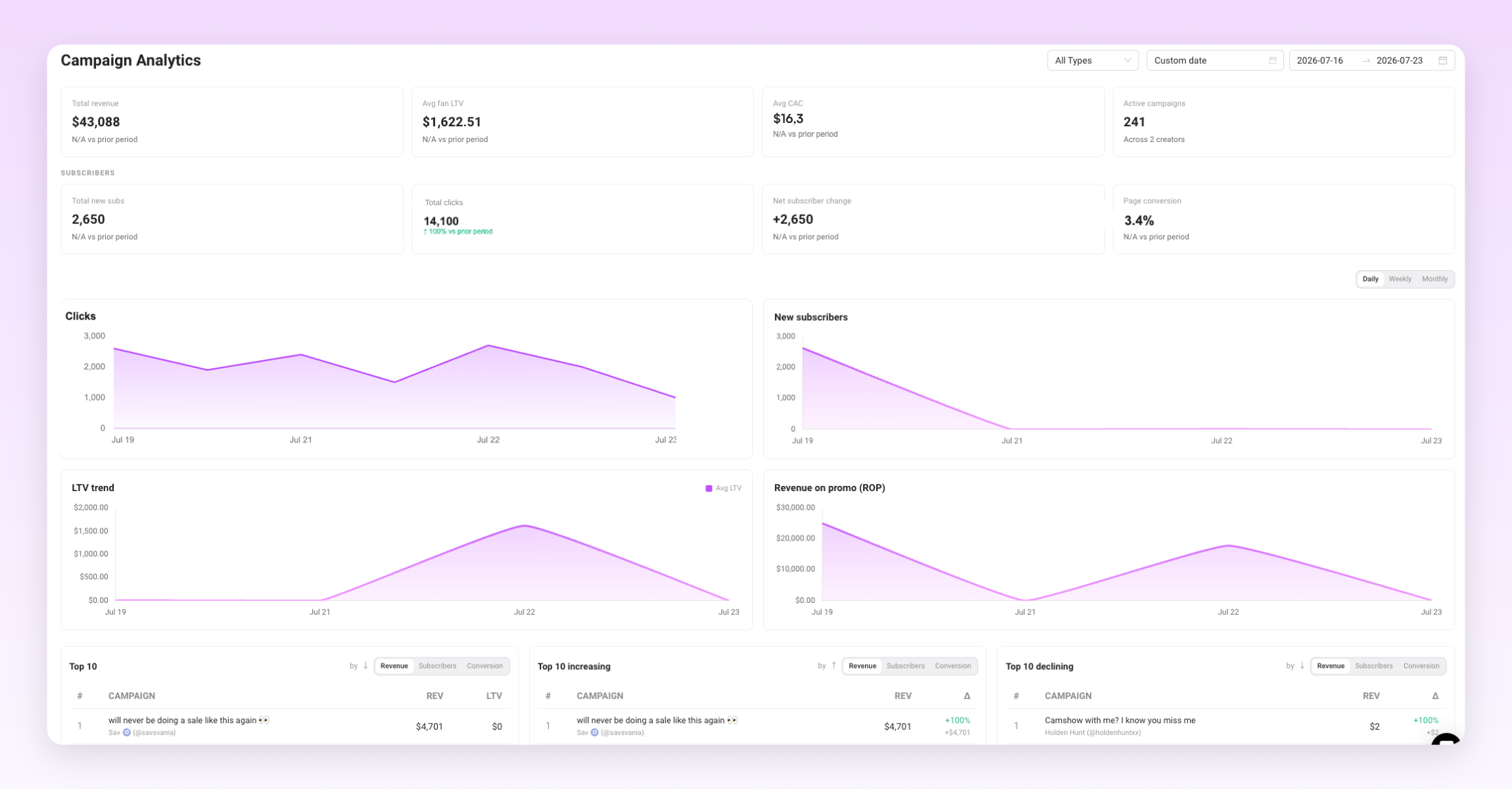
- Pay attention to analytics: Track earnings, fan growth, top content, etc., to double down on what works and fix underperforming areas.
- Re-engage inactive fans: Follow, message, and offer incentives to reactivate expired subscribers and lost fans.
The key is consistently implementing small optimizations over time to incrementally grow your subscriber count, conversion rate, average spend per fan, and retention. With compounding impact, small gains grow your income.
What You Can Expect to Earn
How much OnlyFans creators make really depends on how well they manage their time, content, and fan interactions. Chatting is a big part of that. The more engaged your fans are, the more likely they are to spend. That’s why many creators use chatters or AI tools to keep conversations going and push paid content without missing a beat.
If you want to grow your OnlyFans income, don’t ignore the chat. It’s not just about posting - it’s about staying present, even when you’re offline.
Average OnlyFans Income: How Much Do Creators Make?
.png)
.png)
With over a million creators now on OnlyFans, the demand for knowledgeable agencies to aid with branding, promotion, messaging, analytics, and growth automation has never been greater. As more and more creators seek assistance navigating this new creator economy, there is ample room in the market for new agencies that can build trust and help talents thrive. This guide will explore how to start an OnlyFans agency and drive it to success.

TL;DR: How to Start an OnlyFans Management Agency
- OnlyFans’ growth offers agencies vast branding, promotion, and analytics opportunities for creators.
- Establishing legitimacy and trustworthiness is crucial when handling sensitive content from OnlyFans creators.
- Legally operating requires credibility, formal contracts, and transparency.
- Profitability depends on business skills and delivering results, with top agencies earning significantly.
- Agencies provide services from content production to legal compliance.
- Different agency models like Premium, Scale, and Niche cater to various creator needs.
- Starting involves choosing an agency type, legal setup, creator selection, and acquiring management tools.
- Success hinges on strategic operations, automation, creator relationships, and data-driven adaptations.
What Does an OnlyFans Management Agency Do?
So, what is an OnlyFans agency? It’s a service that provides a wide array of solutions to support individual creators in growing and optimizing their channels and revenue. Responsibilities can include:
- Brand development: Helping creators refine their niche, create consistent branding across social platforms, set pricing strategies, and craft promotional messaging.
- Content production: Brainstorming fresh concepts, planning photoshoots and videos, sourcing props and costumes, assisting with editing.
- Messaging management: Handling all one-on-one fan communication, chatting, requests, etc., on behalf of creators.
- Analytics and data tracking: Monitoring performance metrics, sales data, best times to post, top converting content, and optimizing based on data signals.
- Promotion and growth: Managing all marketing across social media platforms, running promotions and sales funnels, and acquiring new subscribers.
- Legal and compliance: Ensuring creators stay within OnlyFans' terms, handling record-keeping, and managing tax obligations.
- Creator recruitment and relations: Discovering promising new talent, pitching services, negotiating contracts, and maintaining positive ongoing relations.
The core job of an OnlyFans manager is acting as a strategic partner, providing creators with all the support they need to be successful on OnlyFans without having to do everything themselves. The best OnlyFans agency becomes irreplaceable by mastering the many facets of optimizing a thriving OnlyFans channel.
Different Types of OnlyFans Agencies and Management Types
There are many approaches to managing OnlyFans accounts, but a few common agency models include:
Premium agencies
Premium agencies focus on representing elite, high-profile OnlyFans models who already earn substantial income, providing white-glove service catering to their entire lifestyle needs. Hire professional chatting teams. These agencies take a larger agency cut with fewer clients. Require strong brand partnerships and industry connections.
Scale agencies
Scale agencies represent a large volume of up-and-coming OnlyFans models. Focus on recruitment and efficient account management. Operate with small teams handling many accounts simultaneously. Maintain close relations with creators. Generate revenue through volume with smaller margins per client. Requires optimization of messaging, analytics, promotions, and so on.
Niche agencies
Niche agencies can specialize in a specific OnlyFans model niche like Latina, tattoos, anime, and bodybuilding, among others. These agencies become experts in promoting and creating content for that niche. Develop an exclusive reputation in the category and command higher rates from models eager for specialized niche expertise. Combine premium service with niche focus.
We recommend that new agencies focus on a single strategy to start, either scale, premium, or niche, based on your strengths and interests. Refine your operational workflow before expanding your agency’s model. Master your chosen approach before diversifying.
Is It Profitable to Run an OnlyFans Agency?
Running an OnlyFans agency can be highly profitable, but success depends on your business skills and ability to scale efficiently. While top OnlyFans agencies can earn seven figures annually, competition is fierce, and OnlyFans takes a 20% cut of earnings. Your agency will take an additional percentage, so managing costs and delivering strong results is crucial for maintaining profitability.
To succeed, you’ll need to master growth strategies, talent management, content promotion, and client relations. It’s a challenging but rewarding field, with the potential for significant profits if you can continuously adapt and optimize your approach.
Starting an OnlyFans Agency: A Step-by-Step Guide
1. Decide on your agency type
The first step is determining what type of OnlyFans agency you want to operate. Main options include:
- OnlyFans management agencies focus on handling creator account tasks like scheduling posts, messaging fans, selling promotions and PPV content, analyzing performance data, and consulting on growth strategies.
- OnlyFans marketing agencies specialize in getting creators more visibility and subscribers. Services that an OnlyFans marketing agency provides include managing promotions across social platforms, paid ads, influencer collaborations, SEO optimization, building email lists, and driving external traffic sources.
- Hybrid agencies provide a blend of management, marketing, consulting, and other services to provide creators with complete support. This is a common starting approach.
Choose your agency type based on your skills, interests, resources, and growth goals. Many successful agencies evolve over time. Focus on your core strengths at launch.
2. Create a business plan and strategy
Outline your agency’s core services, ideal client personas, pricing structure, processes, tools, growth roadmap, and more in a business plan. Key elements:
- Ideal client personas: Detail target OnlyFans creator demographics like age, niche, earnings brackets, content types, etc.
- Services and pricing: List services you will offer, like messaging, paid ads, consulting, and fee structure—typically 20% to 50% of creator earnings.
- Projected costs: Estimate costs like talent contracts, tools, chatters, ads, and websites. Factor these into your pricing.
- Growth roadmap: Outline creator count and revenue goals over the next 1-3 years. Plot how you will scale services and the team to hit goals.
- Marketing plan: Describe how you will promote your agency services to attract your ideal creator clients.
A comprehensive plan is essential to launch strategically and scale effectively. Adapt as you learn.
3. Set up legal structure and contracts
- Incorporate your agency as an LLC or Ltd (whatever it’s called in your respective country) to limit personal liability. Consult lawyers to ensure compliance.
- Create talent contracts outlining terms like consent, compensation structure (your percentage fees), rights regarding content distribution, exclusivity clauses, payment processing, and whatnot.
- Open a business bank account to easily process transactions and keep finances separate.
- Learn about taxes, record keeping, age verification, and other legal considerations when handling adult content.
4. Refine your creator selection process
- Vet potential clients by reviewing their OnlyFans history and social stats. Analyze work ethic, content quality, posting frequency, fan engagement levels, etc.
- Pursue creators who invested long-term in growing their channels, not quick cash grabs. Passion and determination are key.
- Be open to various creator demographics and content types when starting out. Seek hard workers looking to scale.
- Avoid creators who inconsistently post quality content or don’t engage thoughtfully with fans. Identify and filter time wasters early.
5. Build an effective onboarding process
- Explain your services, strategies, rules, pricing, and what makes your agency stand out. Allow questions.
- Have creators sign contracts covering expectations, compensation, content rights, exclusivity, and so on. Leave no ambiguity.
- Set up shared Drives for content uploading and organization. Provide training resources and growth tips.
- Onboard clients 1:1 initially. Streamline and simplify as you scale. Automate administrative tasks where possible.
6. Get the right management tools
- Automate messaging and outreach to save time and focus on more important tasks.
- Track fan interactions and content performance to identify trends and areas for improvement.
- Use tools to improve engagement by responding to fans at the right moments and personalizing interactions.
- Implement systems that allow you to manage multiple creators and scale your operations.
Using tools like Supercreator helps streamline operations for OnlyFans agencies. It offers AI-driven analytics, message bots, and fan management features to boost efficiency and drive revenue. Key tools include an OnlyFans chatbot, chatter management, and smart pricing to maximize earnings.
For agencies looking to scale, Supercreator’s platform supports automation and provides actionable insights to improve performance and maintain security across accounts.
Is It Worth It?
The biggest hesitation creators have is the agency cut. If an agency takes 20% to 50%, is it actually worth it? The answer depends on whether the agency increases total revenue.
| Scenario | Monthly Revenue | Platform Fee (20%) | Agency Fee | Creator Take-Home |
|---|---|---|---|---|
| Working Alone | $10,000 | $2,000 | — | $8,000 |
| Working With an Agency | $25,000 | $5,000 | $10,000 (40%) | $10,000 |
Creator working alone
A solo creator typically handles:
- Content production
- Messaging and fan sales
- Promotions and traffic
- Analytics and pricing
- Customer support
- Scheduling and admin
Because time is limited, most solo creators hit a ceiling. For example:
- Creator earns $10,000 a month alone
- Keeps 100% (minus OnlyFans’ 20% platform fee)
- Take-home before expenses: $8,000
However, growth may stall due to limited time, burnout, or lack of optimization.
Creator working with an agency
Now, assume a strong agency improves:
- Chat conversion rates
- Upselling and PPV strategy
- Traffic acquisition
- Retention systems
- Automation and CRM usage
If revenue grows from $10,000 to $25,000 per month:
- OnlyFans takes 20% → $20,000 remaining
- Agency takes 40% of gross revenue ($10,000)
- Creator still keeps $10,000
In this example, even after giving up 40%, the creator takes home more than they would have on their own, while working less and reducing burnout.
When it’s not worth It
An agency is not worth it if:
- Revenue does not increase
- There is poor communication
- The agency lacks systems or transparency
- The creator loses control without measurable growth
Simply put, a good OnlyFans agency grows the total pie. A bad agency just takes a slice of the existing one.
For creators who can scale independently and have strong systems, staying solo may make sense. But for creators hitting operational limits, a structured agency can turn a plateau into exponential growth. The value is not in the percentage but in whether the percentage leads to higher net income and more sustainable growth.
Is OnlyFans Management Legal?
The good news is that operating an OnlyFans management agency is entirely legal. However, establishing legitimacy and trustworthiness is crucial when handling sensitive content from OnlyFans creators.
There are several strategies you can employ to demonstrate your credibility to potential talent:
Work with a lawyer
Firstly, be sure to work with a lawyer to create official talent contracts that clearly outline important factors like consent, compensation structure, rights regarding content, and more. Having this formal legal paperwork in place lends credibility to your agency right out of the gate.
Use OnlyFans-specific tools
Secondly, use secure tools designed specifically for managing OnlyFans accounts, such as Supercreator. The features specialized for agencies, like Chatter Management, which lets you monitor team members, prove that you are running a professional operation.
Operating with transparency is also key. Be upfront with talent about what percentage cut your agency will take. Honesty around earnings helps build goodwill and trust. Gathering testimonials from current clients showcasing your agency’s successes can provide that important social proof when attracting new talent.
If you or others in your agency have relevant experience in fields like entertainment management or digital marketing, highlight this prominently. Past expertise establishes credibility. And of course, you must follow OnlyFans’ terms and policies extremely closely to protect your clients while avoiding any legal issues.
Make connections
Finally, joining industry groups and connecting to other agencies allows you to network, demonstrate involvement, and learn best practices at the ground level from others operating OnlyFans agencies.
With the proper legal foundations, tools like Supercreator, transparency around business operations, social proof from satisfied clients, and immersion in the industry, you can establish the legitimacy needed to attract top-tier OnlyFans talent ready to bring their channels to the next level.
Are OnlyFans Agencies a Scam?
The short answer: some are, but many are legitimate businesses.
Because OnlyFans operates in a fast-growing, lightly regulated digital space, it has attracted both professional agencies and opportunistic operators. Scam agencies typically promise unrealistic income projections, demand upfront fees, use vague contracts, hide their revenue split, or take control of accounts without transparency. Some even impersonate successful agencies to recruit inexperienced creators.
However, legitimate OnlyFans agencies operate like real management firms. They use formal contracts drafted by lawyers, clearly define revenue splits (usually performance-based), provide measurable services (chat management, paid traffic, analytics, brand development), and allow creators visibility into account performance and earnings. Reputable agencies do not charge large upfront fees. They earn only when the creator earns.
For creators evaluating an OnlyFans agency, key red flags include:
- No written contract
- Refusal to disclose the percentage structure
- Guaranteed income claims
- No proof of past results or testimonials
- Pressure tactics or urgency-based recruiting
On the other hand, green flags include:
- Transparent reporting dashboards
- Clear communication structure
- Defined roles (chatters, managers, marketers)
- Realistic growth expectations
- References from current clients
Running a Successful OnlyFans Agency
Starting an OnlyFans agency requires strategy, efficient tools, and strong creator relationships. Use automation to handle tasks like messaging and performance tracking, while focusing on personalized support. Specializing in niche creators can help you grow and refine your model. Tools like Supercreator provide insights to drive growth and scale effectively.
How to Start an OnlyFans Agency

.png)
As pages grow, creators often rely on chatters, managers, and support staff to keep conversations flowing and revenue consistent. Without structure, that growth quickly turns into confusion, missed sales, and security risks.
This guide breaks down three core areas that determine whether an OnlyFans operation runs smoothly or spirals out of control. Role management keeps teams organized and accounts secure. Performance tracking shows what is actually making money. Chatter optimization ensures conversations stay fast, personal, and conversion-focused. Together, these best practices help creators and agencies scale safely while protecting both revenue and fan experience.
Role Management on OnlyFans: Organizing the Team
As OnlyFans accounts grow, managing who does what becomes just as important as the content itself. A clear team structure helps creators stay in control of their account while allowing chatters and managers to work efficiently without stepping on each other’s toes.
The problem
When too many people share the same login, things break fast. Messages get duplicated, fans receive inconsistent replies, and there is no reliable way to track who handled a conversation or made a decision. At the same time, giving full access to everyone exposes sensitive data and creates unnecessary security risks. Shared logins increase the risk of account flags, leaks, or permanent loss, since platforms cannot distinguish responsibility when something goes wrong.
Best practices
Strong role management starts with intentional access control and clearly defined responsibilities.
- Assign clear roles such as admin, manager, and chatter
- Limit access based on responsibility instead of giving unrestricted access
- Separate operational tasks from day-to-day sales conversations
- Maintain accountability by knowing who performed specific actions inside the account
This approach keeps communication consistent for fans and makes it easier to manage performance, training, and quality control internally.
How Supercreator fits
Supercreator allows creators and agencies to set role-based permissions, so each team member only sees and accesses what they actually need. This keeps workflows clean, reduces mistakes, and improves overall account security as teams scale.
Performance Tracking on OnlyFans: Understanding What Drives Revenue
Once a team is in place, visibility becomes the next challenge. Without reliable performance data, decisions are based on assumptions rather than results, which makes it hard to improve outcomes or manage a growing operation with confidence.
The problem
When performance is not clearly tracked, it is impossible to know which chatters are converting fans, which offers are working, or where revenue is being left on the table. Many teams rely on manual spreadsheets, which are time-consuming to maintain and often out of date by the time they are reviewed.
Best practices
Effective performance tracking focuses on actionable metrics rather than surface-level activity.
- Track revenue and sales depth by chatter, including how often fans purchase more than once
- Use repeat purchases to identify chatters who can build trust and upsell, not just close a first sale
- Monitor response speed and engagement to ensure volume stays sustainable
- Use data to reward strong performance and address weak areas early
Consistent tracking creates accountability and gives managers a clear picture of what actually drives income, rather than what feels productive.
How Supercreator fits
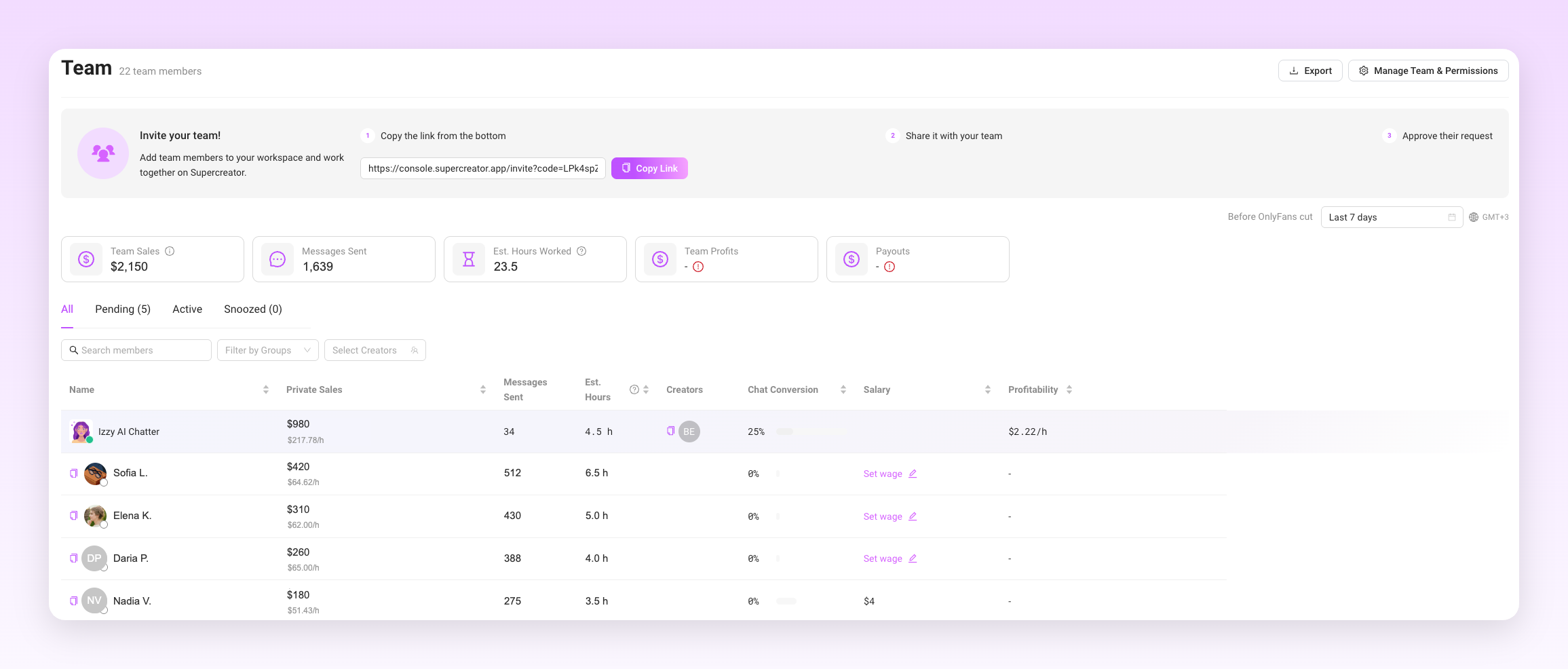
Supercreator provides built-in performance tracking inside Supercreator’s OnlyFans CRM, allowing managers to see earnings and activity in real time. Sales data and response behavior are recorded automatically, reducing reliance on external spreadsheets and making performance reviews more accurate and timely.
Chatter Optimization on OnlyFans: Improving Sales Conversations
Strong sales performance on OnlyFans depends on consistent, sustainable message volume paired with quality. For most mid to high traffic accounts, healthy performance often falls in the 40 to 60 messages per hour range during active shifts.
Consistently low volume usually signals missed opportunities or poor workflow, while unusually high volume can indicate rushed replies, weak personalization, or overreliance on templates. Message volume should always be evaluated in context alongside revenue per hour, repeat purchases, and fan response rather than treated as a standalone target.
The problem
Slow replies and generic messages break momentum. When conversations feel repetitive or disconnected from context, fans lose interest and are less likely to buy. This becomes more common as teams grow and chatters juggle multiple conversations at once.
Best practices
Chatter optimization is about consistency, control, and risk management, not just individual style.
- Managers should regularly review samples of chatter conversations to spot tone issues, missed upsell opportunities, or risky behavior early.
- The focus should be on patterns across conversations, not isolated mistakes, to ensure chatters follow the creator's voice, boundaries, and sales expectations.
Well-optimized chat workflows help teams stay responsive while preserving the personal feel fans expect.
How Supercreator fits
Supercreator has Smart Scripts, the Vault, and an AI chatbot to support live conversations at scale without sacrificing quality. Scripts and saved messages help chatters respond faster while staying on tone, and the AI chatbot assists with high volume or repetitive interactions during active shifts.
Inside the CRM, managers can clearly see message volume per chatter and how workload is distributed across the team. This makes it easier to benchmark performance, identify underperformance early, and spot risk when volume is unusually low or unrealistically high.
How These Practices Create a Stable OnlyFans Operation
Each of these areas solves a different problem, but they only work properly when combined. Role management gives teams structure and protects the account. Performance tracking provides clear insight into what is actually working. Chatter optimization turns that insight into better conversations and more consistent sales.
When these practices are aligned, teams spend less time fixing mistakes and more time improving results. Decisions are based on data instead of guesswork, responsibilities are clearly defined, and fans receive a smoother, more consistent experience. This is what allows OnlyFans operations to grow without losing control or burning out the people behind the account.
Clear performance data allows agencies to reward top chatters, justify raises or commissions, and retain high performers without internal conflict.
What a Well-Run OnlyFans Operation Actually Looks Like
Sustainable growth on OnlyFans is rarely about adding more people or sending more messages. It comes from building systems that support the team already in place. Clear roles reduce risk, reliable tracking keeps performance transparent, and optimized chat workflows make every conversation count.
If you want to see how this looks in practice, Supercreator brings these systems together in one place. From role-based access to performance tracking and OnlyFans bots that support chatters at scale, it shows how structured automation can improve consistency without replacing human judgment.
Together, these best practices help creators and agencies scale safely, maintain quality, and increase revenue without turning daily operations into chaos.
Best Practices for Role Management, Performance Tracking, and Chatter Optimization on OnlyFans

.png)
Used correctly, an OnlyFans Telegram bot can quietly handle lead warm-ups, filter time-wasters, and guide real fans toward your OnlyFans without you living in your DMs.
Used carelessly, these bots can damage trust or even put your accounts at risk. Before you plug one into your workflow, it helps to understand what these bots actually do, what they don’t, and how you can really use them.
What Telegram OnlyFans Bots Actually Are
As a creator or agency, you should keep in mind that OnlyFans Telegram bots are not affiliated with Telegram or OnlyFans in any way.
They are external, web-based tools that connect with these platforms to perform specific functions. These include automating chats and warming up leads from your social media campaigns. The bots also play an important role in sales funnel strategies, as they drive traffic to your OnlyFans account.
Here’s what you need to know about OnlyFans Telegram bots:
- They are not official or endorsed by OnlyFans: Telegram bots themselves are built using Telegram’s official Bot API. However, bots used for OnlyFans promotion are third-party tools and are not approved or supported by OnlyFans. Telegram does not endorse how these bots are used for promotion, although it still enforces spam, abuse, and automation rules on both bots and user accounts.
- They are not basic notification bots: In the context of this guide, the OnlyFans Telegram bots we’re referring to are high-end tools that can handle complex tasks like chat automation and sales funnel management.
- They do not manage subscribers or messages inside OnlyFans: These bots have no direct connection to the OnlyFans platform. They can’t perform tasks like posting content or managing your subscribers. Their sole purpose is to automate specific tasks on Telegram.
Here’s an example of how an OnlyFans Telegram bot works:
When a prospective lead adds you on Telegram, the bot automatically sends a welcome message and maintains the chat flow. Some advanced bots, like Cupid, may also segment leads into groups based on chat behavior, responses, or declared preferences.
How These Tools Use Telegram
OnlyFans Telegram bots connect to Telegram and act like your personal assistant. They essentially help you perform different tasks without your active input on your Telegram account.
Here are some ways these tools come in handy:
- They send automated replies in private Telegram chats: It’s usually stressful having to keep up with hundreds of replies from new leads. This is where the bots come in. They instantly reply with a personalized pre-written message within seconds of receiving messages from leads.
- They send scheduled or triggered messages: Creators or agencies may set up these tools to bulk-send announcements to channels or to send follow-up messages within specific timeframes. This keeps your audience engaged without you being constantly online.
- They use keyboard-based responses to trigger certain actions: These tools are designed to watch for trigger words or phrases, like “custom,” “menu,” or “link.” When a user types a trigger word, the bot automatically replies with the relevant information or even a link to your OnlyFans account.
- They guide conversations to warm up leads: More advanced OnlyFans Telegram bots have custom chatflows that guide leads towards taking specific actions. For example, bots might ask users about their interests and build up conversations before recommending a tailored product or service.
How Creators Use Telegram Bots to Funnel Traffic to OnlyFans
For many creators, Telegram bots help funnel traffic from Telegram to OnlyFans. These bots nurture leads from other social media platforms and convert them into paying subscribers.
Here’s an example:
- The creator creates or promotes posts on platforms like Reddit or Twitter. Since these platforms penalize creators for posting OnlyFans links or posts, creators often include their Telegram channel or chat.
- The Telegram bot takes over when a lead joins Telegram. In some cases, you can program the bot to only send welcome messages and to maintain chatflows. The bot begins a guided conversation flow to build familiarity. It may ask about the lead’s interests and preferences. At this stage, the bot turns a casual lead from social media into a dedicated fan. Advanced bots may segregate leads based on criteria like interests and spending habits. Higher-intent leads may receive more attention than low-engagement users.
- The bot introduces your OnlyFans link as the final stage in the sales funnel. For example, this can happen when the lead asks for custom content.
In this funnel, Telegram serves as the nurturing ground for leads coming from other platforms. Telegram bots help to filter out time-wasters and boost your conversation rate by converting serious ones into prospective subscribers.
What These Bots Do Not Do
Telegram bots come with a bunch of perks. However, they are still limited in some ways:
- They do not access your OnlyFans account: Telegram OnlyFans bots are generally unable to access OnlyFans accounts. They are often limited to the Telegram app.
- They do not read or send OnlyFans DMs: All your automated chatting happens on Telegram. The bots can’t access and chat with subscribers on OnlyFans. This is why creators often use a separate chatbot for handling chats on the platform.
- They do not handle subscriptions or payment: Telegram bots can’t access subscriber data, spending history, or payment information from OnlyFans. All this information is handled within the OnlyFans platform.
Your OnlyFans Telegram bots’ main purpose is to drive traffic and warm up prospective subscribers. They help find people and convince them to check out your OnlyFans link. But that’s where their job typically ends. Once a lead clicks the link, the bots don’t have control over what happens on OnlyFans.
Platform Rules and Risk Considerations
Telegram and OnlyFans have rules that may influence how you use bots. Telegram has strict rules against spam and abusive automation. Unsolicited messages, repeated scripts, high message volume, or user reports trigger most enforcement actions. The app may permanently ban accounts that repeatedly spam people. You may also lose your account if fans notice that the person they’re chatting with is a bot and decide to report you.
On the other hand, Telegram bots do not directly connect to OnlyFans, so there’s no direct violation of the platform’s rules. However, your account may be at risk if users complain about deceptive promotions, in other words, if the Telegram bot does false advertising. OnlyFans might take action against you based on those complaints.
Why Creators and Agencies Still Use Telegram Bots
Telegram bots are popular for a simple reason: they work. Creators and agencies can easily use them to automate tasks and to grow their accounts. Here are more reasons why Telegram bots are popular:
- They allow for fast, casual messaging: These bots can support scripted or AI-assisted conversations. They even remember user preferences and send replies in line with these preferences. Also, they’re available 24/7 to reply to messages.
- They allow you to easily scale conversations: OnlyFans Telegram bots may handle and meet up with demands from hundreds of leads without compromising on quality. These bots might use chat scripts to guarantee consistency and maintain a human touch.
- They improve the management of lead flow and pre-subscription conversations: These tools allow a single operator to efficiently engage with multiple leads simultaneously. This capability allows OnlyFans agencies to expand their operations while keeping costs low.
Using Telegram for Promotion More Responsibly
Telegram bots are like a cheat code for OnlyFans content promotions. However, creators need to be careful while using these tools. Misuse can lead to consequences, like account suspension or bans.
Here are some sure ways to use bots responsibly:
- Limit how much you automate: It’s a recipe for disaster when a bot handles every aspect of your content promotion strategy. Make sure you limit automation to conversation starters like welcome messages while you take over the main chats.
- Avoid tools that request sensitive credentials: It’s a red flag when your Telegram bot requests your login details. Such tools are risky and may expose your account to hackers or identity theft.
- Use Telegram as a conversation layer and not a full sales replacement: Only use bots for making initial contact with your leads—and when you’re unavailable to chat. Otherwise, you’ll need to take over and handle the main part of the chats, including upselling.
- Be transparent when using bots to reply to DMs: Nothing breaks trust or ruins your brand faster than when fans discover they’ve been chatting with a bot. They will not only unsubscribe but might also make complaints to the platform. So, be upfront by letting them know they’re chatting with an automated assistant when you’re away from the platform, and that you’ll respond in person when you’re available.
Telegram Bots as Traffic Tools, Not Account Tools
The takeaway is that Telegram OnlyFans bots are external marketing tools, and in no way an extension of OnlyFans. So, their value lies in warming up leads on Telegram and driving traffic to OnlyFans. These tools can often start and maintain conversations before driving leads to your OnlyFans page. Benefits aside, creators and agencies must be careful when using these tools. Poorly built or untrustworthy bots may pose security risks or request unnecessary permissions. Done right, Telegram bots can do wonders for building an audience.
Telegram OnlyFans Bots: How Creators Use Telegram to Drive Traffic to OnlyFans

.png)
The first impression shapes how fans engage, how comfortable they feel messaging, and whether they ever buy beyond the subscription. Each fan only sees their own onboarding, so the goal is not to create something new every time, but to refine your best version and deliver it consistently. Without a system, welcome messages become inconsistent, and even top-performing content often goes unseen.
With tools like Supercreator, creators can set up welcome flows that feel natural and intentional. Instead of repeating messages manually or sending random PPVs, you can guide new fans through your best content based on timing and behavior.
Welcome flows are the foundation of broader automation, and the same principles apply to long-term content delivery, re-engagement, and monetization over time.
This guide breaks down how to welcome fans properly and make sure your strongest content works for you automatically.
Why the Welcome Flow Matters on OnlyFans
New subscribers are at peak curiosity right after they join. They are clicking around, checking your profile, and deciding what kind of creator you are. If they get silence or a generic message hours later, you lose that moment.
What usually goes wrong with manual welcomes
- Late replies: you are asleep, busy, or buried in chats
- Inconsistent tone: some fans get warm, others get “hey.”
- Missed segmentation: a big spender and a freebie get the same treatment
- Unused content: your top PPVs get sent once, then disappear
- No next step: fans do not know what to do, so they do nothing
A welcome flow fixes this by creating a predictable path. Not a spam sequence, a simple onboarding experience that makes fans feel guided.
What an Effective Welcome Flow Includes
A good welcome flow does four things, and it does them in order.
- It makes the fan feel noticed right away.
- It sets the tone and expectations for what your page is like.
- It starts a real conversation instead of a one-way message.
- It introduces your best content gradually, not all at once.
When any of these are missing, onboarding feels rushed or generic, and fans disengage.
The essentials to include are:
Tone setting
Your welcome messages should sound like you, not like a script. If your brand is flirty, be flirty. If it is sweet, keep it warm. If it is more direct, own that. Fans can spot copy-paste energy instantly, and it kills replies.
Timing
The first message should go out quickly while the fan is still active. After that, spacing matters. One message is not onboarding, but sending five messages back-to-back is overwhelming. A strong flow creates breathing room between touches.
Pacing
Give fans a reason to reply before you ask them to buy anything. Small questions, simple choices, or light prompts work better than long explanations. Conversation comes first, offers come second.
Guidance instead of pressure
A welcome flow should guide fans, not push them. The goal is to move them toward the next step, like introducing themselves, picking a vibe, or browsing top sets. “Buy this now” comes later, after interest is clear.
Example Welcome Flow Setup
This is a simple welcome flow you can run for every new subscriber. It keeps the vibe human, introduces content gradually, and changes direction based on what the fan does.
Step 1: New subscription
Trigger: fan subscribes
Goal: acknowledge fast and invite a reply
Message 1 example
“Hey, you, welcome in 😘 what made you hit subscribe today?”
If they reply, you move forward faster. If they do not, you keep it light and spaced out.
Step 2: Short follow-up
Trigger: time-based follow-up
Timing: a few hours later
Goal: give an easy choice and start guiding them
Message 2 example
“Do you want sweet or spicy first? I can send you my fan favorite either way.”
This works because it is not a pitch yet. It is a prompt that makes replying easy.
Step 3: If they engage
Trigger: fan replies, reacts, or keeps the chat active
Goal: introduce the best content without being pushy
Message 3 example
“Okay, I know exactly what you’ll like. Want me to drop my top set here?”
If they say yes, you send the content. If they hesitate, you stay conversational and keep the energy.
Step 4: If they do not engage
Trigger: inactivity
Timing: next day
Goal: reopen the conversation without pressure
Message 3 alternate example
“Heyy, I’m around today 😘 when you’re in the mood, I can send you the one everyone asks for.”
This keeps the door open and makes the fan feel like they are choosing the moment.
Step 5: Content preview and follow-up
Trigger: purchase or engagement signal, depending on what they do
Goal: build a path instead of sending random PPVs
What happens next depends on the fan
If they bought, route them toward a bundle, upgrade, or customs
If they did not buy but stayed chatty, keep the conversation going and offer later
If they went cold, use a lighter re-engagement message instead of repeating the same offer
Using Triggers to Send the Right Message
Triggers control when a message is sent and what happens next in a flow. Instead of sending messages manually or on guesswork, triggers respond to fan actions and timing.
In Supercreator, triggers are used inside message flows to keep onboarding relevant and paced.
The most common trigger types are:
- Subscription triggers: Start the welcome flow as soon as a fan subscribes, so every new fan is acknowledged on time.
- Time-based triggers: Space messages out by hours or days to avoid stacking messages and overwhelming new subscribers.
- Purchase-based triggers: Change the flow when a fan buys, so you are not repeating the same offer or treating buyers like non-buyers.
- Inactivity triggers: Pause the flow when a fan goes quiet and re-engage later instead of sending unanswered messages.
Triggers are there to protect timing and relevance, not to send more messages.
Using Bumps to Surface Your Best Content
Most high-performing PPVs are sent once and forgotten. Bumps exist to bring them back when the timing is better.
A bump is a short message that pushes a conversation or piece of content back to the top of the inbox. It is not a full pitch, and it is not sent blindly.
Bumps are useful for:
- Restarting quiet conversations
- Keeping your chat visible when fans are active
- Giving strong content more than one chance to convert
And they work best with:
- Top-selling PPVs
- Starter sets for new fans
- Evergreen bundles
Because bumps are triggered by fan behavior or activity, they feel natural and low-pressure instead of repetitive.
How Supercreator Automations Support Welcome Flows
Supercreator acts as an OnlyFans CRM-style automation layer for managing OnlyFans DMs with more structure and consistency.
Instead of relying on manual sending or memory, welcome flows are triggered automatically based on fan actions. This helps ensure every new subscriber is acknowledged on time, even when you are not online.
Supercreator supports welcome flows by letting creators:
- Automatically send welcome messages through message flows
- Control timing between messages so conversations feel natural
- Adjust what happens next based on fan behavior
- Resurface conversations or content using Bump Messages
- Keep onboarding consistent across fans and team members
These automations run in the background and reduce repetitive DM work without forcing messages to feel scripted.
For creators working with chatters, this structure also makes handoff easier. Everyone follows the same flow, which keeps tone, timing, and next steps aligned.
How Automations Save Time for Creators and Agencies
Automation inside Supercreator is built around handling specific, repetitive jobs. Supercreator’s OnlyFans bots cover a clear part of the workflow, so creators and teams are not constantly repeating the same actions.
Message Flow bot removes repetitive onboarding
The Message Flow bot sends welcome messages and follow-ups automatically based on rules you define. This ensures every new subscriber gets a timely, consistent onboarding experience without manual sending or guesswork.
AI chatbot supports ongoing conversations
The AI chatbot helps keep conversations moving when you are offline or managing volume. It responds in your tone and personality, making chats feel continuous rather than dropped or ignored.
Bump Messages bot keeps conversations visible
The Bump Messages bot brings chats back to the top of the inbox when fans are active or when conversations go quiet. This helps prevent strong content and engaged fans from getting buried in busy DMs.
Auto-Follow bot restores reach after drop off
The Auto-Follow bot re-follows fans who unfollowed but can still chat. This keeps you visible in their feed and message list, making re-engagement possible without manual tracking.
For agencies and teams, these tools create a shared structure, so chatters are not deciding when to welcome, follow up, or re-engage on their own.
Build a Welcome System That Scales With You
Welcome flows are the first impression and the foundation of how fans experience your page.
When onboarding is structured, every new subscriber gets a clear starting point, your strongest content stays visible, and conversations move forward without constant manual input. Instead of relying on perfect timing or being online all day, your system does the repetitive work for you.
Supercreator makes this possible by turning welcome messages, follow-ups, and content resurfacing into a controlled workflow. The goal is not more messages. It is better timing, clearer paths, and a setup that keeps working as you scale.
How to Welcome Fans and Make Sure You Use Your Best Content

.png)
What once relied on gut feeling quickly turns into guesswork when revenue streams multiply, fan behavior shifts, and daily activity increases. At that stage, decisions need to be based on patterns, not assumptions.
OFM analytics make those patterns visible. By tracking revenue trends, fan behavior, and operational performance, analytics turn scattered activity into clear signals you can act on.
This guide shows how to use Supercreator’s analytics dashboard to monitor revenue and fan behavior from one centralized view, helping OFMs and agencies understand what is working and where to focus next.
What OFM Analytics Actually Mean
OFM analytics go beyond basic platform statistics. They are the operational data points that help creators and agencies understand how an account truly performs day to day, not just how it looks at a glance.
At a practical level, OFM analytics include revenue data such as subscriptions, PPV sales, tips, and rebills, tracked over time to reveal trends rather than isolated results. They also include fan behavior signals like purchase frequency, response patterns, and engagement depth, which show how different fans interact with content and messages.
Operational analytics add another layer. These insights connect content performance and chat activity to revenue outcomes, helping teams see which actions lead to spending, retention, or drop off. This is where OFM analytics differ from surface-level OnlyFans stats. Native platform metrics show what happened, while operational analytics adds the context needed to understand why it happened and how to repeat or improve it.
In practice, OFM analytics support an OnlyFans CRM-style workflow by bringing revenue data, fan behavior, and performance signals into a single operational view.
For agencies, this distinction matters. OFM analytics are not about collecting more numbers, but about turning everyday activity into clear performance insights that support smarter decisions at scale.
Why Analytics Matter for OnlyFans Creators and Agencies
OnlyFans analytics matter because they turn daily activity into predictable result.
- They show what actually drives revenue: Instead of guessing which messages, offers, or content perform best, analytics make it clear what leads to subscriptions, PPV purchases, tips, and rebills.
- They reveal fan lifecycle stages: Analytics help teams understand how fans move from new subscribers to active buyers or disengaged users, making it easier to time messages and offers more effectively.
- They reduce burnout and inefficiency: Data highlights where effort converts and where it does not, helping creators and chat teams focus on high-impact actions instead of spreading energy too thin.
- They enable consistent agency scale: For agencies managing multiple creators, analytics create a shared source of truth, allowing decisions to stay consistent across accounts, teams, and growth phases.
Overview of Supercreator’s Analytics Dashboard
In a real OFM workflow, analytics are only useful if they answer everyday questions quickly. How is revenue trending? Are fans buying less or just buying differently? Is performance slipping or simply normalizing after a spike?
Supercreator’s analytics dashboard is built to answer those questions from one place.

The dashboard provides a centralized view of revenue so OFMs can see how income evolves instead of reacting to single days. This helps teams spot meaningful changes early, whether that is steady growth, gradual decline, or volatility tied to specific actions.

Fan behavior signals add context to those numbers. Rather than looking at revenue in isolation, the dashboard helps teams understand how fans engage, purchase, and respond across different stages of their lifecycle. This makes it easier to tell whether a revenue shift is driven by fan mix, engagement quality, or timing.

Performance trends across time help OFMs move from reactive to deliberate decision-making. By reviewing patterns over consistent periods, teams can evaluate what is actually working and avoid chasing short-term noise.

Taken together, these insights function as account health indicators. The dashboard is not just a reporting tool, but a way to assess stability, identify risk, and decide where attention is needed before problems compound.

Tracking Revenue With Supercreator Analytics
Revenue tracking in OFM is about understanding patterns that repeat. Supercreator’s analytics show how revenue changes over time across subscriptions, PPVs, tips, and rebills.
Revenue trends over time
Looking at performance across days, weeks, and longer periods helps separate real growth from short-term noise. This makes it easier to spot steady improvements, slow declines, or plateaus without overreacting to single days.
PPV performance signals
PPV data becomes useful when viewed comparatively. Patterns show which types of drops, pricing ranges, or timing consistently perform better, instead of fixating on one successful or failed send.
Subscription and rebill behavior
Tracking renewals and lapses reveals whether revenue is driven by retention or constant replacement. This helps teams understand stability and forecast more accurately.
Interpreting spikes and drops
Spikes and dips only matter in context. Analytics help connect them to actions, timing, or fan segments, making it clear whether a change is meaningful or just situational.
The goal is not to monitor every number, but to recognize repeatable revenue patterns that support smarter decisions over time.
Understanding Fan Behavior and Spending Patterns
Fan behavior analytics help answer one core question: who should you focus on next, and why.
- High value fans vs low engagement fans: Fan behavior data helps distinguish fans who consistently interact from those who remain passive. This distinction matters because engagement patterns often indicate where future spending and retention are most likely to come from.
- Repeat buyers vs. one-time spenders: Purchase history shows whether fans tend to buy repeatedly or convert once and stop. Understanding this difference helps teams adjust pacing, follow-ups, and offer structure instead of applying the same approach to everyone.
- Lurkers, tippers, and early churn risks: Behavior trends make it easier to spot fans who interact lightly or begin disengaging over time. Changes in response frequency, activity, and spending often appear before cancellations or long-term drop off.
- How behavior insights guide chat priorities and timing: Behavior data informs who should be prioritized and when messages are most likely to land. This allows chat teams to align effort, timing, and message flows with how fans actually behave across their lifecycle.
Turning Analytics Into Action
Analytics only matter when they influence what happens next. This section focuses on how OFMs and agencies use data to make concrete changes to daily workflows, messaging, and content decisions.
- Adjusting content cadence based on trends: Analytics show how changes in posting frequency affect engagement and revenue over time. This makes it easier to increase or slow content output based on what consistently performs, rather than guessing or reacting to short-term results.
- Optimizing message flows using behavior data: Behavior patterns indicate when fans are most likely to respond, purchase, or disengage. Message flows can be adjusted to match these patterns, improving timing, pacing, and overall effectiveness without increasing volume.
- Improving fan segmentation: Analytics help group fans based on engagement and spending behavior. This allows OFMs to tailor messaging, offers, and attention levels more accurately instead of using the same approach for everyone.
- Scaling what works and cutting what does not: Performance trends make it clear which actions reliably contribute to revenue and retention. Successful patterns can be repeated across accounts or campaigns, while low-impact efforts can be reduced or removed to save time and resources.
Common Mistakes When Reading OFM Analytics
Even strong analytics lose value when they are misread or overinterpreted. These are some of the most common issues that lead OFMs to make the wrong decisions.
- Obsessing over daily fluctuations: Daily changes are often driven by timing or short-term activity and rarely reflect meaningful trends.
- Tracking too many metrics: Monitoring too many data points at once makes it harder to focus on signals that actually influence performance.
- Focusing only on revenue: Revenue shows results, but does not explain behavior. Ignoring engagement and interaction removes important context.
- Making changes without enough data: Adjustments made on limited data can lead to false conclusions and inconsistent outcomes.
Why Supercreator Works for Data-Driven OFM Teams
Supercreator is built around how OFMs and agencies actually operate. It brings revenue data, fan behavior, and performance signals into one place so teams can understand what is happening without stitching together spreadsheets or exporting reports.
The focus is clarity. Analytics are presented in a way that supports daily decisions instead of overwhelming teams with noise. This makes it easier to manage multiple creators, align chat teams, and maintain consistency as operations scale.
By centralizing insights and keeping them actionable, Supercreator supports growth without sacrificing personalization. Teams can scale processes, improve performance, and stay in control of how accounts evolve.
The Complete Guide to OFM Analytics and Data

.png)
Voice messages on OnlyFans are powerful because they feel real. But once an account grows, recording dozens or hundreds of voice notes every day becomes unsustainable. That is where AI voice messages come in.
Creators are not turning to AI to replace themselves. They are using AI voice tools to scale communication, maintain consistency, verify trust, and support human chatters without losing authenticity. In practice, AI helps decide when a voice message is needed, how it should sound, and who should handle it. The final voice message still feels intentional, personal, and human.
This guide focuses on how AI voice messages are actually used in real OnlyFans workflows, why creators rely on them, and how tools, chat automation, and CRM systems work together behind the scenes.
How to Send a Voice Message on OnlyFans
Creators can send voice messages directly inside OnlyFans DMs, but this method works best for occasional, highly personal messages rather than handling large inboxes.
To send a manual voice message, open your messages, hold the microphone icon to record, then release to send. Voice notes can also be attached to PPV messages as supporting media.
Because manual recording takes time and does not scale well, most high-volume creators reserve it for key moments like custom requests, high spenders, or trust-sensitive conversations. This is where AI-assisted voice workflows become essential.
What AI Voice Messages Mean on OnlyFans in Practice
In real OnlyFans workflows, AI voice messages involve three layers that support growth, consistency, and human control.
Detection and decision making
AI chat systems analyze conversations to spot moments where a voice message adds value. This includes trust checks, emotional moments, spending signals, or suspicion from a fan.
Voice creation support
AI voice tools generate natural-sounding audio based on approved scripts, tone presets, or brand guidelines. These tools help produce consistent voice notes quickly.
Human control and escalation
When a situation is sensitive or of high value, the system escalates the conversation to a human chatter. The human decides whether to send a real recording, an AI-generated voice note, or no voice message at all.
AI handles the volume and structure. Humans handle judgment and intent.
Why Creators Use AI to Create Voice Messages
Creators searching for AI voice messages are usually solving very specific problems.
Scale without burnout
Recording personalized voice notes for a large audience is not realistic. AI voice tools allow creators and agencies to produce high-quality voice messages quickly, especially for repeatable scenarios like welcomes, thank you messages, or teasers.
Verification and trust signals
Voice messages are often used when a fan feels unsure or skeptical. AI systems can flag these moments and route them to a human. The voice message then acts as a trust anchor, showing that there is a real person behind the account.
Consistency across chatters
Agencies managing multiple chatters need a consistent tone. AI voice tools help maintain pacing, mood, and style so fans get a familiar experience no matter who is handling the conversation.
Safety and emotional boundaries
AI reduces the pressure on creators and chatters to perform all day emotionally. Sensitive messages can be escalated instead of handled automatically.
Support for human chatters
Human chatters do not have to record everything from scratch. AI voice tools can generate drafts or be ready to send voice notes that the chatter reviews and sends when appropriate.
AI Voice Messages vs Manual Voice Messages
Manual voice messages still matter, but they are best reserved for:
- High spenders
- Custom requests
- Emotional or personal moments
- Trust recovery situations
AI voice messages handle everything else. This balance keeps the account scalable while preserving authenticity.
AI Tools Used to Create OnlyFans Voice Messages
Creators typically use external AI voice platforms alongside their chat systems. These tools focus purely on voice generation and quality.
ElevenLabs
ElevenLabs is widely used for realistic AI voice generation. Creators use it to turn approved scripts into natural-sounding voice notes that match tone, pacing, and emotion. It is especially useful for repeatable voice messages like welcomes or teasers.
Resemble AI
Resemble AI focuses specifically on voice cloning and custom voice models. It allows creators to generate voice messages that closely match their natural delivery, making it suitable for personalized content that still needs to keep up with demand.
Agencies can use Resemble AI to support teams of chatters, making sure every AI-assisted voice message still sounds like the creator and not a generic voice.
Descript
Descript’s Overdub feature allows creators to clone their own voice and generate new audio from text. While it is often used for content editing, some creators repurpose it to generate short voice clips from scripts when they need fast turnaround without recording live audio. It works best for short voice messages rather than long or highly emotional recordings.
How AI Chatting and Voice Messages Work Together
This is where systems like Supercreator fit in. AI chat automation handles conversation flow, segmentation, and timing. When something important happens, the system escalates.
For example:
- A fan expresses doubt or suspicion
- A fan tips unexpectedly
- A fan requests something personal
At that point, the system prompts a human chatter. The chatter can then choose to send a real recording or use an AI voice tool to generate a voice note that fits the situation.
Izzy does not send AI voice messages on its own. It identifies moments where a voice message matters and ensures a human stays in control.
Using Your CRM to Manage AI-Assisted Voice Messages
Voice messages work best when they are part of a system, not one-off actions.
Save AI-ready voice scripts: An OnlyFans CRM can store approved scripts that are designed for AI voice generation. These scripts are tagged by intent, such as welcome, thank you, tease, or upsell.
Tag fans by response to AI-assisted voice: Fans can be grouped based on how they react to voice messages. Some fans convert better after voice notes, while others do not. This data informs future automation.
Log AI vs manual voice usage: Tracking whether a voice message was AI-generated or manually recorded helps avoid repetition and guides follow-ups.
Safety and Best Practices When Using AI Voice Messages
AI voice messages should help creators scale safely and consistently, not introduce risk, confusion, or loss of trust, which is why clear safeguards and human oversight matter.
- Avoid personal identifiers in scripts
- Keep recordings neutral and reusable
- Store generated voice messages securely
- Escalate emotionally intense conversations to humans
- Use AI as support, not deception
Transparency inside your workflow matters, even if fans never see the system behind it.

Final Thoughts
AI voice messages are not about removing the creator from the conversation. They are about building a support system that makes growth sustainable.
AI OnlyFans Voice Messages: How Creators Use AI to Scale, Verify, and Stay Authentic

.png)
These tools help nurture leads from Snapchat and convert them to paying subscribers on OnlyFans.
But how do Snapchat bots actually work?
These bots simulate user behavior and automate responses to appear active. They respond to chats 24/7 and can funnel fans straight to your OnlyFans page.
There is a grey area when it comes to using Snapchat bots for OnlyFans. While they’re great for generating leads, you risk getting banned for using them on Snapchat and OnlyFans. Also, your reputation may be at risk if fans discover they’ve been chatting with a bot.
This article outlines the nitty-gritty of using OnlyFans Snapchat bots.
What Snapchat Bots Do for OnlyFans Creators
For an OnlyFans creator, Snapchat bots come with plenty of benefits and functions.
Generally, these tools help you handle promotions and drive traffic to your OnlyFans page. Some bots attempt to mimic chat style using templates or AI-assisted replies.
Here are some more functions to expect:
- Add friends or contacts automatically: You don’t have to manually reply to all friend requests on Snapchat. Snapchat bots automatically accept friend requests and add users from lists. This way, the bot helps you to save time and quickly build an audience without manual effort.
- Send prewritten snaps or messages with OnlyFans links: It can be quite the hassle having to type a welcome message to dozens—if not hundreds—of new fans on Snapchat. Most Snapchat bots solve this issue by offering the bulk message option. You can create pre-written snaps or chat with hundreds of fans at the same time.
- Reply to DMs or mimic real-time chat using AI: Snapchat AI bots can mimic your chatting style, including your quirks and lingo. You may also program the bot to use specific preset answers when fans make custom requests. The best part is that these tools can reply to chats in real time at any time of the day.
- Manage multiple Snapchat accounts for promo at scale: Some bots offer a central dashboard form via which agencies can monitor multiple Snapchat accounts. This is a major reason why OnlyFans management agencies use Snapchat bots to promote OnlyFans pages.
However, there is an important caveat. These bots are not built or officially endorsed by OnlyFans. Like Telegram bots, they are typically created by third-party developers or management agencies and operate independently of the platform itself.
This is also true of most OnlyFans bots, which are typically built by third-party developers or management agencies rather than the platform itself. While these tools promise automation and scale, they operate outside official support and carry similar risks around compliance, security, and account stability.
How Creators Use Snapchat Bots for Promotion
Most creators use Snapchat bots to warm up leads and boost conversions in a promotions funnel. You can think of them as the middle step in your funnel strategy.
Instead of sending people straight to your OnlyFans page, you drive traffic from platforms like Reddit and TikTok to your Snapchat. Once you add them to your list, Snapchat bots take over to create a personal connection.
Snapchat AI bots can send casual snaps, short messages, or daily life updates to make the interaction feel personal. As the viewer warms up, the bot eventually shares your OnlyFans link or promo offer. This creates a smoother, more natural-feeling conversion than sending a link upfront.
Here’s an example of how Snapchat bots work in a marketing funnel:
- Stage 1 (captures lead): The bot automatically adds users from other social media platforms to your list. It also sends customized welcome messages to create a personal feel with your fans.
- Stage 2 (builds familiarity): Automatically sends casual messages or photos to build familiarity.
- Stage 3 (accelerates trust): Snapchat’s OnlyFans bots may work on preset messages or other data to respond to replies. Some bots may even refer to old messages to create a consistent chat flow.
- Step 4 (pushes fans to the next stage of the funnel): The bots are programmed to send OnlyFans links when fans use specific trigger words or phrases like “menu,” “more content,” or “OnlyFans page.”
Snapchat bots are also scalable, as some agencies may use emulators like Bluestacks to manage multiple Snapchat accounts at the same time.
The Technology Behind Snapchat Bots
Snapchat bots run on two main types of technology to mimic real user activity. The first is the hardware simulation tech that attempts to imitate real user behavior. Then you have the AI language models that handle automated chats.
The hardware simulation tech contains the following components:
- Device emulator: The emulator operates Snapchat accounts in virtual devices. You can run multiple emulators to create a seemingly legitimate connection with Snapchat servers.
- Digital fingerprint generator: The bots may generate unique fingerprint patterns for each virtual emulator. This tech attempts to reduce pattern detection across accounts.
AI language models typically include these elements:
- Lightweight AI language models: Some AI models create context-aware replies to incoming messages on Snapchat. These models are sometimes trained on the user’s previous chat history, which is how they create conversations that feel personal and natural.
- Preset messages or templates: The bot lets you create pre-written messages for specific scenarios.
- Custom word triggers: This feature watches for specific words and uses them to trigger specific offers or calls to action. The Snapchat bot may send OnlyFans links or promo offers when the fan uses custom words like “OnlyFans link” or “custom videos.”
Snapchat bots are almost lifelike in their chat flow and style. However, they violate Snapchat’s anti-automation policy. The policy explicitly bans the use of bots and third-party programs that access or extract user information. The platform is believed to use a combination of behavioral signals and automated detection systems to identify bot-like activity, including patterns such as unnatural typing speed and overly consistent response timing.
The Risks for Creators and Agencies
Using a Snapchat bot is like navigating a landmine. A slight misstep can lead to bans or account loss. Besides account loss, you may lose your online credibility as well.
Here is what’s really at stake when you use Snapchat bots for promoting OnlyFans:
Account bans
Snapchat can detect automation patterns and shut down accounts. Patterns like consistently fast response time and the same messaging patterns are obvious signs that you’re using a chatbot. Being caught may result in permanent account or device-level restrictions.
Loss of credibility
As an OnlyFans creator, your online credibility is non-negotiable. You may, however, lose this credibility if fans discover the conversations are automated. Fans may feel betrayed when they find out the supposed personal connection was with an automated system. Some may even end up reporting your account. And let’s not forget to mention the bad reviews they may post on popular platforms, preventing others from subscribing to your page.
Data and security exposure
You can expose yourself to identity theft and hacking if you happen to share your login data on third-party Snapchat bots. Some third-party tools may use weaker security practices, increasing exposure risk.
Compliance issues
Both Snapchat and OnlyFans forbid automated engagement. Using bots can break the terms of service on both platforms. If caught, you may face penalties like temporary or permanent account bans. The platforms may enforce penalties under their terms of service.
Why Creators Still Use Them
Yes, Snapchat OnlyFans bots are risky. However, creators and agencies continue to use these tools for one simple reason: they allow you to scale promotions and to handle overwhelming DMs.
Management agencies benefit more from Snapchat bots since they allow them to run dozens of Snapchat accounts simultaneously. These bots are considered more reliable than chatters since they maintain consistent chat styles and are available all around the clock.
For creators without time or team support, automation looks tempting as a shortcut for lead generation. Automation can also be a lifesaver if you’re drowning in DMs and promotions. However, the real trade-off is losing control and risking account integrity. You’re more or less trading long-term results for short-term traffic boosts. Remember, you can’t shortcut your way to creating a loyal fanbase on OnlyFans.
Safer Alternatives for Promoting OnlyFans on Snapchat
Snapchat bots are not the only solution for promoting OnlyFans on Snapchat. Here are some tested-and-true alternatives for growing your OnlyFans without risking your Snapchat account:
- Invest in human-managed Snapchat accounts. This is the point where you consider hiring agencies or chatters to handle overwhelming chats. These agencies can adopt your preferred chat style. They can also notify you if a chat requires your immediate attention. One viable solution is to invest your time in more promising fans and delegate chats from new subscribers to third parties.
- Post authentic daily-life stories and behind-the-scenes content instead of scripted snaps. It’s one of the best ways to build a genuine connection with your prospective subscribers. Give them a foretaste of what to expect when they finally subscribe to your page. You can post stuff like casual GWRM moments, BTS shorts of content, and Q&A sessions.
- Take advantage of Snapchat’s native features to create and share content as intended. Snapchat also offers an in-built AI chat system that helps to automate specific tasks, such as chat scheduling.
Some creators use an OnlyFans CRM to manage conversations and fan relationships once users move from Snapchat to OnlyFans. This allows creators to stay organized, respond faster, and personalize follow-ups without relying on risky automation tools on Snapchat itself.
Snapchat bots might look like the faster or better option for OnlyFans promotions. However, you’re at risk of being detected every time the platform releases a new update. These updates often come with new security features that are better equipped for identifying automated accounts.
The Fine Line Between Smart Promotion and Risky Automation
Snapchat bots may deliver short bursts of traffic, but they come with major risks like bans or data theft.
So, weigh your options: a short-term victory or the chance to build a brand that’ll last for years.
Once fans do move over to OnlyFans, many creators shift their focus away from automation and toward organization. Tools like an OnlyFans CRM help manage conversations, follow-ups, and fan relationships on OnlyFans itself, without introducing additional risk on Snapchat.
That way, Snapchat stays human and compliant, and scale happens where it belongs.
Snapchat OnlyFans Bots: How They Work and the Risks Behind Them

.png)
It’s quite baffling to have to guess which platform brings in the most subscribers. That’s where OnlyFans tracking links come in, taking away the guesswork by revealing where your traffic is coming from.
Tracking links are some of the simplest tools for measuring the impact of your promotions. These links help you track activities coming from platforms where you are running promotions. They monitor the number of clicks and conversion rate of your promotions, giving a clear picture of your marketing strategy.
For creators promoting across multiple channels like TikTok, Reddit, and Instagram, tracking links are one of the most practical tools for understanding what actually works. It shows you how to earn more income by doubling your efforts in high-performing platforms and promotions.
What Are Tracking Links on OnlyFans?
OnlyFans tracking links are unique URLs that help you see where your new subscribers are coming from. These links can record how many people click them and how many of those clicks turn into new fans.
They are part of OnlyFans’ built in analytics and provide basic, last click attribution for traffic and subscriptions. Each link you create is designed to monitor a specific marketing effort. For example, when you create a link and share it on Reddit, it will track all clicks and conversions from Reddit users who click on it. You can view the performance of your tracking links via the OnlyFans dashboard.
How to Create a Tracking Link
It takes less than a minute to create a tracking link on OnlyFans.
To create a link, go to your Settings Page. Next, select Tracking Links and click on Create New Tracking Link.
Give it a clear name that matches your promotions platform, like “Twitter Promo” or “Reddit Promo.” Then, take the generated link and paste it into your social media bio or promoted posts. Your OnlyFans dashboard will automatically record every click and new subscription that originates from the link.
Why Tracking Links Matter for Creators
As an OnlyFans creator, tracking links takes the guesswork out of your marketing efforts. You no longer have to shuffle in the dark about which platform or promotion brings in the most subscribers. Plus, it gives you a general idea of where you need to double down on efforts.
Here’s how tracking links come in handy:
They reveal your high-performing platforms: In other words, they show which social media platform drives the most visitors to your OnlyFans page. You may think of tracking links as your personal traffic warden; they help you direct your energy towards the most rewarding platforms.
They help to discover gaps between clicks and conversions: There might be something wrong if your high click rate is not bringing in enough subscribers. Tracking links helps you to spot these problems and to easily correct them. For instance, a low conversion rate can signal a problem with the profile page, pricing, or content teasers.
Let’s say your tracking links reveal the following data:
- TikTok: 10,000 clicks and 1,000 paying subscribers (10% conversion rate).
- Instagram: 3,000 clicks and 900 paying subscribers (30% conversion rate)
In this scenario, Instagram shows stronger conversion efficiency, while TikTok delivers higher traffic volume. This suggests that each platform may benefit from a different optimization strategy rather than focusing on just one.
Connecting tracking links to long-term revenue data
OnlyFans tracking links show where subscribers come from and how well platforms convert, but clicks and signups alone do not show which promotions actually generate revenue.
OnlyFans tracking links show where subscribers come from, but clicks and signups alone do not show which promotions actually generate revenue. With Supercreator, each fan stays tied to their original tracking link, making it possible to see which sources drive higher spending through PPVs, tips, and renewals. This turns tracking links into a revenue decision tool.
Instead of wasting time promoting on low-performing platforms, creators can use an OnlyFans CRM like Supercreator to organize subscribers, compare promotions by real earnings, and focus effort on the sources that bring in their most valuable fans.
Reading Your Tracking Link Data
Your tracking link data tells a complete story about your marketing efforts. The data tracks metrics like clicks, new fans, and conversion rate.
Clicks represent the initial interest in your content promotions. People were interested enough to click on the link in your page or content. On the other hand, subscription reveals the number of visitors who actually paid to join your page. The conversion metric measures the percentage of people who subscribed after viewing your page.
A low conversion rate is when the subscriber count is lower than the number of visitors. It shows that your promotion is working, but there’s a problem with your sales funnel. The issue could be that your page is poorly optimized, your teaser content quality is low, or your subscription package is too expensive.
Consider reviewing your metrics every week or month to spot major patterns in your strategy, which you can do alongside OnlyFans analytics tools that show broader trends in sales, engagement, and promotion performance.
Using Tracking Links With Link Aggregators
There’s a common issue with link aggregators like Linktree or Beacons: when you use the same link everywhere, it becomes difficult to tell which platform actually drove a new subscriber. The problem is not the aggregator itself, but the lack of source separation. If all traffic flows through one identical link, you lose visibility into which social media posts or platforms are performing best.
To solve the issue, you can create a platform-specific landing page using link aggregators. Instead of using Beacons for all your social media platforms, for example, make separate versions like “beacons.ai/yourusername/TikTok” and “beacons.ai/yourusername/Instagram.” This way, you’ll be able to monitor the traffic coming from each social media platform.
Another option is to use link-in-bio tools that allow multiple tracked links. Platforms like Reach and Shorby allow you to integrate OnlyFans tracking links into a central dashboard. The dashboard offers more in-depth information on clicks and conversion rates.
Limitations and Best Practices
Let’s face it. OnlyFans tracking links get the job done since they reveal where your traffic comes from. However, the feature comes with limitations.
The tracking link might not capture every click or subscription. You might notice gaps in the conversion rates, too. This is often because attribution is not always immediate, such as when a fan clicks a link but subscribes hours later or from another device.
So, how do you solve this issue? Here are a few tips that work for most creators:
Pair the tracking data with your own observations: Take note of spikes in subscriber count within 24 hours of making a specific post on multiple social media platforms. Compare the subscriber count to determine which platform brings in the most subscribers or clicks.
Create new links to track specific events: You may want to create a new link shortly before promoting content on social media platforms. This provides a clean baseline for tracking traffic related to the promoted content.
Create specific links for each content type or promotion: For example, open a link with the name “TikTok_shortvideos” to track the traffic for your TikTok content.
How Tracking Links Improve Your Earnings
Tracking helps creators to improve their earnings and reduce the money spent on promoting on non-performing platforms. Simply create the link and paste it into the post or page you want to track. After a week or so, watch the click rate and subscriber count to get a clear picture. The better you know where subscribers come from, the faster you can grow income and optimize your promotion strategy.
OnlyFans Tracking Links: How to Use Them to Increase Income

.png)
There are two main ways creators earn money on OnlyFans: through paid subscriptions and pay-per-view (PPV) posts. While subscription fees provide a steady stream of income, using PPV posts can help you maximize your earnings.
This article will explore how to effectively sell posts and add compelling previews on OnlyFans to boost your revenue. We’ll cover the benefits of OnlyFans PPV posts, the different types of content you can offer, pricing strategies, promotion tactics, and tips to create intriguing previews. Selling PPV posts successfully takes effort, but can give your OnlyFans earnings a profitable boost.Pay-per-view or PPV on OnlyFans refers to posts, messages, or content that fans must pay an additional one-time fee to access. This differs from free posts that all of your subscribers can view as part of their monthly subscription without added charges. PPV is extremely useful for creators with free OnlyFans accounts, as it allows you to earn money beyond just subscription fees.

PPV posts work well for rare, highly sought-after content that your fans can’t get anywhere else. The exclusivity creates demand and convinces subscribers your PPV posts are worth the extra cost. This revenue stream incentivizes you keep producing new, creative content.
What Does PPV Mean on OnlyFans?
So, what is PPV content? PPV on OnlyFans refers to content that subscribers must pay an additional one-time fee to unlock. Unlike regular posts that are included in a monthly subscription, PPV posts, messages, or media are locked behind a separate price and only become visible after payment.
PPV can be used in multiple ways on OnlyFans:
- Paid posts on your feed
- Paid media sent via direct messages
- Custom content delivered to individual subscribers
For creators, PPV is a flexible monetization tool. It allows you to earn extra income from premium, exclusive, or personalized content without increasing your subscription price. For fans, PPV offers access to content they consider special or rare, which helps justify the additional cost.
What Is the Best OnlyFans PPV Strategy?
The best OnlyFans PPV strategy is built around value, timing, and relevance, not constant selling. Successful creators treat PPV as a premium layer on top of their regular content rather than a replacement for it.
A strong PPV strategy usually includes:
- Clear differentiation between free and paid content: PPV should feel noticeably more exclusive or personal than what subscribers already receive. If fans can get similar content for free, they are less likely to buy.
- Compelling previews that tease without giving everything away: Previews should spark curiosity and highlight what makes the PPV worth unlocking, whether that’s quality, length, personalization, or context.
- Smart pricing based on content type and effort: Photos, videos, sexting, and custom content should be priced differently. Testing multiple price points helps you find what your audience responds to best.
- Targeted delivery instead of mass sending: Sending PPVs to subscribers who have previously purchased similar content often results in higher conversion rates than blasting every fan with the same offer.
- Consistent, but not excessive, PPV releases: Too many PPVs can cause fatigue. Spacing them out and tying them to moments, themes, or events keeps interest high.
- Using analytics to refine your approach: Tracking opens, purchases, and feedback helps you understand what content performs best and which PPVs are worth repeating or expanding.
Ultimately, the best PPV strategy is one that balances monetization with user experience. When PPV content feels intentional, well-timed, and genuinely valuable, fans are far more willing to pay
How to Make a PPV Post on OnlyFans
Creating a PPV post on OnlyFans is a straightforward process. Follow these steps to get started:
- Log into your OnlyFans account: Begin by signing into your OnlyFans account. Once you’re in, navigate to the “Create a New Post” option located at the top of your dashboard.
- Determine the pricing for your PPV post: After you’ve logged in, you’ll find an option to set the pricing for your post by clicking on a dollar symbol labeled “post price.” Feel free to set the price at any level, depending on the value and exclusivity of the content.
- Select the type of content for tour PPV post: Next, decide what kind of content you wish to share. You have multiple options to choose from, such as video, photo, text, and audio. For the sake of this example, let’s assume you’re creating a photo post.
- Upload your content: After selecting the type of post, it’s time to add your content. If you’re creating a photo post, you can upload images directly from your computer or device. Alternatively, you can link to an image or video file hosted elsewhere online.
- Publish your PPV post: Once you’ve set the price and added your content, hit the “Publish” button to make the post live.
After publishing, your subscribers will be able to view and purchase access to the post, allowing you to generate additional revenue effortlessly.
OnlyFans PPV Types
When brainstorming the kinds of posts to offer through PPV, the options are endless. Some of the best PPV OnlyFans content types include:
- Images: Exclusive nudes and risqué photos fans won’t find on your free OnlyFans feed make compelling image PPVs. Suppose you recently had a photo shoot with a renowned photographer, and you’ve got a set of 10 exclusive photos that aren’t available on any other platform. These high-quality images could be sold as a PPV bundle, giving fans an opportunity to see a different side of you or content that feels more premium.
- Videos: Longer videos take more effort to produce versus photos, so video PPVs present an opportunity to earn higher revenue. Imagine you’ve created a behind-the-scenes video of your daily life or a special event. This video can be exclusive content that your subscribers would be willing to pay extra for, especially if it’s longer and more detailed than the usual content you post.
- Sexting: Personalized sexting, texts, and messages also have value. You could set up a system where, for a certain PPV fee, subscribers get personalized messages from you for a day or a few hours. For instance, during a special event or a trip, you could offer real-time updates and personal chats.
- Custom requests: If subscribers ask for tailored, specific content, deliver it through a PPV. A subscriber might want content that’s catered specifically to their tastes, such as a shoutout, a specific outfit, or a certain theme. They send a request, and for a set PPV price, you create and send them that content.
Mixing up your PPV content keeps your OnlyFans page dynamic. Offering limited-time access adds urgency. Providing a wide selection ensures different price points for each fan’s budget.
How Do You Get People to Buy PPV on OnlyFans?
Simply making a paid post doesn’t automatically translate to sales. You need to employ tactics to convince your subscribers that your PPV posts are “must buys” versus optional extras. Consider these OnlyFans promotion tactics and selling strategies:
- Choose your best images/videos: Think of your PPV content as a luxury brand showcasing its best products. Just as luxury brands showcase their best items in storefront windows, you should put forward your most compelling content for PPV. For example, if you’ve taken 100 photos during a shoot, pick the top 5 that came out the best.
- Exclusive content: Let’s say you attended an exclusive event or had a unique experience. Documenting this and offering it as a PPV post creates a sense of FOMO among your subscribers.
- Messages/caption: Use storytelling in your captions. Instead of just saying, “Buy this PPV post to see more,” try something like, “I had an incredible experience shooting this content, and I can’t wait for you to see the behind-the-scenes magic. Unlock this post to join the journey with me.”
- Promote regularly: Before releasing a big PPV post, spend a week teasing it. Share sneak peeks, talk about the process of creating it, and build anticipation. You can use an OnlyFans AI chatter to upsell your content.
- Pricing strategy: Offer tiered pricing. For instance, photos might be priced at $5, while videos are $10. A bundle of both could be offered at a discounted $13.
- Offer packages: Group content by themes, like “Beach Day” or “Glam Night,” and offer multiple related PPVs in a package for a slightly reduced price.
- Listen to feedback: If multiple subscribers mention they love a particular type of content, it’s a signal. Use this feedback to create more of that content for future PPV posts.
How Much Should I Charge for an OnlyFans PPV?
If your monthly subscription fee is $10, then your PPV posts should be priced in a way that reflects their added value. You could offer photo bundles for $5 and behind-the-scenes videos for $15. Always consider the quality and exclusivity of the content when setting the price.
Utilize A/B testing for pricing. For instance, offer the same content at different price points to a small segment of your audience and track which price garners more sales. This can guide your overall pricing strategy.
Not all subscribers are created equal; some can afford to pay $50 for a PPV, and some can afford to pay only $20. It’s perfectly fine to charge different rates for different subscribers on the same product. There are tools to help you price smart.
Supercreator Pricing Guard suite allows you to see your subscribers’ purchase history and offer a price that is within their paying scope.
What Is the Maximum PPV on OnlyFans?
OnlyFans has placed some caps on maximum PPV pricing:
- $50 per individual post
- $100 for private, direct messages
- $200 monthly tipping limit for new subscribers in their first 4 months
These limits aim to prevent overpricing on PPVs but still provide creators with flexibility. Very few situations warrant exceeding $50 for a single post.
Remember, high-priced PPV posts should offer substantial value to justify the cost. An in-depth interview, a specialized personal video, or exclusive, high-quality content can be priced higher. However, it should still align with your audience’s expectations and willingness to pay.
Tips and Tricks for Selling Posts and Previews
Executing PPV posts successfully requires careful planning and promotion. Keep these OnlyFans tips and tricks in mind:
- Choose your most visually appealing images for the preview: If your PPV post is a photo bundle from a tropical vacation, use a stunning beachfront photo as the preview to entice your audience.
- Write clever, intriguing captions: Use language that intrigues but doesn’t give everything away. Instead of “Unlock this post to see my new swimsuit,” try “Ever wondered how paradise looks at sunset? Unlock this post to find out.”
- Promote upcoming PPV releases to build anticipation: If you’re planning to release a special PPV video on Valentine’s Day, start dropping hints or teasers from the beginning of February to build anticipation.
- Send PPVs directly via DM for a personalized touch: Personalized messages make fans feel special. Use their first name and mention something that you only share with your subscriber community to make the PPV offer feel exclusive.
- Target fans most likely to purchase based on past buying behavior and preferences: Use analytics to see who has purchased PPV content in the past and target these fans with exclusive offers or first looks at new content.
- Use analytics to determine which posts perform best: If your analytics show that your ‘Sexy Tutu Wednesday’ PPV posts are consistently popular, consider creating more similar content to capitalize on this trend.
- Offer limited-time discounts or sales to incentivize purchases: For holidays or special occasions, offer your PPV posts at a discounted rate for a limited time. This creates urgency and can boost sales.
- Schedule your posts in advance: the better you plan and prepare everything, the more time you will have to focus on creating more content!
OnlyFans tools like Supercreator also provide key features to optimize your OnlyFans PPV strategy, including:
- CRM features to understand each fan’s preferences according to their interaction history
- Insights for data-backed messaging recommendations
- Pricing Suite to identify optimal rates per subscriber according to purchase history.
- PPV Time Machine showing historical purchases
- Personalized mass messages at scale
To Sum Up
Implementing a strategic approach to pay-per-view posts on OnlyFans presents a significant opportunity to earn incremental revenue beyond subscription fees. PPV incentivizes you to consistently produce novel, high-quality content. Back this up with compelling previews and strategic pricing to convince fans your exclusive PPV posts warrant the extra cost.
After implementing these strategies, track your metrics to evaluate your success. Are you earning more from PPV posts than before? Are fans more engaged? Use this data to refine your approach and continue to maximize your earnings.
While determining initial pricing takes experimentation, tools like Supercreator help identify optimal price points over time based on individual fan data and buying behavior. Don’t underestimate the revenue potential from PPV – incorporate these best practices into your content strategy to profit from this OnlyFans monetization feature.
Always remember, the goal of PPV is not just to add an extra revenue stream but also to enrich your content offering and deepen your relationship with your subscribers. The more value you provide, the more willing they are to pay for additional content.
What Is an OnlyFans PPV and How To Make One

.png)
These models are gaining attention for unique content, strong personal brands, and explosive audience growth.Often growing by leveraging cross-platform storytelling, consistent engagement, and niche-specific content that keeps fans coming back for more. In a creator economy where authenticity and creativity are prized, these 2026 standouts are redefining what success looks like on subscription platforms, turning everyday passions into thriving businesses and deep fan communities.
1. Emmilyyxo

Content niche: Bold lifestyle + playful engagement
Followers: 1.6K on Instagram
Subscription: Free
Emmilyyxo has quickly become one of 2026’s most talked-about newcomers thanks to her bold personality and playfully candid videos. Her ability to blend lifestyle content with cheeky interaction keeps fans engaged, and she’s building buzz across TikTok and Instagram as a creator who doesn’t take herself too seriously.
Also, Emmilyyxo is experimenting with short-form series and recurring content formats that reward long-term subscribers. Her consistency and self-aware humor make her content feel fun rather than transactional, driving strong retention this year.
2. Tilly (TillyWithTheCurves)

Content niche: Faceless account + Fitness lifestyle + everyday authenticity
Followers: 55.9K on Instagram
Subscription: $10.99 per month
Tilly’s real-life authenticity and emphasis on fitness, self-care, and everyday moments differentiate her in a landscape full of ultra-polished feeds. She has attracted a genuinely relatable audience by making her content feel like a day-in-the-life rather than a curated highlight reel, a rising preference among 2026 fans.
Beyond fitness, Tilly leans into body confidence and mental wellness in a way that feels natural and unforced. Her subscribers aren’t just following for visuals, but for a creator who feels present, grounded, and human.
3. Suzzie Cutie

Content niche: Cute + candid personal content
Subscription: Free
One of the youngest voices gaining traction this year, Suzzie combines shy charm with playful content that feels accessible yet alluring. Her growing fanbase is driven by candid behind-the-scenes posts and spontaneous Q&A sessions that foster real connection.
Suzzie’s appeal lies in her balance of innocence and confidence, keeping her content fresh rather than overproduced. As she grows more comfortable on camera, fans are responding positively to her evolving style and openness.
4. Irene Brie

Content niche: Personal storytelling + candid sharing
Subscription: Free
Irene is building momentum in 2026 by inviting fans into her personal growth journey and blending storytelling with enticing visuals. Her focus on emotional openness resonates with audiences increasingly tired of overly produced feeds.
What sets Irene apart is her pacing; she prioritizes connection over volume. Her content often feels conversational, helping her cultivate a loyal, emotionally invested community rather than passive subscribers.
5. LivValittle

Content niche: Fitness + body confidence
Followers: 27.8K on X
Subscription: $9.99 per month (Free for 30 days)
Why she’s trending: LivValittle’s mix of fitness inspiration and humor has helped her cultivate a niche audience, standing out among wellness-oriented creators. Fans are drawn to her confidence-boosting content that blends motivation with personality.
Rather than taking an instructional approach, LivValittle keeps her tone playful and empowering. This balance allows her to appeal to fans seeking both inspiration and entertainment.
6. Skylarmaexo

Content niche: Aesthetic modeling + fashion lifestyle
Followers: 4.6M on Instagram
Subscription: $30 per month
Skylarmaexo has been featured on trend lists of top new OnlyFans models in 2026, gaining attention for her sleek aesthetic, creative visuals, and bold personality. Her content blends lifestyle, fashion, and curated creative only-for-fans content that feels both aspirational and personal, helping her carve a niche in the crowded 2026 creator market.
7. Kayla Simmons

Content niche: Athletic lifestyle + glam modeling
Followers: 979K on Instagram
Subscription: Free
Kayla uses her athletic background and assertive modeling presence to connect with fans across platforms before leading them to her OnlyFans. With strong engagement on Instagram and TikTok, she’s effectively converting mainstream visibility into subscriber growth in 2026.
Her content balances polished visuals with behind-the-scenes access, giving fans a more personal look beyond her public persona. This crossover strategy is driving strong interest from both new and returning audiences.
8. Mel Whitte

Content niche: Story-driven visuals + personal engagement
Followers: 864K on Instagram
Subscription: $30 per month
Mel Whitte is another creator highlighted as a rising face in 2026’s new OnlyFans scene, known for engaging storytelling and a loyal, interactive subscriber community.
She mixes personal insight with niche content that goes beyond purely visual appeal, giving her a standout presence among 2026 newcomers.
Final Thoughts
These 2026 breakout OnlyFans creators reflect broader shifts in the creator economy: fans crave authentic voices, niche focus, and direct engagement. From fitness and body confidence to candid lifestyle and personality-first content, these emerging models show that early success on OnlyFans is no longer about perfection; it’s about connection, consistency, and brand clarity.
For creators just starting, these profiles offer a clear takeaway: in 2026, being real beats being polished, and building a loyal audience matters more than chasing viral moments.
Best New OnlyFans Models to Watch in 2026

.png)
The whole point of an OnlyFans welcome message is to grab the attention of new subscribers and get them to start engaging with you. To get tips and sell PPVs, you want to create strong relationships with them. Starting things off on the right foot will help keep these newcomers around for a long time. After all, you created your OnlyFans page for a reason.

How to Create an OnlyFans Welcome Message
When crafted thoughtfully, a welcome message becomes the foundation for engagement, retention, and future sales.
Make it personal
The welcome message is the first place you get to show off your personality to subs. Write it in a way that is fun, positive, and seductive, to give a preview of what subs will see on your page.
You can include details like where you’re from and what kind of content they will see.
Also, thank them for being there. Say that you’re so glad they joined and that you can’t wait to get to know them, figure out what they like, or hear their fantasies.
Include a photo
Add a personal-looking selfie or seductive photo of you to your welcome message. This doesn’t need to be staged or super high quality. It should look like something you just snapped at home to send to them. Think of it as something you’d send to a person you like!

The whole point of your welcome message is to grab the attention of your new subscriber and get them to start engaging with you. To get tips and sell PPVs, you want to create a strong relationship.
Starting things out on the right foot will also help keep this fan around long term – adding that much more to your monthly revenue in terms of renewing subscriptions and sales.
Do a video introduction
A short, casual video can be even more powerful than text or photos. A quick 10 to 20 second clip where you say hello, smile, and welcome them personally helps humanize your page instantly. It doesn’t even need to be polished or scripted. Natural is better. Look into the camera, speak directly to them, and let your tone set expectations for how you’ll interact going forward. Video makes new subscribers feel like they’ve already connected with you, not just subscribed to a profile.
Ask questions
Be sure to include personal questions to get the fan to start to open up to you. Take notes on what they say so you can better sell and engage with your sub going forward. You can then use tools like Supercreator to automatically track all the fan data so you can sell to them more efficiently.
Avoid selling content just yet
Resist the urge to immediately push an OnlyFans PPV or paid messages in your welcome note. The goal at this stage is connection, not conversion. Selling too early can make the interaction feel transactional and rushed, which may turn subscribers off before trust is built.
Instead, focus on making them feel seen, comfortable, and excited to interact with you. Once engagement starts naturally, monetization becomes much easier and far more sustainable.
Add a CTA
End your welcome message with a gentle call to action that encourages interaction without pressure. This could be as simple as asking them to reply, react to the message, or tell you what they’d like to see more of. A soft CTA keeps the conversation moving and can be the first step toward tips, PPVs, and long-term subscriber loyalty.
OnlyFans Welcome Message Ideas
Your welcome message sets the tone for every conversation that follows, so it should feel personal, intentional, and aligned with your brand.
Sweet and personal
“Hey you 😌 Thanks for subscribing—I’m really glad you’re here. Take a look around, get comfy, and tell me what caught your eye first.”
“Welcome, love 💕 I post a mix of playful, exclusive content you won’t see anywhere else. Can’t wait to get to know you—what do you usually enjoy most?”
Flirty
“Hey… so you found me 😏 Thanks for joining. Stick around—I think you’re going to like what I share here.”
“Welcome in 💋 This page is where I get a little more relaxed, a little more bold. Tell me—are you more into photos, videos, or surprises?”
Confident and seductive
“You made a good choice subscribing 😉 I keep things fun, exclusive, and just for my subscribers. Say hi—I’d love to know what you’re curious about.”
“Welcome 💄 Everything here is personal and subscriber-only. I like knowing what my fans enjoy—what made you hit subscribe?”
Conversation-starter
“Hey! I love chatting with my subs and keeping things personal. Quick question—what kind of content do you enjoy most?”
“Welcome 💕 I tailor a lot of my content based on what my fans like, so tell me—what would you love to see more of?”
Exclusive
“Welcome to my private space ✨ Everything here is exclusive and made for people who actually appreciate it. Make yourself comfortable—and say hi.”
Final Words
See, it’s really not too hard! Don’t be afraid to experiment. Try different tones, formats, or questions to see what sparks the most replies. Some fans respond better to sweet and personal messages, while others prefer confident or playful energy. Over time, you’ll start to notice patterns in what works best for your audience.
OnlyFans Welcome Message: Tips and Ideas
.png)
.png)
Creators use Twitter to tease content, drop clips, connect with fans, and build hype in real-time. Some keep it spicy, some stay playful…but they all know how to drive traffic. If you're looking for inspo on how to run both platforms like a pro, start by watching how other creators move on Twitter.
Best OnlyFans Creators on Twitter
Twitter holds so much potential for OnlyFans promotions and visibility. Here are some of the top OnlyFans Twitter accounts that are already killing it on Twitter. The best part is that you may replicate their strategy.
1. Yerimua 2.8M followers

Engagement: 0.049%
Average views per tweet: 47,882
Yerimua is an example of how to indirectly promote OnlyFans content on Twitter. Her page centers on promoting her music videos by featuring collaborations with other artists. She also mixes in SFW cosplay photoshoots to give users a glimpse of what to expect. Most visitors to the page are old and new music fans who may likely get converted into OnlyFans subscribers. Fans must click her Linktree link to view her OnlyFans page.
Follow her: https://onlyfans.com/yerimua
2. Nikita Bellucci 262K followers

Engagement: 0.1%
Average views per tweet: 33,780
Nikita’s unique appeal is the effort she puts into her video and photo content. The videos often have a cinematic yet demure feel, which helps to set her apart from other creators. On the other hand, her photoshoots are near-explicit and may vary from sexy lingerie shots to everyday-life ones like dinners. The best part is that she collaborates with other accounts to reach a wider audience.
Follow her: https://onlyfans.com/nikitabellucci
3. Mia 182K followers

Engagement: 0.93%
Average views per tweet: 74,550
Mia’s content promotion strategies include posting content that contains links to multiple social media platforms. Her varied approach allows her to connect with audiences from multiple platforms. She also runs a subscription package for users searching for more explicit content. Like other creators on our list of the best OnlyFans Twitter accounts, Mia does not directly promote OnlyFans to avoid triggering Twitter’s policies. Her profile page contains a third-party link that leads to OnlyFans and other linked accounts.
Follow her: https://onlyfans.com/iammia1
4. Abby Somers 117K followers

Engagement: 0.359%
Average views per tweet: 271,124
Abby Somers is one of the best OnlyFans Twitter accounts in the adult content niche. Her content varies between NSFW and SFW sexy photoshoots. She also collaborates with other creators to boost user engagement. Her unique appeal is the frequent teasers and discount offers included in her posts.
Follow her: https://onlyfans.com/abbysomersxxx
5. Sophie Rain 3.2 followers

Engagement: 0.020%
Average views per tweet: 25M+
Sophie Rain stands out for blending emotional storytelling, aesthetic photography, and community engagement on OnlyFans. She’s a great example of a creator who appeals through a non-explicit (or softcore) intimacy niche that still attracts millions in revenue thanks to dedicated fans. Content promotion on Twitter/X and TikTok helps sustain her visibility.
Follow her: https://onlyfans.com/sophieraiin
Top OnlyFans Twitter Influencers and Communities
Do you remember what we said about piggybacking? Well, you can use these top Twitter influencers and communities as templates and leverage to build your brand:
1. Schway Lex 131K followers

Schway is one of the top OnlyFans Twitter influencers to watch for. She’s evidence that you can do it all, from authoring a book to running a podcast. Her content revolves around OnlyFans strategies and socially conscious views on race and gender issues.
2. Savannah Solo 551K followers

Savannah is one of the OnlyFans Twitter creators to watch. Her account shows how personality-driven content can be just as powerful as promotion. Savannah uses Twitter to blend flirty teasers, humor, and candid commentary, turning her feed into a strong discovery channel rather than a hard-sell billboard.
Her content focuses on confidence, authenticity, and direct fan connection, with posts that feel casual, self-aware, and intentionally unpolished. By mixing promotional tweets with relatable thoughts and playful engagement, she keeps her audience warm and engaged while naturally funneling attention toward her paid platforms.
3. Social Media Growth 2.8K members

The Social Media Growth community offers amazing insights into the world of content creation. The platform also shares strategies for promoting on social media platforms and tools for conducting research. Note that the community does not contain OnlyFans-specific strategies, so you might need to tailor them to suit your brand.
There are so many benefits to engaging with communities and influencers on Twitter. First, it helps you build credibility since your viewers start to see you as an authority in the niche. It also opens up your OnlyFans page to collaboration requests from other creators. Let’s not forget that you drive more traffic to your page and, subsequently, to your OnlyFans account
Why Twitter Matters for OnlyFans Creators
Twitter makes it easy to spot what’s trending in the creator space. You see the promos, previews, and fan replies all in real time. It’s where creators test content, push traffic, and build personality outside the paywall.
For anyone looking to find new creators or get for their own promo game, scrolling Twitter is basically research. The angles, the timing, the voice. It’s all out there.
It’s great for networking with fans and other creators
Twitter is pretty unique for networking since it has niche-based topics and communities. As a creator, you may participate in tweeting topics or hashtags related to your niche. The platform also features a “Who to Follow” function, which enables you to locate fans or other OnlyFans creators. You can foster deeper relationships with newfound followers by creating tweets, replying to DMs, and following them back.
It allows you to post different content types
Creators can effectively use Twitter as a content creation and promotion tool. For instance, you might choose to create teasers or previews with a call to action that eventually leads to your OnlyFans page. There are also options for creating threads, which, when executed right, will increase your views and follower count. On a general note, Twitter will reward you with more visibility when you constantly interact and create content.
You can leverage an existing account to boost your presence
Yeah, Twitter allows you to piggyback on others' content. Here’s how it works: let’s say Account A is popular in a niche, and there’s usually a ton of engagement when they tweet. So, all you need is to comment on the tweet, preferably with something relevant to the topic, and you might get lots of views, reposts, or comments.
It’s great for building communities
Just like Reddit, Twitter’s communities are great for niche-based content. Creators may take advantage of this feature to gain authority as experts and convert fans who are more likely to subscribe.
Now, let’s dive into some of the best OnlyFans Twitter accounts to follow for inspiration.
How to Spot a Great OnlyFans Twitter Account
We’ve only scratched the surface of the best OnlyFansTwitter accounts. But, you can dig deeper to find other valuable accounts. Note that the best OnlyFans account must showcase these qualities:
- High engagement rate: Look for accounts in which active users interact with the posts through likes, comments, or reposts. It’s a red flag if the visibility is high, while interactions are low. Note that the preferred account must have at least a 0.029 percent average engagement rate.
- Consistency: How frequently do they upload content or engage with other creators? It’s preferable if your preferred account uploads posts daily or weekly. You may not get the desired engagement or exposure if they don’t post consistently.
- Content value: Check if the account posts insightful tips. However, don’t bother to engage if it is overrun by promotions or off-topic content. Some sites may recycle content every few months or years. To detect recycled content, choose a phrase from the tweet and input it into the account’s search option. It is recycled if it comes up for more than one tweet.
- Credibility: The best OnlyFans Twitter accounts must have a proven track record, such as testimonials or earnings reports. Some OnlyFans agency accounts may share these testimonials as proof of their efficiency.
How to spot genuine, informative accounts vs. spammy or low-value ones
You now have a list of the best OnlyFans Twitter accounts to engage with. So, what’s next? It’s time to vet the list and weed out the spammy ones via these strategies:
- Start by checking the content. Spammy accounts will have a lot of irrelevant or repetitive content. In contrast, genuine ones will share a lot of original content in various types or styles. For instance, you may come across content types like threads, polls, and Q&As.
- Examine the follower count and compare it with the engagement rate. Spammy accounts may buy fake followers to boost their follower count. However, they are often unable to manipulate the engagement rate. So, accounts that have high follower counts but low engagement rates are often spammy.
- Gauge their tone and brand style. It’s often obvious that an account is low-value or spammy when the tone is aggressively salesy and feels too formal. However, most genuine accounts will stick to a non-intrusive brand tone that feels conversational.
How to interact and engage with the best OnlyFans Twitter accounts
Follow these steps to engage with the top OnlyFans Twitter accounts:
- Follow the accounts and engage with posts that resonate with you. Drop likes, reposts, and comments to build relationships with the poster and like-minded creators.
- Use questions to “break the ice." Other creators will likely interact and leave answers to your questions.
- Repost the content and include your opinion about it. This will help to boost your account visibility, especially if the creator engages with your repost.
How to Use Twitter to Boost Your OnlyFans Engagement
With the right strategy, you can maximize your OnlyFans engagement and get amazing results. To get started, you may implement the following strategies:
- Create an optimized profile. Your profile page is the first thing users will see. So, make it perfect by using high-quality photos in the profile picture and banner. The banner may contain multiple images or a simple tagline of your OnlyFans username. You might consider placing an OnlyFans link in the bio or using a third-party site link.
- Create and post content consistently. This is important for two reasons: Twitter's algorithm will push your content to more users, and you will stay visible in your followers' feeds. You can use AI tools for content ideas or analyze what’s working on other accounts. In addition, use a content scheduler tool like Loomly to schedule your posts.
- Use hashtags to help with discovery. They work best when used sparingly and intentionally. Instead of stuffing posts with multiple hashtags, focus on 1-2 highly relevant hashtags to help your content surface in niche searches without hurting engagement. To find relevant and trending hashtags on Twitter (X):
- Go to the Explore tab to see what topics and conversations are trending in your region.
- Click into a trend to see how people are phrasing posts and whether hashtags are actually being used.
- Search keywords related to your niche (with or without the “#”) to identify recurring phrases, tags, and language that perform well.
Use social media tools like Planable or ContentStudio to analyze hashtag performance and spot patterns across similar accounts.
If you're looking to drive more engagement on OnlyFans, certain tweet formats can make a real impact:
- Visual content: According to OutBrain, visual content receives 94% more engagement than text-based content. So, focus on posting more high-quality visual content like photos, videos, gifs, and memes.
- Promotions: We all love freebies. Take advantage of this innate love for freebies by offering discounts, free trials, or time-sensitive offers to boost your OnlyFans. For example, new subscribers can view my content for the next seven days. Click the link in the bio to get this exciting offer.”
- Threads: Use threads to tell a story, share tips, or promote your content. You must include a good hook at the beginning of the thread to get users interested.
- Content Polls: You may conduct polls or question-answer sessions to boost engagement. For example, Belle Delphine got huge engagement by posting, “Who would you rather be alone in a forest with, a Man or a Bear?” This post got up to 1.9 million views and 16K likes.
Here are some extra tips for getting your OnlyFans content noticed on Twitter:
- Collaborate with other creators to get more engagement. Use shoutouts and tags to collaborate with them.
- Host Twitter spaces and share the links in related communities or accounts. It’s better if you can collaborate with other creators on this.
- Engage with your followers by responding to comments, DMs, and reposts. You can also retweet your followers’ comments to show appreciation.
- Use call-to-actions in your bio and posts.
Final Thoughts
As an OnlyFans creator, engaging with the right Twitter accounts can help you achieve the results you’re looking for. Following these accounts is essential for staying updated on trends, finding inspiration, and connecting with fellow creators. Staying active on Twitter can seriously help your growth and visibility, so make sure to engage consistently and strategically.
Best Twitter OnlyFans Accounts to Follow in 2026
.png)
.png)
If you’ve never searched yourself on Google, twitter, and so on, brace yourself. You are going to find catfish accounts and people posing as you. This isn’t the only way that lowlives will scam with your content. They may be impersonating you on Tinder, Snapchat, or finding other ways to sell your stolen content.
At the best, these people are just annoying, and at the worst, they’re damaging your brand and taking away potential subs (and earnings) from you.
That's why it's important to know your legal rights and resources as an adult content creator. This short guide will run through all the ways you can keep your content safe, including through OnlyFans DMCA takedowns.

How Can I Protect My OnlyFans Content?
Is OnlyFans safe? Yes and no. While no online content is completely leak-proof, you can reduce risk by combining smart habits with available protection tools. Using a DMCA service for OnlyFans and external sites helps remove stolen content and discourages repeat leaks. Watermarking photos and videos makes piracy easier to trace, while keeping explicit content behind paywalls or PPV messages limits how easily it can be shared. Adding a clear copyright disclaimer, monitoring impersonation or leak sites, and avoiding oversharing personal details all play a role in protecting your content, income, and online identity over time. It also helps to use an OnlyFans VPN to help mask your IP address and location, adding an extra layer of privacy when uploading content or chatting with subscribers.
How Does OnlyFans Protect Creators and Their Content?
OnlyFans provides several built-in tools to help creators protect their accounts, content, and earnings. These include mandatory identity verification to prevent impersonation, two-factor authentication for account security, and granular privacy controls such as blocking users by location, restricting downloads, and muting or banning subscribers. The platform also offers content watermarking and a dedicated OnlyFans DMCA protection process to help remove stolen material from the platform and third-party sites. While these protections form a solid baseline, creators are encouraged to actively use them and maintain good security habits to minimize risks.
DMCA Notices for Stolen Content Outside of OnlyFans
DMCA stands for “Digital Millennium Copyright Act” and serves to legally protect your videos and images from being used by someone else without your permission.
Oftentimes, users who are stealing your content are posting it somewhere other than OnlyFans in order to monetize it and avoid OnlyFans’ copyright system.

Most leaks are posted on forums, leak sites, or Telegram. You can find them by googling your OF or social / Reddit account names and then tracking them on those sites. Sometimes you’ll need to log in to those sites in order to find your content but once you are, you can keep track of new leaks and stay on top of looking out for your content.
There are also many private firms that offer an OnlyFans DMCA service to keep your digital content safe. Register, sign a form to allow them to act on your behalf, and they will directly contact the sites with your pirated content to take it down.
Here are some of our top creators’ favorites:
DMCA Notices for Stolen Content on OnlyFans
OnlyFans does have DMCA protection for OnlyFans creators. You can find the link at the bottom in the support section. When you use this, DMCA sends a notice to a person accused of infringement to claim the content, and who is the one claiming it.
To report the stolen content on OnlyFans, go to their profile and click on the image or video you want to report. At the top right corner, you can see ‘More’, select it, and find ‘Report’ in the dropdown menu.
How to Take Down OnlyFans Leaked Content
Content leaks are frustrating, but they’re unfortunately common on OnlyFans. The good news is that creators have clear, actionable steps they can take to remove stolen content quickly and reduce future leaks.
- Collect evidence: Take screenshots and copy URLs where your content is being shared without permission. Include usernames, post links, and platform names.
- Report leaks on OnlyFans: Visit the infringing profile or post on OnlyFans, click More, then select Report and choose Copyright Infringement.
- Submit a DMCA takedown for external sites: If your content appears on forums, leak sites, or social platforms, file a DMCA notice directly with those sites or use a third-party takedown service.
- Use OnlyFans’ DMCA support: Submit a copyright report through the OnlyFans support section so their team can issue takedown notices on your behalf.
- Monitor for repeat leaks: Regularly search your username and content titles to catch new leaks early and act quickly.
- Prevent future leaks: Watermark your content, keep explicit material behind paywalls or PPVs, and add a clear copyright disclaimer to your profile.
Make It Easier to Identify Stolen Assets

Watermark your content so anything leaked can be easily tracked back to you. This helps others identify you and lowers the chances of someone else successfully monetizing. It’s like putting a tattoo on your digital self!
Also, consider using a stage name that stands out. Having a unique name can help you in terms of Google search. Usually, it’s just amateurs who will impersonate you with your same name, but all the same, it’s a good idea to be as easy to identify as possible.
Use a Content Disclaimer
There’s a fine balance to strike between keeping your content safe and not disturbing the experience of fans on your page. The majority are there to support you and enjoy what you make, but unfortunately, it only takes one person with bad intentions to leak your content.
Disclaimers in your OnlyFans bio are a great option because they can be subtle and fit your brand without being off-putting to potential subs. Here are a few examples of what you can say:
“Content on this page is private and copyrighted, much like your desires are safe with me.”
“I’m a good girl, but I can get nasty with DMCA if you steal my content.”
“I reward loyal fans who help protect me from thieves! If you pirate my content, you will be punished.”
These disclaimers are soft and deliver the message with flirty and sexy language to keep the tone light but firm!
There’s also a more traditional disclaimer, like this, you can use if you want to be more serious:
“By subscribing to my page, you agree to follow these legally binding terms: All content on this page is copyright/owned by me. This includes any content purchased separately. Content is not to be downloaded, copied, or shared under any circumstances. This includes all comments, conversations, and private messages. Failure to comply with these terms will result in legal action being taken against you and a permanent ban from the OnlyFans platform.”
Keep Explicit Content Behind a Paywall
Don’t give any of your juiciest photos or videos out for free. If fans have to purchase these by PPVs in your DMs, it is way more difficult to export and leak than if you have it on your main feed. Read more here on how to price your content and why PPVs are always a good idea.
This is not a hard rule, as it can pay off for you to reward top spending fans with little freebies here and there.
Final Words
With tools like DMCA OnlyFans services, and Supercreator, you can instantly find whether a fan is a super spender or not and know who to trust with these bonuses!
In the end, nothing is safe on the internet, but the points mentioned above will help you get your content removed if it’s stolen. Keep creating, doing you, and being a boss ass bitch!

How to Protect Your Content Through OnlyFans DMCA Takedowns

.png)
Many aspiring OnlyFans creators hesitate when it comes to posting adult content online, which is understandable. While OnlyFans offers the freedom to earn substantial income directly from subscribers, it’s not without its risks. As with any online activity involving money and a public persona, being vigilant about safety is crucial for OnlyFans creators. By understanding the dangers and taking proper security precautions, creators can thrive on OnlyFans and reap the financial rewards. If you find yourself asking, “is OnlyFans safe for creators,” read this article to get familiar with the risks OnlyFans creators face and learn how to maximize protection.

Is OnlyFans Safe to Use? An Honest Evaluation
So, how safe is Onlyfans? The platform allows creators to monetize content online safely and lucratively compared to many other platforms. However, that does not mean dangers are non-existent. Bad actors like scammers, harassers, pirates, and other shady characters exist online and offline. OnlyFans creators need to be aware of risks and take preventative measures. That being said, however, OnlyFans is a legitimate platform and the content you post is generally secure within the confines of the site itself. The bigger threats come from how content spreads beyond OnlyFans.
To evaluate the safety of the platform, it helps to understand how the platform works.
How Does OnlyFans Work?
OnlyFans is a subscription-based platform that allows creators to share exclusive content with paying subscribers while maintaining control over who can access it. After creating an account on OnlyFans, creators can set their own rules around visibility, interaction, and content distribution.
Creators publish content behind a paywall, meaning only subscribed users can view posts, videos, and photos. This paywalled structure helps reduce random exposure and limits access to people who have actively chosen to follow a creator. Direct messaging is also restricted to subscribers, giving creators more control over who can contact them.
From a safety perspective, OnlyFans includes several built-in controls that allow creators to protect themselves:
- Account verification helps prevent impersonation and stolen identities
- Privacy settings allow creators to restrict content by location, disable downloads, and limit interactions
- Blocking and muting tools make it possible to remove problematic users instantly
- Two-factor authentication adds an extra layer of account security
Payments are handled directly by the platform, meaning creators do not need to share personal banking details with subscribers. OnlyFans also monitors transactions and user activity to reduce fraud and abuse.
While OnlyFans provides a controlled environment compared to many public platforms, creators still need to actively manage boundaries, monitor interactions, and use available safety tools consistently.
Privacy and Anonymity on OnlyFans
Privacy and anonymity are two of the biggest concerns for many creators considering OnlyFans, and while the platform offers several built-in protections, staying anonymous ultimately requires intentional setup and ongoing caution.
OnlyFans allows creators to operate under a pseudonym, meaning your real name does not need to appear publicly on your profile. Subscriber payments are processed by the platform, so fans never see a creator’s legal name, address, or banking details. This separation helps reduce the risk of direct financial or identity exposure.
Creators also have access to privacy controls that limit how content is shared and who can interact with them:
- Geographic blocking prevents users from specific countries or regions from viewing your profile.
- Download restrictions reduce the risk of content being saved and redistributed.
- Message and comment controls allow creators to mute, restrict, or block subscribers at any time.
Despite these tools, anonymity can still be compromised if creators unintentionally reveal personal details. Showing identifiable landmarks, tattoos, reflections, or sharing information about daily routines can make it easier for bad actors to connect a creator’s online persona to their real-world identity.
To maintain stronger anonymity, many creators choose to:
- Use separate email addresses and devices for OnlyFans-related activity.
- Avoid linking personal social media accounts to their creator profile.
- Enable two-factor authentication on all connected accounts.
- Limit personal disclosures in direct messages, even with long-term subscribers.
While no online platform can guarantee complete anonymity, understanding and actively managing privacy settings significantly lowers risk. Creators who treat privacy as an ongoing process are far more likely to protect their identity and maintain long-term safety on OnlyFans.
What Data Does OnlyFans Collect?
Like most online platforms, OnlyFans collects certain data to operate its services, process payments, and meet legal and security requirements. Understanding what information is collected helps creators make informed decisions about privacy and risk management.
- Account and identity data: Creators are required to submit personal information during signup and verification. This typically includes a legal name, date of birth, government-issued ID, and, in some cases, a selfie for identity confirmation. The platform uses this data to verify age, prevent impersonation, and comply with financial regulations.
- Payment and financial data: OnlyFans collects payment-related information, such as bank account details or payout method information. This data is handled through secure, PCI-compliant payment processors and is not visible to subscribers. Fans never see a creator’s real name or financial details.
- Usage and activity data: The platform tracks how users interact with OnlyFans, including login activity, IP addresses, device information, timestamps, messages, and transaction history. This helps prevent fraud, detect suspicious behavior, and improve platform performance.
- Content and communication data: Messages, posts, and uploaded content are stored on OnlyFans’ servers. While content is protected behind paywalls, it may be accessed internally for moderation, abuse investigations, or legal compliance if reports are filed.
- Location and technical data: OnlyFans may collect approximate location data based on IP addresses, as well as browser type, operating system, and device identifiers. This information supports security monitoring, regional compliance, and account protection features.
Security Risks on OnlyFans for Creators
While OnlyFans offers a more controlled environment than many public social platforms, creators still face several security risks that require active management. Most issues don’t come from the platform itself, but from how content and interactions are handled once money and personal access are involved.
- Content leaks and piracy: One of the most common risks is unauthorized content sharing. Subscribers may screen-record or save paid content and repost it elsewhere without consent. While OnlyFans provides watermarking and OnlyFans DMCA support, leaks can still occur, making rapid reporting and consistent monitoring essential.
- Account hacking and unauthorized access: Weak passwords, reused credentials, or missing two-factor authentication can leave accounts vulnerable to hacking. If an account is compromised, attackers may change payout details, access private messages, or delete content. Enabling 2FA and using unique, strong passwords significantly reduces this risk.
- Scams and financial manipulation: Creators are often targeted by scammers posing as fans, promoters, or collaborators. Common tactics include fake payment confirmations, chargeback abuse, or offers that pressure creators into sending content before payment. These risks increase when creators operate without clear boundaries or verification practices.
- Harassment and coercive behavior: Some subscribers may attempt emotional manipulation, harassment, or intimidation, especially when they gain prolonged access through DMs. In rare cases, this can escalate into stalking or doxxing attempts. Prompt blocking, reporting, and limiting engagement are key protective measures.
- Privacy exposure through oversharing: Security risks aren’t always technical. Accidentally revealing identifiable details, such as locations, routines, reflections, or personal information in messages, can make it easier for bad actors to connect a creator’s online persona to their real-world identity.
Although these risks are real, they are manageable. Creators who use platform security features, automate moderation where possible, maintain strict boundaries, and treat their page like a business dramatically reduce exposure. Awareness, consistency, and proactive security habits remain the strongest defenses on OnlyFans.
Dealing With Mental Health as an OnlyFans Creator
Being an OnlyFans creator offers immense financial upside and potential challenges around mental health and emotional well-being. The constant demand to produce content paired with managing many subscriber relationships can take a toll over time if not approached thoughtfully.
Creators have highlighted common struggles like the exhausting workload of trying to regularly update pages, dealing with inappropriate fan requests, fierce competition, and comparisons around earnings.
Here are some tips for maintaining well-being while succeeding on OnlyFans:
- Set clear boundaries with customers around what requests you’ll entertain. Don’t compromise personal principles.
- Don’t hesitate to block and report users who harass or bother you. Just because they’re paying doesn’t mean they have a right to mistreat you.
- Pace yourself to avoid burnout. View it as a marathon rather than a sprint.
- Seek community support by connecting with other OnlyFans creators to share experiences and advice.
- Avoid unhealthy comparisons between yourself and other creators. Each journey is unique. Also, just because someone else is making millions doesn’t mean you can’t.
- Make time for hobbies and self-care activities unrelated to OnlyFans for a balanced life.
- Consider seeking counseling if feeling overwhelmed to address emerging mental health struggles proactively.
The financial freedom and creative control of OnlyFans offer life-changing opportunities for content creators. But success should not come at the cost of mental well-being. With proper boundaries and priority on self-care, creators can succeed financially while protecting their health.
The Dangers of OnlyFans for Content Creators
While OnlyFans creators enjoy the freedom and profit potential of the platform, legitimate dangers exist that every creator must know about. Being aware of these risks will allow you to take preventative action and respond appropriately if issues arise. Here are some of the most pressing threats OnlyFans creators face:
Dealing with piracy and leaked content
Unfortunately, leaks and piracy are far too common on OnlyFans. This occurs when subscribers illegally screen-capture and share content posted exclusively behind the paywall. Having private content leaked and distributed freely on other websites or forums is mentally taxing and results in lost income for creators.
To help combat leaks, OnlyFans allows creators to watermark videos directly on the site. If leaks still occur, creators should immediately file a copyright complaint with OnlyFans, including any relevant screenshots and links. OnlyFans has a dedicated support team focused solely on sending DMCA takedown notices to external sites hosting pirated content. Persistently reporting leaks is key to getting pirated content removed swiftly. For more information, click here.
Keeping your OnlyFans identity safe
Maintaining anonymity beyond OnlyFans is crucial for many creators concerned about privacy. Unfortunately, doxxing, or the non-consensual public reveal of private personal details, is a tactic some disturbed subscribers or other bad actors employ. Safeguarding your actual identity can prevent the significant emotional distress and real-world harassment that may result from doxxing.
Some ways creators can obscure their identity include using a pseudonym on OnlyFans rather than their real name, wearing masks in content, and avoiding showing identifiable locations, marks, tattoos or other distinguishing features in posts. Also, be careful not to reveal personal details like your city, family info, or workplace in conversations with subscribers. Enabling maximum privacy settings on all social media connected to OnlyFans accounts further protects identity.
Keeping content safe and secure
Creators rightfully want to control how and where their content appears online. Posting content exclusively to a paid OnlyFans page rather than offering freebies prevents unauthorized sharing elsewhere. Stick to teaser-style images in DMs and public feeds. For extra security, disappearing message features are better for directly interacting with subscribers.
Avoiding scams from fans
Scammers constantly prey on OnlyFans creators by promising payments or promotions but failing to deliver after receiving content or money. Be careful of proposals involving pay-for-promotion exchanges or offers that seem too good to be true. Get all payments upfront before providing content or services.
Building relationships with trustworthy colleagues in the OnlyFans space helps identify known scammers. Also, beware of fans who lavish excessive gifts and then demand content or money in return. Politely decline and block manipulative or guilt-tripping subscribers.
You can also use tools like Supercreator to analyse subscriber patterns and help identify non-paying or underpaying fans. Seeing concrete data on payment history and habits for each subscriber enables creators to easily weed out time-wasters and scams. Avoiding interaction with subscribers revealed to be freeloaders or scammers based on insights from analytics tools saves creators precious time and mental energy.
The more desperate a creator is for money, the more susceptible they may become to manipulation and scams. Increasing income reduces the temptation to entertain questionable offers. With financial security, creators can focus on legitimate, trustworthy fans.
Dealing with harassment from bad fans
Having obsessed, toxic, or ill-intentioned fans is an unfortunate reality many OnlyFans creators encounter. Immediate blocking, content restrictions, and cutting off fans swiftly at the first signs of manipulation or harassment are key. Report abusive messages to OnlyFans support to have the fan’s account banned. You can even remove messaging capabilities, comments, and likes for extremely problematic followers while keeping their subscriptions intact. Also, avoid directly engaging with volatile fans, as it may encourage unwanted escalation. It’s important to value peace of mind over income by getting rid of harmful subscribers.
OnlyFans Protections for Content Creators
OnlyFans has various features and policies aimed at protecting creators and their content. These tools help you deal with problematic situations.
- Identity verification during signup stops imposter accounts from stealing creators’ likenesses. OnlyFans requires a government-issued ID during the verification process to confirm authenticity.
- Two-factor authentication adds an extra layer of login security by requiring a one-time passcode in addition to a password when logging in. This prevents unauthorized account access even if a password is compromised.
- Blocking and restriction options give creators granular control over follower interactions. Creators can block by location, blacklist words, turn off messaging, disable downloads, and more.
- Watermarking content acts as a visible deterrent to content leaks by identifying the content’s origins. OnlyFans watermarks include username and original post details.
- The dedicated OnlyFans team issues DMCA notices to infringing platforms. Their swift takedown process fights piracy by submitting removal requests to sites hosting stolen content.
- Secure payments mean banking info is safely stored by trusted PCI-compliant processors. Cryptographic protections prevent payment data theft.
- Law enforcement cooperation meansthat OnlyFans promptly escalates dangerous threats to authorities. Physical safety is taken seriously.
What to Do if Your OnlyFans Content Gets Leaked
Unfortunately, like any online platform, you may come across bad actors like scammers and content thieves on OnlyFans. If this happens, it’s important to quickly report them in order to protect yourself and other creators. Here’s how:
- Gather evidence: To submit an effective report, you need to provide proof. For scammers, take screenshots of any concerning messages or transaction details. For leaks, document links, usernames, or sites where your content appears without consent.
- Submit a support ticket to OnlyFans: This is the main channel for filing complaints. Go to your account settings and click “Get Support”. Choose the relevant issue category and include all your evidence.
- Report copyright infringement for leaks: On support tickets, there is a “Report Copyright Infringement” option. Use this to request that OnlyFans submits a DMCA takedown notice to remove stolen content.
- Block abusive subscribers: This prevents further contact while OnlyFans investigates. Go to your subscriber list, click the three dots by their name, and choose “block”.
- Check back on the status: OnlyFans should update you when they take action against scammers or content thieves you report. Follow up if several days pass without a resolution.
- Consider legal action if OnlyFans efforts fail: For persistent leaks or scams, consulting a lawyer to issue cease-and-desist letters or pursue legal remedies may be warranted.
- Seek emotional support: The violation of consent and privacy due to leaks or scams can be emotionally traumatic. Don’t hesitate to lean on friends, family, or professionals during the ordeal.
How to Protect Your Privacy and Devices as an OnlyFans Creator
Beyond the internal protections offered by OnlyFans, creators themselves can and should take common-sense precautions to maximize privacy and security. Here are tips to safeguard devices and online anonymity:
- Use an OnlyFans VPN to mask your IP address and location when creating content or interacting with subscribers.
- Enable Two-factor authentication on all accounts related to your creator persona, like email and social media.
- Run updated antivirus software on all devices and avoid downloading risky files from unknown sources.
- Be mindful of showing identifiable locations, marks, tattoos, or other distinguishing features in content.
- Use a neutral background in videos and photos to avoid accidentally revealing your location.
- Create separate anonymous accounts for handling creator-related communication and payments.
- Frequently change passwords and use a password manager for strong and unique passwords on all accounts.
- Limit the amount of identifiable personal details shared online or with subscribers.
- Consult security professionals if earning substantial sums for threat monitoring and response capabilities.
Final Words
Is OnlyFans a safe website? Yes, but only if used right. Any aspiring OnlyFans creator should rightly approach the platform with a degree of caution. However, the sense of adventure and entrepreneurship involved with being your own boss and running an online content business outweighs the risks for most. By remaining vigilant, discreet, and proactive about safety, you can find OnlyFans to be a lucrative venture that empowers you professionally and financially. The subscriber-funded model provides independence that is unmatched by most other platforms. With common sense protections in place, creators can feel secure in unlocking OnlyFans’ immense income potential.
Is OnlyFans Safe? How to Stay Safe on OnlyFans as a Content Creator

.png)
That’s how TDM began. No playbooks. No gurus. No SOPs to copy and paste - just constant execution in an industry that was still figuring itself out.
From day one, the goal wasn’t fast scale. It was building something that could last.
Raising the Floor Before Scaling the Business
One of TDM’s earliest advantages wasn’t a growth hack or a clever funnel. It was culture.
Building a strong English chat team raised the baseline across the operation: clearer communication, better handovers, stronger internal standards, and more consistent results. Instead of relying on a few standout performers, the business began to win on repeatability.
That mindset shaped every decision that followed. TDM resisted expanding too early. New systems and services were only introduced once the core offer had proven itself. Even then, the business was run as if it were already operating at scale.
“Another decisive move was choosing to build systems and offer other services only after we had proof the offer worked, then maturing into running the business like it already did a million a month.”
Structure came before volume. Discipline came before growth.

From Agency Dependence to Ecosystem Control
Early growth, like most agencies, leaned heavily on top earners. Losing one exposed a structural weakness that forced a reset.
“Losing a top earner showed us you cannot build a stable company on someone else’s traffic or a single service.”
Instead of doubling down on management alone, TDM expanded outward: brand building, owned traffic, media, and finance. The objective wasn’t diversification for its own sake; it was control.
That shift marked a clear transition. TDM stopped operating as a traditional agency and began building an ecosystem designed to survive creator churn, platform changes, and market cycles.
Speed, Systems, and In-House Execution
Today, TDM’s operating advantage is speed, and speed comes from ownership.
Content is planned, produced, and distributed in-house. Calendars are built around search demand, trend cycles, and platform rules. What gets reused across channels? What doesn’t cut quickly?
“We write our own scripts, shoot, edit, and ship. Traffic becomes predictable. Conversions get cleaner. Retention rises.”
For creators, the impact isn’t abstract. It shows up in weekly revenue, not vanity metrics.

What Creators Get When Everything Lives Under One Roof
From a creator’s perspective, the value of an ecosystem is simplicity. Strategy, content planning, production, socials, branding, community, email, compliance, finance, and reporting all live in one place. Instead of coordinating vendors or managing operations, creators stay focused on being the talent.
“You get the whole shop in one place. We plan the strategy, script, and shoot content, run socials, handle brand, community, email, compliance, finance, and clear reporting.”
The operational load moves off the creator and into a system built to turn attention into sustainable income.
Scaling Without Diluting Standards
At TDM’s size, creator selection is deliberate. Coachability, consistency, and a clearly defined lane matter more than raw potential. If a brand doesn’t begin taking shape within the first month, TDM passes.
Onboarding stays simple: clear targets, content lanes, boundaries, and an operating plan that works for both sides. Communication scales because expectations are explicit, whether creators prefer daily touchpoints or weekly check-ins.

Systems Set the Floor. People Set the Ceiling.
Operationally, TDM designs for consistency first. Automation removes busywork. Tooling standardizes briefs, approvals, and reporting. Response times drop. Errors decrease. Creative teams spend more time creating instead of coordinating.
“Systems set the floor. People set the ceiling. We design so that an average day still wins because the process is sound.”
To compete at the top level, the infrastructure is non-negotiable: a reliable content engine, analytics tied directly to revenue, a robust CRM, dependable payments, tight legal frameworks, and training that turns new hires productive fast.
A Mature Industry Rewards Mature Operators
The creator economy has grown up. Quality expectations are higher. Platforms are stricter. Audiences are more selective. Shortcuts no longer hold.
TDM approaches trends cautiously, testing them in controlled environments with clear rules. If a tactic can’t prove itself quickly and sustainably, it doesn’t scale.
“Quality rose, and shortcuts died, platforms tightened, audiences got smarter.”
The winners are brands with real personality, consistent publishing habits, and a long-term view on retention.

Responsibility as a Competitive Advantage
At scale, responsibility isn’t optional; it’s structural. Creator safety, privacy, and long-term sustainability are built into the system from day one. Consent, clear boundaries, proper contracts, and disciplined data handling are non-negotiables. Brands are designed to outlive platforms.
“We build with consent, security, and exit plans in mind. Clear boundaries. Proper contracts. Data handled properly. A brand that can outlive a platform.”
Saying no often, documenting everything, paying on time, and owning mistakes publicly isn’t just ethical. It’s how trust compounds.
“Reputation is your highest margin asset.”
Final Thoughts
TDM didn’t grow by chasing hacks. It grew by building infrastructure early, owning traffic end to end, and operating like the end goal before reaching it.
That’s what turns an agency into an ecosystem.
“We Built It Without a Safety Net”: How TDM Turned an OnlyFans Agency Into a Full Ecosystem
AI Chatter Has Arrived! Ready to See It in Action?
.png)