




OnlyFans Academy

.png)
OnlyFans VIP: How To Create a Premium Experience for Your Fans



Think of your OnlyFans profile picture as your first impression. It’s the first thing fans will notice when they click your page. A bad profile pic might push away potential subscribers, so you can’t afford to mess it up.
Most experienced creators agree on a few simple rules for getting it right: use high-quality images, stay true to your niche, and make sure your profile matches the vibe of your page. For example, a cosplay creator should show that style front and center instead of leaving the profile blank. You can also use your banner space to give fans a quick idea of what you offer.
In this guide, you’ll learn how to create an effective OnlyFans profile picture, from lighting and composition to staying anonymous if you prefer. You’ll also get practical tips from creators who’ve learned how to turn a good profile into real subscriber growth.
Why Your OnlyFans Profile Picture Matters
You’re in a visual-centric industry, so your success is largely determined by how well you create a visually appealing profile pic. Here are some more reasons why your OnlyFans profile picture matters:
Your profile pic is the first thing fans will see
Fans will see your profile page whenever they click your link or account name. This means they’ll first notice your profile pic before seeing your bio and cover photo. A blurry or generic image, like a meme as a profile pic, might push away prospective subscribers. To them, it means they might not get their money’s worth.
It sets the tone for your brand
Your profile pic should communicate your brand, niche, and style. A lingerie pic with soft lighting is a good option if you’re in the girlfriend experience niche. In contrast, you may go for the bold makeup and edgy outfit if you’re in the alt or domme niche. Another glaring example is fitness creators using fitness wear or a gym setting in their profile pic.
It helps you to build trust and boost your brand
You build faster and better connections with fans when you use good profile pictures.
It creates a sense of mystery if done right
Not all creators reveal their faces in their profile pics. Some make use of lighting, strategic angles, or masks to create a sense of mystery. This sort of profile pic works well if you’re in the GFE, ASMR, or cosplay niche.
What’s the Proper Formatting for OnlyFans Profile Pictures?
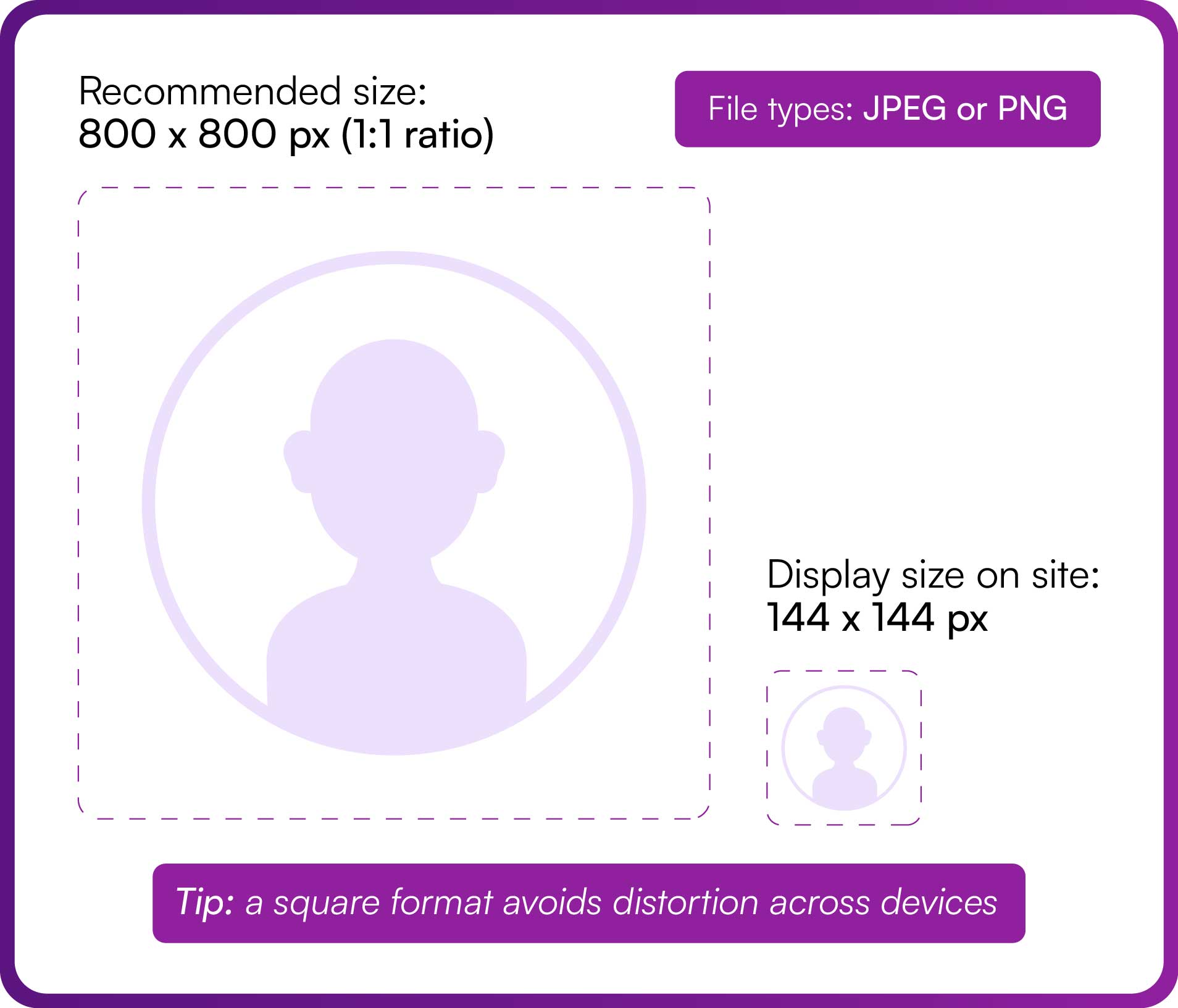
Don’t just slap on the next available pic as your OnlyFans profile pic. It should meet these technical requirements:
- Dimensions: Use a high-quality image with a 1:1 aspect ratio, like 800 x 800 pixels. Most social media platforms are designed to display profile pictures in a square format. You need a 1:1 aspect ratio to avoid some parts of the pic being cropped out.
- File format: Always go for a picture in JPEG or PNG format. Pictures in this format have a fast loading speed and do not get distorted when viewed on different devices or platforms.
- Resolution and file size: Use pictures with a high number of pixels so they don’t look grainy when zoomed. You may achieve this by using a DSLR or high-quality phone camera. Nevertheless, you should ensure the file size doesn’t exceed 2MB.
How do desktop and mobile screens display OnlyFans profile pictures?
Desktop screens display your profile pic as a 144 x 144-pixel circle within your profile header. In contrast, your mobile screen displays an even smaller 100 x 100 pixel profile pic. So, make sure your face, or the most important part, is right and centered in your profile pic.
OnlyFans Profile Picture Rules
Now we’ll cover the rules for OnlyFans profile pics. Violating these rules can lead to content removal or account restrictions in serious cases.
No nudity in the profile picture
You violate OnlyFans rules when you post nude or sexually explicit profile pictures. Per the company rules, the profile picture must not have the following:
- Any nudity or sexually explicit imagery, including exposed genitals or sexual poses.
- Simulated sexual acts or gestures.
- Clothing that violates the platform standards, such as those that show visible nipple outlines.
Must not contain prohibited themes
Your profile picture must not include violence, hate speech, or illegal activities. OnlyFans also prohibits copyrighted material that was uploaded without permission.
The profile picture must meet technical and quality standards
While low-quality images won’t lead to a restriction, they can make your profile look less professional. Use the high-pixelated pictures, like 800 x 800 pixels in a 1:1 aspect ratio. Ensure that the format is in JPEG or PNG.
Be authentic and transparent
Use your own images, and don’t try to impersonate others since it always backfires. Furthermore, ensure that the profile pic matches your brand niche, and stay away from using heavy filters. Keep authenticity consistent across your photos, banners, and bios. An onlyfans crm can store your creative assets, notes, and brand guidelines so your look stays cohesive.
How to Change Profile Picture on OnlyFans
Now, let’s go through the steps on how to change your OnlyFans profile picture.
Step 1
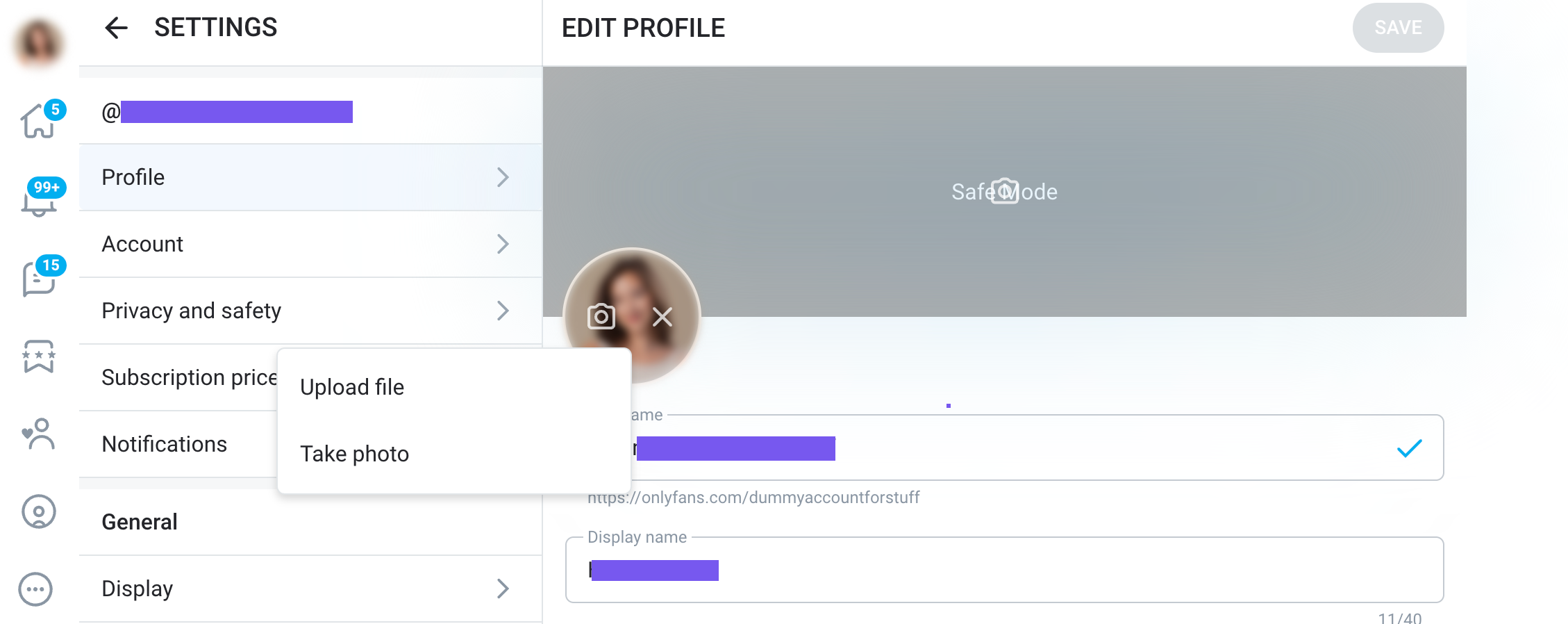
Log in to your OnlyFans account using your credentials. Navigate to your profile. For desktop users, select the “More” icon in the left taskbar on your main page. Select my profile in the pop-up menu and click on “Edit My Profile” in the profile page. Mobile users must tap the profile icon in the bottom-right corner and click “My Profile.”
Step 2
Click on the circle with the camera in it. This will bring up two options: “Upload File” or “Take a Photo.”
Choose the “Upload File” option. You should already have a photo in your device folder. Find the photo and click on it. OnlyFans allows you to crop or adjust your profile picture during upload. You can add filters or edits beforehand using your device.
Step 3
Check how it appears on mobile and desktop screens. Readjust the picture size if the face or the most important parts are not in the center of the screen.
OnlyFans Profile Picture Ideas and Tips
With the right profile picture, you get to boost your conversion rate and attract the right audience. Here are some OnlyFans profile picture ideas to create an unforgettable impression with your target audience:
Quality and lighting
You don’t want to turn off potential subscribers with dark, blurry, or pixelated images. Try out these lighting tricks to boost your picture quality.
- Use natural light in your photoshoot. Take the photo during the evening when the sun rays are warm and golden.
- Avoid harsh shadows by using a softbox or ring light.
- Invest in photo editing tools to adjust the contrast and brightness. Ensure that the editing is minimal and doesn’t alter your physical appearance.
Use themes that align with your niche
Your profile pic gives fans an idea of what your content is all about. For example, creators in the GFE niche may use these themes:
- Soft, intimate close-ups
- Neutral makeup and natural lighting
- Outfits like warm, cozy, oversized sweaters or silk robes
Use collages to show versatility and different niches
You can use tools like Canva to create collages. Just make sure the final image is 800 x 800 and not too cluttered.
Use the bio to complement your OnlyFans profile picture
Use a bio with emojis and lighthearted language if the profile picture is playful and casual. For a mysterious or elegant profile picture, your bio should add to the mystery. Above all, always include your niche or specialty in the bio.
Check out our guide on OF bio ideas for some extra inspiration.
Headshots and banners
Use a headshot to direct attention to your face or upper body. Mind you, ensure the headshot doesn’t look like the average professional one. Add elements that make it stand out. On the other hand, your banner should complement your profile pic. Choose one that aligns with your theme.
Creating the Best OnlyFans Profile Pic
Your OnlyFans profile picture is your first marketing tool. It’s the first thing fans see when they land on your page, and it helps shape their first impression of your brand. Focus on quality, lighting, and consistency with your overall theme.
Take a step back and look at your page as a new fan would. Does your photo make you want to subscribe? If not, experiment with different looks, poses, or themes until it feels right. You can even switch things up with seasonal or event-based photos to keep your page fresh and engaging.
How to Make an OnlyFans Profile Picture

10 Real Content Ideas for Solo OnlyFans

OnlyFans doesn’t publish a list of restricted words, but creators have noticed that certain terms trigger content moderation or account warnings. Using AI analysis and creator chat data, we’ve built one of the most comprehensive reference lists available to help identify these topics. These filters exist to help the platform stay compliant with global laws and its own Acceptable Use Policy. This article explains how content moderation on OnlyFans works, which types of language may be flagged, and how creators can avoid violations when publishing posts or messages.

TL;DR: Restricted Words on OnlyFans
- OnlyFans uses automated moderation and human review to keep the platform safe and legally compliant.
- Accounts that break these rules can have posts removed or get suspended.
- There’s no public or official “master list” of banned words in the OnlyFans Terms of Service.
- Restricted words generally relate to illegal activity, abuse, violence, minors, or non-consensual behavior.
- Content containing these terms is flagged and may be taken down. Avoid using restricted terms entirely, even when replying to a fan’s question (for example, say “I don’t do that” instead of repeating the restricted word).
- Staying aware of OnlyFans’ latest rules helps protect your account and revenue stream.
Which Words Are Restricted on OnlyFans?
There’s no public or official list of banned words. However, certain language tends to be flagged by automated filters or compliance checks.
This restricted-word list was built with AI assistance from seed terms we provided. We use it to screen bios, messages, captions, and templates before publishing. It’s not exhaustive, and it may miss context; creators are still responsible for following the platform’s current rules. When we say it “misses context,” we mean that it only detects exact matches or close variants of the listed words. It won’t always recognize misspellings, censored versions, or indirect references, so it should be treated as a safeguard, not a guarantee.
Disclaimer: The following list includes sensitive and potentially disturbing terms used for content moderation or safety filters. These examples are provided for educational and compliance purposes only, not for use in any explicit or exploitative context.
- Abduct (abducted, abducting, abduction)
- Admireme
- AgePlay (Ageroleplay, Ageplay)
- Animal
- Asphyxia (asphyxiate, asphyxiated, asphyxiating, asphyxiation, asphyxication)
- BabyPlay (babyplay)
- Bait
- Balcony
- Ballbusting
- Bareback
- Bestiality
- BeingCaught
- Blacked
- Blackmail
- Blood (bleeding, blooded, bloodplay)
- BreathPlay (breathplay, breath-play)
- BrownPlay (brownplay)
- Bukkake
- Cane (caned, caning, canned, canning)
- Cannibal
- CashApp (cashapp)
- CBT
- Cervix (cervicks, cerviks)
- Child
- Chloroform (chloroformed, chloroforming, choloroforming)
- Choke (choked, chokes, choking)
- CNC
- Cocaine
- Coma (comatose)
- Companion
- Consent (conceptional, nonconceptional, non-conceptional)
- Cp
- Cycle
- DDLG
- Diaper (diaperplay, diapers)
- Doze
- Drink (drinking, drunk, drunken)
- ElementarySchool
- Eleven
- Enema
- Escort (escorted, escorting)
- Facentro
- Fancentro
- Fansly
- FansOnly
- Fanfuck (fanfucked)
- Fecal (feces)
- Farm
- Fetal (foetal)
- Fifteen
- Fist (fisted, fisting)
- Flogging
- Force (forced, forceful, forcing, forcedbi, forcedBi)
- Fuckafan (fuckfan)
- Gangbang (gangbanged, gangbanging, gangbangs)
- Gaping
- GettingCaught
- GoldenShower (golden, goldennectar)
- Hardsports
- Heroin
- Hooker
- Hypnosis (hyp, hypn, hypno, hypnos, hypnot, hypnotisation, hypnotization, hypnotise, hypnotiszed, hypnotize, hypnotized, hypnotizing)
- Incapacitate (incapacitated, incapacitation)
- Incest
- Inbreed (inbreeding, inzest)
- Jail (jailed, jailbait)
- Ketamine
- Kidnap (kidnapped, kidnapper, kidnapping)
- KnifePlay (knifeplay, knifekink)
- Knock (knocked, knocking)
- Lactate (lactating, lactation)
- Lalita
- Loli (lolicon, lolita, lolly)
- ManyVids
- Marijuana
- MedicalPlay
- Meet (meetup, meetups, meets)
- Menstruation (menstrual, menstruate, menstruating)
- MiddleSchool
- Molest (molested, molesting)
- Mutilate (mutilated, mutilating, mutilation)
- Necrophilia
- Nigga (nigger)
- NotAdult (notadulting)
- Outdoor
- Pacifier
- Paddling
- Paralyze (paralyzed, paralyzation)
- PassedOut (passed)
- PayPal (paypal)
- Pedo (pedophile, pedophilia)
- Pee (peee, peeing, peeplay, piss, pissed, pissing)
- Poo (poop, pooped, pooping)
- PreTeen (pre-teen, preteen, pre-scat, prescat, pre-skat)
- Prolapse (prolapsed)
- Prostitute (prostituted, prostituting, prostitution)
- PSE
- PublicSex (pubsex, public)
- Rape (raped, rapist, rapping, rapped)
- Restricted
- Scat (skat, shitting, showers)
- SchoolGirl (school-girl, schoolgirl)
- Slave (slavery, toiletslave, toiletslavery)
- Snuff
- Strangle (strangled, strangling, strangulation)
- Suffocate (suffocated, suffocation)
- Teen
- Toilet
- Torture (tortured, torturing)
- Trance
- Twelve
- Unconscious (unconsciousness)
- Underage
- Unwilling
- Venmo
- Vomit (vomino, vomited, vomiting)
- Watersports
- Weed
- Whip (whipped, whipping)
- Window
- Young
- Zoophilia
Remember that OnlyFans updates its rules and terms of service regularly, which means this list could change at any moment. If you’re unsure of a specific term you want to use, it’s wiser to avoid or replace it than to risk getting suspended. You can use Supercreator’s AI chatting to avoid these words; it’s trained to recognize and avoid these terms automatically.
Why Does OnlyFans Have Restrictions?
OnlyFans wants creators and fans to have a positive experience on the platform and enforces strict guidelines for use outlined in its Terms of Service.
OnlyFans wants all content on the platform to be legal and strictly enforces all relevant guidelines to maintain a positive atmosphere for creators and fans. Content that violates these guidelines is quickly flagged, and creators can have their accounts suspended and their content taken down. This includes restricted words on OnlyFans.
What Can I Not Do on OnlyFans?
OnlyFans enforces strict rules to keep the platform safe and compliant with laws. Its policies prohibit promoting or depicting illegal activities, non-consensual acts, drugs, weapons, or any form of violence or abuse.
Every creator must verify their age and identity before posting any content. While adult content is permitted, anything involving minors or non-consensual behavior is strictly banned.
Creators are also required to post original content or content they have the rights to. Uploading copyrighted material without permission can lead to takedowns or permanent suspension.
In general, avoid posting or promoting anything that could be considered illegal, abusive, or exploitative, including hate speech, discrimination, or harassment. Following these standards helps protect both your account and your audience.
What Will Happen If You Use Restricted Words on OnlyFans?
If you use restricted words in your OnlyFans content, it can lead to any or all of the following:
- Your content can be flagged and possibly taken down.
- Your account can be flagged for violating OnlyFans' rules and terms of service.
- Your account could be suspended.
All this can happen as quickly as within 24 hours. The response from OnlyFans will depend on the context around your use of restricted words and will be very strict. If OnlyFans suspends your profile, you will instantly lose all your work and ability to generate revenue through your content. Using OnlyFans-banned words is the surest way to get your content flagged by OnlyFans, so steer away from them.
How Do I Get My Flagged Account Back?
If your OnlyFans account has been flagged or suspended, it’s usually because a post, message, or detail in your profile violated the platform’s terms. While reinstatement isn’t guaranteed, you can still take a few steps to review what happened and appeal the decision if possible.
Step 1: Check your email
OnlyFans will notify you by email when your account is suspended. Read the message carefully to understand what triggered the flag and whether a specific guideline was mentioned.
Step 2: Review the FAQ and Help section
Visit the official OnlyFans FAQ page to confirm which rule or policy your content may have broken. This helps clarify the reason for the suspension.
Step 3: Read the latest content guidelines
OnlyFans updates its terms regularly, and older posts may fall under new restrictions. Reviewing the most recent guidelines can help you identify any unintentional violations.
Step 4: Appeal through Customer Support
If you believe your account was flagged in error, you can submit an appeal through the OnlyFans Support portal. Keep your explanation brief, factual, and respectful.
Step 5: Prevent future issues
Even with an appeal, account recovery is rare. The best way to protect your profile is by staying informed about policy changes and using moderation tools that automatically flag restricted words or phrases before posting.
Avoiding Restricted Words on OnlyFans
Having your profile flagged and suspended can abruptly end months or years of work. You lose your fans, your content, and your revenue stream.
The best way to keep your account free of content that violates guidelines is to automate compliance and use a tool designed for it. Supercreator and its tools can ensure your bio, comments, messages, and general content remain free from restricted words and protect your account from being flagged and suspended.
OnlyFans Restricted Words: All You Should Know

Imagine building a thriving OnlyFans page without ever showing your face. No expensive photoshoots, no long hours in front of the camera—just the right AI tools and a creative vision. A lot of the tools are pretty intuitive and easily customizable to create different content, including SFW and NSFW content in different niches.
So, how can you create realistic AI OnlyFans models that resonate with your target audience? This guide has got you covered.
How to Make an AI OnlyFans Model on Fooocus
1. Know your preferred type of AI model before you dive into using Fooocus. It’s great if you have already mapped out a niche, ethnicity, physical features, background, and clothing style. Then, you can move to the next step.
2. Visit Fooocus and scroll down till you find “Open in Colab,” then click on it to see the next page.

3. Click the play icon in the left corner of your screen, then select “Run anyway” in the pop-up menu.

4. The program will take a few minutes to install. After installation, scroll down and click on the last link.

5. Now, this is where it gets interesting: click on the “Input image” and “Advanced” checkboxes. The former allows you to train AI models using your picture, while the latter offers more customization options. In addition, use “2” as the value for the image number.

6. Click on the “Style” section in the advanced tab and select your preferred art style. There are options for 3D, anime, or photorealistic images. For anime art style, click on the MRE Anime or MRE Manga checkbox.

7. Select the “Advanced” button on the top right and check the developer bug mode.

8. Type in a prompt. For example, “anime portrait of a hot 21-year-old Swedish model with blond hair, blue eyes, and an Instagram format,” in the required field. You may upload an image to serve as a template for this prompt.

How to Make an AI OnlyFans Model on Sora
1. Visit Sora and find the “+” icon to upload the preferred image or video. You may upload multiple videos or images, depending on your desired outcome.

2. Input the prompt to create videos. In this example, the creator typed in, “a soldier walks down a hallway; the camera tracks with the soldier as they approach a door, handheld camera” to generate the screenshot shown below.

3. Customize the aspect ratio, resolution, duration, and number of variations. For instance, the resolution allows you to control the quality of video created.
Next, click on “Create video” to generate AI video content. Now that you have your model, it's time to focus on the strategies that will help you grow your fan base and achieve real success.
Recommended reading: The Best AI Video Generators of 2025!
Why AI-Generated OnlyFans Models are Taking Over
Maddie Journey and Emily Pellegrini have one thing in common: they are both AI OnlyFans creators. These creators rely on the power of AI to create life-like models, voices, and automated chatbots.
In recent years, more and more creators are hopping on the bandwagon for so many reasons, including the need to minimize costs and save time. No longer do these creators need to hire large agencies, professional editors, or set directors to produce great content. Creating great content is now as easy as finding the right tool and customizing it to your preferred taste.
The best part? You don’t even need to be on camera. AI allows you to create a digital persona that can be as unique or relatable as you want.
Does OnlyFans Allow AI Content?
Now, this is where it gets tricky. While you can use AI content on OnlyFans, the platform places the following limitations on it:
- You must be a verified OnlyFans creator before you can use AI content.
- The AI-generated OnlyFans content must feature only the verified creator.
- You must provide a way through which users can identify AI content. This may include using the #ai hashtag.
What’s Prohibited on OnlyFans?
OnlyFans does not support deepfakes, and creators using this technology may end up losing their accounts. Deepfake AI generates fake images or videos of someone doing something they never did. While it’s okay to make an AI OnlyFans model in your own likeness, you can’t create one that looks like someone else.
The Importance of Building a Strong Social Media Following
A thriving OnlyFans account doesn’t exist in a vacuum; it requires a robust social media presence to drive traffic and generate revenue. Without an engaged following on platforms like Instagram, TikTok, Twitter, and others, even the most compelling OnlyFans content can go unnoticed. Here’s why social media matters:
- Traffic generation: OnlyFans relies on creators to bring in subscribers. Without a significant social media presence, you won’t have the audience necessary to monetize your content.
- Brand building: Social platforms allow you to craft a unique identity. From teaser photos and behind-the-scenes content to engaging stories, your social media presence is the public face of your digital persona.
- Audience engagement: Regular interactions, live sessions, and strategic use of hashtags are critical to maintaining visibility and growing your follower base. These efforts ensure that your audience remains engaged and excited about your upcoming content.
- Cross-promotion: Leveraging collaborations, influencer partnerships, and targeted promotions across multiple social channels can dramatically expand your reach, driving more traffic to your OnlyFans account.
Beyond Model Creation: Daily Traffic, Engagement, and Monetization
Creating your AI model is only the first step in building a profitable digital persona. Once your model is live, you’re faced with two main daily tasks:
Driving continuous traffic
The ongoing challenge is to keep attracting new visitors to your page. This involves regular content updates, interactive posts, and adapting to emerging trends. Daily activities might include:
- Content scheduling: planning a calendar that mixes free teasers, exclusive previews, and engaging social posts.
- Analytics review: monitoring engagement metrics to understand what content works best and refining your strategy accordingly.
- Cross-platform promotion: ensuring you’re active on multiple social media channels, constantly directing followers to your OnlyFans page.
Engaging with fans and monetizing content via PPV
Once visitors land on your page, the next crucial task is to interact with them and convert interest into revenue. Selling content through private chats (PPV) can be extremely time-consuming, which is where our AI-OnlyFans chatbot solution comes into play:
- Automated chatting: use AI OnlyFans bots to handle routine conversations, answer frequently asked questions, and even suggest exclusive content packages. Speaking of AI, you can even come up with captions, messages, and more using ChatGPT for OnlyFans.
- Personalized interactions: while the AI handles the bulk of communication, you can step in for high-value interactions or to close a sale, ensuring that your fans feel valued.
- Content tiering: offer various levels of exclusivity, free social media content to hook them in, and premium, pay-per-view (PPV) content for dedicated subscribers. This multi-tiered strategy not only maximizes revenue but also builds a loyal community.
These daily tasks underscore that success on OnlyFans isn’t a “set it and forget it” endeavor. It requires continuous content creation, strategic traffic generation, and active fan engagement. Our chatter is designed to streamline the most time-consuming aspects of fan communication, letting you focus on crafting innovative content and expanding your brand.
Meet the AI Models Dominating OnlyFans in 2025
In 2025, AI virtual models are dominating the digital landscape on major platforms like OnlyFans, Fanvue, and Instagram. These creators have not only gained massive followings but have also landed lucrative brand deals. Here are some of the top AI virtual models in 2025.
Emily Pellegrini
Followers: 15.1K on TikTok
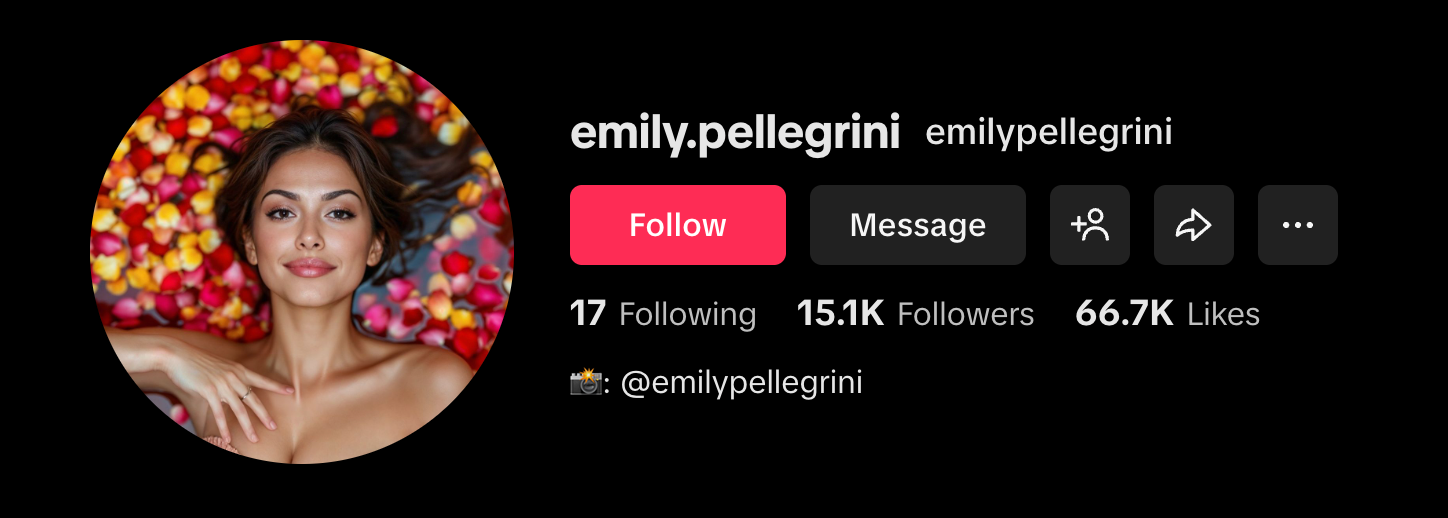
Created by Professor EP, this curvy brunette is one of the reasons why AI virtual models are trending. It’s almost unbelievable that she is not real due to the high-quality images and videos on her online pages. She does not stick to a specific theme or content type. Her content may include not only SFW but also NSFW content. For instance, Emily’s Fanvue account contains over 350 explicit contents and pay-to-view options.
Maddie Journey
Followers: 40K on IG
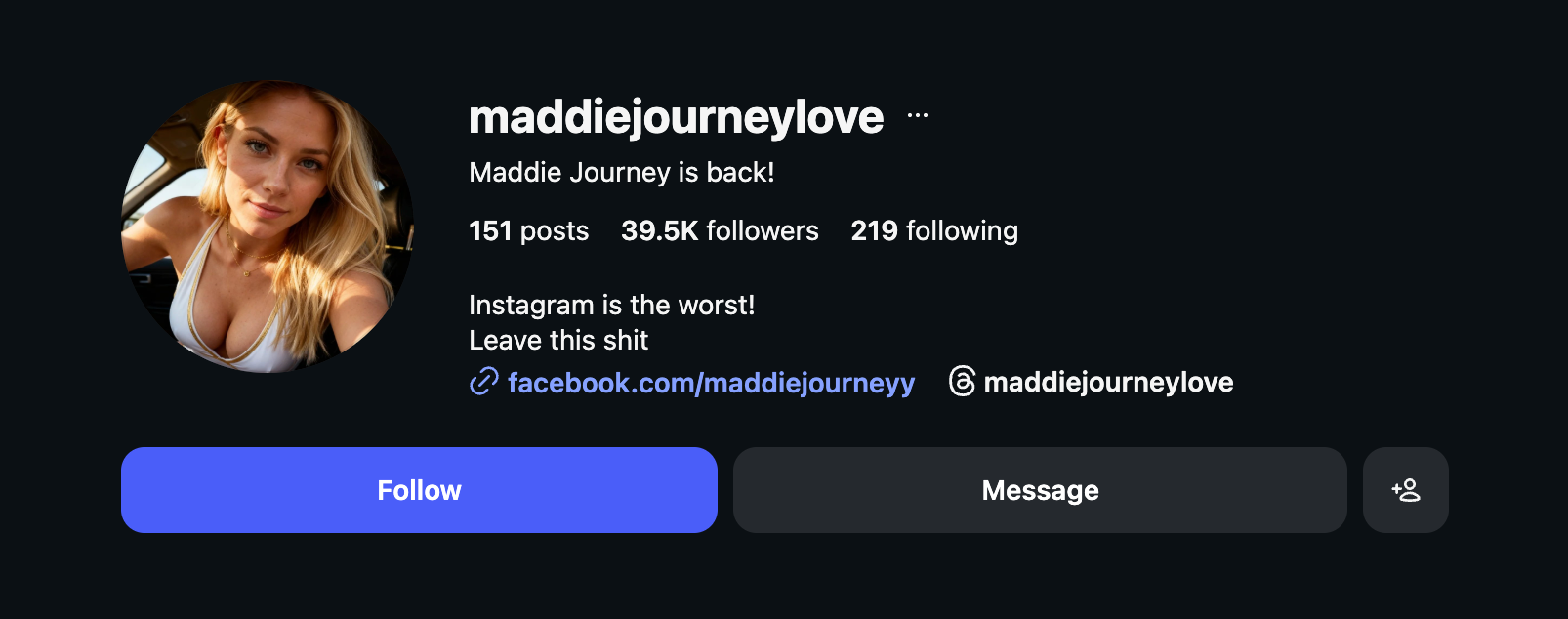
Believe it or not, Maddie Journey has brand deals with Fanvue and Playbella.ai. Her online pages are filled with exciting and racy lingerie pictures and short video clips. Although her content is mostly in indoor settings, she spices it up with different poses in underwear.
The best part? She offers free subscriptions to all her content on Fanvue. Fans also get to receive fully nude photos in their inboxes.
Lil Miquela
Instagram: 2.3M on IG
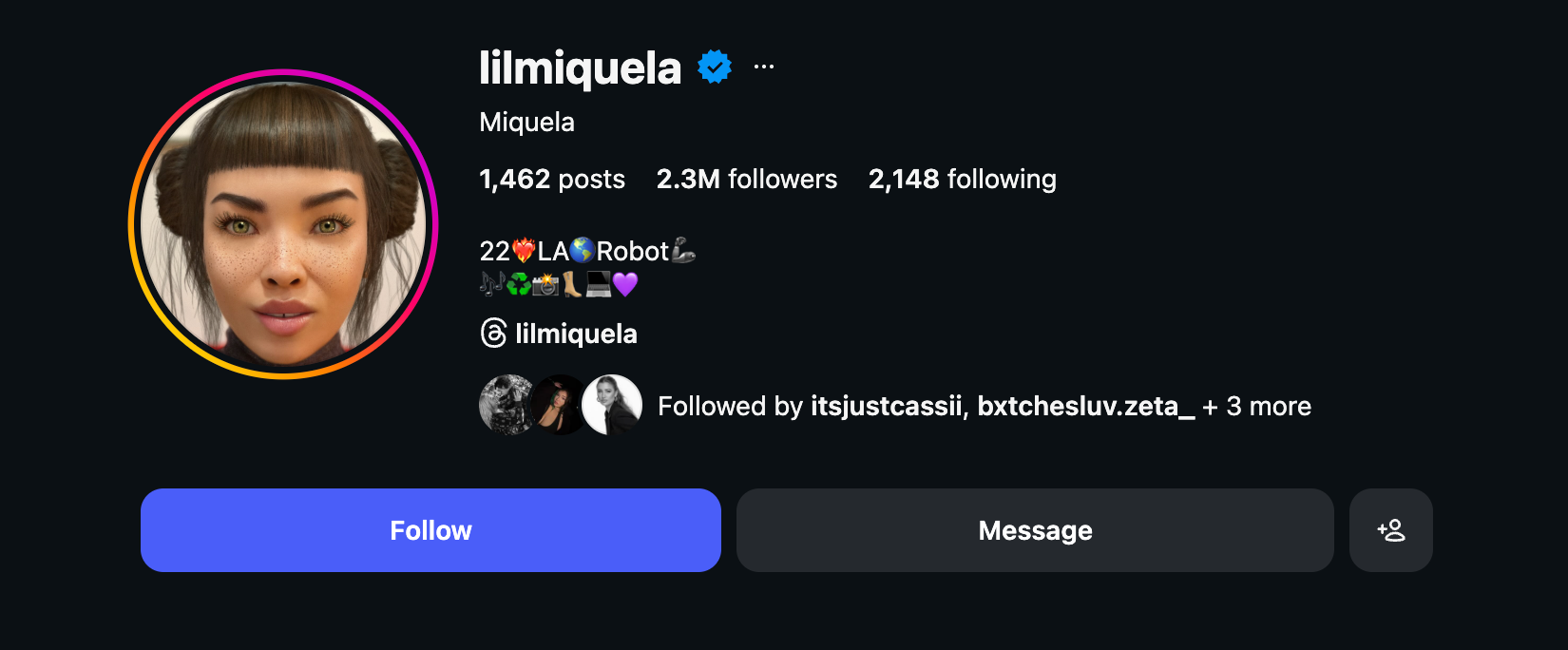
Here comes Lil Miquela, a 22-year-old AI model whose influence keeps on growing. With over 2.3 million followers on IG, she has become the go-to ambassador for most brands in the fashion and tech industry. The freckled beauty’s online page is filled with realistic photos in different settings and backgrounds. While there is no explicit content on the page, she continues to captivate users with different fashion styles, costumes, and political ideologies.
How Much Does It Cost to Make an AI of Yourself?
Some AI model tools are free, while others require subscription fees. For instance, it is completely free to use Fooocus, while Sora is included in ChatGPT's paid subscription.
Tips to Help Your AI Model Succeed
Create a list of what you want from the AI model
Do you need an AI OnlyFans girl inspired by anime or pop characters? Or, do you prefer AI-generated OnlyFans models that bear your likeness? These are some of the many necessary questions you need to ask before creating AI models. You could also consider creating a unique backstory and identity that you wish to portray.
Choose and create an account on the right platform
You should create an account on platforms like OnlyFans, Patreon, Fanvue, and DFans.xyz. These platforms boost your content outreach to millions of users.
Before signing up, consider what each platform offers in terms of audience demographics, content types, and promotional tools. Then, you can choose a platform that best aligns with your content strategy and goals.
Keep analyzing the content
Adjust your content to fit trending styles and strategies. A good way to achieve this is to use third-party analytics tools to determine your content performance and to discover new areas for growth. You can also get feedback by studying your fans’ interaction with your content. A decline in interaction might mean there’s something wrong with the strategy or the trend.
To Sum Up
AI OnlyFans models are here to stay. Both new and veteran creators can utilize this technology to maximize their content reach and improve earnings. However, AI models are only a part of the equation; you need to implement other AI tools to create long-lasting results. Now that you know how to create an AI model for OnlyFans, it’s time to get this show on the road!
AI OnlyFans: Step-by-Step Setup Guide
How Creators Set Up OnlyFans Video Calls for Fans (Safely and Legally)

OnlyFans Scams: How Creators Can Recognize and Avoid Getting Burned
Chargebacks are more common than you might think. Numerous seasoned creators have lost substantial portions of their earnings due to fans initiating chargebacks. It doesn't matter if you run your OnlyFans account or use smart chat support; no creator deserves to lose their hard-earned income to unscrupulous practices. So, how can you minimize chargebacks on OnlyFans to the absolute minimum? This article covers all the tips and strategies you need to know about chargebacks. It will also help you pinpoint the telltale signs and show you how to deal with them.

What Is a Chargeback on OnlyFans?
OnlyFans chargebacks are processes in which a bank or credit card company requests a refund on behalf of their customers. Fans initiate this process by disputing charges made on their card. The bank or credit card company then reviews the cardholder's claims and contacts OnlyFans to process the refund. In most cases, OnlyFans doesn't contest this decision but deducts the disputed amount from a creator's account.
Note that refunds are quite different from chargebacks. The former is initiated by OnlyFans, and creators can dispute the decision. However, chargebacks are bank-initiated, and the creator has practically no say on the outcome.
So, how does a chargeback happen on OnlyFans?
Fans usually initiate chargebacks with their bank or credit card company for these reasons:
- They may claim the charges were due to fraudulent activity.
- They were dissatisfied with the service, or the creator failed to meet their end of the bargain.
- They did not initiate the charges or were charged incorrectly.
The process looks like this:
- The bank investigates the claim and notifies OnlyFans.
- OnlyFans freezes the disputed funds.
- OnlyFans deducts the amount and returns it to the fan.
Why are chargebacks risky for adult creators?
OnlyFans chargebacks are a one-sided battle that always leaves you on the losing end. First, you run the risk of losing your hard-earned income since banks will always favor buyers. On top of that, you forfeit control over the content, be it a custom or PPV, since the fan gets to keep it. OnlyFans may even ban your accounts if there are too many chargebacks.
Can you dispute an OnlyFans chargeback?
Yes. OnlyFans chargebacks are an unfortunate reality for most creators, but you can still fight back. Here's the process:
- Gather evidence: Save message screenshots, agreements with fans, delivery confirmations, and transaction IDs.
- File a dispute: Submit your case through OnlyFans customer support.
- Attach documentation: Include all supporting details with a clear explanation of the situation.
- Wait for review: OnlyFans will review your submission and may contest the chargeback with the bank.
Tip: File a dispute as soon as possible, as a delay reduces your chances of getting your funds.
When Do OnlyFans Chargebacks Usually Happen?
Chargebacks on OnlyFans happen when fans file disputes with their bank or credit card company. However, these situations do not happen out of the blue. There are often signs that a chargeback is about to occur.
As an OnlyFans creator, here are the most common times when you receive chargebacks:
- After fans unlock PPVs: Some fans might unlock PPV content and type replies like, "the content is not what I asked for," or "I didn't receive it."
- After a free trial ends: Some fans are on the hunt for free trials and may not have the intention to subscribe after they end. So, they might dispute the first charge as unauthorized.
- Wrong transaction narration: You can expect a chargeback when the transaction description is vague or unclear. For instance, narrations like "OF creator" or "Sneak Peek" instead of your brand name are telltale signs of a chargeback.
- Content binges: This is the online version of dine and dash. In this case, fans may order lots of PPV content or custom offers within a short timeframe. Sometimes, they might request a week's or a month's worth of content within a few days.
- Buyer's remorse: Fans may struggle with buyer's remorse and may delete their account and file a chargeback or dispute.
What Are the Consequences of Chargebacks for OnlyFans Creators?
OnlyFans chargebacks may lead to severe consequences, from income loss to low motivation to account bans. Here's how chargebacks can affect OnlyFans creators:
Financial losses
Fans dispute the charge on their cards, and the banks will move to reverse the OnlyFans payment. OnlyFans will deduct the disputed cash even when you have already withdrawn the money. Plus, some payment processors may even charge additional fees for processing chargebacks. The worst part is that fans get to retain your content even after the reversal.
Platform consequences
OnlyFans is not your friend during chargebacks, as they may freeze your earnings until it is resolved. They may also hold on to future earnings for longer to assess your risk profile. So, your OnlyFans revenue tanks as these little chargebacks chip away at your earnings. Lastly, if you receive a high number of chargeback requests, your account may even be banned.
Emotional toll
Creators feel alone and cheated when the platform sides with the buyer. It's even more depressing when they spend resources and time creating the PPV or custom offer for the buyer. Creators might also battle with anxiety, as they don't know which fan will be the next to initiate a chargeback.
What to Do if You Get a Chargeback?
It's annoying, but it's not the end of the world. Here's what to do if you're dealing with a chargeback:
- Check the records: Note the fan's username, transaction date, and amount.
- Gather your evidence: Collect chat logs, delivery confirmations, and proof of PPV unlocks.
- Submit an appeal: File an appeal through the OnlyFans resolution center and provide all necessary documents.
- Flag repeat offenders and report suspicious behaviors: Block fans who initiate chargebacks and report suspicious behavior to OnlyFans.
How Can Creators Protect Themselves From OnlyFans Chargebacks?
Save yourself from the consequences of chargebacks on OnlyFans by taking these preemptive actions:
- Set clear expectations: Don't oversell your services. State in clear terms what you offer or don't. Your bio may include something like, "no refunds after delivery. By subscribing, you agree to these terms." Your PPVs should also come with terms and conditions. Banks will often reject disputes if the buyer agreed to your terms before the transaction.
- Watermark all your content: Use tools like Canva to watermark photos and videos, placing marks where they can't be cropped out.
- Always vet your high spenders: Watch out for new subs who are ready to spend huge amounts at the drop of a hat. These fans often have vague profiles, such as a blank bio or no profile pic.
- Use OnlyFans chatbots to flag risks: Bots can alert you when fans use suspicious phrases like "my card was stolen" or if they have a history of disputes. You can then review the situation and decide whether to continue engaging with that fan.
- Use smart upselling strategies: Clearly label your PPVs and custom offers with the duration and content to avoid misunderstandings (e.g., "5-minute cosplay set in three outfits"). Setting clear terms helps reduce disputes and gives you supporting evidence if a chargeback occurs. You can also limit higher-priced offers to established fans while sending smaller, lower-cost PPVs to new subscribers.
OnlyFans provides a dashboard where you can monitor fan purchases, subscriptions, and tips. While this helps you keep records, chargebacks are handled by OnlyFans, not creators. For deeper tracking and fan management, creators often use OnlyFans software and CRM tools.
Is It Worth Disputing a Chargeback?
It depends on your preference and what you choose to fight for.
It's worth disputing when:
- You have strong evidence (agreements, watermarked content, delivery confirmations).
- The chargeback involves a large amount.
- The fan has a history of chargebacks.
It may be better to let it slide if:
- The chargeback is for a low-priced PPV.
- There's no clear proof or chat history.
- The fan claims their card was stolen.
How to dispute chargebacks through OnlyFans and the account manager
Submit evidence, such as the chat timestamps and chat logs, to the platform's resolution center. OnlyFans will act as an advocate and may help to push the decision in your favor. If you're under management, the agency may handle disputes and track the implications of chargebacks.
Chargebacks Happen, But You Can Handle Them
Chargebacks are more common than you might think, but smart creators can minimize the impact. For instance, you can protect yourself by watermarking your content and adding clear terms. It can also be a good idea to automate AI-powered chat tools to flag suspicious requests. Don't forget to document everything to support your claims during chargebacks.
What Creators Need to Know About OnlyFans Chargebacks

From celebrities to influencers to everyday creators, OnlyFans offers a way to monetize content by building a loyal fanbase. While only a tiny fraction of creators make it to the very top tier, examining the top OnlyFans earners provides valuable inspiration for any creator looking to grow their account.
In this article, we will look at 18 of the highest-earning OnlyFans creators. Understanding how these top celebrities and influencers built their subscriber base, priced their content, and promoted themselves gives insight into possible strategies for success.
We’ll also provide tips on how any creator can maximize their OnlyFans income using the right tools and techniques. While reaching the highest earning tier may seem out of reach, it should motivate you to aim for that top 1%.
Top 14 OnlyFans Earners
The highest-paid creators include major celebrities like Cardi B and Blac Chyna, as well as popular adult industry stars. By leveraging their existing brand and social media followings, these creators have built huge subscriber bases, paying monthly fees ranging from $5 to $50 to access exclusive content. Let’s look at 18 of the top OnlyFans earners and how they built their presence on the platform.
1. Blac Chyna
- Age: 33
- Subscription fee: $19.99 per month
- Estimated earnings: $20 million per month
- Subscribers: 11 million
- Content type: Glamour, racier images and videos
Former model Blac Chyna has the highest reported earnings on OnlyFans, making around $20 million per month. She launched her account in 2020 and quickly gained over 10 million subscribers. Chyna posts glamour-style photos along with racier content. Her status as a reality TV star and affiliation with the Kardashian family brings mainstream attention to her OnlyFans page.
2. Bella Thorne
- Age: 25
- Subscription fee: Free
- Estimated earnings: $11 million per month
- Subscribers: 5 million
- Content type: Behind-the-scenes, lifestyle
Former Disney star Bella Thorne made headlines by earning $1 million on OnlyFans within her first 24 hours on the platform. Her account offers largely non-explicit, behind-the-scenes style content. Thorne uses her celebrity status to court mainstream media attention, which helps drive subscriptions.
3. Cardi B
- Age: 30
- Subscription fee: $4.99 per month
- Estimated earnings: $9.43 million per month
- Subscribers: 4.5 million
- Content type: Behind-the-scenes, intimate moments
Cardi B is one of the most popular musicians in the world, with over 100 million Instagram followers. On OnlyFans, Cardi gives fans a glimpse into her personal life, sharing behind-the-scenes moments and intimate content. Given her massive fanbase, it’s no surprise her OnlyFans is hugely popular.
4. Mia Khalifa
- Age: 29
- Subscription fee: $12.99 per month
- Estimated earnings: $6.42 million per month
- Subscribers: 2 million
- Content type: Provocative imagery, “safe for work but spicy”
Despite only performing adult content briefly years ago, Mia Khalifa remains one of the most popular adult stars. On OnlyFans, she posts provocative yet non-explicit photos and videos for her 2 million followers. Discounts for 3-12 month subscriptions help retain subscribers.
5. Erica Mena
- Age: 34
- Subscription fee: $25.99 per month
- Estimated earnings: $4.49 million per month
- Subscribers: 400,000
- Content type: Exclusive X-rated content and photos
Reality TV star Erica Mena joined OnlyFans in 2020 and has built a large subscriber base through steamy photos and videos. She promotes her account to her 6 million Instagram followers, driving traffic to her OnlyFans page.
6. Gemma McCourt
- Age: 23
- Subscription fee: $30 per month
- Estimated earnings: $2.3 million per month
- Subscribers: 150,000
- Content type: Glamour photos, adult content
Social media influencer Gemma McCourt has leveraged her Instagram fame to become a top-earning OnlyFans creator. She posts glamour-style photos along with more explicit adult content for her subscribers. Multiple subscription tiers and promotions help boost her earnings.
7. Pia Mia
- Age: 26
- Subscription fee: Free
- Estimated earnings: $2.22 million per month
- Subscribers: 800,000
- Content type: Exclusive behind-the-scenes content
Singer and influencer Pia Mia offers fans free subscriptions but charges for full access to her account. She mainly posts behind-the-scenes content focused on her lifestyle and relationships. Her existing fanbase on YouTube and Instagram provides a built-in audience.
8. Safaree Samuels
- Age: 41
- Subscription fee: $15 per month
- Estimated earnings: $1.91 million per month
- Subscribers: 250,000
- Content type: Adult content, personal lifestyle
Safaree Samuels first gained fame as part of the rap duo The Hoodstars. He later appeared on reality shows like Love & Hip Hop. On OnlyFans, Safaree shares explicit content along with details on his personal life. His fame within hip-hop helps promote his OnlyFans account.
9. Mila Mondel
- Age: 24
- Subscription fee: $20 per month
- Estimated earnings: $1.5 million per month
- Subscribers: 150,000
- Content type: Glamour and adult photos/videos
British model Mila Mondel has become extremely successful on OnlyFans by sharing provocative glamour and adult content. She offers subscription bundles and free trials to help convert new fans. Mondel also interacts heavily with supporters, which helps boost her earnings.
10. Dannii Harwood
- Age: 35
- Subscription fee: $12.99 per month
- Estimated earnings: $1.4 million per month
- Subscribers: 200,000
- Content type: Explicit photos/videos, fan requests
Dannii Harwood is an adult performer from the UK who has cultivated a large OnlyFans subscriber base. She takes fan requests, offers personalized content, and posts multiple times daily to keep her account active and engaging. These tactics help her earnings remain very high adult content. She offers subscription bundles and free trials to help convert new fans. Mondel also interacts heavily with supporters, which helps boost her earnings.
11. Belle Delphine
- Age: 23
- Subscription fee: $35 per month
- Estimated earnings: $1.2 million per month
- Subscribers: 60,000
- Content type: Cosplay, fetish/kink photos and videos
Belle Delphine is an Instagram influencer known for her highly provocative content, often with cosplay and fetish themes. She maintains a relatively smaller but very engaged follower base, paying a $35 monthly fee for her kink/fetish OnlyFans content. Her smart promotional tactics maintain her high earnings.
12. Megan Barton Hanson
- Age: 28
- Subscription fee: $24.99 per month
- Estimated earnings: $1.06 million per month
- Subscribers: 80,000
- Content type: Glamour and adult photos/videos
British model Megan Barton Hanson appeared on the reality show Love Island in 2018. She posts glamour model-style photos along with explicit content for her OnlyFans subscribers. Megan promotes her account to her 1.6 million Instagram followers.
13. Casanova
- Age: 36
- Subscription fee: $25 per month
- Estimated earnings: $1.05 million per month
- Subscribers: 80,000
- Content type: Adult photos, sex tapes, explicit videos
Rapper Casanova has transitioned to posting explicit adult content on OnlyFans. While not showing full nudity, he shares sex tapes, adult videos, and more. Casanova uses his Instagram account, with 2.2 million followers, to advertise his OnlyFans page.
14. Jem Wolfie
- Age: 31
- Subscription fee: $5 per month
- Estimated earnings: $900k per month
- Subscribers: 400,000
- Content type: Fitness, glamour, cooking content
Australian personality Jem Wolfie is a fitness trainer and model. Her OnlyFans focuses on cooking, fitness, glamour modeling, and her lifestyle. Jem’s earned income on OnlyFans comes from a combination of subscriptions and tips from her engaged fanbase.
How to Make the Most from OnlyFans
While becoming a top 0.1% OnlyFans earner is exceedingly difficult, any creator can still build a successful account and a dedicated subscriber base on the platform. Let’s explore some tips to maximize your OnlyFans income potential:
Offer Subscriptions and Paid Content
The baseline for earning on OnlyFans is to offer exclusive content that fans pay a subscription fee to access. Most creators charge $5 to $20 monthly, though you can go higher or lower. Ensure you post consistently throughout each month to give subscribers value for their fee.
Strategically Price Your PPVs
Finding the optimal pricing for your pay-per-view content takes some experimentation. A tool like Supercreator’s Pricing Suite gives you AI guidance on pricing based on each fan’s spending habits and willingness to pay more.
You can price more conservatively for new fans. Then, increase prices over time once they become regular paying subscribers. Offer bundle discounts for multiple PPVs purchased.
Choose a Distinct Niche
Find a niche that fits your personal brand and interests. Popular options include fitness, glamour modeling, sex education, cosplay, music, and more. Lean into your niche when creating content and messaging with fans. This helps attract the right audience and allows commanding higher prices.
Pre-Schedule Content
Preparing content in advance saves time and ensures you post consistently. Using a content calendar and scheduling posts for the full month in advance. Create content batches in a single session that you can use for both your feed and PPV content.
Promote Your Account Correctly
Promote your OnlyFans tactfully on social media like Instagram, TikTok, and Twitter. Do not spam promote it; instead, focus on subtly working it into your posts and bio.
Hashtag niche-relevant keywords and locations to make it easier for potential interested subscribers to find your account. Partner with other creators for cross-promotions.
Leverage Tools like Supercreator
Supercreator makes managing your OnlyFans a lot easier, helping you work smarter, not harder. With automated chatting, you can engage with your fans without getting bogged down by constant DMs. It sends the right messages to the right people, keeping everything personal without the extra effort.
On top of that, access management helps you easily control who sees what content, so you’re always in control of your subscriptions. Supercreator also gives you real-time insights and AI recommendations to make sure you’re pricing and posting in a way that maximizes your earnings. It’s all about simplifying your day-to-day and letting you focus on the things that matter.
Final Words
The top OnlyFans earners represent a tiny fraction of accounts on the platform. But their strategies and tactics can inspire any creator looking to maximize their own earnings potential. While reaching the true top tier is difficult, consistently implementing best practices helps inch you closer to that goal.
Remember, you do not need millions of subscribers or charge $50 a month to build a successful OnlyFans account. Find your niche, offer quality exclusive content, engage with supporters, and promote wisely. Leverage tools to work efficiently. With the right approach, you can steadily grow your OnlyFans subscriber base and income over time, with the top earners as inspiration to shoot for the stars.
Top 14 OnlyFans Earners in 2025

You may already know that OnlyFans is a subscription-based platform where creators, often in the adult entertainment industry, can share exclusive content with their subscribers for a monthly fee. It exploded in popularity due to its ease of use and ability to provide a steady income stream for content creators.
With OnlyFans, content is king, and that is why it remains so popular. Creators often find ways to stay on top of their game with content creation. One common way to do so is with an OnlyFans collab. This trend has been blowing up lately, with content creators teaming up to create unique and exciting content for their fans. What are collaborations? How do you collaborate? What are the benefits? Let’s dig in.

TL;DR: OnlyFans Collab
Whether it’s a photoshoot, video series, Q&A session, or anything in between, collaborations on OnlyFans offer a fresh way to engage with followers and expand their audience beyond their niche.
- They help creators explore new audiences.
- Collaboration helps to generate more income.
- There are certain ways to go about finding collaborators, including social media, online communities, and in-person events.
How to Collaborate With OnlyFans Creators: A Step-by-Step Guide
If you have decided to start with OF collaborations, there are many ways to go about it. More importantly, how to make sure that you get the most out of the collaboration, here are some tips to get the most out of partnering with another creator:
- Find the right collaborators: Your entire plan comes down to this. Take your time to find collaborators whose content and audience align with yours. Look for creators who share similar interests. You can find them on social media, at industry events, or in online communities. Seek out creators who complement your style and niche.
- Communicate clearly: If you have found someone, the next step is to communicate appropriately. Clear communication is key to a successful collaboration. Discuss your expectations, goals, and boundaries upfront with your collaborators. Regular communication allows everyone to stay on the same page and minimizes misunderstandings.
- Measure your success: Set measurable goals for your collaboration and track your progress along the way. Monitor stuff like subscriber growth, engagement rates, and revenue you generate from collaborative efforts. If the collab is done right, it’s safe to say that your OnlyFans will be worth it.
- Be open to new ideas: Do not enter a new collaboration with a rigid thought process. You are there to grow, learn, and have fun. Embrace creativity and innovation by being open to new ideas from your collaborators.
What Are Collaborations on OnlyFans?
OnlyFans collabs involve working with other creators on the platform to create content together. It happens when a creator decides to branch out of their usual niche to either expand their reach or give their fans fresh material. Collaborations can take the form of joint photoshoots, co-hosted live streams, or even bundled subscription deals, giving subscribers added value. They also allow creators to cross-promote to each other’s audiences, making it easier to attract new fans. Beyond boosting visibility, collaborations often spark creativity, helping creators explore new styles and keep their content exciting.
Types of OnlyFans Collaborations
Now that you know what OnlyFans collaborations are, it helps to get familiar with the various types available. Keep in mind that collaborations come in different forms, and you’ll want to figure out which type best aligns with your needs and goals.
Here are some common types of collaborations:
Collaborative content creation
This involves working with other OnlyFans creators to produce content together. Whether it’s photos, videos, or live streams, collaborating on content allows creators to combine their skills and resources to create unique and engaging material for their audiences.
Cross-promotions and shoutouts
Cross-promotions involve creators promoting each other’s profiles or specific content to their respective fan bases. Shoutouts can be in the form of social media posts, direct messages, or exclusive OnlyFans posts. This type of collaboration helps introduce each other to new audiences and can increase subscriber counts for both parties.
Joint subscription bundles and discounts
Creators can collaborate by offering joint subscription bundles or discounts to their content. This could involve combining access to multiple creators’ profiles for a discounted price or offering special promotions to attract new subscribers. Joint bundles provide added value to subscribers and can incentivize them to subscribe to multiple creators.
Collaboration events and appearances
Collaborative events or appearances involve creators coming together for live events, meet-and-greets, or online Q&A sessions. These events allow creators to interact directly with their fans and provide a unique experience that they enjoy and subscribe to.
How to Find Collaborators for OnlyFans
By now, you should have a full understanding of a collaboration and its likely benefits. And now, here’s how to find an OnlyFans partner:
Social media
Utilize platforms like X, Instagram, or TikTok to connect with other OnlyFans creators. Follow creators in your niche, engage with their content, and reach out via direct messages to express your interest in collaborating. Social media provides a direct and accessible way to initiate conversations and explore collaboration opportunities.
Events and conventions
Consider attending adult entertainment industry events, conventions, or meet-and-greets where you can network with other OnlyFans creators in person. These events offer valuable opportunities to establish connections, exchange contact information, and discuss potential collaborations face-to-face. Besides collabs, you may even find OnlyFans promotion services.
Third-party sites
Explore third-party websites or platforms specifically designed for finding collaborators or networking within the adult entertainment industry. These platforms may offer features such as collaboration directories, search filters, and messaging capabilities to facilitate connections between creators.
Tools like Fansmetrics, OnlySearch, and OnlyFinder help find other OnlyFans creators. They let you search based on factors like location, niche, and social media presence, making it easier to connect with creators that fit your collaboration needs.
Tips for a Successful OnlyFans Collaboration
Collaborating on OnlyFans can be rewarding, but success depends on more than just teaming up with another creator. To make the most of your efforts, it’s important to approach collaborations strategically and professionally. Here are some key tips to help you get started on the right foot.
Communicate openly
Discuss expectations, boundaries, and goals before starting. Clear communication prevents misunderstandings and keeps the collaboration professional.
Set clear agreements
Put profit-sharing, content ownership, and posting schedules in writing. Even a simple agreement builds trust and protects both parties.
Keep fans engaged
Announce your collaboration in advance, tease behind-the-scenes moments, and promote across multiple platforms to boost visibility.
Track performance
Monitor metrics like new subscribers, engagement rates, and revenue generated from the collab. Use these insights to refine future partnerships. This also applies to OnlyFans paid promotions.
Stay creative and flexible
Be open to new formats, OnlyFans collab ideas, and styles that your collaborator brings. The best collabs often spark fresh creativity and excitement.
Collaborate with non-competing creators
Look for creators who offer complementary content or cater to a similar audience without directly competing with your niche.
What Are the Benefits of Collaborating on OnlyFans?
OnlyFans collabs would not be a topic of conversation if there were not a myriad of benefits for creators. Here’s how a collaboration benefits you as a creator:
- Access to new audiences: Collaborating with other creators allows you to tap into their existing fan base, revealing your content to a broader audience. This can lead to an influx of new subscribers who might have never discovered your profile otherwise.
- Generation of new content ideas: If you are the type to run out of ideas quickly, collaboration often sparks creativity and innovation. You and your partner will share ideas, perspectives, and techniques. This can inspire you to explore new themes, formats, or styles, leading to the creation of fresh and engaging content for your subscribers.
- Opportunities for cross-promotion and increased earnings: Collaborations allow creators to engage in cross-promotional activities, such as shoutouts, joint subscription bundles, or content swaps. Notably, features like Pay-Per-View (PPV) content on OnlyFans can be effectively utilized in collaborations. For instance, creators can collaborate on exclusive PPV content and promote it to their combined audience.
- Formation of new relationships as a creator: Building relationships with fellow creators can provide invaluable support, advice, and encouragement as you navigate the platform and the adult entertainment industry.
How to Manage Collaboration Profits
So, when it comes to collaborating on OnlyFans and splitting those profits, it’s all about fairness and transparency. You and your fellow creators team up, create the content, and attract a whole bunch of new subscribers.
Platforms like Supercreator can help you split earnings from your Pay-Per-View content without breaking a sweat. But before you dive in, it’s crucial to set some OnlyFans collaboration rules. For that, you’ll need an OnlyFans collaboration contract to put everything in writing. It also helps to protect your interests and provide a form of written consent.
OnlyFans already has pre-made model release forms to show you both are aware of your roles and responsibilities. Make sure you lay down terms and boundaries, agree on who does what, and, most importantly, decide on how the profits get split.
Now, why is splitting profits such a good idea? It’s all about fairness. When everyone knows they’re getting their fair share based on their efforts, the collaboration runs smoothly.
To Wrap Up
OnlyFans collabs with other creators can be a game-changer for your profile. Clear communication, goal-setting, and openness to new ideas are essential for successful collaborations, ensuring that everyone involved benefits from the partnership.
As a leading OnlyFans software, Supercreator is here to help you grow your OnlyFans engagement through AI-driven solutions, including AI chatbots for creators that automate your messages and increase interaction with fans. We also have advanced automation tools to make your workflow simpler, so you can focus more on content creation and less on admin tasks. And if that’s not enough, our access management system simplifies managing your profile while offering security and privacy.
Check us out and explore how Supercreator can transform your OnlyFans journey today.
Level Up Your Content With an OnlyFans Collab

You know that you make incredible content. Your super-hot photos and wild videos drive your fans crazy. However, there’s one thing that even the most experienced adult content creators tend to overlook or fail to capitalize on: OnlyFans sexting.
TL;DR: Spice Up Your OnlyFans Dirty Talk
- Start sexting with personalized lines.
- Set pricing for exclusive interactions.
- Overcome discomfort in explicit messaging.
- Keep conversations engaging with detailed descriptions.
- Use emojis and audio notes for vivid communication.
- Tailor experiences to individual fan preferences.
- Focus on building strong connections for better OnlyFans content.
What Is OnlyFans Sexting?
OnlyFans sexting is basically private dirty talk between you and a fan through DMs on the platform. It’s a way to build intimacy, keep fans hooked, and upsell your content at the same time. Sexting on OnlyFans allows you to create a personalized experience where you get to play into someone’s fantasies, respond to what they’re into, and make the whole interaction feel exclusive. You can use text, emojis, or even voice notes to set the mood. Done right, OnlyFans dirty talk can turn casual subscribers into loyal spenders who keep coming back for more of your attention. If you’re wondering how to be successful on OnlyFans, sexting is part of the answer.
How Do You Start Sexting?
Sexting might feel intimidating at first, but starting the conversation doesn’t have to be awkward. With the right approach, you can smoothly move from playful banter into steamy chats that keep your fans hooked and ready to pay for more.
Warm up the conversation
Before you dive into sexting OnlyFans subs, ease into the vibe. Start with light flirty banter, compliments, or playful emojis. This helps test the waters and see if the fan is responsive. A little buildup makes the transition into dirty talk feel natural and keeps things exciting.
Test interest with a tease
Drop a suggestive line or hint at what’s on your mind. Something like, “Can I tell you what I’ve been thinking about?” invites curiosity without being over the top. If they engage, you know they’re ready to go deeper into sexting territory.
Personalize the approach
Pay attention to what your fan is into. Have they mentioned kinks, fantasies, or specific compliments on your content? Tailoring an OnlyFans sext to their preferences makes it feel more real and intimate. Personalized messages are way hotter than generic ones, and they build stronger loyalty.
Use visuals and emojis
Words are powerful, but visuals take it further. Emojis like 🍑 or 💦 can set the tone and make things more playful. Photos, voice notes, or short clips add layers to the conversation. Mixing formats keeps sexting fresh and prevents the chat from getting stale.
Set boundaries and pricing
Once the fan is engaged, make sure to establish that ongoing sexting is part of your paid interactions. Explain rates confidently and smoothly, like charging per minute or per set of messages. This keeps the session fun while also reminding them of the value you provide.
Why Should You Offer Sexting as a Service?
Sexting isn’t just flirty fun. It’s a great way to grow your OnlyFans business and keep fans coming back. Plus, it can really make OnlyFans worth it.
- Stronger connections: Sexting feels personal and interactive, making fans believe they have exclusive access to you.
- Boosted income: It’s a direct opportunity to boost your OnlyFans revenue, with fans paying for your time and custom messages.
- Increased loyalty: When fans feel valued, they’re more likely to stick around and keep subscribing.
- Upselling potential: Sexting sessions can lead to sales of premium photos, videos, or even custom clips.
- Content insights: These conversations reveal fan preferences, helping you shape content that hits their desires.
Send the Hottest Sexts
Even if this feels fake or cringey, OnlyFans dirty talk is essential for upselling content to your fans and keeping them coming back for more. You’re here to build strong relationships with your top spenders, and dirty talk is an essential part of doing that.
Before taking things to the next level, make sure you’ve warmed up the fan. When it comes to OnlyFans sexting and dirty talk, you are building your own sexual environment that’s unique to you and the fan. Take notes on what they’re into, and try a couple of intro lines to see if the fan is online and ready to get dirty.
You can kick things off with an opener like this:
“Hey, babe, I haven’t been able to stop thinking about you… can I share what’s been on my mind?” or “Babe, can I tell you about how hot you’re making me feel?” followed by a photo.
.gif)
In most cases, the fan will already be saying sexual things in response to your content. You can keep the ball rolling and initiate a sexting session from there.
Establish Pricing
Aside from the sexy captions with your photos and videos, back-and-forth sexting between you and a fan should ideally be paid for.
If they start talking dirty to you or you’ve opened up a conversation with them, you can suggest keeping it going with a tip. For example, you can charge a set rate per minute, which also includes a few sexy pics and short, 10-second clips.
If they try to initiate over social media, reply with a cute flirty message followed by “if you wanna keep chatting, subscribe to my OnlyFans and we can chat all night,” and then send the link.
Some fans will try to get free attention, with no intention of paying. Don’t waste your time and energy on them. Instead, focus on loyal subscribers who value your time and are willing to spend. Technically, you can always offer free sexting on OnlyFans, but if you’re not monetizing it at some point, you’re leaving money on the table.
Get Over the Cringe Factor
The hardest part of sexting is brushing off the awkwardness of typing out sexual messages and really getting into the conversation.
Remember that the person you’re sexting is there for a reason. They find you insanely attractive, and the more you’re into it, the more they are into it.
If something doesn’t feel right, simply switch the dynamic. The best messages come from a place of empowerment and hype. Keep in mind that you are turning this person on, and they clearly want you.
Keep It Hot
How do you keep it sexy and fun? Here are some ideas:
- Talk about when you were sexually aroused by yourself at home.
- Describe your masturbation routine.
- Tell them what kinks and turn-ons you have.
- Describe sexual acts they can do to you and how you would react (and vice versa).
Make sure you’re validating what the fans say and being responsive to where they are leading the conversation. Make the fan feel sexy and powerful when they say something you find hot.

Emojis are also a must-have when it comes to sexting. They help you express yourself and give hot visuals of what’s going on. 🍆🍑💦
With video or audio notes, address the fan with general pet names, make sure to moan, and speak with a sensual voice.
When you’re figuring out what turns the fan on the most, there are Supercreator tools you can use to remember details and have them at your disposal whenever needed. Take notes on their favorite fetishes, look at their PPV buying history to see what content types they buy most, and see their average spending so you know how to price the session.
Now, get out there with that dirty mouth of yours and make bank through your OnlyFans sexting sessions!
How to Spice Up Your OnlyFans Sexting
.png)
A subscriber on OnlyFans is someone who pays to access exclusive content on a creator’s profile. The more followers you have, the higher your earning potential gets. Growing an audience organically takes time, effort, and smart promotion across social media, but some creators explore shortcuts to speed up the process. To give your OnlyFans account that extra push alongside creating quality content, you might be considering buying subscribers. But is it a good idea?

Best Sites to Buy OnlyFans Subscribers in 2025
If you’ve decided to try buying subscribers, choosing a reputable provider is key to minimizing risks and maximizing value. Below are some of the best sites to buy OnlyFans followers in 2025:
UseViral
UseViral offers affordable packages starting at just $6 for 20 subscribers. They promise real subscribers, which can protect your account from potential bans. Their excellent customer service and wide range of payment options make the process smooth, although the low OnlyFans subscriber count may not offer a significant boost.
SidesMedia
SidesMedia is known for its quick delivery and convenient bundles, offering a range from 25 to 5,000 subscribers. While the service is fast, buying in bulk could trigger OnlyFans’ monitoring systems, putting your account at risk.
GetAFollower
GetAFollower helps you get real OnlyFans followers without the need for password sharing. Their packages are designed for those who want a moderate boost without raising flags. While they promise organic growth, there’s no guarantee of long-term engagement from these subscribers.
Media Mister
MediaMister has over a decade of experience in social media services and offers packages with a 60-day retention guarantee. The retention guarantee is a strong selling point, but their services may come at a higher cost compared to other platforms.
BuyRealMedia
BuyRealMedia offers diverse subscriber sources for a natural-looking increase in your numbers. While the diversity can make your subscriber boost look organic, the quality of these subscribers can vary.
Why Do You Need More OnlyFans Subscribers?
Forget about buying subscribers for a second and think about why you need more subscribers for your OnlyFans account in general. The answer is pretty straightforward.
Revenue
More subscribers on your OnlyFans account directly translate into more revenue. Each subscriber pays a monthly fee to access your exclusive content, and these payments can quickly add up. The more subscribers you have, the more financially stable you become, potentially turning a side hobby into a full-time career.
This increased OnlyFans revenue opens doors to invest more in your content, be it better equipment, costumes, or even hiring professionals like photographers or editors. However, remember that relying solely on subscriber numbers can be risky. A sudden dip can significantly impact your earnings, so it’s wise to have diversified income streams.
Credibility
Having a high subscriber count adds a level of credibility and authority that extends across social media platforms. This social proof can act as a magnet for organic subscribers, who are more likely to trust and pay for content from a creator that already has a strong following. Soon enough, you’ll find out why OnlyFans is worth it.
However, credibility is a double-edged sword. If the quality of your content declines, you may experience a drop in subscribers, affecting not just your OnlyFans credibility but also your overall social media brand. So, as you consider boosting your subscriber numbers, remember that maintaining high-quality content is equally crucial.
Pros of Buying OnlyFans Subscribers
Buying OnlyFans followers can actually have strategic benefits for your account growth beyond just boosting your OnlyFans subscriber count. Here are the key advantages to consider:
Beats the OnlyFans algorithm
When you buy OnlyFans subscribers and likes, your profile becomes more visible within the OnlyFans platform. The algorithm is more likely to recommend your account to potential subscribers, giving you a better chance of increasing your organic subscriber base. Over time, this can have a snowball effect, where more visibility leads to more subscribers, which leads to even more visibility. It’s how you become successful on OnlyFans.
Builds credibility and helps your account grow
Buying subscribers can give you an instant credibility boost. It makes your account appear more established and trustworthy, which in turn attracts even more organic followers. However, keep in mind that an artificially inflated subscriber count can create unrealistic expectations for your content, which can lead to disappointment and a decrease in subscribers if the quality isn’t there.
Cons of Buying OnlyFans Subscribers
Buying subscribers might boost your numbers, but it doesn’t guarantee meaningful results. The lack of real engagement and the limitations for paid accounts can sometimes do more harm than good.
Only works for free accounts
If you’re running a free OnlyFans account, buying subscribers can seem like a quick win. However, the strategy can backfire if you decide to switch to a paid account. Many of your purchased subscribers are likely to unsubscribe, causing a sudden drop in your numbers and potentially harming your credibility.
No real engagement
While your OnlyFans subscriber count may soar, don’t expect a similar surge in engagement. Bought subscribers are less likely to like, comment, or interact with your content, which can be a red flag for potential organic subscribers.
Risks of Buying OnlyFans Subscribers
Buying subscribers comes with serious risks that shouldn’t be overlooked. Here’s what you need to watch out for.
Terms of service violations
Buying subscribers is a grey area when it comes to OnlyFans’ terms of service. If you’re caught, the penalties can range from temporary account suspension to permanent deletion, causing a loss in both revenue and credibility.
Loss of credibility if deleted
If your account is deleted for violating OnlyFans’ terms and you have to start anew, the damage to your reputation could be severe. Rebuilding your subscriber base can be more of a hassle than if you had initially grown it organically.
Final Words
Buying subscribers for your OnlyFans account can offer a range of benefits, especially if you are just starting on the platform. The immediate increase in your subscriber count can help you appear more credible and established, making it easier to attract organic followers. This can be a powerful way to kickstart your organic growth and earnings on OnlyFans.
However, it’s crucial to be mindful of the potential downsides and risks. Always remember to read OnlyFans’ latest terms of service to ensure that you’re not violating any rules that could lead to account suspension or deletion. If you decide to buy real OnlyFans likes and subscribers, consider using analytics tools like Supercreator to keep track of your subscriber growth and engagement metrics effectively. This can help you adapt your strategies as you go along, so that you’re maximizing your potential on the platform.
Buying OnlyFans Subscribers – Is It Worth It?
Building a profitable OnlyFans profile all comes down to uploading quality media. While sexting and paid messages can earn money, regularly sharing photos and videos is what attracts new subscribers, keeps current fans engaged, and takes your visibility to the next level. This guide covers how to post on OnlyFans, tips for increasing reach, and strategies for turning your media into a steady source of income.

Why Should I Upload Media on OnlyFans?
While you can just stick to paid sexting, most people invest heavily in uploading media to start making serious money. By adding media to your profile, you increase your chances of getting seen by more people. This can include free images and videos, along with a captivating OnlyFans profile picture. Regular updates can make a one-time viewer a loyal fan.
You can then use your OnlyFans free gallery to post teasers and effectively compel followers to unlock your PPV posts on OnlyFans. This ultimately boosts your popularity and, in turn, your profits.
What Kind of Content and Media Should I Upload on OnlyFans?
OnlyFans allows you to upload various types of media so you can connect with your fans in different ways.
Types of content
- NSFW/adult content: Over 90% of OnlyFans creators are dedicated to adult entertainment
- Educational: Some users post tutorials, courses, and informative content across various subjects on the platform.
- Music: Musicians can use the platform to share some of their unreleased tracks and behind-the-scenes content.
- Art: An artist can show their working processes and create more intimacy between them and their fans.
- Fitness: The platform can be used to sell exclusive workout sessions and share fitness tips.
- Cooking: OnlyFans can be a great, albeit unconventional, place to hold cooking classes and share recipes and culinary tips.
The most popular content on OnlyFans often reflects the creator’s niche and the preferences of their audience. While adult content predominates, there’s a significant and growing interest in diverse topics. Tailoring content to your unique brand and consistently engaging with your audience are key strategies for success on the platform. So, how do you post on OnlyFans? Keep reading to find out.
How To Post Photos on OnlyFans
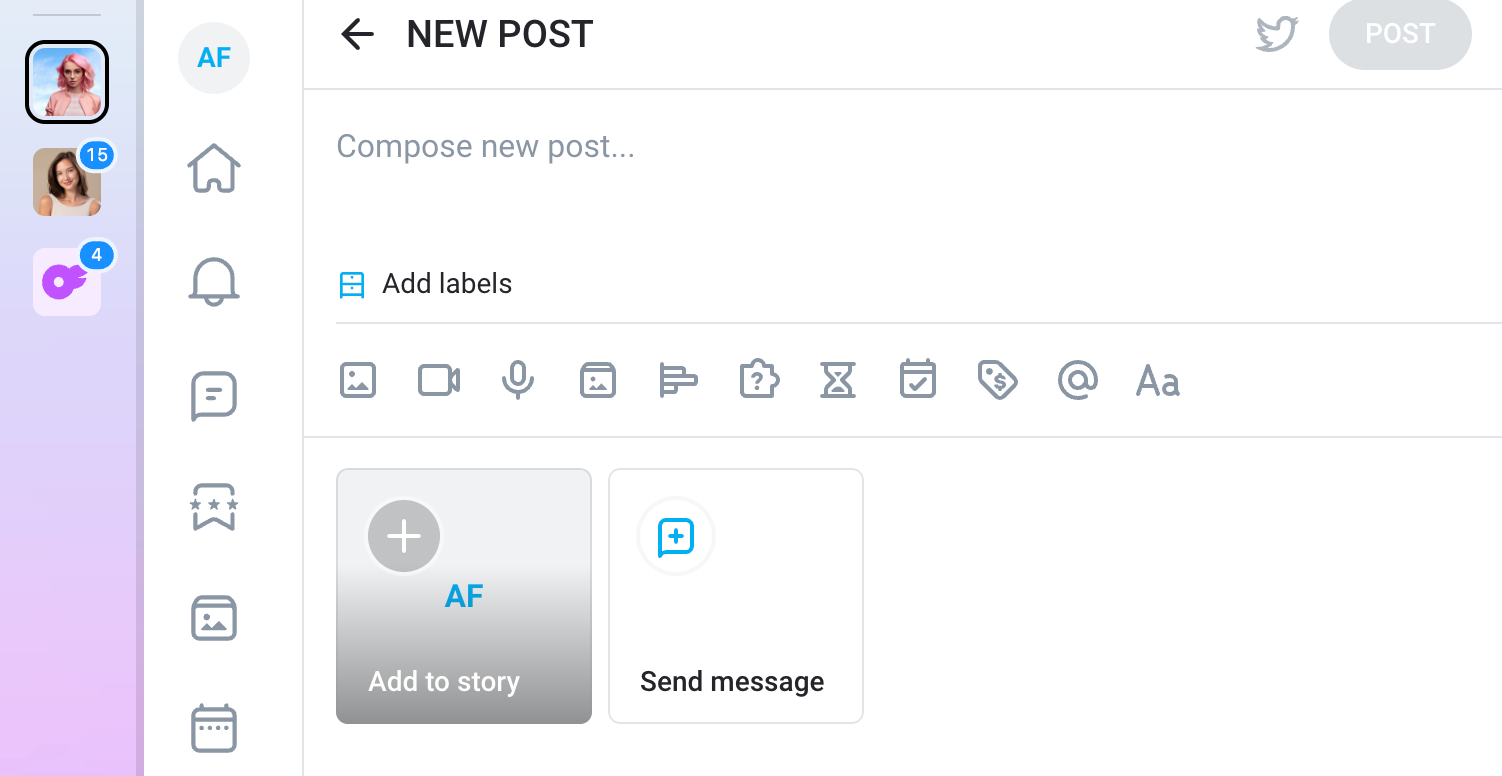
Follow these steps to upload your photo content on OnlyFans:
1. Sign in and start a new post: Log into your OnlyFans creator account and click “Create a Post.” This would be the “+” icon or at the top of your creator dashboard.
2. Upload your photo(s): Click the image/media icon to browse and select one or multiple pictures from your device. OnlyFans accepts common formats like JPG and PNG, and images should be under the platform’s file size limit (currently 3 GB total per post, including all media).
3. Add caption, tags, or price: Write a caption or description to give context to your images or engage fans. If you want the content behind a paywall, click the price tag/dollar icon to set your pay-per-view (PPV) price. If you’re a free account user, you can set PPV pricing on both feed posts and DMs. If your account is subscription-based, you can monetize via locked posts or DMs, depending on settings.
4. Publish or schedule your post: Once everything is ready, click “Post” to publish on the spot. Alternatively, you can use the schedule option to set a future date and time for automatic posting.
How To Post Videos on OnlyFans
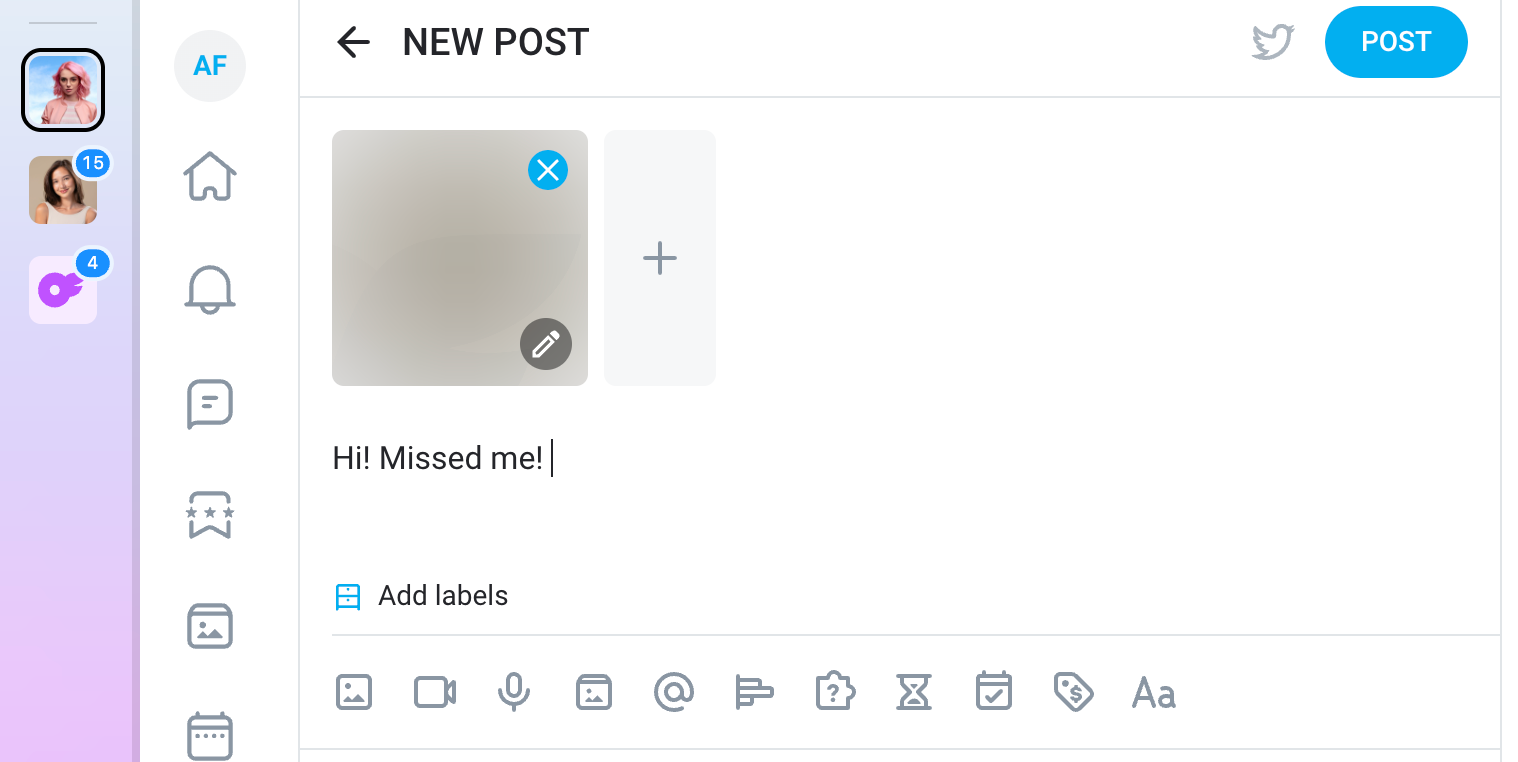
Posting videos on OnlyFans is almost the same as posting photos. Here’s what the process looks like:
1. Log in and start a post: Open your OnlyFans account and click “Create a Post” from your homepage or dashboard.
2. Upload your video: Click the media icon to browse and select your video file or drag and drop it into the post editor. Make sure your video is in a supported format (MP4) and under the 3 GB limit.
3. Add caption and pricing: Write an engaging caption or description (this also helps avoid upload glitches). If you’d like to monetize the post, click the price tag or dollar-sign icon to set a pay-per-view (PPV) price. Free accounts can apply PPV to both feed posts and DMs. Creators with subscriptions can monetize feed or DM content depending on their settings.
4. Post immediately or schedule it: After reviewing your caption, media, and pricing, click “Post” to publish right away or choose the schedule option to set a future posting date and time.
Ways to Upload Media for Better Reach and Traffic
To get better reach and traffic for your OnlyFans content, you’ll want to know what to do and when. Here are some top content ideas and strategies to boost your OnlyFans success:
Think outside the box
While staying informed on the latest trends is crucial, becoming a trendsetter yourself will give you the upper hand. Come up with unique and creative content to stand out in the crowded OnlyFans community.
Focus on high-quality content
Bear in mind that high-quality content is non-negotiable. You should invest in good cameras, proper lighting, and the best editing tools. Incorporating diverse settings and backgrounds can do wonders for your OnlyFans portfolio.
Be versatile
Content diversity is a great way to attract more audiences. If you’re known for a particular type of content, trying out new themes or niches can make your feed more dynamic and interesting.
Collaborate with other creators
A partnership with other creators is an effective way to boost your profile reach. This way, you can pitch your content to their audience and increase your chances of organic growth. You can get partnership deals by directly messaging potential collaborators to sell your idea and reach an agreement that benefits everyone.
Stay consistent and schedule your posts
Consistency is key when it comes to uploading OnlyFans content. By scheduling your posts in advance, you can effectively plan your content strategy and stay consistent even if you have a busy life off the camera. You’ll also want to know the best time to post on OnlyFans.
Learn effective promotional strategies
By using the right promotional strategy, you’ll go a long way in boosting your reach and using the OnlyFans algorithm to your advantage. This may include using the right keywords and hashtags in your content descriptions, uploading teaser videos, actively engaging with your fans, and sharing SFW OnlyFans content for free across other social media platforms.
How To Earn Money Through OnlyFans
What makes OnlyFans one of the fastest-growing platforms is that it provides multiple avenues for creators to monetize their content. Here are some ways you can make money on the platform:
Subscription: The platform allows you to set up a subscription fee. This means you can charge followers a monthly fee to access your page in general.
Tips: Fans who enjoy your OnlyFans photos or videos can show their appreciation by sending tips. This can be done on individual posts or through direct messages.
Livestream: OnlyFans allows you to host live sessions where your followers can join and watch you in real-time. These live sessions can also be a great opportunity to generate income through tips or viewership charges.
PPVs: This feature allows you to send content directly to your followers’ inboxes. They can then pay to gain access to the content.
For the sake of transparency, consider setting up an OnlyFans menu that your fans can refer to. The menu can include prices for customs as well as a tipping structure for specific requests.
How to Make a Paid Post on OnlyFans
Needless to say, creating a paid post is one of the most effective ways to make money on OnlyFans. Here’s how to do it:
Step 1: Choose the photo(s) or video(s) you want to upload.
Step 2: Go to the “Create Post” option on your dashboard. There, you can upload the content you wish to post.
Step 3: Once your content is uploaded, you’ll find an option to set a price for your post.
Step 4: Before you send out your PPV post, add a compelling message to serve as a pull factor or a teaser.
Step 5: After setting everything up, you can send your PPV post immediately or schedule it for a later time.
How Supercreator can assist
Customized pricing: Supercreator can help you implement dynamic pricing strategies. This will allow you to set different prices for different fans based on their engagement level or spending habits.
Promotion: With Supercreator, you can effectively promote your PPV content across social media platforms. This will increase your reach and potential sales.
Analytics: You can use analytics tools to gauge the performance of your PPV posts and adjust your marketing strategy accordingly.
Customer relationship management: Supercreator can help manage interactions with fans. This way, you can make sure they feel valued, which, in turn, makes it more likely for them to buy your PPV content.
To Wrap Up
Knowing how to post on OnlyFans can unlock a world of creative and monetary opportunities as a content creator. The best part is that it’s a piece of cake. Once you get the hang of it, you can start raking in hundreds of dollars (if not thousands) from your content.
How to Post on OnlyFans: Quick Tips
An OnlyFans message bot is a great tool that creators can use to enhance interactions with their fans. By using an AI-powered chatbot for automated messaging, creators can keep consistent communication with their audience, ensuring a steady flow of engagement even when they’re offline. With automation, creators can send timely responses, updates, and personalized messages that help build stronger connections with fans while saving time. Let’s talk about how an OnlyFans message bot functions, offer creative message ideas, and highlight the benefits of automation for creators.
How Do OnlyFans Message Bots Work?
An OnlyFans message bot is an AI-powered OnlyFans tool that automates private messages between creators and fans. Instead of manually replying to every subscriber, creators can set up automated OnlyFans messages triggered by fan actions like subscribing, tipping, or unlocking a post.
These bots can deliver welcome messages, upsells, thank-you notes, and more - all without requiring the creator to be online. The responses can be pre-written or dynamically personalized using fan behavior.
But not all messages are bots. Many creators still respond manually, but bots are increasingly common, especially for accounts with large followings. In simple terms, an OnlyFans bot automates fan messaging sequences and keeps interactions going even when you’re offline.
Why Creators Use Automated OnlyFans Messages
Managing dozens, or even hundreds, of fan chats every day becomes unsustainable as your subscriber base grows. That’s where OnlyFans message bots become essential. They help creators:
- Save time by handling repetitive conversations
- Stay active in DMs without being online 24/7
- Avoid burnout from constant interaction pressure
- Keep fans engaged with consistent responses
This automation not only helps creators protect their time but also improves the fan experience. Bots can ensure every new subscriber gets a warm welcome or offer, even during off-hours.
Features of an Effective OnlyFans Message Bot
An effective OnlyFans message bot should come equipped with several key features to maximize its utility:
- AI-powered technology: This allows the bot to generate personalized responses that resonate with fans.
- Understanding and responding to fan requests: The bot should be capable of handling various fan inquiries and requests seamlessly.
- Seamless continuity in conversations: Ensuring that interactions feel natural and uninterrupted.
- Integration with OnlyFans APIs: This makes the setup and use of the bot straightforward and hassle-free.
- Customization options: The bot should be customizable to match the creator’s unique brand and style, ensuring a consistent fan experience.
OnlyFans Message Ideas for Increasing Fan Engagement
To make the most of an OnlyFans message bot, creators can utilize creative OnlyFans message ideas to keep fans engaged. Here are a few examples:
- Welcome messages: Send a warm, personalized greeting when someone subscribes.
- Exclusive content alerts: Inform fans when a new post or video is available.
- Special offers: Create automated messages for promotions or discounts to encourage interaction.
- Personalized responses: Tailor messages based on a fan’s previous activity, like engaging with certain posts or subscribing to a specific tier.
By leveraging these ideas, creators can ensure their interactions remain personal and meaningful, even though they’re automated. However, the role of an OnlyFans creator in managing subscriber communications is crucial, as ethical concerns arise when creators hire others or use AI to handle these interactions, potentially affecting the authenticity and trustworthiness of relationships formed online.
Are OnlyFans Messages Automated?
Yes, a lot of interactions on an OnlyFans account are automated using bots, which are designed to handle routine interactions. These automated responses can be customized to meet the specific needs of a creator. While some messages are indeed generated by bots, they are often tailored to fit the creator’s tone and style, making them feel more authentic.
Automated OnlyFans messages allow creators to streamline communication with their fans, ensuring no message goes unanswered while keeping interactions as personal as possible. This balance between automation and personalization is essential to fostering long-term relationships with fans.
Why Use Automated OnlyFans Messages?

One of the biggest advantages of using automated OnlyFans messages is the ability to retain your fans. Consistent communication helps maintain a connection between creators and their fans, which is critical for keeping fans engaged and subscribed. Automated messages, such as reminders for renewals, special offers, and personalized content recommendations, help fans feel valued even when direct interaction isn’t possible.
OnlyFans Message Bot: How They Work and Why Creators Use Them
.png)
Think of your OnlyFans menu as your personal “menu of fun”—a flirty, functional guide that shows your fans exactly how they can support you and what they’ll get in return. Whether you’re just starting out or looking to organize your offers, a tip menu is a total game-changer. It takes the guesswork out of fan interactions, gives your content a polished feel, and helps boost your income by clearly laying out what’s on offer. Instead of answering the same “how much for this?” messages all day, you can direct fans straight to your menu and keep things smooth and stress-free.
Plus, it’s a great way to showcase your personality. From sweet and playful to spicy and bold, your tip menu can reflect your vibe while setting boundaries and expectations.
What Is an OnlyFans Tip Menu?
An OnlyFans tip menu is basically a list of extras fans can tip for—kind of like a digital menu at your favorite café, but with a spicy twist. It outlines what kinds of custom content, experiences, or interactions you offer and how much each one costs. This could include things like flirty DMs, custom videos, personalized photos, shoutouts, or even fun little challenges.
Think of it as a win-win: your fans know exactly what they’re getting, and you get to set clear boundaries while making extra income. It also helps make your page feel more interactive and organized, especially if you're juggling a growing fanbase. Whether you're faceless, fully featured, or somewhere in between, a tip menu puts you in control while giving fans a fun and easy way to engage.
Why You Need a Menu in the First Place
Having a tip menu on your profile isn’t just for show. It helps streamline your interactions with fans, allowing them to quickly understand what you offer and how much they should tip for specific requests. A content menu for OnlyFans is especially helpful if you want to make money without showing your face, as you can list options that don’t require revealing too much and focus on voice messages, personalized texts, or themed photos. Plus, it gives you a structure, so you’re not constantly fielding questions like, “How much for XYZ?” A good menu lets your fans know exactly what’s on the table (literally), which can save you time and ensure they know the right way to support you.
How to Make an OnlyFans Menu
Creating a tip menu is all about understanding your fans, showcasing your style, and figuring out what feels good to you.
Step 1: Know your audience
Your tip menu should reflect your unique vibe and the interests of your audience. Are they playful? Then don’t be afraid to have a little fun with puns. Are they looking for something specific? Tailor your menu options to match what they’re interested in – it’ll boost tips and keep them around.
Step 2: Pick a good template
While some fans may love a bit of spice, a well-organized, visually appealing template makes a big difference. Think of your tip menu as something that’s easy to read but also “you.”
Canva has plenty of fun templates to give you a head start, or you can create a custom design that matches your OnlyFans aesthetic.
Step 3: Decide what you’re offering and pricing
Choose a mix of things you’re comfortable with – these might include flirty messages, personalized photos, custom videos, or even PPV (pay-per-view) content, which lets fans pay for specific posts as they go. Figure out your prices by balancing what feels right for you and is enticing enough for fans. And don’t forget, there is a list of banned words as per the OnlyFans TOS, so double-check what’s allowed (you can find a current list here).
Step 4: Promote your menu
Once you’ve created the menu, make it easy for fans to find. Pin it to your profile, and mention it in your posts or direct messages. Your tip menu is there to work for you, so make sure fans know it exists.
Downloadable OnlyFans Menu Example Templates (Free)
We’ve created ready-to-use OnlyFans content menu templates that are simple, professional, and designed to save you time. Just pick the one you like and start customizing:
Romantic noir
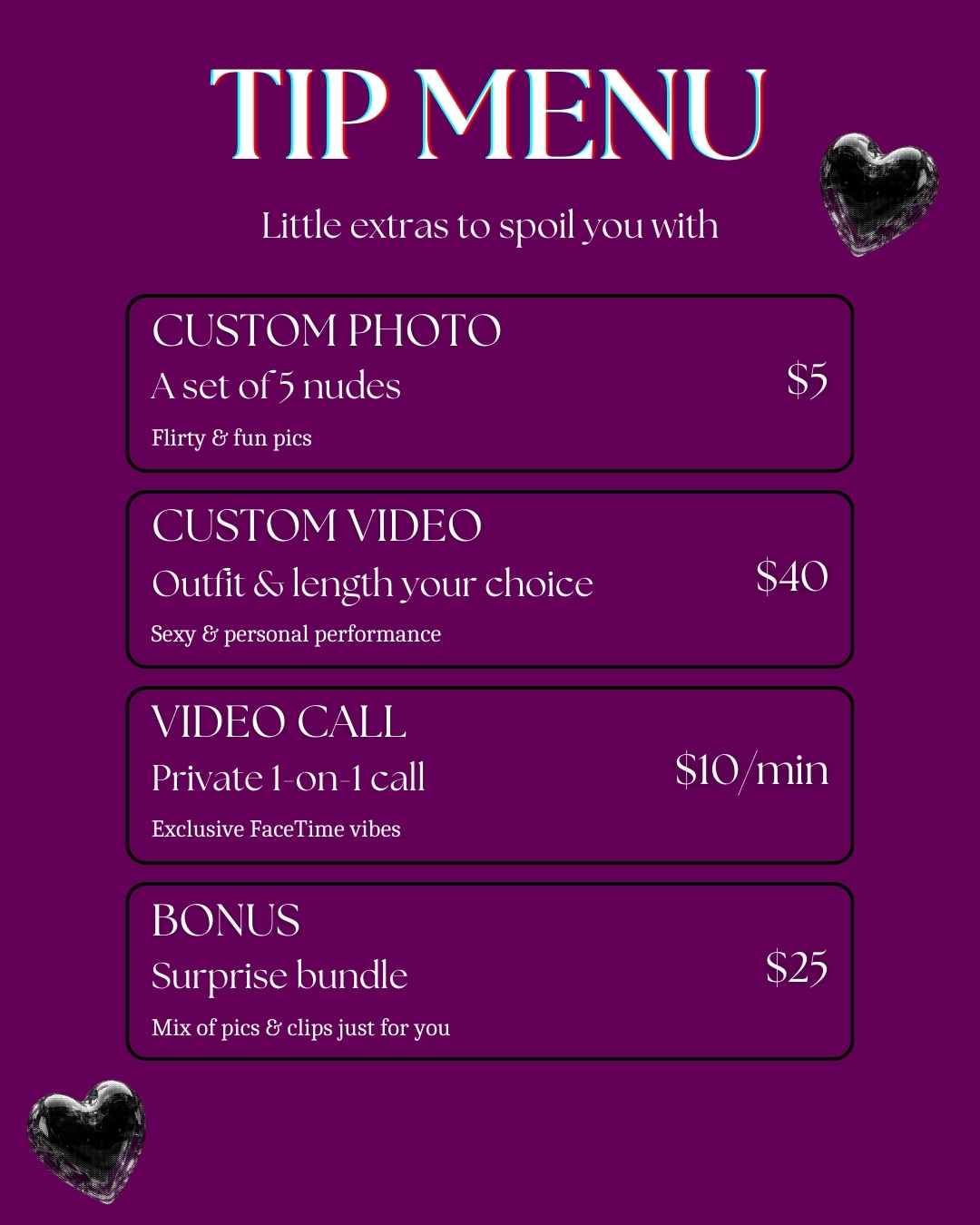
Fruit punch

Neon nights
.jpg)
Y2K wave
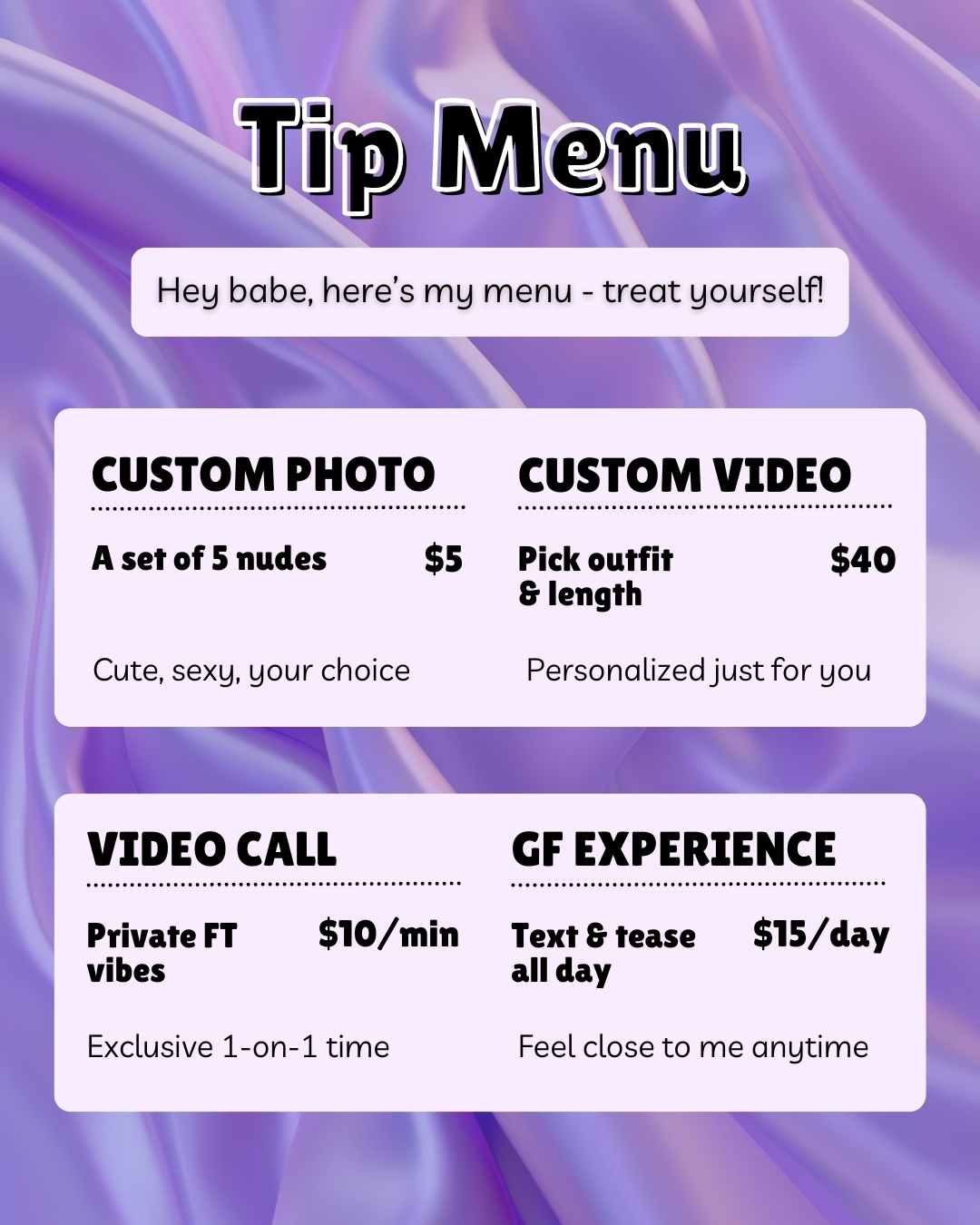
OnlyFans Tip Menu Ideas (Plus Pricing)
Ready to spice up your menu with some fun ideas? Here are six popular (and totally doable) options that you can add to your OnlyFans content menu. Feel free to get creative and use what feels authentic to you:
- Flirty DMs: Quick, personalized messages that fans love. This is great for daily engagement, priced around $5-10 per message.
- Custom shoutouts: Give a personal shoutout to a fan in a post or video. They’ll feel special, and it’s a nice way to make connections. $15-25 is common for this.
- Photo sets: Send a few themed photos (you can do beach day, gym look, cozy vibes, and so on). Fans get a taste of your creative side. Try $20-50 per set, depending on your style.
- Exclusive videos: Custom videos for your top fans. Think flirty, funny, or anything your fans are after. Pricing varies, but $30-100+ is normal for personalized videos.
- BTS access: Give fans a behind-the-scenes look at your creative process or day-to-day. This could be priced at $15-30.
- Challenges: Add a bit of humor with cheeky challenges (like “dare me to wear an outfit”). Keep it lighthearted but exciting. Fans love these for $5 to $15.
OnlyFans menu prices can really vary depending on your audience, your style, and what you feel comfortable with. Don’t be afraid to adjust as you go—your fans will probably appreciate the options.
How to Structure Your Menu Prices
Pre-Made vs. Custom Content
Pre-made content, like themed photo sets or general videos, should be priced lower since it's reusable. Custom content, on the other hand, is made just for one fan, so you can charge more based on time, effort, and exclusivity. For custom videos, a good starting point is around $5 to $10 per minute, then adjust based on outfit changes, props, or specific requests.
Bundles and Discounts
Offering bundles (like 3 photo sets for $50 instead of $60) encourages fans to spend more in one go. It’s a great way to increase order value without overloading your content pipeline. Try not to change prices too often; consistency builds trust, but you can offer limited-time deals or seasonal promos to keep things exciting. You can use OnlyFans tools to automate these tasks.
Pinning and Sharing Your Tip Menu Properly
Your tip menu won’t do much good if fans don’t know where to find it—so make it visible!
Pin it to the top of your profile so it’s the first thing new fans see. You can also include a link or image in your welcome message to start the conversation right away.
Don’t be shy about reminding fans in your posts or DMs either - sometimes a little nudge is all it takes to boost your tips. An OnlyFans chatbot can come in handy for these kinds of messages.
Best Practices for Tip Menus
- Keep it simple and scannable: Use bullet points or columns so fans can quickly see what’s available.
- Group similar items: For example, put all custom content together and casual interactions (like DMs or shoutouts) in another section.
- Set clear expectations: Note whether delivery time is same-day, 48 hours, etc.
- Review and refine: Every month or two, check which items are selling and which aren’t. You can tweak based on fan feedback.
Promoting Your Tip Menu
- Mention your tip menu often: in your bio, captions, stories, and DMs.
- Use your content to showcase what fans are tipping for: blurred teasers work great.
- Celebrate purchases publicly (with consent): saying “Thanks to Alex for ordering today’s custom set!” can encourage others to join in.
- Ask for input: run polls to see what your fans want added next.
Making the Best OnlyFans Tip Menu
Crafting your OnlyFans menu means blending creativity with what feels comfortable to you. A well-thought-out menu gives fans clear options to engage and allows you to control the content you create. If you’re looking for ways to streamline your page with access controls or optimize interactions with fans, try exploring tools that support your goals. Start with a basic setup, see what works best, and adjust until you find a balance that resonates with your fans and encourages tips.
OnlyFans Menu: How to Make the Perfect Tip Menu for OnlyFans

OnlyFans chatbots are changing the way creators manage their accounts. With a constant flow of messages from fans, these tools help keep conversations going without burning creators out. They respond to common questions, manage fan interactions, and give creators more time to focus on content.
AI chatbots have been around for a while, but they’re becoming a key part of how OnlyFans creators stay consistent, stay organized, and make more money without being online 24/7.
From Outsourcing to Automation
Outsourcing OnlyFans chats has a long history. In the platform’s early days, many creators turned to low-wage workers, often in the Philippines or Eastern Europe, to handle messages and boost engagement. It was a way to save time and keep up with demanding fans. But over time, the practice raised ethical concerns about exploitation, authenticity, and transparency. As AI-powered chatbots and automation tools entered the scene, many of these workers were gradually replaced. Today, many creators replace manual chat teams with an OnlyFans bot that preserves tone while scaling replies.
Different Solution, Different Ethical Issues
While outsourcing OnlyFans chats helped creators manage workloads, it also opened the door to other ethical questions. As AI OnlyFans tools replace human chatters, there's concern over job loss in low-income regions where this work once offered steady pay, regardless of the exploitation in some cases. And let’s not forget about the lack of authenticity and the nature of connection online. Can a fan relationship built on automation still feel real? And should emotional labor be outsourced or simulated at all? It all comes down to how you use your OnlyFans chatbot. Balance is key, but more on that later.
Using an AI Chatbot for OnlyFans
When done right, an OnlyFans AI chatbot can actively drive engagement. Many are programmed to spot when a fan goes quiet and then send flirty or personalized messages to reel them back in. Some even create custom replies based on a fan’s past interactions, making the conversation feel more intimate than ever. The goal is to keep users emotionally hooked and spending. As a matter of fact, AI chats are often optimized to steer conversations toward paid content or tip requests at just the right moment. For many creators, that means more income with less effort.
Top AI Chatbot Tools for OnlyFans
ChatPersona
ChatPersona trains its AI on real conversations from top-earning creators so that it mimics authentic language and tone with high accuracy. It gives creators the option to approve or edit AI-generated replies before they’re sent, offering more control than many other platforms. The tool is built with monetization in mind and is known to boost PPV sales and tipping.
FlirtFlow
FlirtFlow is a fully autonomous AI that specializes in emotionally intelligent engagement. It’s multilingual, adapts to fan behavior in real time, and is designed to mimic human flirtation while subtly pushing upsells and paid content. The platform can build long-term parasocial bonds that feel personal and unscripted. FlirtFlow focuses on immersive, relationship-style automation with little to no human input.
Supercreator
Supercreator is an OnlyFans CRM designed to help OnlyFans creators manage their inboxes by using AI to prioritize top-spending fans and re-engage inactive ones. It automates personalized responses based on fan history and conversation style, creating the illusion of ongoing intimacy. The platform also includes detailed analytics, helping creators track performance and optimize message strategies for higher conversion rates. Supercreator relies on performance-driven tools and is popular among creators looking to scale.
Balancing Automation With Authenticity
Striking the right balance between automation and authenticity is one of the biggest challenges facing OnlyFans creators today. On one hand, AI tools can save time, boost engagement, and even drive higher earnings by responding instantly and tailoring messages to fans’ behavior. But genuine connections are everything when it comes to OnlyFans, and fans can tell when something feels off. That’s why it’s always a good idea to keep the human touch, even while using automation behind the scenes.
Be it reviewing AI-generated messages, jumping in for personal replies, or setting boundaries around what bots can say, maintaining authenticity is key to long-term success. Fans want to feel seen and valued, not just marketed to. It’s often that little bit of realness that makes all the difference. After all, connection (not just content) is what keeps people coming back.
Creative Ways to Use AI Beyond Auto-Replies
Draft flirty captions: Use AI to come up with playful, on-brand captions that match your tone and keep posts fresh and engaging.
Generate custom content ideas: Analyze fan preferences and past purchases to brainstorm photo sets, video themes, or message prompts tailored to individual tastes.
Send personalized voice notes or scripts: Create AI-generated voice scripts or text that sound custom-made for high-value fans, great for building intimacy at scale.
Spot top tippers and best posting times: Let AI track fan behavior to identify your most generous supporters and the best times to drop content or PPVs.
A/B test messages: Test different PPV pitches or tip requests to see which wording gets the best response, and then let AI refine your messaging strategy.
Create interactive fan experiences: Build “choose-your-own-adventure” style messages or storylines that keep fans curious, involved, and coming back for more
OnlyFans AI Chatbots Help Protect Creators

OnlyFans creators - especially those in adult content - deal with all kinds of messages. Some fans get too pushy or start asking personal questions that cross the line. It can get uncomfortable fast.
Chatbots help by acting as a buffer. They handle basic messages, flag anything inappropriate, and can even block users if needed. This gives creators more control and protects their privacy without cutting off fan engagement completely.
For anyone who needs to keep boundaries clear while staying active with fans, a chatbot adds a layer of safety that makes a real difference.
How Does AI-OnlyFans Chatbot Development Work?
AI OnlyFans chatbot development involves machine learning and natural language processing. For the less techy among us, that means it's a program trained on huge amounts of data over and over until it gets an idea of what text inputs sound natural and comprehensive. Developers will feed a baby-bot examples of conversations, which they do over and over and over again until the baby-bot starts to produce natural-sounding responses. If you’ve ever been the unfortunate target of a parent-guided piano lesson, you get the idea.

AI OnlyFans chatbot developments are starting to evolve beyond simple auto-responses. They’re capable of adapting to user behavior, learning from interactions, increasing sales, and personalizing messages for a more authentic experience. These bots can answer common questions, provide updates on new content, manage payments, or even promote content in a way that makes it feel like it's coming directly from them.
Chatbots are becoming a powerful app for OnlyFans in the hands of creators, enabling them to maintain engagement with their fans while also keeping a healthy separation - an increasingly important factor when engaging with people online.
The Chatbot for OnlyFans Is Here to Stay
OnlyFans message bots and other AI bots are not a temporary solution, and in fact show us a real-world example of how AI in its current form can be used to better people’s lives. I’ve used AI for some niche factors (like giving me some ideas for this very article!), but having an AI do the talking for you lets you stay safely behind the curtain while still interacting with the people that support your platform.
As AI technology continues to evolve, chatbots will become an integral part of content creation, especially when the creator is a semi-public figure. They help creators manage time, automate tasks, and enhance engagement, all while keeping safety and privacy a priority. The need for immediate and constant communication with fans of OnlyFans can be a heavy burden, and AI chatbots lighten that load.
OnlyFans AI chatbots will continue assisting with basic interactions and, in all likelihood, eventually create personalized content recommendations and interactive experiences. By doing so, AI chatbots will start to provide real value beyond a simple drawing or interactive thesaurus. Like with any new technology, I tend to be a skeptic, but that simple act of giving an online creator privacy and safety while still letting them turn fans into superfans is a real, tangible use of AI that I wholeheartedly support.
Models Are Using OnlyFans Chatbots, and It’s a Good Thing
If you’ve ever run an OnlyFans page, you know it’s more than just posting content. It’s nonstop chatting, pitching, promoting, and staying available around the clock. Your inbox alone can quickly start feeling like a full-time job. That’s where an OnlyFans AI chatter comes in.
These tools are designed to handle fan messages for you, simulating natural, personalized conversations that boost both engagement and sales. Some do it better than others, but they all aim to take care of the repetitive conversations so you can focus on what matters: creating, managing your page, or just taking a break.
Why Use an AI OnlyFans Chatter?
AI chatters aren’t just about saving time but about working smarter. They help you stay consistent, respond faster, and create a more personal experience at scale, without needing a full team to keep up.
With the right setup, an AI OnlyFans chatter can act as a seamless extension of you, always available, always in character, and focused on supporting your goals. You stay in control, while the AI takes care of the busy work behind the scenes.
Your top fans shouldn’t expect you to be online 24/7, but new fans can appear at any time. And the sooner you greet and qualify them, the more likely they are to stick around.
What You Need to Look For
Make sure to find a tool that:
- Saves you hours daily: Handles greetings, sales, and questions, so you don’t have to.
- Boosts sales on autopilot: Trained to pitch PPVs, close bundles, and upsell like a pro.
- Scales engagement, not stress: Makes every fan feel special, without burning you out.
- Always on, always fast: Replies instantly, keeps chats warm, and fans spend.
- Lets you focus on what matters: Create, rest, or grow without being stuck in DMs.
- Sounds just like you: Customize tone and rules so it chats in your voice.
- Flags big spenders fast: Easily spot VIPs and jump in when it counts.
- Cuts costs, keeps quality: Reduce your team size without sacrificing results.
A Quick Word on Boundaries and Safety
Giving AI control over your messages means you need to be clear about your limits. Here’s how to stay in power:
- Set clear boundaries: The AI tool you choose needs to have the option to set boundaries. If you don’t sell customs or certain types of content, make that known upfront.
- Define consent zones: Be specific about what kind of language and tone is okay, especially when it comes to NSFW chats.
- Catch missed cues: Even the best AI can miss emotional signals or sensitive moments. Use tools that let you monitor conversations and jump in when something doesn’t feel right.
- Review regularly: Check in now and then to review flagged chats or transcripts and make sure everything still feels aligned with your tone and values.
Used wisely, AI chatbots can be a game-changer, freeing up your time, increasing your revenue, and keeping fans engaged around the clock. But they’re not plug-and-play magic. In the rest of this article, we’ll walk you through how to set one up properly and make sure it works for you.
Your Bio: The Personality Engine
Your bio is where your AI learns to be you. Old chats can include bad examples from past chatters, outdated info, or even personal details you only shared with a few fans—things you might not want public.
Use your bio to show how you talk, what you like, and what matters most to you. Think of it as your digital DNA: what you’d say if you were introducing yourself to someone new.
With millions of creators out there, your success comes from standing out, and your AI should too.
Tips for a Great Bio:
- Be personal and detailed
- Include values, goals, quirks, and personality
- Add emotional context and backstories
- Add a bit of personal touch, not just more words
- Update it regularly so it stays current
Examples:
- What are your ideological beliefs?
“I believe in kindness, equality, and living life on your terms. Everyone deserves to feel safe being exactly who they are.”
- What are your dreams or goals?
“I want to build a life full of freedom. Travel often, create things I’m proud of, and make enough money to never stress about it again. Happiness and independence are the dream combo.”
- What is your dream house?
“Do you remember that cozy, light-filled home from Parenthood, the Braverman house. Big kitchen, a porch swing, the kind of place that feels lived-in and full of stories.”
- Any other information you'd like to share?
“I’m a mix of soft and savage, love deep convos and dumb memes equally, and I’m always down for an adventure, as long as snacks are involved.”
The more real you are here, the more real the AI will feel in chats.
Teach It to Talk Like You
The OnlyFans chatter AI tool should be able to adapt to your tone, slang, and selling style, but only if you show it how. Your vibe is what makes it believable, so don’t hold back. Add stories, emotional cues, and even language variations if you use them with fans. A good tool also lets you fine-tune the details, like grammar, emojis, and nicknames, so it sounds like you.
Add Lifestyle Details for Deeper Conversations
Fans want to feel close to you. These little personal touches help the AI recreate that connection. Think: favorite music, weekend routines, how you describe your body, or workout habits. These answers let fans feel like they’re chatting with you, not a robot.
Examples:
- What is your favorite color?
“I’m obsessed with soft bubblegum pink. It makes me feel like a walking daydream.”
- Tattoos
“I got a moon on my ribs after a wild full-moon night in Bali. No regrets.”
- What do you do on the weekends?
“Weekends are my reset button. I usually catch up on sleep, binge a show, and sneak in a little wine and self-care. If I’m feeling social, I’ll grab dinner or hit a rooftop with friends.”
- Favorite Music
“I’m all about vibey, feel-good music. Think R&B, soft pop, and a little moody indie for late nights. But if it’s a good beat, I’m in.”
- Favorite Movie?
“I love anything with a mix of drama and romance. Bonus points for a strong female lead. Also slightly obsessed with cozy thrillers and rewatching The Devil Wears Prada.”
- How would you describe your body type?
“I’d say curvy in all the right places. Feminine, soft, and confident in my skin.”
- Do you work out? What sports or workout routines do you enjoy?
“I like to stay active, but I’m not hardcore. Pilates, long walks, and the occasional yoga class are more my vibe. I move to feel good.”
These details help create deeper conversations and better conversions.
Build a Product Catalog That Works
You don’t want your OnlyFans AI chatter to sell everything, and it shouldn’t. The more advanced or personal content is often better reserved for your top fans, where it can have more impact and feel more intentional.
That’s why it helps to fill your product catalog with a variety of content the AI can suggest naturally during chats, without oversharing or sounding too pushy.
- Start with 10 to 15 top sellers.
- Include 20 to 25 products across different prices.
- Write detailed descriptions, accurate tags, and captions so your AI knows exactly which photo or video to pull from your product catalog when a fan asks for something specific. The clearer you are, the better it can match the right content to the request.
For Each Product:
- Description: Be as descriptive as possible: describe the setting, outfit, pose, and what can be seen. Add a short story behind your image in your own words, what was happening.
- Tag: Scenes, positions, and other details - should be accurate and specific.
- Caption: How would you tease a fan to buy your product? Write in your style: long and teasing if you like to build anticipation, or short and bold if you’re more direct.
Setting Up AI for Your Goals
Not every fan on your page needs to hear from your AI OnlyFans chatter, and that’s the point. The way you set it up should depend on your goals.
Are you a creator looking to:
- Earn more money
- Save time
- Free yourself from constant chatting
Are you an agency that wants to:
- Automate more work so chatters can focus on high-value fans.
- Boost team efficiency by using AI to handle lower-priority conversations.
- Scale operations without adding more staff.
The right setup can turn AI from a “reply to everyone” bot into a smart, targeted tool that works exactly the way you want.
With a proper OnlyFans chatter AI tool, you should have an option to segment fans, set clear rules, and exclude specific groups, like big spenders who should get your attention, brand-new subscribers, or time-wasters.
You should have the ability to control when and how the AI responds, add random delays to make conversations feel human, and set active hours so it “works” when you want it to. In other words, you have full control over who your AI talks to, how it talks, and when it steps in. That’s how you make AI work for your goals, not the other way around.
Final Words
When thoughtfully trained, an OnlyFans AI chatter can feel nearly human, connecting with fans in your voice, upselling your best content, and freeing up your time. But they’re only as good as the setup you give them. Take the time to do it right, and your inbox might just become your best-performing sales channel.
Thinking About Using an AI Chatter for OnlyFans? Here’s What You Need to Know.
.png)

