




OnlyFans Academy
.png)
.png)
Imagine having to reply to hundreds of DMs while trying to brainstorm and create new content. It’s no surprise that many creators are turning to the best OnlyFans bots to convert the chaos into profits with minimal effort.
These bots help to automate most functions that take up a huge chunk of your time. Case in point: Some of the top OnlyFans automation tools can automate sexting, PPV upsells, and retarget expired subs.
But not all bots are created equal. So, the key is finding one that reflects your authenticity instead of replacing it.
That’s where bots like Supercreator come in, offering all the required features to streamline your workflow. Supercreator users may use the app to sext like a pro, build custom automations, and boost PPV sales.
This article explores some of the best bots in their respective niches and features to watch for. Remember, it’s 2025, and the goal is to work smarter, not harder.
Social Rise: Best for Scheduling OnlyFans Content

Social Rise has some of the most intuitive tools for scheduling content. Unlike other schedulers, the app posts content when fans are most active. It also reviews previous engagement to determine the best time to promote content. The best part is that the app uploads content on multiple platforms at the same time. Users can take advantage of the app analytics to reorganize content and remove underperforming content.
Key features
- Post scheduler
- Subreddit search function
- Post generator
- Content calendar
- AI assistant for generating content.
- Content analytics
Fiverr “OnlyFans Bot” Gigs: Best for Tight Budgets
Fiverr is the best option to find easy-to-use and relatively affordable OnlyFans chatbots. The best part is that you can get the seller to customize the bot to suit your unique needs. Vendors can remove or add more features, depending on the creator’s preferences. For instance, creators who need a content scheduler and a chatbot may either look for ready-made ones or commission the vendor to create one from scratch.
Key features
- Easy-to-customize
- User-friendly interface
Instant Flow: Best for Instagram Outreach Automation

Instant Flow is an AI-powered outreach tool built for creators and agencies that run top-of-funnel growth on Instagram and Facebook. It automates targeted DMs using filters like gender, follower count, activity level, and keywords, allowing creators to reach competitor followers at scale.
Instant Flow also includes a lightweight CRM so you can track leads and move them toward subscription. Many creators pair it with Supercreator to create a full pipeline from social discovery to monetization.
Key features
- AI DM automation
- Filters for gender, keywords, and follower count
- Mobile proxy setup for safety
- Simple built-in CRM
- Multi-account support
AffinityBots: Best for IG Lead Quality & Engagement Workflows
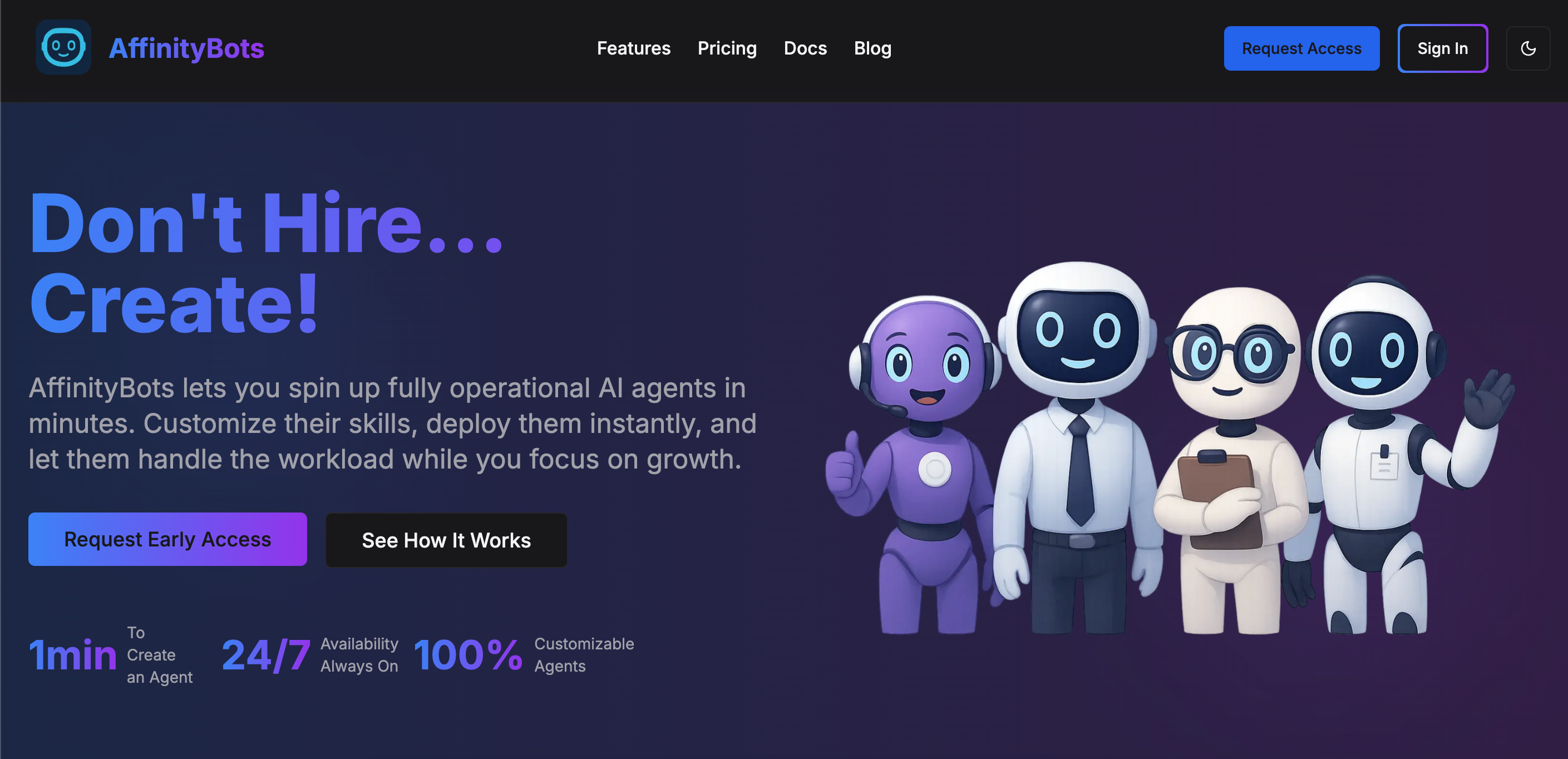
AffinityBots is an AI-powered growth platform used by more than 1,500 creators and agencies to improve lead quality and keep engagement consistent. Its Chrome extension targets real, active Instagram users using AI-based filtering and competitor-audience data. The platform focuses on prospecting and automated engagement workflows, helping creators stay visible and reduce repetitive manual tasks. Many use Affinity Bots alongside other tools like Supercreator’s CRM and analytics to create a smoother path from Instagram interest to paid conversions.
Key features
- AI-powered audience targeting
- Chrome extension for IG outreach
- Automated engagement workflows
- Competitor-audience filtering
- Lead tracking and performance insights
Cupidbot: Best for Lead Generation

CupidBot.ai is an AI-powered dating app that automates swiping and matching with prospective dates. It sifts through thousands of matches and chats with them before arranging a date. The best part is that OnlyFans creators can use this tool to find potential fans and to direct them to their pages.
Key features
- 100+ chatting tones
- Intelligent matching with ideal types
- Automatic follow-up
- Calendar integration
- Multi-language support
Onimator: Best AI Lead Generation Bot for OnlyFans
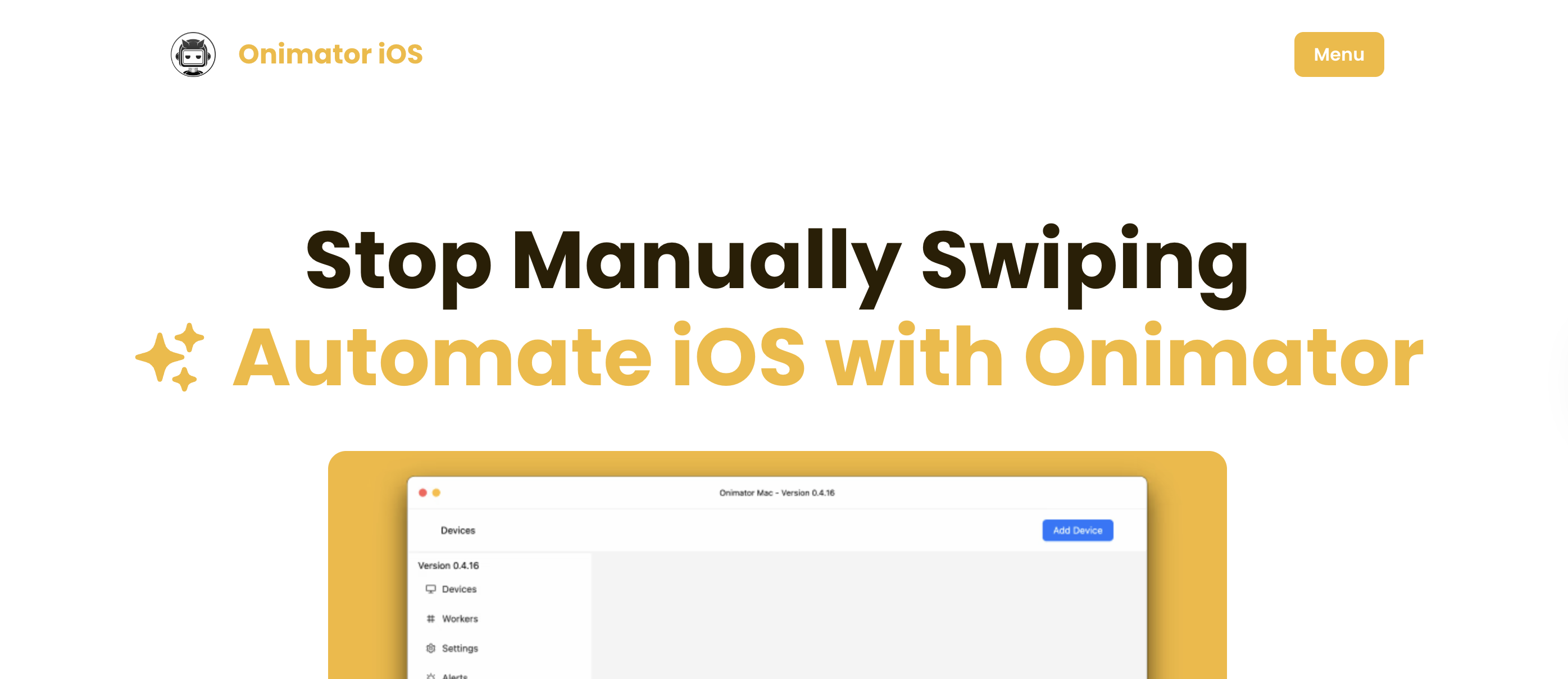
Onimator is most suitable for creators looking to bring in leads from other social media platforms. It saves you the hassle of juggling multiple accounts. It has a central dashboard you can use to monitor your accounts. The best part is that Onimator has a chatbot function that engages with fans and nurtures them until they become paying subscribers.
Key features
- Scalable and flexible
- User-friendly GUI
- Clear dashboard
- App cloner support
Supercreator: Best AI Chatbot for OnlyFans Creators
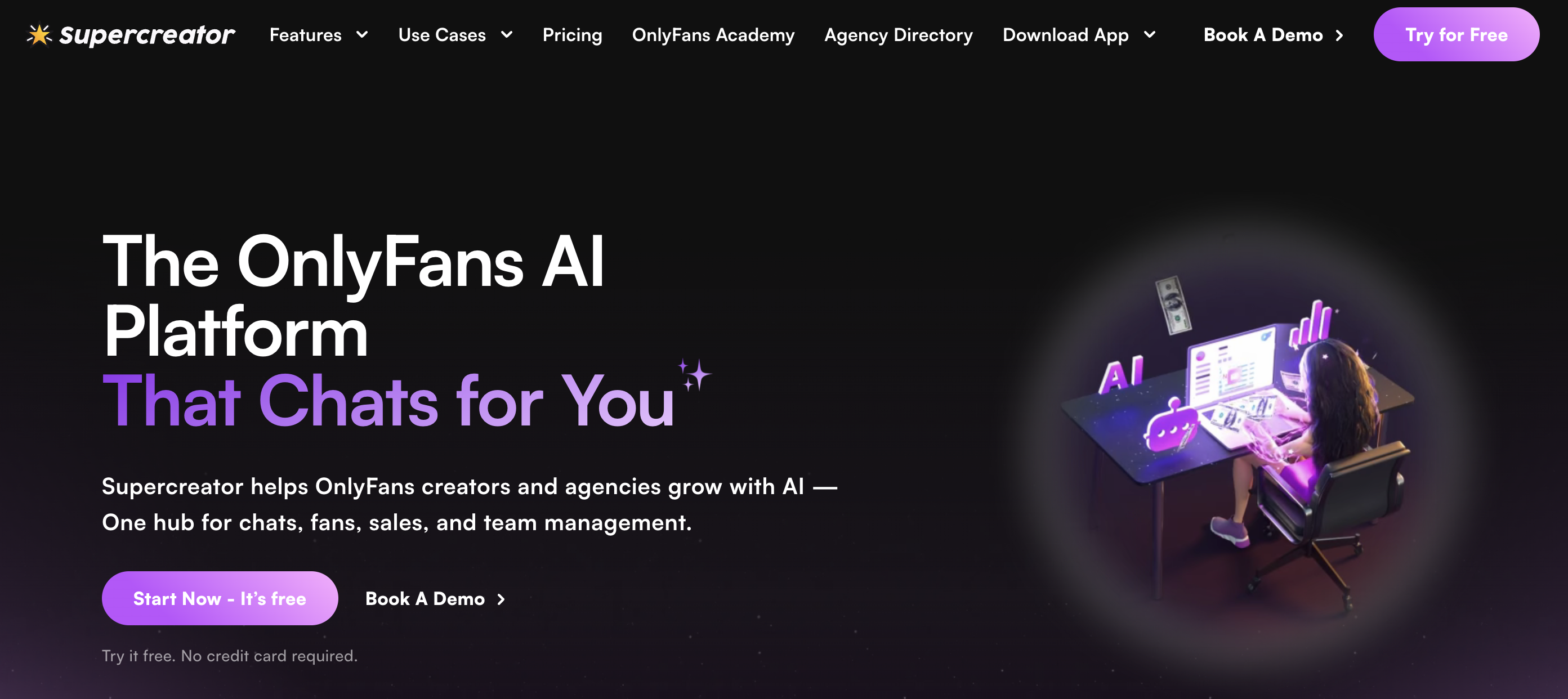
Think of Supercreator as an all-in-one tool designed for OnlyFans. The tool is more than the average chatbot, as it uses machine learning to create lifelike, natural conversations. It also relies on machine learning to mimic your chatting style, including your sexual preferences. Besides the chat functions, Supercreator automates sales strategies and evolves based on the fans’ spending habits, chat preferences, and active periods.
There are four distinct features within the Supercreator ecosystem. Each has a separate function, and together they work like a smart onlyfans bot stack to elevate your content strategy and revenue.
AI Chatter
Supercreator’s AI Chatter mirrors your tone, style, and pacing to create natural, human-like conversations with fans. It also includes a built-in sales layer that suggests PPVs and customs based on user behavior. For example, fans who tend to spend less might receive more discounted, time-sensitive offers, while high-spending fans could be guided toward premium package deals.
Bump Messages
This feature acts as a conversation starter. You can set it up to automatically send a welcome or opening message when fans come online, or to greet new subscribers right away.
Auto Follow
Auto Follow is designed for re-engagement. It reconnects with expired or cold subscribers and warms up fans who haven’t yet subscribed or purchased content. Once configured, it runs automatically in the background.
Message Flow
Message Flow adds CRM-style tagging to your audience. It organizes fans by behavior, spending habits, and status. This structure powers smarter targeting, helping other features deliver personalized offers and conversations, essentially functioning as an OnlyFans CRM for creators who want deeper audience insights and automation.
Key features
- Automates upsells based on fan behavior and keywords
- Tags fans as whales, regulars, or lurkers
- Messages expired subs, prioritizes high spenders
- Schedules messages and maintains engagement
- Sorts DMs, flags duplicates, highlights top fans
How Supercreator Handles Fans From Start to Finish
Supercreator goes beyond just replying to DMs. It uses AI to guide fans through personalized sales funnels that help drive more purchases over time.
1: Welcome new subscribers
Supercreator’s Message Flow bot kickstarts the chat sequence by sending pre-made messages to new subscribers. You also get to customize the sequence based on how they found you. For instance, you may use “Glad you found me on Reddit” whenever fans from the platform subscribe to your account. There are also additional settings for including the fan’s name in the welcome message.
2: Build new connections
At this stage, the chatbot easily maintains conversations by using AI and machine learning to learn the fan’s preferences. The tool also uses a chat template to mimic your chatting style and quirks like emojis. The best part is that it remembers past interactions and details and shares appropriate teasers as a build-up to PPV offers.
3: Identify the right moments to pitch PPV and custom offers
The app pushes specific offers to fans based on their spending habits, conversation pace, online activity, and interactions. It watches out for trigger words like “custom,” “special package,” or “private.” Next, it assesses the fans’ demographics and designs a specific offer from available PPV content. In some cases, the app will notify the creator and make suggestions based on available information.
4: Long-term retention
The bulk of the work is already over during this stage. This is where the Supercreator Auto-follow and Bump Messages shine, as they focus on maintaining fan engagement. You can program them to send personalized “we miss you” messages or to offer exclusive deals to cold subscribers.
Which OnlyFans Bot Is Best?
Most OnlyFans bots are built for one job, like sending bulk messages or handling scheduling. That means creators often end up switching between several tools just to keep things running.
Supercreator combines the main functions, like personalized chats, sales flows, inbox management, and steady engagement, into one system. It’s less about chasing the best bot and more about having everything work together in a way that feels simple and consistent.
Best OnlyFans CRM & Automation Tools for Sales and Engagement (2026 Guide)


OnlyFans is still the leading platform and has the most fans and revenue, so other platforms competing on creators will sometimes offer better payouts, fewer restrictions, or tools that fit your niche better.
Some take a smaller cut. Others offer features that OnlyFans still doesn’t. AdultNode, for example, takes just 15 percent, and My.Club gives you a 10 percent referral bonus.
This guide walks you through the top platforms worth trying. You’ll get a clear look at what each one offers, what to watch out for, and how to find the best fit for your content.
Quick Look at the Best OnlyFans Alternatives
9 Best OnlyFans Alternatives
Finally, here are our top 9 OnlyFans alternatives in 2025. The platforms offer some of the best features you need to grow your audience and earn a huge income.
1. Fanvue

Fanvue is similar to OnlyFans in terms of user interface and subscription-based model. The platform also supports multiple niches like fitness, cosplay, adult content, and lifestyle. However, that’s where the similarities stop; Fanvue’s policy supports AI integration and offers more payout to their creators. Fanvue creators receive 85 percent of their earnings and also integrate AI technology like chatbots and performance analytics. The platform also offers multiple monetization options like pay-per-view, live streams, tips, and custom bundles.
Fanvue is not without its setbacks, as there are numerous complaints about its customer support system.
Pros
- Supports AI integration and content
- Protects creators’ accounts from hacks or piracy
- Supports different niches
Cons
- Users may have issues contacting customer support
2. Fansly

Fansly is a top pick for creators who want to grow their following and start earning fast. The platform offers most of the features you’ll find in OnlyFans, from tiered subscriptions to direct messaging to upsell packages. However, the user experience is considerably better in terms of content promotions and overall user experience. Fansly’s promotions, like the “For You” page, recommend your content to fans based on their history. Content with a high engagement rate will also receive more visibility. Fansly's content protection policy prevents your content from leaks or piracy. Users have more control over who views their content, you can prevent Fansly from showing your content in specific locations.
Pros
- Fast response from customer support
- Offers tiered subscriptions, monetization options, and geo-blocking
- Promotes creators’ content to fans
- Protects users’ information from leaks or hacks
Cons
- Smaller user base in comparison to OnlyFans
3. JustForFans (JFF)

Like OnlyFans, JustForFans runs a subscription-based model. The platform also offers most of the features you will find on OnlyFans, including live streaming, tips and donations, direct messaging, and pay-per-view. The platform is also similar in terms of payout ratio and monetization options.
JustForFans is niche-based and only focuses on LGBTQ+ creators and users. Thus, creators in this niche have a higher chance of earning revenue on the platform. Creators might explore content creation in LGBTQ-related niches like fetishes, fitness, and ASMR.
JustForFans users have reported issues with verification, chargebacks, and content protection. Some creators have reported being banned while their content remained visible on the platform.
Pros
- Offers multiple monetization options
- Focuses on LGBTQ+ niches
Cons
- Creators often face chargeback issues
4. LoyalFans

LoyalFans is one of the best alternatives to OnlyFans. You might think of it as a tool that contains all the features that you’d love to see on OnlyFans. For instance, it offers unique features like video stores, geo-blocking, one-on-one calls, and a lifetime referral program. The video store feature shows snippets of your exclusive content to interested buyers. Buyers do not have to subscribe before they purchase the content.
The geo-blocking feature allows you to maintain control over which region can access your content. Furthermore, you will earn a 5% referral bonus each time a referral makes a purchase.
Pros
- Boosts content visibility through the discovery and video store feature
- Offers creators complete control over their content visibility
- Allows one-on-one calls
- Offers multiple revenue stream options
Cons
- Limited payouts (users can only withdraw twice a month)
- Smaller user base compared to OnlyFans
5. ManyVids

ManyVids has had one of the largest user bases in the industry, with over 2.6 million users as of 2020. It remains a popular choice for niche creators.
It allows creators to upload adult content in different niches, from fitness to ASMR. The platform also offers monetization options like tiered subscriptions, PPVs, live streams, and donations. Besides these options, creators might opt to compete in the platform’s numerous contests. Creators with the most-voted videos will receive a cash prize and get more visibility.
Pros
- Offers different options for earning cash, including contests, subscriptions, and custom bundles
- Has a large user base
Cons
- Takes 40% as commission
6. FanCentro

FanCentro has most of the features you’ll find in OnlyFans. Users can upload content for different niches and access common features like direct messaging, live streams, and custom bundles. FanCentro is also great at automating many processes. For instance, it automates mass DMs to upsell paid content. The platform will also automatically watermark your content to prevent content piracy. OnlyFans integrates with social media platforms and allows you to repurpose content to fit the social media format.
Pros
- Offers monetization options
- Integrates with different social media platforms
- Automates DM templates and other processes
Cons
- Has a small user base
7. AdmireMe.VIP

Here’s an OnlyFans alternative for adult creators in the UK and those who don’t mind earning in pounds. Like OnlyFans, the website offers features like direct messaging, paid messaging, and custom requests. AdmireVP, however, supports free on-site promotion. It will randomly choose and post accounts that have published a minimum of 50 posts. Users can also boost their visibility by using niche-specific tags in their profiles.
Admireme.VP’s premium shop is another interesting feature since it lets creators sell physical items like used underwear, merch, and lingerie.
Pros
- Offers multiple monetization options, including physical products and custom requests
- Helps creators promote their content
- Low barrier to entry
- Higher content visibility for creators in the UK
Cons
- Small fan base in comparison to OnlyFans
8. Patreon

Patreon is one of the best OnlyFans alternatives for SFW niches. The website allows creators to build communities in different SFW-type niches like music, podcasting, and art. Patreon has millions of active users, with a large community for creators in SFW niches. It also offers features to improve content visibility and performance. For instance, you might use the insight function to view your content performance within a select time frame.
Pros
- Offers a community for creators in the SFW niches
- Allows easy integration with other social media platforms
- Has a performance analytics tool
Cons
- Fans often complain of continuous charges even after canceling subscriptions
- Not for NSFW
9. Ko-fi

Ko-fi is more of a payment processing tool for creators that already have a fan base. The platform also lets you create tiered subscriptions, receive donations, and set up online shops. Ko-fi also provides educational content to help creators grow.
Pros
- Charges 5% commission on user earnings
- Offers multiple monetization options
- Offers learning resources to creators
Cons
- No user base—creators are required to bring their own fans
Why Use Alternatives to OnlyFans?
It's simple: you're competing with over 3.4 million creators on OnlyFans. This means you need to go the extra mile to stand out. New creators are also at the losing end since they're yet to create a presence on the platform.
That being said, OnlyFans creators may try out alternatives to OnlyFans for the following reasons:
Issues around Payout limits and withdrawals
The payout limit and withdrawal speed are major reasons why creators are considering alternatives to OnlyFans. OnlyFans payouts typically take around five business days, which can feel slow if you’re used to faster access on other platforms. The platform may mark some payouts as “pending” and withhold them for 7 to 21 days. This isn’t the case for platforms like Fanvue, which allow immediate withdrawal.
Uncertain policies and sudden account bans
OnlyFans creators are sometimes on edge since the platform has a habit of making difficult policies. Case in point: the website once made a policy to ban explicit sexual content in 2021.
Besides bad policies, creators often fall victim to OnlyFans’ frivolous bans. You might earn a ban for an offense as little as using a flagged keyword. However, this is not the case for most OnlyFans alternative sites. Most of them have a good track record of stable policies and zero bans.
Audience reach
OnlyFans does not support organic growth; creators are responsible for driving traffic to their accounts. In most cases, creators might need to run on-site paid promotions to reach their target audience. However, this isn't the case for Manyvids and Fanvue creators. Fanvue has an explore page and a hashtag search function, which boosts related content. On the other hand, Manyvids uses the “MV Crush Feed” to boost their creators’ accounts.
Limited features and monetization functions
OnlyFans offers multiple monetization options. However, there are more options for earning income on other sites. For instance, LoyalFans lets you charge per minute of your livestreams. Another example is Patreon's merch integration, which allows creators to sell products like t-shirts, panties, or mugs.
More niche-based audience
OnlyFans is more of a generalist platform for all things concerning adult content. While this is a good thing, users may find it difficult to connect with their target audience. Now, this is where OnlyFans alternatives come in: most of these sites are designed to cater to one general niche. For example, you're more likely to connect and get higher tips from the LGBTQ+ community in JustForFans. Manyvids is another example since it mostly caters to the sexual fetish community.
No built-in discovery feature
OnlyFans doesn’t have a discoverability feature, so it's quite difficult to push your content to the target audience. Some creators may use OnlyFans paid promotions to get visibility
However, not all creators have the budget to use the paid promotions feature. For this reason, they may consider diversifying into other sites. Creators on websites like Manyvids can use hashtags to boost content visibility to the target audience.
OnlyFans is still great, but you can maximize your earnings by posting on more platforms. In many cases, you can repost the same content across platforms with minor tweaks, so you’re not starting from scratch.
How We Chose the Best OnlyFans Alternatives
We didn't create a list of the best OnlyFans alternatives on a whim. Instead, we carefully curated our list by looking through the hype and focusing on sites that meet the following criteria:
Real-user feedback on Reddit communities
Reddit communities like r/onlyfansadvice and r/CreatorsAdvice were great resources for finding the best OnlyFans alternatives. We researched the most-mentioned platforms and considered the users’ experience while using them. Platforms with the best payouts, fairness, and support ranked high on our list.
Strong adoption in 2024 and 2025
This is a time-based guide, so we focused on OnlyFans alternatives with growing relevance between 2024 and 2025. Our preferred sites have a growing customer base and an increasing relevance with both creators and their audience.
Favorable reviews, active communities, or creator payouts
What are users saying about them, and is there an active community for users? We considered these questions along with factors like payout limits and percentages. Some platforms offer lower payout limits and take less commission than OnlyFans.
Niche diversity
Our preferred alternatives to OnlyFans must cover all important niches in the SFW and NSFW categories. The preferred platform could have one or more general niches. Nevertheless, we paid much attention to niche-specific alternatives since users tend to get more visibility on them.
The platforms’ creator policies
Your preferred OnlyFans alternatives must have clear policies that protect creators from piracy, hacks, or harassment. You should also check the website’s stance on certain words or actions.
Monetization options
The more the platform’s monetization options, the higher your chances of earning revenue. Thus, our list of preferred OnlyFans alternatives offers most of these monetization options:
- Pay-per-view
- Subscription
- Tips
- Live streaming
- Shop/integration support
What To Look Out for in Your OnlyFans Alternative
Choosing the wrong platform can mess with your income, content access, or even your audience. Before you make the switch, here’s what to pay attention to:
Check what real creators are saying: Reddit and creator forums are better than any ad. Look for honest feedback about payouts, support, and how active the site really is.
Make sure your niche fits: Some platforms lean more into fitness, others into full-service or kink. Pick one that makes sense for your content and audience.
Look at how active it is right now: A site that was hyped last year might be dead now. Check if people are still posting, promoting, and getting paid.
See how you get paid: Subscriptions are a given, but extra options like tips, custom content, or paid messages give you more ways to earn.
Watch for red flags: If creators are complaining about late payouts or missing content, skip it. No platform is worth risking your work.
Websites Like OnlyFans Aren’t One-Size-Fits-All
No single platform works for everyone. What matters is finding one that fits your content, your audience, and how you like to work. Use the list above as a starting point, and don’t be afraid to test a couple out before settling.
Just remember, switching platforms won’t fix everything overnight. You still need to show up, stay consistent, and figure out what works. Reposting content across a few sites can help while you get into the flow. You can and should test other platforms while keeping OnlyFans as your main hub.
9 Best OnlyFans Alternatives for Creators in 2026

AI generators are the latest hack for creating NSFW OnlyFans content in 2025.
These tools push the boundary of what it means to create content. For instance, users get to create AI content in various styles, from hyperrealistic to 3D anime styles. You can even model these images to look and talk like you. The tools are easy to use, and the only limit is your imagination.
That being said, not all OnlyFans NSFW generators complement your unique services or niche. For this reason, we’ve explored and outlined some of the best NSFW AI generators for specific OnlyFans niches and use cases.
What Are NSFW AI Generators?
NSFW AI generators use deep learning technology to create adult-themed content, from images to videos and text. These tools allow creators to craft erotic art in various styles, ranging from photorealistic to anime-inspired characters.
Using these generators is simple. Typically, all you need is a descriptive text prompt. The more specific your input, the more accurate and detailed the output. Some tools even let you upload images to create similar-looking content or edit real photoshoots with AI effects, adding an extra layer of creativity.
For OnlyFans creators, these AI tools offer a chance to explore fantasy scenarios or fetishes without physically performing the acts, and they can help you create content while maintaining anonymity. You can generate completely new likenesses or even alter your images to fit a different persona.
With the right prompt, these tools make it easy to produce high-quality NSFW content tailored to your unique style.
Why OnlyFans NSFW AI Generators Are So Popular Right Now
NSFW AI generators are the worst-kept secret in the OnlyFans and adult content communities. These tools have easily transformed how to create adult content like roleplay and kinks, and they reduce the work required to create demanding content.
There are tons of reasons why creators use AI for OnlyFans, but we can start with these:
- You can create photorealistic adult content that closely mimics human likeness and emotions.
- AI characters can be easily customized for different fetishes, scenarios, and body types.
- Using AI saves time and reduces the overall cost of creating content.
But this is just the beginning of what you can achieve with NSFW generators. Thanks to advanced diffusion models and other AI innovations, you can now render 4K clips within a few minutes without even investing in cameras or lighting equipment. There’s also voice and motion cloning, which creates an immersive sexual experience for your fans (ASMR creators, take notes!).
The main regulation here is that the AI video or photo must resemble you, and users must be able to tell that it’s AI-generated or altered.
Best NSFW AI Generators for Immersive AI Relationships
1. Secret Desires

Secret Desires tops the list of immersive NSFW generators for two reasons: it has a wide selection of AI personalities and a fully customizable AI character option. The tool allows users to create and interact with virtual characters. Using the latest AI image algorithm and natural language processing technology, it creates an immersive chatting experience.
At first glance, the platform requires you to select the AI character’s gender and art style—you get to pick between photorealistic and anime-type characters. Next, you choose an AI character or build one from scratch. The latter option is crucial for OnlyFans creators since they can upload their image and voice to create an almost lifelike replica. Users can also tweak the character’s attributes and personalities, depending on their current mood or preferences.
Secret Desires doesn’t come free, as it features different subscription plans and their corresponding features. The Max monthly plan costs $19.99, and it features options like face swapping, voice cloning, and unlimited usage. In contrast, the $7 Pro plan is the cheapest and features only basic functions like voice notes and image generation.
Pros
- Has an easy-to-use chat interface
- Offers both photorealistic and anime-style characters.
- Has extensive customization options.
- Features multiple NSFW categories, such as kinky and submission.
- Has tier-based subscription plans to accommodate different budget sizes.
Cons
- Lacks an AI video generation function.
- The general interface looks cluttered, which may be challenging for new users.
2. HeraHaven

Here’s another NSFW AI generator to use for your OnlyFans AI-based fan chatting. Like Secret Desires, this tool features a wide selection of avatars, each with a specific persona and multiple scenarios. Users also get to select the art style for their preferred avatar. There are options for creating photorealistic or anime-style characters.
The first thing you’ll notice about the software is how easy it is to build your preferred character for your chat or image generation. To start chatting, you must select different customization options for your AI avatar. There’s even a field for creating a custom persona for the avatar. But that’s not all; users can use the rater feature to upload dick pics for AI characters to evaluate.
However, Hera Heaven falls short in terms of what you’ll expect from one of the best AI NSFW generators. There are no face-swapping or voice-cloning functions, which are necessary for features for OnlyFans AI content creations. Although the AI tool falls short in terms of available features, it is relatively cheaper to use.
Pros
- Offers an easy-to-navigate interface.
- Has a wide selection of AI characters and customization options.
- Offers different personality types and scenarios to create NSFW experiences.
Cons
- Lacks important features like voice cloning and face swapping.
Best NSFW AI Generators for Visual Creators and NSFW Art
3. Civitai

Civitai is a hub for creative artists pushing the boundaries of AI arts. As one of the best AI generators for NSFW photos and videos, the platform lets users create and share NSFW content without getting banned, although it may flag down extreme NSFW content. AI creators can earn buzz points for creating art and can convert the points to real cash or use them to purchase more credits for the AI image generation function.
The platform runs on some of the most advanced deep learning and rendering technology. This tech enables users to convert text prompts to get ultra-realistic or anime-type videos and images. You can also copy text prompts from other uploaded AI content and tweak them to get the desired effect.
Civitai is relatively free to use. However, you must get credits to use the AI generator functions. There’s also a $5 monthly fee for the support tier plan. The plan grants you early access to new features and perks like a Discord role and nameplate color.
Pros
- Offers an alternative income stream for OnlyFans NSFW creators.
- It is relatively free to use.
- Offers different AI art styles, from realistic to cartoon-type ones.
- Wide selection of AI images and text prompts.
Cons
- Has a cluttered user interface, which might confuse new users.
4. JoyHoonga

Here’s another top choice for generating NSFW AI images. JoyHoonga runs on Candy.ai, one of the top generators for AI art styles. The platform offers both lifelike and animation styles. To create a character, you must first select the art style and gender before moving on to the outfit, action, accessories, and pose. Use the text prompt to paint the ideal scenario that you want.
Some creators might find prompt ideas for OnlyFans content from ChatGPT. In addition, it offers multiple background options, which make it perfect for creating location-based content on OnlyFans. OnlyFans fitness creators may use the gym and garden scene to build AI content. The best part? JoyHoonga allows you to download batches of AI images at once, with each completely different from the others.
JoyHoonga runs a freemium model; it offers both free and paid versions. The free version has limited customization options and a basic chat function, while the premium subscription unlocks features like AI avatar voice settings and AI chat calls.
Pros
- Offers a wide selection of AI customization options.
- Has photorealistic and animation-type characters.
- Offers AI chats.
- Easy-to-use interface.
Cons
- Limited features in the free version
- Potential content policy concerns
Best NSFW AI Generators for Undress AI and Photo-Based Edits
5. Undress AI
Undress AI is a collective term for describing apps that use artificial intelligence to remove clothes from real-life images or videos. The app uses DeepNude tech, which is trained on an extensive dataset to determine what an individual will look like without their clothes. Obviously, undress AI technology has found a home in the NSFW industry. Adult content creators and users alike may use these tools to explore their sexual fantasies. Here are some of the best AI NSFW generators for undressed AI:
DeepNudeNow, in particular, is widely recognized as one of the pioneers of undressed AI. It is relatively easy to use since it requires uploading an image and clicking on the required button to generate the result. The platform offers a free trial and a paid subscription plan, with the latter option offering access to more features, like higher resolution.
Pros
- It’s an effective tool for creating NSFW content.
- Most tools offer free trial plans.
Cons
- May raise ethical concerns due to privacy and security violations.
6. Nudes App

The AI-Nudes.app is also one of the best NSFW AI generators for undressing and photo editing. Unlike the typical undress AI tools, users get to not only undress but also customize the model’s clothing and body type.
According to the AI tool, they use DeepNude technology to predict an individual’s body features underneath their clothes. The technology runs the model’s body shape and features through a dataset to accurately generate the most realistic result. It also takes it a step further by offering photo editing features.
What’s even better is that Nudes App promises a secure data protection service, as they don’t store your pictures on their server. The platform offers tier-based subscription plans. The basic plan goes for $9.95, while the pro version is $39.95 per month and offers perks like breast size and cloth customization, and no watermark.
Pros
- Has a user-friendly interface
- Produces life-like AI images and offers customization options.
- Tiered subscription plans
Cons
- It raises concerns about privacy violations.
- Has limited customization options.
Best NSFW AI Generator for Uncensored NSFW Video Generation
7. Hunyuan (Tencent)

In recent years, Tencent has become the buzzword for innovative AI technologies. The most eye-catching service is its video generation tool, which allows creators to create 5-second 720p AI videos. Creators only need to provide the right text prompt to generate a video. You can also upload your image as a template for your AI avatar.
The video generation tool uses advanced AI technology to create effects, such as natural background motion and scene modeling. Natural background effect creates an illusion of a real video since the background elements are in motion while the AI-generated OnlyFans model performs the specified activity. This feature makes it perfect for OnlyFans creators, who can now create short AI videos of themselves performing various activities.
Tencent runs a subscription and pay-as-you-go payment model. The latter payment option charges $3.99 for 1,000 minutes of HD video content, while full HD video content costs $8.99 for the same duration.
Pros
- Offers advanced AI video generation functions.
- Creates high-resolution AI videos.
- Allows speech recognition prompts.
Cons
- Users complain of glitches and bugs on the platform.
- New users may find it challenging to navigate the interface.
Which NSFW AI Generator Is Right for You?
AI NSFW generators are everywhere, and picking the right one depends on what you need. For example, Hunyuan and Secret Desires are great for ASMR creators, while Civitai and JoyHoonga are better for fitness creators because they offer more personalized image options.
To choose the best tool, make a list of what features matter most to you. Separate them into things you need and things that would just be nice to have. Then, make sure your chosen tool has all the must-haves and at least a few of the nice-to-haves.
The 7 Best NSFW AI Generators for OF Creators in 2026
.png)
The best adult ad networks get your content in front of people who are looking for it (and ready to spend). They offer flexible pricing, solid placements, and traffic from legit adult sites and apps.
But let’s be real: not every network is worth your time. Some are overpriced, send garbage traffic, or just plain don’t convert.
So how do you find the ones that actually work? We did the digging for you. This guide breaks down the best adult ad networks for OnlyFans and what to look for when picking one.

Why OnlyFans Creators Need Adult Ad Networks
The cards are stacked against you as an OnlyFans creator looking to advertise on ad networks. Most mainstream ad networks, like Facebook and Instagram, won’t allow you to promote your content. These networks often ban or suspend users who post explicit ads. Also, they’ll remove or demote such content, reducing your visibility. Let’s not forget that it’s unlikely to even convert users on mainstream platforms, as most of them will either ignore or only click out of curiosity.
This is what makes adult ad networks one of the best options. They are great for reaching target audiences and converting them into subscribers. With that being said, here are more reasons why you need adult ad networks.
They have a pre-qualified audience
Adult ad networks have a pre-vetted list of publishers that target audiences who are already interested in adult content. This way, you don’t have to struggle with low conversion rates. The networks also help to target audiences based on their niche interests and spending habits.
They provide performance-tracking tools
Some ad networks may feature ad analytics tools to help manage your OnlyFans promotions. In addition, some tools might offer ROI trackers for each traffic source. This will enable you to identify high- or low-performing traffic sources. Adult ad networks also feature optimization tools that fine-tune your strategy for better impressions and clicks.
They offer flexible budget options
Here’s a major perk about ad networks: they offer multiple pricing models like CPM, Revshare, and CPA. So, your budget is not a barrier with ad networks. You can choose to start with cheaper options and move to more expensive options as your OnlyFans account grows.
How to Choose the Right Adult Advertising Network
So, take out your pen and paper, as this is about to get serious. Why? You can’t afford to waste time or money getting hitched with the wrong adult ad network. So, consider these factors when choosing one:
Step 1: Create a checklist of what you need to achieve with an adult ad network by asking these questions:
- What are my objectives? Do you want to get leads, boost traffic, or sales?
- Who is my target audience? Your preferred audience must be interested in your niche.
- What ad formats will appeal the most to my target audience?
Step 2: Consider these important factors
Audience targeting
Pick an ad network with a wide variety of sites that match your OnlyFans niche—the more niche-specific, the better. Also, make sure it targets your ideal audience by age, interests, location, and, if possible, browsing behavior.
Consider the traffic quality
Always keep an eye out for conversion rate, retention rate, and bot-free traffic, and make sure your network satisfies these metrics. To see if platforms offer the high-quality traffic they advertise, you can check reviews, case studies, and recommendations.
Compliance and content policies
Make sure the publishers on the network platform allow nude content on their websites or apps, and the network allows direct linking to your page. Keep in mind that you may lose out on traffic if the platform prevents direct links.
Step 3: Consider the ad formats allowed on the platform
Ad formats are the various ways in which you can promote your content. Your preferred ad network must offer a wide range of ad formats, including:
- Banners: These are usually placed in the side or top bar. They often have high visibility and are considerably cheaper than other formats. However, banners have lower engagement.
- Video ads: They are short video clips that work well with video streaming sites. The ad format has higher engagement but is more expensive to create.
- Pop-unders: You’ll find these ads immediately after clicking a webpage. Although they’re often annoying to users, pop-unders have high visibility and low costs.
- Native ads: These ads blend seamlessly into a website's content, and they may appear as call-to-actions like “You can also try” or “trending now.” Native ads appear as organic recommendations and have better conversation quality.
Step 4: Consider the pricing model
As an OnlyFans creator, it’s important to pick an adult ad network with flexible pricing options that fit your budget and campaign goals. These options include the Cost per Click (CPC), Cost per Mille (CPM), RevShare, and Cost per Acquisition (CPA). Here’s a breakdown of these options and their pros and cons.
Here’s a major takeaway: Always test-run your campaigns. You might run at least 50 test campaigns and track metrics, such as clicks, CPA, and retention. Keep adjusting your campaigns to see what works or doesn’t.
Best Adult Ad Networks for OnlyFans Creators
1. TrafficJunky
TrafficJunky has a global reach, with over 75 percent of its traffic coming from tier 1 countries in Europe and North America. It receives a daily average of 4.63 billion ad impressions from all its publishers.
A unique perk is that TrafficJunky belongs to the same company as the most popular tube sites like pornhub and Brazzers. This perk makes it one of the best adult ad networks for OnlyFans creators.
TrafficJunky is based on a CPM bidding model. OnlyFans creators must first select the sites and spots they’d like to advertise on. Next, they must bid for traffic, and the higher the bid, the greater the traffic percentage. The ad network charges you for every thousand impressions.
Users may opt to upload ads in formats like static banners, in-stream videos, overlay logos, and video banners on the platform. So, pick the content you need for your preferred ad format and choose the right ad dimension.
2. ExoClick
Here comes one of the best adult ad networks with over 13 billion geo-targeted ads running daily. It also features a large catalog of over 20,000 publishers in different niches, including the adult industry.
ExoClick is a user favorite due to its versatility and ease of use. For instance, users can choose from more than 20 ad formats and use tools like behavioral retargeting, which helps re-engage people who previously clicked on your OnlyFans ad.
The ad network has three pricing models, namely CPM, CPV, CPC, and SmartCPM. SmartCPM is the preferred option for new users since it gives them an idea of the price. New users will also see the price of the lowest bid to beat the competition. Let’s not forget to mention its user-friendly interface and low minimum deposit.
3. AdXXX
AdXXX is one of the best adult ad networks to consider in your OnlyFans campaign. It focuses on pushing your content to niche-specific adult advertising sites, thereby increasing your conversion rate. AdXXX is unique for these reasons:
- Processes over 500 million clicks and gets over 900 million ad impressions from websites in its catalog.
- Geo-localizes offers based on the location of your audience. This means audiences from Lille, France, will get ads like, “I’m 15 away from you in Lille; do you want to chat?”
The best part is that AdXXX offers native ads that match the website content. You can also run banner display ads on the platform.
AdXXX runs a CPC and CPM pricing model with a minimum $10 ad spend. The low ad spend makes it ideal for creators with smaller budgets or those running micro-campaigns.
4. JuicyAds
JuicyAds is a pioneer ad network platform for adult content. You may choose to purchase ad placements through Direct Buy or Run-of-Network (RON) options. The former lets you select which websites or apps you’d like to promote your content, while the latter selects random sites for your campaign.
The ad network’s users get to view analytics about each website on the platform. You also get to optimize your campaigns using options like source smoothing and SexyTechnology. By enabling SexyTechnology, your ad campaigns will receive traffic from high-quality sources.
JuicyAds runs a CPC and CPM pricing model with a minimum deposit of $50 and $100 for Direct Buy and RON, respectively. The platform also offers multiple ad types like pop-ups, native ads, and banners.
5. ClickAdilla
ClickAdilla’s 4.5 billion daily reach is one reason why you need to use them for your OnlyFans promotions. The best part is that the platform only sources traffic from adult content sites. Another upside of this adult ad network is that it lets you run ad types like pop-under, banner, push ads, in-page push, native ads, and content feeds. Users also get to use ClickAdilla’s webcam campaign, which allows you to niche down and attract the right audience.
Besides the multiple ad types, ClickAdilla offers a host of features to optimize your ad campaigns. The features include an intuitive dashboard, integration with a third-party tracking platform, and a multi-language function. You can easily integrate it with tracking platforms like Voluum and Keitaro.
ClickAdilla has different pricing models, including CPC, CPM Goal, and CPM. Users must deposit a minimum of $50 to run a campaign on the platform.
Tips for Maximizing ROI with Adult Ad Networks
There’s more to promoting OnlyFans on adult ad networks. You need to be strategic to get the most out of your ad spending. Here are some tried-and-tested strategies to maximize your ROI with adult ad networks:
- Use advanced ad targeting: Use every piece of information you know about your preferred user to boost your ROI. Research everything from demographics, age range, online habits, and interests to develop an idea of your preferred audience. Next, use this information to set up your ad campaign.
- Use the A/B testing strategy: Test variations of your creatives to determine which performs better. For example, compare a “teaser” image to a “behind-the-scenes” shot. Let each run for a few days using the same parameters and focus on the one with the higher ROI.
- Choose the right adult ad network platforms: The right ad network tool has the potential to boost your ROI. So, select an ad network platform that best aligns with your budget, target, and campaign goals.
How to avoid ad fraud and low-quality traffic
- First, detect the red flags of fraudulent traffic. Such traffic often has CTRs above 5 percent and spikes from specific places, even if they are not targeted. Time-on-page that is less than 10 seconds is another sign of fraudulent traffic.
- Use whitelists: Some ad networks let you separate publishers into blacklists and whitelists. Those in the whitelist are tested websites that bring in high-quality traffic.
- Monitor the metrics daily: A sudden drop in the conversion rate means there’s something wrong with the traffic.
How to improve conversion rates after a sudden drop
About 70% of prospective users don’t subscribe on their first visit. However, you can use retargeting to bring them back and boost your conversion rates. Some ad network tools, like pixel trackers, follow and retarget first-time visitors. You will find pixel trackers or other retargeting tools on ExoClick and TrafficJunky.
Choosing the Best Adult Ad Networks for Your OnlyFans Strategy
The right ad network depends on what you’re aiming for. If it’s just getting your name out there, CPM-based networks are solid. But if you're focused on turning clicks into subs, go with Cost per Acquisition.
Either way, keep testing. A/B test your ads, tweak your setup, and run things for a few days before making any calls.
And yeah, good traffic usually isn’t cheap. Be ready to spend a little more if you want real results.
Navigate the Network: Best Adult Ad Networks for OnlyFans
.png)
Reddit receives 1.1 billion unique monthly users. This means you’re missing out if you’re not promoting your OnlyFans content on the platform.
Reddit has subreddits or niche-specific communities that place your content right in front of your target audience. It can be quite challenging knowing exactly which subreddit to use for content promotion, not to mention learning the strategies for converting readers to subscribers.
In this guide, we will walk you through our curated list of the best subreddits to promote OnlyFans content. You’ll also learn how to find them and promote content while avoiding common errors.

Why Reddit Is a Goldmine for OnlyFans Promotion
Reddit offers enough perks to transform your content goals and bring the desired results.
For one, it has some of the highest engagement rates and organic reach in comparison with other social media platforms.
It also has thousands of niche communities or subreddits, from cosplay to BDSM to ASMR. The best part is that these communities are filled with users who are genuinely interested in your content. This means you have a better chance of converting them to paid subscribers.
In terms of organic reach, Reddit’s upvote system ensures your post consistently gains traction without the need to promote it. Only TikTok’s algorithm comes close in terms of organic reach.
What Are Reddit’s Rules and How Do They Affect OnlyFans Promotion?
First, Reddit has a strict anti-spamming rule. It might flag or ban your account if you promote too aggressively or post the same content in multiple subreddits. You should also take note of subreddit guidelines, which are quite specific and different from one another. Some subreddits may allow OnlyFans links, while others require you to share the content directly on the platform.
The last but most important part is that Redditors will downvote your content if you’re only dropping your OnlyFans link. Redditors want you to engage with the community by sharing helpful content, upvoting, and commenting.
The Best Subreddits to Promote Your OnlyFans
The best subreddits to promote your OnlyFans must have guidelines and features that are well-suited to your niche. Some subreddits restrict posting ads in titles but allow them in the comments. Some might only allow approved users to promote their content.
You can find some of the best subreddits for OnlyFans in our list. We’ve even organized them based on content type.
Best subreddits to promote OnlyFans LGBT content
r/gonewildtrans
180K weekly visitors. A body and sex-positive trans community. Above 18+ and trans. Approved user. Must advertise only in comments. Allows lewd content. Use only the username as a watermark on pictures.
r/Tgirls
119K weekly visitors. Sub for transgender women. Allows advertising. Bans terminologies like sissies and shemale. No fetishizing language. No aggressive promo tone. No offensive words against posters. No Photoshop. No escort posts.
r/GoneWildCD
125K weekly visitors. Subreddit for crossdressers. Blocks spammy ad titles and clickbait. Only a limited number of ads for paid content.
r/FtMPorn
225K weekly visitors. NSFW community for transmasculine people. 18+ users. Ads must include a photo or video. Avoid using terminologies like rape, jailbait, and choking. No soliciting. No more than 3 posts in 24 hours.
Best subreddits for promoting OnlyFans ethnic content
r/Blacktittyworld
377K weekly visitors. Community for tit-related content from Black creators. Allows OnlyFans promotions. 18+ users. No clickbait. Posts must have a picture or video. Accepts posts from other ethnic groups, no stolen images.
r/LatinaOnlyFans
9.9K weekly visitors. Community for Latina, Hispanic, and Caribbean girls. No links in post titles. Allows only image-verified posters. Users must only promote their own OnlyFans. Works best for verified creators only.
r/BlackGirlPics
36K weekly visitors. Community for only Black women. 18+ users. Allows only image-verified users. No links in the post title or comment. The image must be watermarked with the Reddit username. No spammy titles.
Best subreddits for OnlyFans general promotions
r/naughtychicks
59K weekly visitors. Subreddit for the sexiest and naughtiest chicks. No OnlyFans link in the title or post. No clickbait or spammy titles. Wait for 30 days to repost content.
r/18_19
298K weekly visitors. Community for 18 and 19-year-olds. No sexualization of minors. Promotions must include nudity. No more than 4 posts in 2 hours. Do not post the same pics in 5 or more subs. No catfishing. Extremely sensitive moderation. Not recommended for beginners.
r/BadDragon
191K weekly visitors. Subreddit for fantasy-style and body-safe toys. Must get approval from the moderation team to promote content. No stolen content. No multiple posting of the same comment or post.
r/amateurcumsluts
243K weekly visitors. Community dedicated to cum-loving amateur content. Allows OnlyFans promotions. Posts must include visible and real cum.
r/fuckdoll
600K weekly visitors. Community for female sex-object fantasy. No ads in the title or comment. Must include “fuckdoll” or “doll” in the post title. Must have flair to post. The poster's account must be at least 6 months old and have a minimum of 1,000 combined karma. The commenter's account must be at least 14 days old.
r/HairyArmpits
68K weekly visitors. A community of beautiful women with hairy underarms. Must be verified to post content links. Armpit hair must be visible. No clickbait or spammy titles.
r/onlyfanshottest
67K weekly visitors. Subreddit for the hottest OnlyFans girls. Users must be 18+. Must have an OnlyFans link in the bio. Allow ads in posts or comments. No clickbait or spammy titles. Reddit usernames must be similar to OnlyFans usernames.
r/Slutsofonlyfans
64K weekly visitors. Community for the hottest and sluttiest Redditors with OnlyFans accounts. Must be 18+ to post and comment. Must have an OnlyFans account. Reddit username must be similar to OnlyFans username.
Best subreddits for promoting OnlyFans kinky content
r/peegonewild
244K weekly visitors. Community for those who explore explicit peeing content. No ads in the post title or comment. Only post content you created yourself. No low-resolution video content.
r/Pegging
623K members. Subreddit community for pegging content creators and enthusiasts. No selling in posts or comments. Creators may use their OnlyFans username as a watermark. No hookups or soliciting. A daily posting limit of two submissions.
r/Innie
208K weekly visitors. Subreddit for girls with "Innies." Only verified users can post or comment. No clickbaiting. No ads in the post title or comment. The innie must be visible.
r/Hairy
53K weekly visitors. Community for hairy female anatomy content creators and enthusiasts. Must include a hairy female vagina picture. No spammy titles or clickbait. No ads in post titles or comments. No male parts.
How to Choose the Right Subreddit for Your Content
You can’t afford to blindly post on any subreddit you find. Doing so can get your account flagged or banned for rule violations. To find subreddits worth your time, use this step-by-step approach:
Step 1: Analyze subreddit activity
Start by reviewing engagement, subscriber count, and posting frequency. Check the number of upvotes and comments on top posts to gauge engagement.
Also, review content quality. A subreddit filled with spammy posts, memes, or constant promotions is a red flag. Subscriber count matters for visibility, but this doesn’t always apply to highly niche communities, such as small breasts or thick body types.
Finally, check how many users are currently online, as this often signals an active and engaged community.
Step 2: Identify high-potential subreddits that align with your niche.
Use the previous dataset as inspiration to find subreddits that match your niche. List keywords related to your content. For example, BDSM creators might use terms like femdom, fetish, strapon, pegging, submission, training, panty lover, pet play, kinky, and bondage.
Search these keywords on Reddit and filter the results. Then review audience interaction and confirm your content aligns with each subreddit’s rules and policies.
Step 3: Test, track the results, and refine your strategy
Begin by posting in three to six subreddits to easily track performance. Include a mix of smaller, highly niche communities and larger, competitive ones.
Analyze traffic using a third-party tool like Google Analytics, which offers an intuitive interface for tracking results. Focus on subreddits that drive the most traffic and replicate high-performing content formats such as Q&A posts, teasers, or behind-the-scenes content.
How to Promote Your OnlyFans on Reddit Without Getting Banned
Reddit is a stickler for rules, and even a small violation can earn you a ban. Many successful OnlyFans creators have been banned at least once before learning how Reddit really works. To avoid getting banned, follow these strategies:
Check and follow Reddit’s general guidelines and subreddit rules
- Always include the “NSFW” label for explicit content and make it only accessible to users who click on it.
- Subreddit rules vary. While some subreddits allow NSFW content, others don’t and may flag your content.
- Limit promotions to around 10% of your posts. Focus on engaging with others and contributing value.
- Avoid spamming or reposting content across different subreddits. Most subreddits limit the number of posts in a day.
Focus on adding value before posting links
Show your expertise by creating relevant content in the niche community. For instance, fitness creators may share workout tips or routines. You should also engage with others to show you’re an active member of the community. These actions will make them “warm up” to your content promotion.
New Reddit users may struggle with engagement at first. In such cases, you should create alternative accounts to engage and interact with content from your main account.
Collaborate with other creators
The best Reddit pages to promote OnlyFans often include other creators who are trying to safely promote content. So reach out to them and cross-promote each other’s accounts. You might consider creating joint content if the creator is physically close to your location.
Maximizing Your Reddit Strategy
Reddit can drive strong results when used correctly. Success comes from choosing the right subreddits and following the rules. Here’s a quick refresher:
- Find relevant subreddits using niche-specific keywords.
- Narrow them down using engagement metrics like upvotes and activity.
- Start by posting in a small number of subreddits (ideally six or fewer).
- Review performance after a set period and focus on what works best.
- Use third-party analytics tools to track results.
- Add value by commenting and posting non-promotional content.
- Combine Reddit promotion with other platforms like Twitter and Telegram.
With the right approach, Reddit can become a powerful channel for growing your OnlyFans audience and boosting engagement. You now have the essentials; put them into action and make Reddit work for you.
Best OnlyFans Subreddits in 2026: Where to Promote and Grow Your Audience

The best Asian OnlyFans creators bring this diversity to life, offering everything from gamer girl content to anime-inspired cosplay. Whether you're into creative roleplay or exclusive behind-the-scenes looks, these creators are making their mark across various niches. In this article, we’ll highlight some of the top Asian OnlyFans creators and the unique content they offer.
Best Cosplay Asian OnlyFans Creators to Follow
No one does it better than Asian OnlyFans models when it comes to cosplays. Their petite yet curvaceous bods are the inspiration for tons of cosplay designs and outfits.
KiyoCosplay
Followers: 321K on Instagram
Subscription: Free and Paid ($10) per month
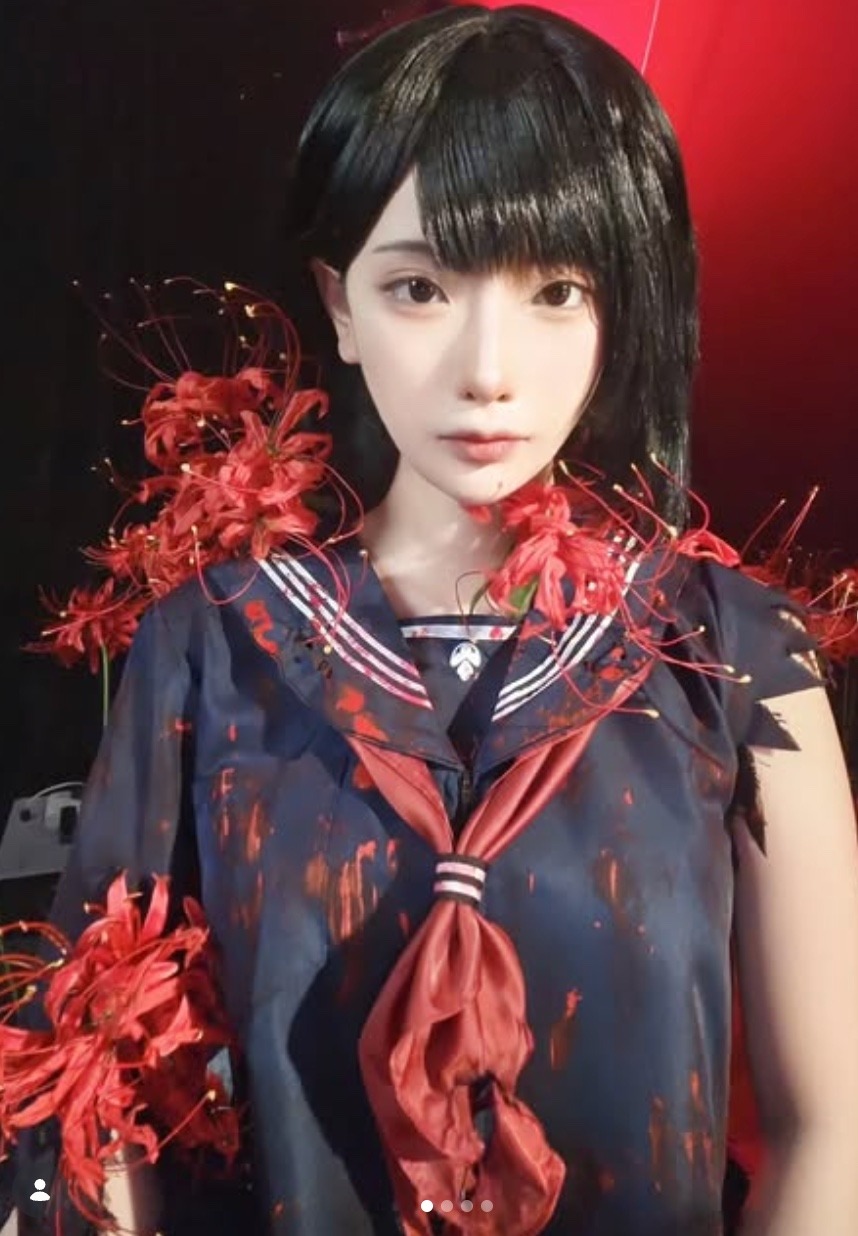
Kiyo has some of the most extensive cosplay costumes on OnlyFans. Her cosplays vary from game-inspired sexy characters to play-bunny lingerie-style costumes. A unique aspect of this account is that there is no nude content. However, she's still able to captivate fans with heart-racing, sexy content that keeps them coming for more. It is no surprise that she has amassed close to 20,000 likes on her account. KiyoCosplay features a separate free and paid subscription account. The latter is more explicit and features more than 1,000 pictures and video content.
Eva Misaki
Followers: Unknown
Subscription: Free
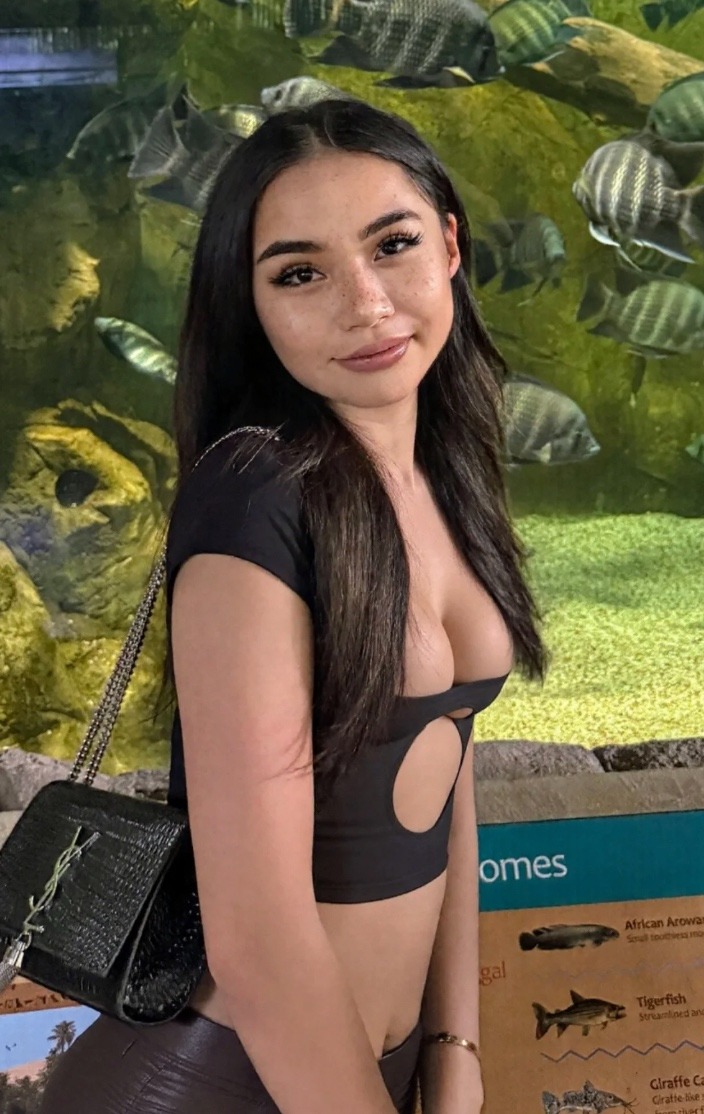
Thanks to Eva, high-school-themed cosplays are back in season. This time, they are more scandalous and eye-popping. She also explores more scanty costumes, like the pink kitty lingerie, which is quite popular among anime enthusiasts. While she is quite new on the platform, her account now has more than 4,000 likes. Her free subscription plan is also a reason why she is one of the best Asian OnlyFans cosplayers.
Chono Black
Followers: 358K on IG
Subscription: Free
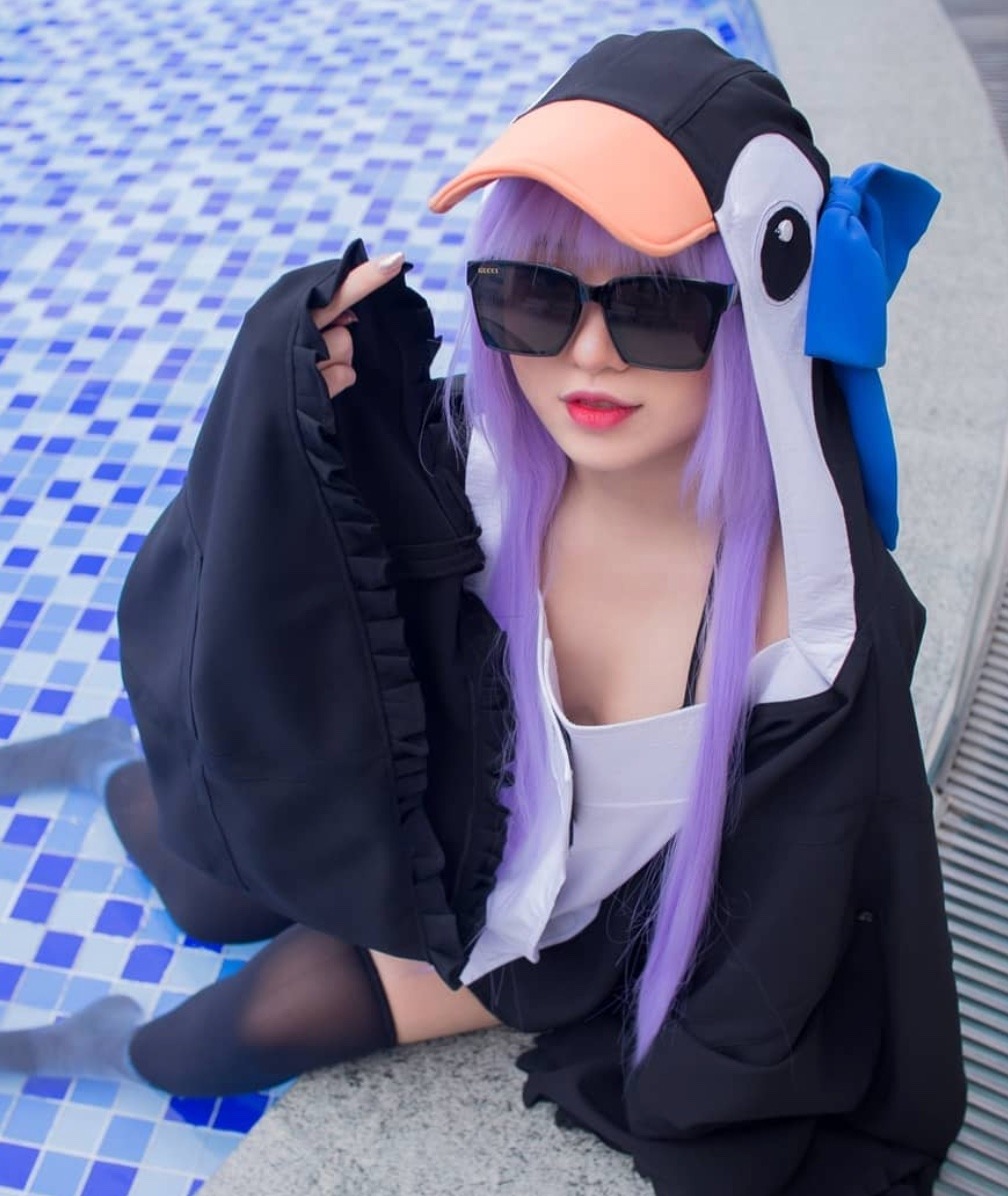
Chono Black is one of the best OnlyFans Asian cosplay models to watch for. Her anime and Japanese pop culture costumes are part of the reasons why she has massive followings on OnlyFans and Instagram. Chono Black’s account boasts of over 1,000 lewd and waifu-type content. The best part is that fans can view all her content for free- she does not offer a pay-per-view or VIP subscription package.
Best Plus-Sized Asian OnlyFans Creators to Follow
Plus-sized Asian OnlyFans models are as rare as unicorns, and that’s part of what makes them unique. These models are also redefining beauty standards and delivering exclusive, empowering content.
Yukari Orihara
Followers: 136K on Instagram
Subscription: $14.99 per month
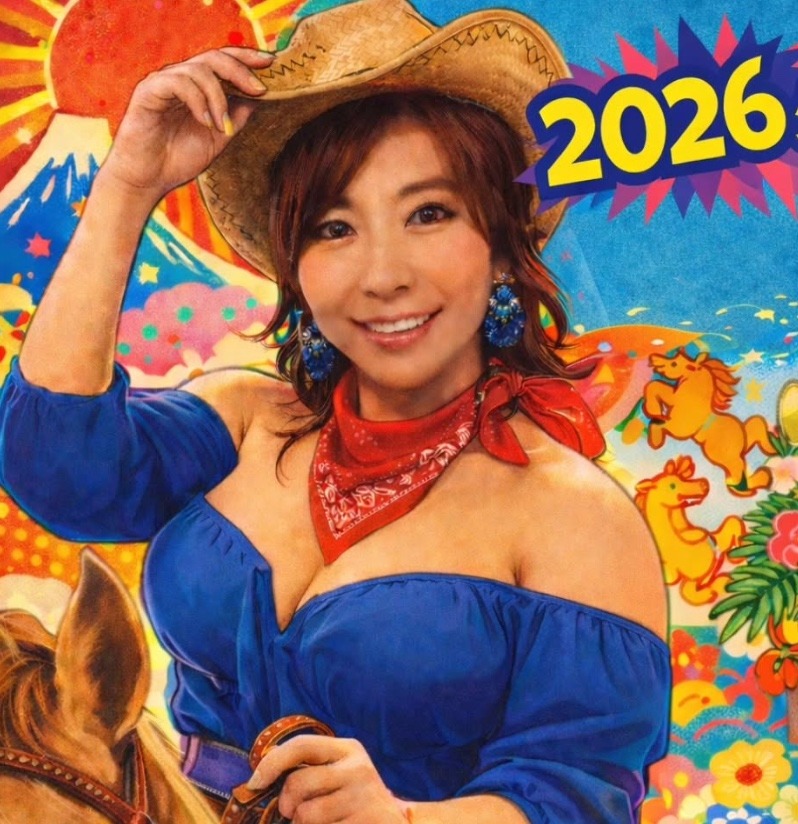
Yukari wears many hats, from being crowned as the most elegant woman to having one of the top accounts on OnlyFans. Her plus-sized figure is evidence that bigger is better, as she boasts over 7.1K likes across her content. Yukari’s main strategy is to offer discounts to fans who consistently subscribe to her content. For instance, you get a topless shower scene if you renew your subscription for two months. She also promises discounts for her pay-per-view features.
Emily Mai
Followers: 44.4K on Instagram
Subscribers: $14.99 per month
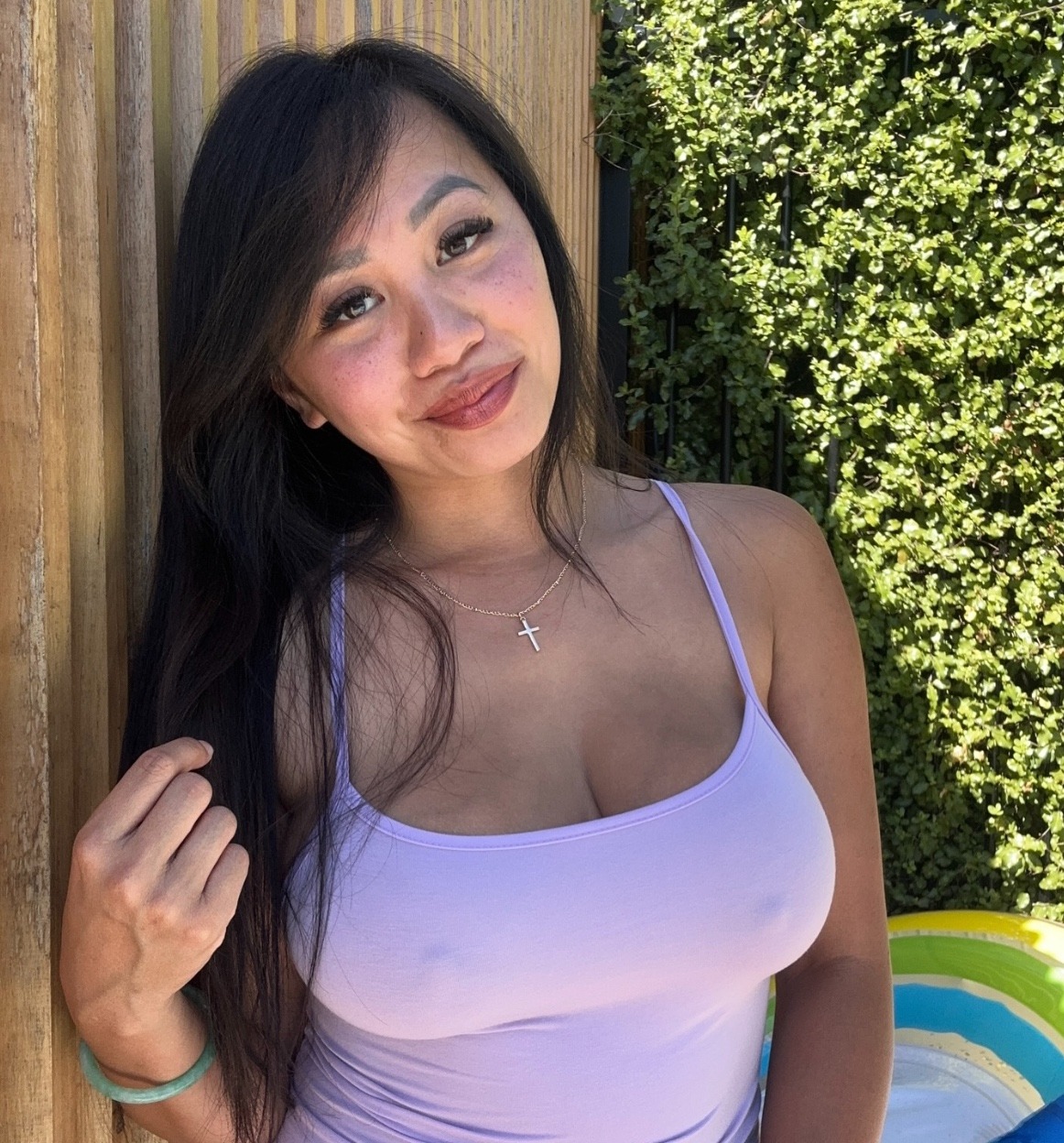
Vietnamese mom Emily Mai has a massive following on OnlyFans. Her OnlyFans page has amassed more than 322.7K likes for both SFW and NSFW content. Emily’s page is quite unique since it explores less-charted territories like pregnancy, voyeurism, and cooking. What makes it more interesting is that she sometimes invites her girlfriends to take part in her pictures or video clips...talk about getting two or more for the cost of one subscription. Better still, she offers discounts to new subscribers and charges a fairly average monthly rate.
Bree Wales Covingto
Followers: 333K on Instagram
Subscription: $30/month
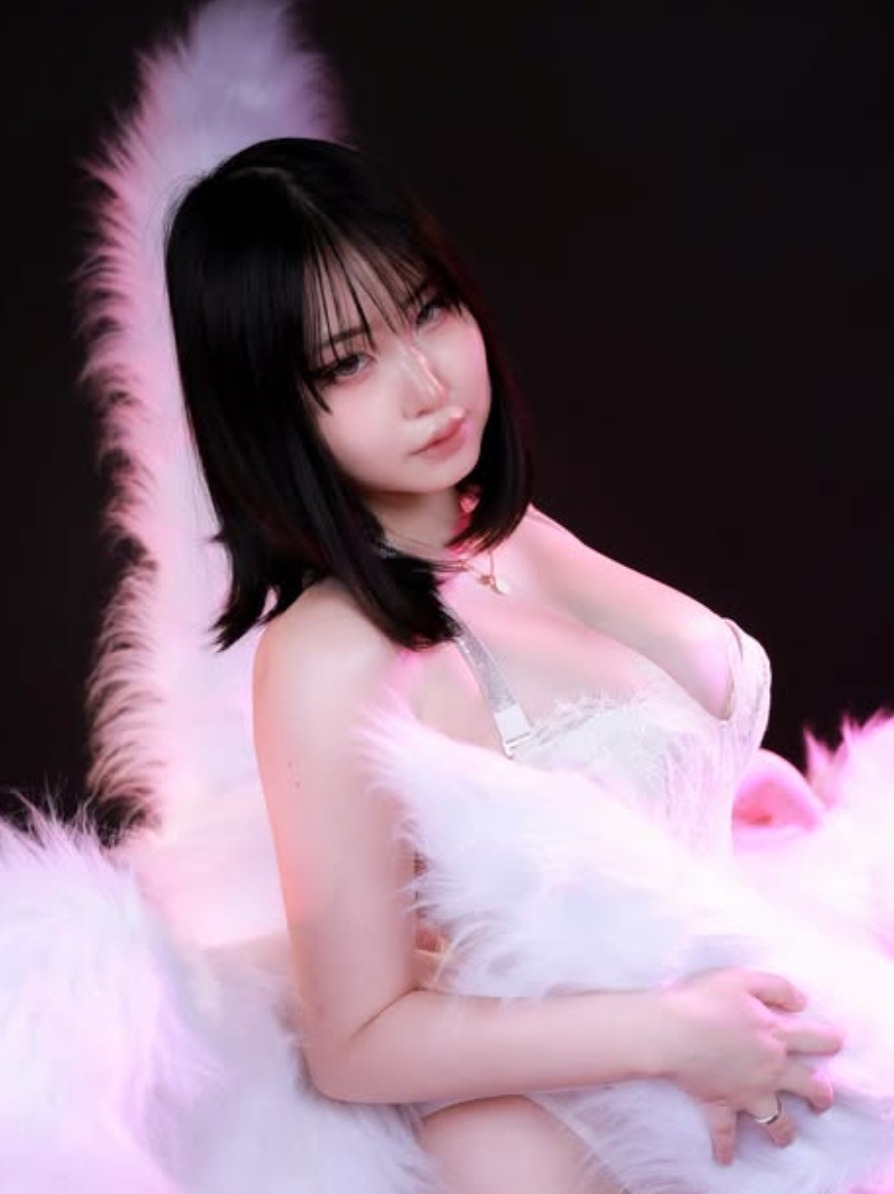
Creates confident, body-positive content focused on curvy appeal, lingerie shoots, and sensual solo scenes. Her page emphasizes authenticity and high fan engagement, making her especially popular with subscribers who appreciate a natural, unapologetic aesthetic.
Best MILF OnlyFans Asian Accounts to Follow
Asia’s diversity is at play once again, thanks to MILF content creators on OnlyFans. These creators help fans to relive their deepest fantasies with explicit NSFW content.
Mae Soryu
Followers: 2.6K on Instagram - Private account
Subscription: $12 per month

Mae Soryu holds nothing back, as is evident in her OnlyFans profile page. Her page is every MILF fan’s paradise, as it offers all explicit content, from squirting to anal to one-on-one sexting. Mae’s unique advantage is that she posts full-length videos. This is quite impressive since other creators mostly release under-a-minute clips. Her sexting game is also on point, with personalized role play and dirty talk.
Macy Asian
Followers: 3.9K on Instagram
Subscription: $9.90 per month
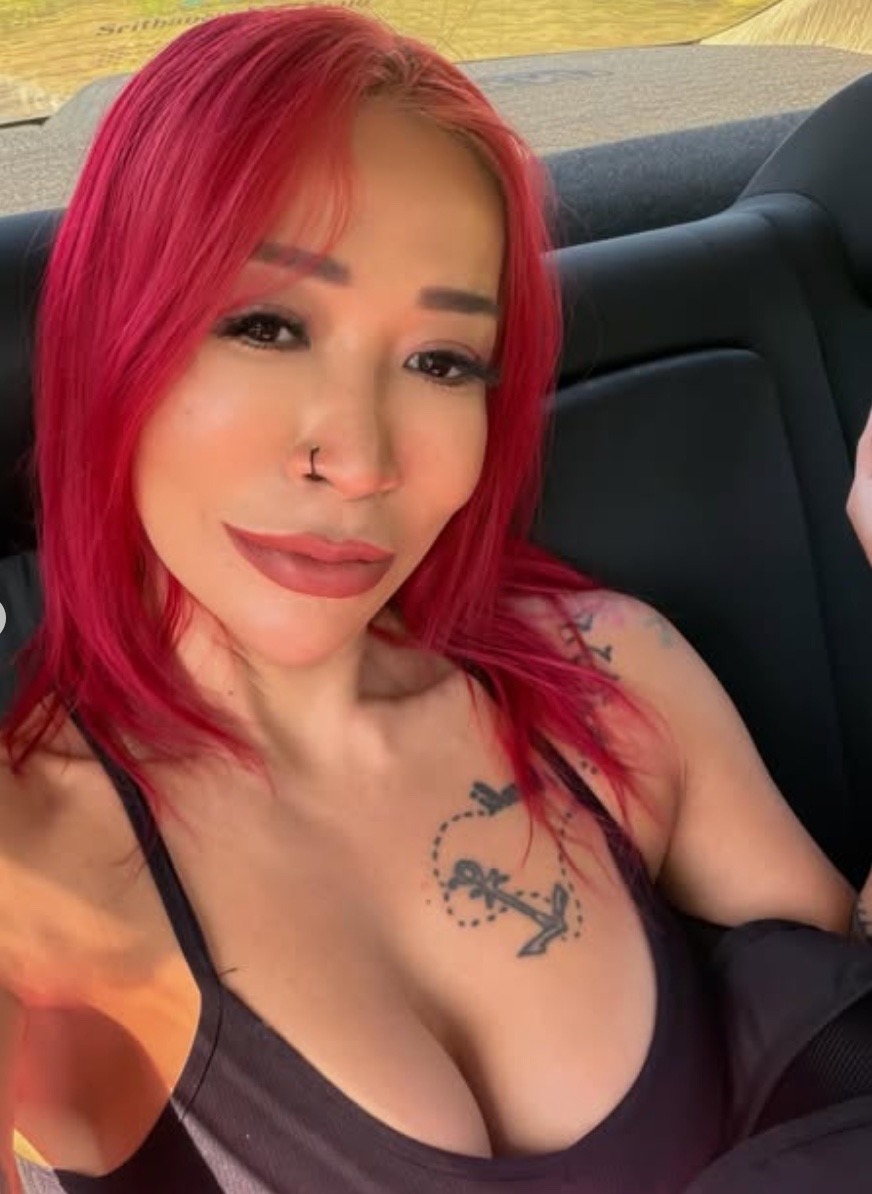
Macy Asian’s toned, sexy body is a dream come true for MILF enthusiasts. Like Mae Soryu, she holds nothing back. Her profile page offers a snippet of what fans can get by subscribing to her account. Macy offers intense NSFW content, including anal and fetishes. Her unique selling point is the consistency in churning out new content almost daily. Macy also offers video calls for personalized sexual services.
Vina Sky
Followers: 164K on Instagram
Subscription: $8/month
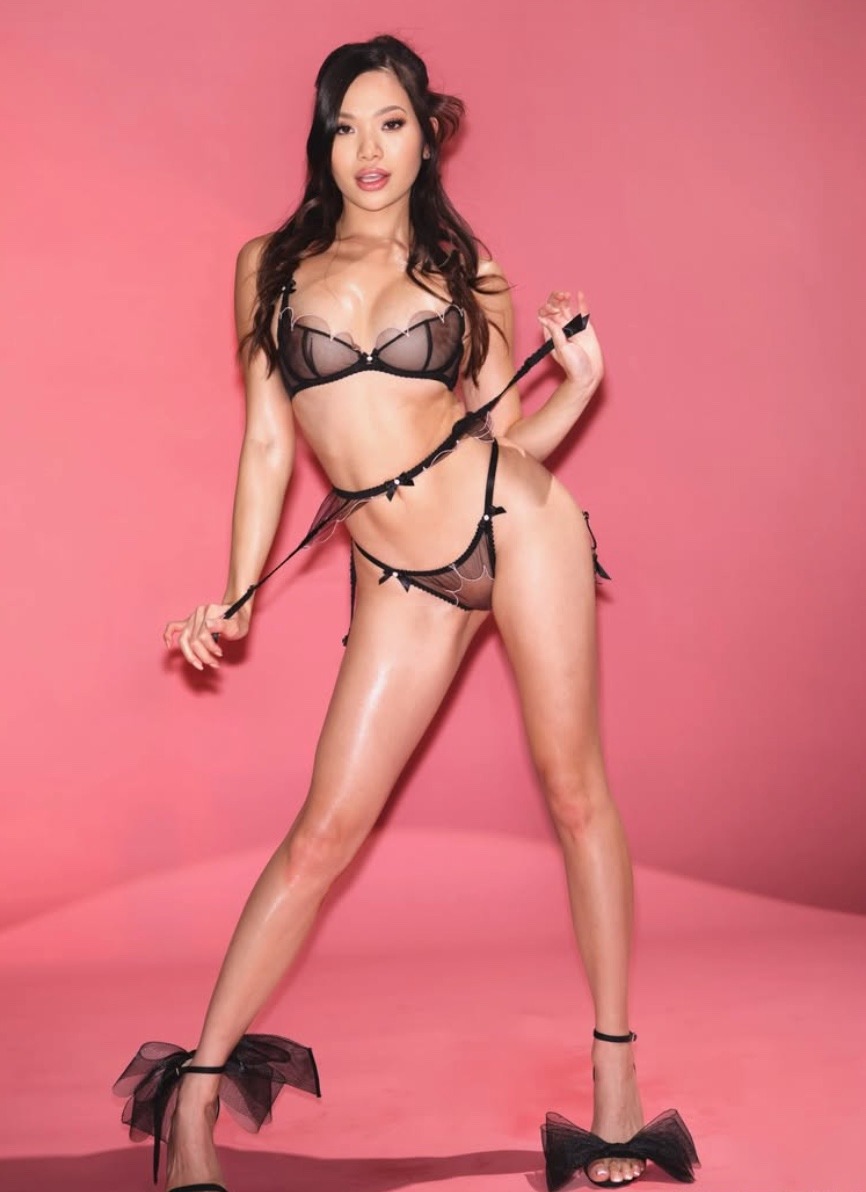
Shares polished, high-production adult content that blends glamour, confidence, and strong on-camera presence. Her page appeals to fans who enjoy bold visuals and a classic adult-star energy with frequent updates.
Wrapping It Up
Asian OnlyFans creators are not only standing out with their content but also with the way they connect with their audience. Many leverage AI-driven tools, like automation features, to streamline fan interactions and maintain a steady flow of content. This allows them to focus on creativity while ensuring their subscribers stay engaged.\
Images belong to their respective owners.
Best Asian OnlyFans Models to Watch in 2026
.png)
OnlyFans has exploded in popularity as a platform for creators to share exclusive, premium content with subscribers. But like any business, you need the right tools and equipment to create compelling content that converts fans into paying customers.
Investing in a high-quality camera and other gear for shooting OnlyFans content is essential if you want to stand out from the crowd. This guide will walk you through everything you need to choose the best camera for OnlyFans creators and build your equipment arsenal.

Why You Need a Good Camera as an OnlyFans Creator
When it comes to OnlyFans, high-quality visuals are essential. The best camera for OnlyFans creators doesn’t just capture crisp, professional-looking content—it directly influences your success on the platform by driving engagement and boosting conversions.
1. High-quality visuals lead to better engagement
Clear, sharp, and well-lit content is key to standing out in a crowded market. Subscribers expect professional-quality images and videos from the creators they support. When you use a great camera, your content not only looks more appealing but also builds trust with your audience. High-quality visuals make your content more engaging, encouraging more interaction and creating a loyal subscriber base.
2. Meeting subscriber expectations with professional-looking content
Subscribers are more likely to stay subscribed if they see that you're putting in the effort to provide quality content. Low-quality, grainy, or poorly-lit content can easily turn potential fans away. The best cameras help you deliver the professional-grade photos and videos your audience expects, ensuring that you meet their high standards and keep them coming back for more.
3. Increased conversions from high-definition content
A good camera is one of the most important investments an OnlyFans creator can make. Whether you’re shooting photos, recording videos, or streaming live, the quality of your visuals impacts how well you engage with your subscribers and how effectively you can upsell content. High-definition content is far more attractive to fans and leads to better conversions on paid posts and custom requests. Without a proper camera, you risk losing subscribers due to low-quality visuals that fail to capture their attention.
Investing in the best camera for OnlyFans is a surefire way to improve your content quality, engage your audience, and increase your income.
What to Look for in a Camera for OnlyFans
With a crowded camera market full of options, what specs and features truly matter when choosing the best camera for OnlyFans?
Resolution and image quality
The camera resolution determines the maximum image quality and level of detail it can capture. Look for cameras that shoot photos at least 12MP or higher for crisp digital images. For video, a minimum of 1080p HD or 4K UHD resolution provides professional results.
Framing assistance
As a solo creator, you need a way to properly frame shots while also being in the scene. Look for vari-angle touchscreens, remote controls, or voice activation to snap photos. Selfie-optimized cameras are also useful.
Low light performance
You don’t always have control over ideal lighting conditions. Seek out cameras with good high ISO performance and image stabilization for clean footage, even in dim environments.
Photo-to-video versatility
Converting short video clips into still images is hugely helpful for maximizing content from a shoot. Look for cameras capable of pulling high-res frame grabs from 4K or 1080p footage.
Slow motion capabilities
Recording super smooth slow motion expands your creative video capabilities and adds production polish. 120fps or 240fps high frame rate modes open the door for stunning slow-motion shots.
Best Budget Cameras for OnlyFans Creators
Canon EOS Rebel T7 DSLR
- 24MP sensor for detailed images – More megapixels allow for capturing photos with more resolution and clarity to showcase your content.
- Intuitive interface great for beginners – Simple menus and guides help new users quickly learn to use the camera.
- Full HD 1080p video – Capture crisp and smooth full high definition 1080p footage, perfect for short video clips.
- Guided modes – Built-in tips help you achieve the desired results while learning the camera.
- $400 – $500
Nikon D3500 DSLR
- 24MP sensor captures crisp photos – A higher megapixel sensor provides more detailed resolution for clear, sharp photos.
- Compact, lightweight design – Smaller size and lower weight allow for easy carrying of the camera to shoot content anywhere.
- Bluetooth for easy photo transfer – Quickly send photos to your smartphone for uploading online.
- Full HD 1080p video – Record and share stunning full high-definition 1080p videos with subscribers.
- $350 – $450
Sony a6100 Mirrorless
- 24MP for detailed images and 4K video – High resolution provides sharp, detailed photos and 4K videos.
- Fast autofocus tracking – Keeps you in sharp focus automatically, even when moving around a scene.
- Flip-up touchscreen for selfies – Allows you to see yourself when taking photos/videos solo.
- 11fps continuous shooting – Captures fast action shots in quick succession.
- $700-$800
Best Cameras for Experienced OnlyFans Creators
Fujifilm X-T30 Mirrorless
- 26MP for sharp photos and 4K video – More megapixels capture finer details and textures. 4K video is future-proof.
- Compact, lightweight design – Comfortably portable for shooting content anywhere.
- Fast autofocus performance – Accurately keeps subjects in focus with minimal hunting.
- Great for stills and video – Versatile for capturing both high-res photos and crisp 4K footage.
- $850 – $950
Panasonic Lumix DC-GH5 Mirrorless
- 20MP sensor with 4K 60p video – Good balance between resolution and 4K video frame rate.
- Weather-sealed, durable body – Tougher build quality for reliability in varied conditions.
- 5-axis in-body stabilization – Compensates for camera shake for blur-free handheld shots.
- Vari-angle touchscreen LCD – Fully articulating screen aids creative framing freedom.
- $1,400 – $1,600
Best Cameras for Professional OnlyFans Creators
Canon EOS R5 Mirrorless
- 45MP full frame sensor – Massive resolution for extremely detailed photographs.
- 8K RAW video capability – Cutting-edge 8K video future-proofs content quality for years.
- In-body stabilization up to 8 stops – Allows handholding slow shutter speeds for blur-free images.
- 12fps mechanical shutter – Shoots fast action sequences with minimal lag between shots.
- $3,700 – $4,100
Sony a7 IV Mirrorless
- 33MP full frame sensor – A larger sensor provides enhanced dynamic range and depth of field control.
- 4K 60p and 10-bit 4:2:2 video – Smooth 4K video with greater color accuracy and detail.
- Real-time tracking autofocus – Intelligent AF quickly locks onto and tracks subjects.
- 10fps continuous shooting – Quickly captures multiple shots to choose the best expressions/moments.
- $2,400 – $2,600
Nikon Z 7II Mirrorless
- 45.7MP full frame sensor – Incredible resolution retains immense detail even with cropping.
- 4K UHD 60p video – Buttery-smooth 4K videos, perfect for online sharing.
- 273-point hybrid AF system – Broad AF coverage and customizations for precision focus.
- 10fps continuous shooting – Speedy burst rate ensures capturing peak action and expressions.
- $2,800 – $3,200
Best Webcams for OnlyFans Live Streaming
Microsoft LifeCam HD-3000
- 720p HD video recording – Good quality streaming resolution.
- TrueColor technology – Balances colors and brightness for accurate video.
- Noise-cancelling mic – Minimizes background noise for clearer audio.
- Universal clip base – Clips onto your monitor for flexible webcam positioning.
- $45 – $55
Logitech C920S
- 1080p full HD video – Sharp, detailed full HD streaming.
- 78-degree field of view – Fits more of you and/or the background in the shot.
- Stereo microphones – Clear stereo sound instead of mono for live streams.
- Auto light correction – Brightens you up in dim lighting for flattering video.
- $80 – $90
Razer Kiyo
- 1080p HD at 30fps or 720p at 60fps – Smooth streaming with your desired resolution/frame rate.
- Built-in ring light – Evenly illuminates you without any extra lighting kit.
- Omnidirectional mic – Natural sound pickup from all directions.
- Advanced autofocus – Stays sharply focused on you during streams and movement.
- $90 – $110
Best Gimbals & Accessories for OnlyFans Creators
Insta360 Flow (Best Smartphone Gimbal)
- 4K resolution support – Smooth and stable 4K video for your streams.
- AI-powered stabilization – Automatically adjusts for steady shots, even with movement.
- Foldable design – Easy to carry and store, making it perfect for on-the-go shoots.
- Active tracking – Keeps you in frame and focused, hands-free.
- $120-$150
DJI RS3 (Best DSLR/Mirrorless Gimbal)
- 6.6 lb payload – Supports heavy DSLR/mirrorless setups for maximum versatility.
- 3-axis stabilization – Offers smooth footage even in dynamic environments.
- Bluetooth camera control – Adjust settings directly from the gimbal.
- Long battery life – Extended shooting time for longer streaming or recording sessions.
- $500-$600
Additional Must-Have Gear for Your OnlyFans Studio
Now that you have your camera and other accessories, it’s time to round out your OnlyFans equipment kit with these essential items:
Ring light for perfect lighting
A ring light provides even, flattering lighting for your OnlyFans shoots. Look for one with adjustable color temperature and brightness to customize the lighting based on your environment and mood, ensuring professional, glowing content.
Backdrops for a professional look
Backdrops instantly enhance the visual quality of your content. Whether you go for a simple, clean look or a colorful, creative background, the right backdrop sets a professional tone and adds a polished, engaging aesthetic.
Tripod for stability
A tripod stabilizes your camera, preventing shaky footage and allowing for steady, framed shots. It's essential for solo shoots and ensuring high-quality, professional content without any camera movement.
External Microphone for clearer audio
An external microphone improves audio quality, ensuring your voice is clear and free from background noise. This is key for live chats, ASMR, or video content where clear sound enhances the viewer experience.
Props and costumes
Props and costumes bring creativity to your shoots. Experiment with different items to add flair and variety, helping your content stand out and keeping things fun and fresh for your audience.
Costumes/Outfits
Expand your wardrobe and costume collection to assume different personas and aesthetics.
Lenses and filters for creative effects
Lenses and filters allow you to get creative with your shots. Different lenses can change the angle and focus, while filters enhance the visual effect, adding depth and style to your OnlyFans content.
How to Get Expensive Camera Equipment for Free
As an OnlyFans creator, investing in high-quality camera equipment can be expensive. However, there are several ways to get expensive camera gear for free or at a discounted price, making it easier to improve your content without breaking the bank.
1. Seek Sponsorships and Brand Partnerships
Many creators work with camera brands to get sponsored or receive equipment at a discounted rate. If you have a solid following and can demonstrate your reach, camera companies might be willing to send you their products in exchange for reviews, shoutouts, or promotional content. Reach out to camera brands directly or sign up for influencer marketing platforms that connect creators with companies offering sponsorships. This can help you get high-quality gear without the full price tag.
2. Take Advantage of Camera Gear Discounts
Some camera companies offer discounts to influencers, affiliates, or content creators. These discounts can range from 10% to 50%, depending on your follower count and engagement. Signing up for brand newsletters, checking out affiliate programs, or looking for seasonal sales can also help you access exclusive deals. Keep an eye out for promotional offers, and don't hesitate to ask for discounts if you plan to promote their products in your content.
3. Use Rental Services for Short-Term Needs
If you only need high-end camera equipment for specific shoots, renting can be an affordable option. Many companies offer rental services for high-quality cameras, lenses, and accessories. This allows you to use top-tier gear without committing to the high upfront cost. Plus, you can rent the equipment you need for as long as you need it, saving you money while still delivering high-quality content.
4. Explore Trade-in Programs
Some camera brands and retailers offer trade-in programs, where you can exchange older or unused camera gear for credit toward newer models. This can significantly reduce the cost of upgrading your equipment. If you already have a camera or lens that you’re not using, consider trading it in for a better model to keep your setup up to date without spending much out of pocket.
By taking advantage of these strategies, you can get the best camera equipment for your OnlyFans content without draining your budget, helping you create professional-grade videos and photos that will engage and retain subscribers.
Follow these tips when shopping for your perfect OnlyFans camera and accessories:
- Buy based on your skill level, starting basic and advancing over time.
- Read reviews from fellow creators’ equipment tests.
- Comparison shop for deals from authorized sellers.
- Invest over time, starting with essentials and gradually expanding.
- Go versatile with multi-purpose tools for creative flexibility.
- Consider used gear to save money.
Which Camera Is Best for Your OnlyFans Setup?
Taking the time to research and invest in the best camera for OnlyFans creators will set you up for success. By choosing the right camera and gear that fit your needs and budget, you can elevate your content quality and deliver premium experiences for your loyal fans, helping to grow your audience and increase your earnings.

Best Camera for OnlyFans Creators: 8 Top Picks for Every Budget

Livestreaming and webcam sites unlock additional revenue streams beyond just selling photos and videos to your subscribers.
Cam sites allow models to broadcast live shows where fans can interact and tip for special requests and activities. It’s more personalized than static content. Models earn money from tips, pay-per-minute private sessions, subscriptions, selling custom videos, sexting, and more.
The great thing about combining OnlyFans and cam sites is that you can promote your livestream schedules to your existing subscriber base. Fans get sneak previews and incentives to join the action on cam platforms. Running multiple monetization avenues keeps fans engaged across more touchpoints while maximizing your earnings.
This guide explores the top cam sites for making bank as a model, including how much money you can make on average. We’ll also provide tips to stand out from the competition and build your fanbase. Read on to learn how to become a wildly successful dual OnlyFans and cam model!

TL;DR: Best Cam Sites to Make Money
- Cam sites allow models to earn money through livestreaming, offering more monetization than OnlyFans alone. Popular ways to earn include tips, private shows, subscriptions, selling content, and more.
- Top cam sites like Chaturbate, BongaCams, and Stripchat can bring in $2,000-$10,000+ per month for successful models. Choosing the right niche and site is key.
- Investing in lighting, cameras, toys, costumes, and an engaging personality helps models stand out and maximize earnings on cam sites.
- Supercreator’s AI-powered features like Fan Insights, Super Inbox, and Bump Messaging make managing multiple platforms easier by optimizing promotion and fan interactions.
Best Cam Sites to Make Money
Now let’s explore the top cam platforms for models to earn, whether supplementing OnlyFans or as your main income stream:
OnlyFans
OnlyFans has become hugely popular by empowering independent creators to monetize original content. Models can leverage various revenue streams like monthly subscriptions, pay-per-view content, tips, and private messaging/experiences. OnlyFans handles payment processing, subscriptions, and content delivery while creators retain full ownership and creative license. The site’s 80% payout also makes it lucrative for entrepreneurial models.
- Subscription-based platform to share exclusive content with fans
- 20% platform fees
- Make money from OnlyFans tips, monthly subscriptions, and PPV content
- Photos, videos, livestreams, sexting, customized experiences
- It gives models creative control and ownership of content
For a detailed guide on OnlyFans live streaming best practices, read here: Livestreaming vs Camming on OnlyFans: What You Need to Know.
ManyVids
ManyVids combines an adult clip site and cam platform, fusing recorded and live video monetization. Models sell their pre-made videos while also livestreaming shows. Earnings accumulate from multiple sources like video purchases, fan club subscriptions, tips, and merchandise sales. ManyVids caters to various niches with a primary focus on amateur and professional porn. Its reputation and reach within the adult industry help connect models with an established audience.
- Adult video-sharing platform and cam site
- Models keep 65% of video sales revenue
- Earn from video purchases, tips, subscriptions, and merchandise
- Explicit videos, live shows, adult cams, custom clips
- Large built-in audience and name recognition in the adult industry
MyFreeCams
As a pioneer of the free cam site model, MyFreeCams generates profit while still allowing models to earn well. Public chat and shows are free, with model earnings coming from voluntary tips and pay-per-minute private sessions. Optional subscriptions offer fans perks and exclusives. While other sites faded, MFC has retained its strong brand presence thanks to loyal fans and consistent model payouts.
- One of the most popular free cam sites
- Models keep at least 60% of earnings
- Income from voluntary tips, pay-per-minute private chats
- Free public shows and chat rooms with the option to pay for exclusives
- Strong reputation and fanbase since launching in 2002
Camsoda
Camsoda focuses heavily on fan tipping. Models earn from tips and activity-based contests that encourage audience participation. Viewers can also request personal videos and merch. While some sites divide tips among all current models, Camsoda lets entertainers keep what fans directly send them during a show. That gratuity visibility and control appeals greatly to webcam talent.
- Cam site focused on webcam model tipping
- Models keep 55% plus sales of videos/merch
- Make money from viewer tips and selling adult content
- Known for public and private video chat performances
- Features like virtual awards and contests to incentivize tipping
Streamate
Managed webcam agencies streamline model acquisition on Streamate with talent scouts, professional studios, and extensive promotional resources. Streamate allows models to block regions and offers automated DMCA takedown requests to safeguard broadcaster rights and privacy. Hourly rate guarantees provide income stability complemented by tips. Niche-focused shows foster specialized fan communities similar to those of “fans” patronizing their preferred models.
- Cam site and chat community with big spender clients
- Up to 70% payouts for webcam models
- Earn an hourly rate for shows plus tips from fans
- Niche-focused webcam streams and fan communities
- Managed by webcam modeling agencies for greater exposure
ManyCam
ManyCam enhances webcam streaming by providing an array of video effects, stickers, emojis, live editing capabilities, and more for mobile and desktop devices. The software appeals primarily to social streamers rather than adult-focused models. ManyCam operates on a freemium model with value-added subscriptions offering additional features. Reaching over 200 million downloads, ManyCam continues to gain users across gaming, live broadcasting, video conferencing, and video chat.
- Webcam effects and video livestreaming software
- Free basic version, paid subscriptions with more capabilities
- Primarily, models earn from subscriber upgrades and premium features/support
- Add effects, emojis, stickers, and background sounds to live video
- A robust toolset enhances the webcam streaming experience
Cam4
Cam4 users praise its expansive fetish and kink options. Webcam models engage subcultures otherwise underserved on generalized sites. Fan tribalism and model loyalty develop through niche bonding. Broadcasters tailor wardrobes, props, roleplaying, and shows to excite specific viewer desires. Restriction-free content policies accommodate more taboo requests. Private chats, fan clubs, and tipping enable models to convert initial curiosity into meaningful earnings long-term.
- Cam site focused on fetish and kink communities
- Models earn 50-60%, including tips and content sales
- Make money from fan tips, pay-per-minute private chats, selling videos
- Niche fetish webcam shows and fan subgroups
- Strong reputation among kinksters and loyal fan followings
LiveJasmin
With a European pedigree and luxury aesthetic, LiveJasmin resembles a high-fashion brand blending haute couture and adult entertainment. Stringent model vetting and product polish attract upper-class fans who are amenable to paying more. Compensation tiers allowing models to earn up to 80% seek to recruit exceptional talent to match the site’s upscale tastes. LiveJasmin effectively cages a wealthy demographic otherwise untapped by competitors in the space.
- High-end cam site with a large European viewer base
- Models earn 35-80% depending on status level
- Income from tips, pay-per-minute private chats, gifts from fans
- Glamorous webcam models and luxurious production quality
- Caters to high-roller fans willing to spend more on beautiful performers
Best Cam Sites Runner-Ups
Some additional noteworthy cam platforms for models include:
Chaturbate
As one of the largest cam sites with over 300 million monthly visitors, Chaturbate makes it easy for models to profit. Popular features include:
- Average model earnings: $3,000-$21,000+ per month
- 60% payout percentage
- Tips, pay-per-minute private chats, and offerings like “Fan Club” subscriptions
Performers can set their own rates for personalized shows. The split-cam option lets models stream on multiple sites simultaneously, maximizing earning potential.
BongaCams
With over 60 million monthly visitors and some of the highest model payouts (up to 90%) in the industry, BongaCams empowers models to earn substantial sums:
- Average model earnings: $3,000-$8,050 per month
- 50%-90% payout percentage
- Tips, pay-per-minute private chats, selling merchandise
Additional perks include a promotional boost for new models, multilingual support, and models keeping copyright ownership of content.
Stripchat
Globally popular Stripchat drives strong model earnings through tips, subscriptions, virtual gifts, and pay-per-minute private sessions.
- Average model earnings: $7,900-$15,100 per month
- 50%-63% payout percentage
- Localized recommendations to help attract geo-targeted viewers
How Can I Make Money from Webcam Sites?
Models can earn through various creative offerings on cam sites:
Tips – Viewers tip to praise or request desired acts
Private Shows – Fans pay by the minute for intimate solo sessions
Sexting – Models make money messaging fans one-on-one
Subscriptions – Fans pay monthly for exclusive content/perks
Selling Videos – Models sell recordings of live shows
Girlfriend Experience (GFE) – Emotional connections drive tips. Read more here: What is the Girlfriend experience (GFE) on OnlyFans? – Supercreator
Roleplaying – Theatrics and costumes appeal to fetishes
Teledildonic Toys – Fans pay to interactively vibe toys during shows
Explore creative niche specialties to stand out, gain regulars, and boost earnings on cam sites.
Quick Guide to Adult Cam Sites
Cam sites (aka webcam modeling sites) allow users to broadcast live video feeds of themselves, typically solo or doing sexual acts, while viewers watch and interact via chat. They’ve seen huge growth recently.
Compared to creating traditional OnlyFans content, the main advantages of cam sites include:
- Immediate fan interaction and feedback
- Ability to respond to requests and fetishes in real-time
- No filming/editing required – stream directly from your webcam
- Potential to earn more from tips and pay-per-minute private sessions
Cam shows do require strong internet connectivity and some basic equipment:
- Computer or smartphone with an updated webcam
- Consistent high-speed internet
- Well-lit space and quality lighting
- Sex toys, costumes, props (for some niches)
There are free cam sites as well as paid ones suited for NSFW and SFW content. Choosing the right platform depends on your niche, target audience, and whether you want to go fully nude.
Can You Make Money on Webcams?
Absolutely! Successful cam models can make between $2,000-$3,000 per month, with top earners bringing in over $10k.
The advantages of leveraging live cam include:
- Higher earning ceiling – Some models make more camming than on OnlyFans
- Immediate fan funding via tips
- Paid per minute for private shows
- Residual income from selling recordings
- Flexible hours
Follow these best practices to maximize your cam site income:
- Choose a niche that pays well
- Commit to a strict streaming schedule
- Engage viewers conversationally to drive tips
- Invest in quality webcam, lighting, internet, etc
- Cross-promote across your social media and OnlyFans
Using 3rd party tools to maximize your reach and engagement is a good practice in increasing your earnings.
A cam model making $5k per month breaks down how Supercreator helps her earning potential with OnlyFans live streaming:
“I use Supercreator’s Fan Insights to identify my biggest tippers and regularly schedule private cam sessions with them. The Bump Messaging feature lets me easily promote when I’m going live, driving more viewers to each show. I’ve definitely increased my earnings thanks to Supercreator streamlining my promotional activities and fan interactions.”
Video-Focused OnlyFans Alternatives
Posting pre-recorded content can be more comfortable for video creators who prefer not to appear live on camera themselves.
Popular video-first sites similar to OnlyFans include:
- Camodeling.com – Models sell homemade videos a la carte or via monthly subscriptions. 80% payout.
- JustFor.Fans – Adult site focused on video content. Models earn up to 85% rev share.
- AVN Stars – Dubbed the “Instagram for porn,” models sell exclusive videos. Up to 80% payout.
The above sites allow models greater control over filming, editing, and publishing full-production video content. However, they lack the live fan interactions of cam sites.
Best Cam Equipment
Using professional lighting, cameras, and other gear significantly enhances video quality and the viewer experience on cam sites:
Lighting – Continuous LED lighting eliminates shadows and harsh contrasts. Ring lights are popular starter options.
Webcam – Look for 1920×1080 HD resolution, smooth video, and low-light correction.
Camera – DSLR or mirrorless cameras provide ultra sharpness if broadcasting high-quality productions.
Tripod – Sturdy tripods allow mounting and angling cameras at flattering heights.
Microphone – Shotgun mics provide focused audio pickup, reducing background noise.
Props – Costumes, sex toys, and more add flair, catering to niche kinks.
Investing in the right equipment for OnlyFans ensures top video and production value, helping you stand out from other models.
The right equipment for OnlyFans. For more information, read our article diving into the best lighting tips for adult content creators, Illuminate Your Content: Best Lighting Tips for OnlyFans Creators!
Conclusion
Combining OnlyFans and live cam modeling unlocks multiple earning opportunities through customized content creation. Choosing the right niche and platforms, coupled with a consistent streaming schedule, facilitates attracting regular big spenders among your fanbase.
Tools like Supercreator help manage fan interactions and promotion to maximize your reach and revenue across OnlyFans and, subsequently, cam sites.
The potential to earn a full-time income from the flexibility of webcam modeling continues to rise. Your creative vision is truly the only limit when leveraging these multifaceted platforms.
Best Cam Sites for Making Money with a Webcam in 2026

Many people believe the only way to make money as an OnlyFans creator is to sell pay-per-view, or PPV, content. This is content such as videos and photographs that are hidden behind a paywall; fans need to pay extra to access it, even if they are already paying a subscription fee. However, content creators can monetize OnlyFans with no PPV content in multiple ways, which we will explore here.
PPV or no PPV: That is the question when it comes to creating your OnlyFans account. First, you need to understand what PPV, or pay-per-view, means in the world of OnlyFans. Then you can weigh the pros and cons of offering PPV content or going with the all-inclusive option. This guide will help you decide which type of account is right for you.

TL;DR: Best No PPV OnlyFans
- Two basic types of OnlyFans accounts are PPV and no PPV. PPV accounts place some of the photos, videos, and other content behind paywalls so that the content creators can charge extra for access. No PPV accounts do not hide any content; subscribers have full access without being charged extra.
- In addition to charging subscription fees, no PPV accounts can be set up to accept tips, providing an additional revenue stream.
- OnlyFans no PPV accounts typically charge a higher subscription fee than those with PPV content and often have higher subscriber retention rates.
- No PPV accounts are particularly appealing to creators who view OnlyFans as a part-time job or who do not want to have to keep upselling subscribers.
- The Supercreator smart CRM platform for OnlyFans helps content creators maximize revenue and manage content.
Best OnlyFans Accounts Without PPV - Understanding OnlyFans and the Concept of PPV
OnlyFans is a social media platform that enables creators to make money in several ways. With subscriptions, you charge fans monthly to subscribe to your account and view your content. Once you have set up your account, you can also accept tips from followers. Then there is pay-per-view, or PPV, content. This is exclusive content, from photos to videos, for which you charge a one-time fee.
You can offer PPV content without requiring fans to subscribe to your account; in other words, you can use a free account to offer fans a preview of your exclusive PPV content. A management platform such as Supercreator can help you promote your PPV content and determine the best price to charge subscribers so that you can reap the most revenue. It does this with tools that assess how much each individual fan spends on specific types of content. After all, if Fan A spends an average of $50 per private message, why charge him the same as Fan B, who spends only an average of $20?
What Is No PPV on OnlyFans?
An OnlyFans with no PPV is an account that has followers pay a monthly subscription fee without requiring them to pay extra for exclusive content. The advantage of creating a no PPV account is that you do not have to keep upselling followers and encouraging them to buy additional products—and, of course, you don’t have to keep creating additional content. Instead, top no PPV OnlyFans creators focus simply on regularly creating and posting high-quality photos, videos, and other content for all their subscribers, letting the quality of their work speak for itself. What’s more, many subscribers prefer this all-inclusive approach rather than being continually prodded to spend more money.
Is It a Good Option for OnlyFans Content Creators to Have No PPV Accounts?
Whether you offer PPV content or have an OnlyFans account with no PPV depends on your personal preferences. Some content creators prefer offering PPV as a way of boosting their earnings. They can create and promote additional exclusive content when they want to make more money than usual in a given month. Other creators find that an OnlyFans with no PPV account puts less pressure on them to continuously produce and sell new exclusive content.
A no PPV account is especially appealing to creators who view OnlyFans as a sideline rather than their primary job, as it typically requires less of a time commitment than a PPV account. It also appeals to new creators who are just getting started and discovering how best to gain subscribers, as no PPV accounts generally gather subscribers more quickly and are more likely to retain those subscribers than are accounts with paywalls. Another benefit: With a no PPV account, you can typically charge a higher subscription price than a creator with a PPV account can.
How to Set Up a No PPV Account
Setting up an OnlyFans account is free, whether you choose to create a PPV or no PPV account. With a PPV account, you are putting some—maybe most—of your content on a paywall and charging fans extra to access that PPV content. With a no PPV account, there is no content behind a paywall. To make money, you charge followers a monthly fee to subscribe to your content.
For all accounts, but especially when you are not charging extra for exclusive content, it is important to create a content calendar with a schedule of what sort of content you will post and how often you will do so. A mix of content types—images and videos, explicit and non-explicit- can be very effective in helping you gain and retain subscribers. You will also need to determine how much to charge for a subscription.
Boosting Your OnlyFans Revenue With or Without PPV
Whether or not you offer PPV content, subscriptions are a primary way to make money with your OnlyFans account. Generally speaking, no PPV accounts charge higher subscription fees than PPV accounts, some of which might not charge for subscriptions at all.
While PPV accounts can boost revenue by selling exclusive paywalled content, creators with no PPV accounts can generate extra money by enabling followers to tip them. You can set up your account so that fans can tip you directly from your profile or on a specific post. Allowing tips on individual posts also helps you see which types of content your followers like most, so you can create more content in that vein.
Another way to garner tips is to offer livestreams to your subscribers, or even to all viewers for free. A free livestream has the added benefit of introducing you to potential new subscribers.
Benefits of Setting Up Accounts Without PPV Content
Setting up an OnlyFans with no PPV content has several benefits:
- You are more likely to retain subscribers for longer, as they’ll feel confident they are getting all of your content without having to pony up extra funds.
- For the same reason, you can charge more for subscriptions than accounts with PPV can.
- There is less pressure on you to keep creating and promoting more content.
- You don’t have to hard-sell and upsell subscribers—great for creators who prefer making and posting content to selling content.
- You can be more selective when it comes to creating extras such as livestreams to generate tips.
Can OnlyFans Content Creators Make Money with No PPV?
Yes, they can! Many of the top 0.1% OnlyFans accounts offer no PPV content. This all-inclusive approach appeals to many subscribers who do not want to have to pay extra for exclusive content. Additionally, subscribers often tip for favorite videos, livestreams, and other content.
Examples of Successful No-PPV Creator Strategies
These creator types and content strategies consistently perform well with no-PPV (all-inclusive) OnlyFans accounts:
Community-Focused Creators
Creators who prioritize consistency and engagement tend to retain subscribers longer. This includes fitness and lifestyle influencers sharing routines or coaching, and artists or performers offering behind-the-scenes access to their creative process.
Fitness & lifestyle influencers who post daily workout routines, meal plans, or wellness coaching. Artists, musicians, and performers who share behind-the-scenes content and creative process with subscribers.
Educational & Skill-Based Accounts
Tutorial-driven creators (fitness, cooking, language learning, crafts, or professional advice) often succeed without PPV by positioning the subscription as ongoing value rather than one-off unlocks.
Personal Journey & Authentic Content
Creators documenting transformations, travel, or real-time personal projects build loyalty by inviting fans to follow a story, not chase locked content.
Collaborative & Collective Accounts
Groups and creator collectives can grow through shared audiences and community appeal, relying on belonging and volume instead of aggressive PPV monetization.
A good example outside OnlyFans includes the Bop House collective (founded by Sophie Rain and others), which built its audience via TikTok and social engagement before converting to OnlyFans subscriptions, often without a heavy reliance on PPV alone.
Conclusion
Only you can decide whether you’d be better off with an OnlyFans no PPV account or with providing PPV content. Regardless of what you choose, you’ll be able to make money with subscriptions and by enabling tips from followers. A management platform such as Supercreator can ensure that you make the most money possible from your content with tools that help you manage your pages, price subscriptions effectively, use data to identify new revenue opportunities, and more.
Is No PPV the Secret to OnlyFans Success? Expert Insights!

AI tools are becoming a must-have for OnlyFans creators, offering new ways to create content, engage with fans, and manage their accounts. With AI, creators can save time, understand their audience better, and improve the quality of their content. These platforms make everything more efficient and help creators grow their business. In this article, we’ll take a look at how creators are using AI and share some of the best AI tools for OnlyFans in 2025.
How Creators Use AI Tools for OnlyFans
AI tools are transforming how OnlyFans creators engage with their fans, manage content, and enhance their business operations. From automating repetitive tasks to optimizing content strategies, AI is making it easier for creators to succeed. Let’s take a look at some of the most common ways AI is being used to help creators on OnlyFans.
Personalized Communication at Scale
For creators with a growing fanbase, it’s nearly impossible to maintain one-on-one communication with each subscriber. That’s where AI comes in. By using an OnlyFans AI chatbot, creators can automate responses while keeping every interaction personal, authentic, and tailored to each fan’s experience.
AI OnyFans tools enable creators to engage with thousands of fans at once by sending automated messages that feel personalized. An OnlyFans bot can analyze fans’ past behavior and send replies based on their specific preferences or questions. Instead of manually replying to every message, creators can maintain high-quality, personalized interactions with minimal effort.
Content Scheduling and Distribution
OnlyFans AI tools are a game-changer when it comes to determining the best times to post content. With AI analyzing fan activity patterns, creators can automate their posting schedules to ensure their content reaches followers when they're most likely to engage.
- AI tools track when your fans are most active.
- Posts are automatically scheduled for optimal times.
- This allows creators to maintain a consistent presence across platforms without manual effort.
By automating content distribution, creators can reach their audience at the most effective times, boosting engagement and saving time that would otherwise be spent planning posts.
Audience Insights
Understanding your audience is crucial for building a successful OnlyFans account. AI analytics tools help creators get deep insights into fan behavior and content performance, allowing them to make smarter decisions about what to post and when.
With AI-driven insights, creators can easily identify trends in what types of content perform best, the times of day when fans are most active, and the type of content their audience craves. This data helps fine-tune pricing strategies, improve marketing decisions, and ultimately maximize earnings.
Instead of guessing what works, AI helps creators base their strategies on solid data, which is crucial for success on the platform.
Automated Content Creation
AI is also changing the way content is created. Whether it’s writing captions, designing graphics, or generating entirely new content, AI tools are streamlining the creative process.
Using AI, creators can generate ideas and produce content faster than ever. Tools like ChatGPT help generate text, while image-generating tools like Midjourney allow for the creation of visuals based on simple prompts. This is perfect for creators who want to maintain a steady flow of content but don’t have the time or resources for professional photography or graphic design.
With AI, creators can experiment with new content formats and styles that they may not have considered before, all while saving time and money.
Top AI Tools for OnlyFans Creators
AI tools come in handy in different ways, so we’re breaking down the best AI creator tools for OnlyFans in 2025 and how creators actually use them.
Supercreator
Supercreator is an all-in-one OnlyFans tool designed to help OnlyFans creators manage their accounts efficiently. It uses AI to automate chat responses, track analytics, and even help with content planning.
How creators use Supercreator
Supercreator is perfect for personalized communication. Instead of spending hours responding to each fan individually, Supercreator’s AI takes care of the repetitive tasks by sending automated, personalized messages to thousands of fans at once through the OnlyFans AI chatbot, which is part of the platform’s OnlyFans CRM suite. This frees you up to focus on creative content while still maintaining a personal connection with your audience. As one of the leading OnlyFans management tools, the platform also offers audience insights through analytics, allowing you to easily see which types of content perform best and adjust your strategy accordingly. It’s a huge time-saver and lets you grow without burning out.
Fanvue
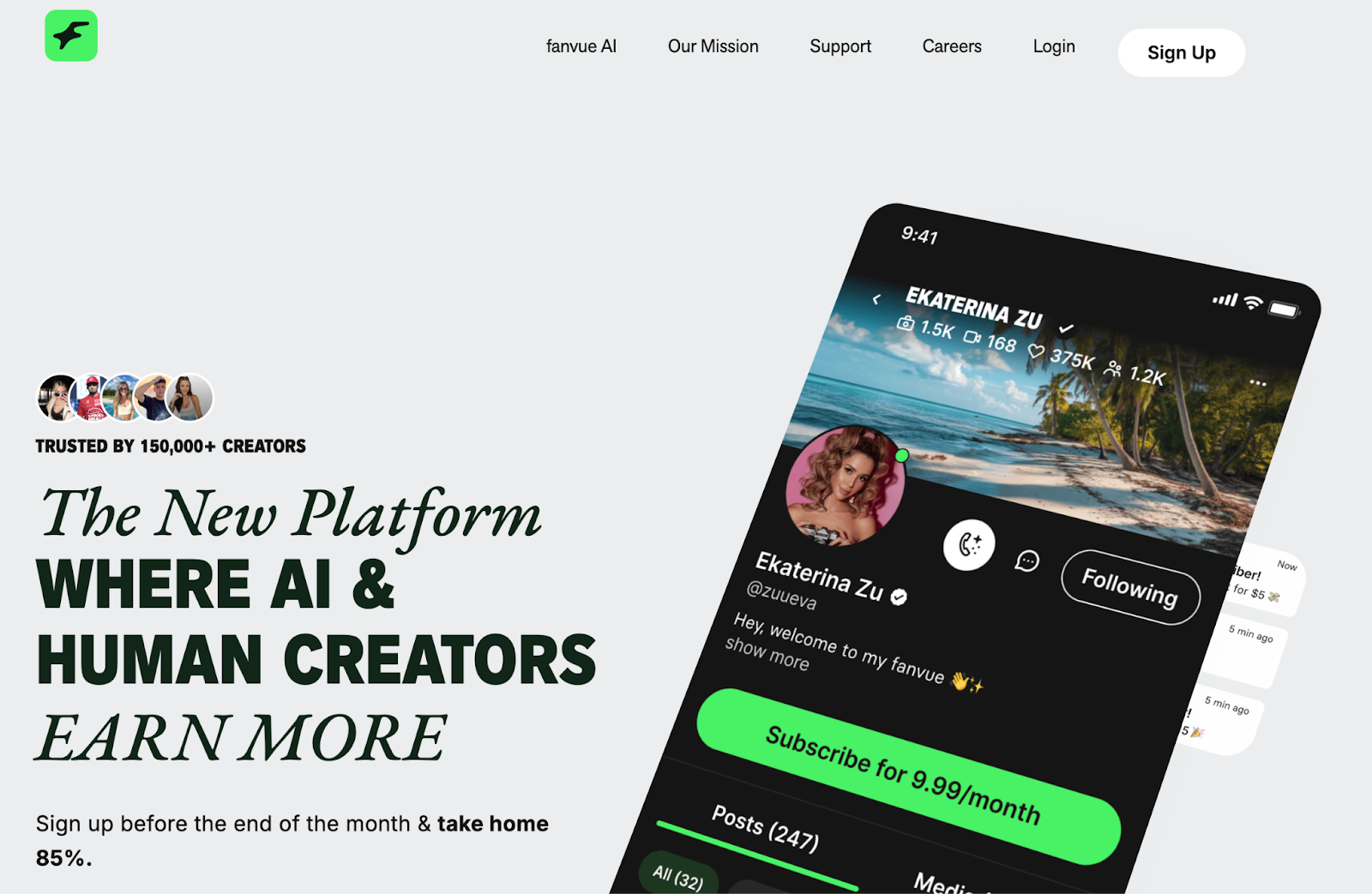
Fanvue is a subscription-based creator platform similar to OnlyFans but with a stronger emphasis on discoverability and monetization tools. It supports photo, video, and livestream content while offering flexible pay-per-view and subscription options.
How creators use Fanvue
Fanvue is popular among creators looking to diversify income beyond OnlyFans. The platform’s algorithmic “For You” page helps creators get discovered by new fans organically, while its built-in monetization tools, like tips, paid messages, and tiered subscriptions, make it easier to earn consistently. Many creators use Fanvue to test new content types or reach international audiences, as it’s growing rapidly in markets outside the U.S. Plus, its clean interface and focus on creator control make it a solid alternative for anyone expanding their fanbase.
OnlyMonster
OnlyMonster is a powerful growth and management platform designed specifically for creators on subscription sites like OnlyFans and Fansly. It combines automation, data analytics, and CRM-style tools to help creators optimize engagement and revenue.
How creators use OnlyMonster
Creators use OnlyMonster to automate DMs, organize fan data, and manage multiple accounts efficiently. The platform’s AI tools can segment subscribers by behavior, spending patterns, or engagement level—so you can tailor your messages and offers more strategically. Its real-time performance dashboards help track what’s working (and what’s not), letting creators make smarter content and pricing decisions. It’s especially helpful for mid- to large-scale creators who want a professional backend to support their fan operations.
ManyChat
ManyChat is a chatbot automation platform that helps creators connect with their audiences across messaging apps like Instagram, Facebook, and Telegram. It allows for smart, automated conversations that still feel personal.
How creators use ManyChat
ManyChat is perfect for creators who want to grow and nurture their audience on social media before funneling them to subscription platforms like OnlyFans or Fansly. By setting up automated chat flows, creators can greet new followers, share links, answer FAQs, or send reminders about new posts—all without having to manually reply. ManyChat also integrates with payment links and landing pages, making it easier to drive conversions while keeping engagement high on your socials.
Buffer
Buffer is a social media management tool that uses AI to help creators schedule, post, and analyze content across multiple platforms, all from one place.
How creators use Buffer
If you’re struggling to figure out the best times to post, Buffer can help. It’s mainly used for content scheduling and distribution. By analyzing when your followers are most active, Buffer can schedule posts at the most effective times, ensuring your content gets maximum exposure. It also saves you the hassle of posting manually by automating your content distribution. This way, you can ensure that your content is consistently hitting your audience at the right time, keeping your OnlyFans page fresh without spending too much time on posting.
Later
Later is another great social media scheduling tool with a focus on visuals, perfect for creators looking to streamline their Instagram, TikTok, or other visual content platforms.
How creators use Later
Later shines when it comes to content scheduling and distribution. If you’re posting regularly on platforms like Instagram, Later allows you to plan, schedule, and automate posts. It uses AI to determine the best time to post based on when your audience is most engaged. It also helps you visually organize your content calendar, ensuring you always know what to post next. For creators who want to maintain a steady social media presence without constantly being on their phones, Later is a huge time-saver.
Midjourney
Midjourney is an AI-powered image generator that allows creators to create unique and high-quality images just by typing in prompts.
How creators use Midjourney
Midjourney is fantastic for automated content creation, especially when you want to create visuals but don't have a nice camera or photographer. You can describe what you want (e.g., a virtual model, a themed photoshoot, or an artistic design) and Midjourney generates high-quality images based on your description. It’s perfect for adding variety to your content or for when you want a specific style that’s hard to create otherwise. This AI OnlyFans tool allows you to explore limitless creative possibilities and stay fresh without spending a ton of money on shoots or editing.
ChatGPT
ChatGPT is a powerful AI tool that generates text based on prompts, helping creators make content fast without sacrificing quality.
How creators use ChatGPT
ChatGPT is useful for automated content creation and personalized communication. If you struggle with writing captions, messages, or blog posts, ChatGPT can help generate creative, engaging content in seconds, so you can reply to fans with personalized, real-time conversations, making sure your interactions feel genuine while saving you time. Plus, it can assist with brainstorming ideas, writing descriptions for your content, and coming up with new ways to engage your audience, all while helping you keep your voice authentic.
AI OnlyFans Tools for Success
As AI continues to evolve, OnlyFans creators have more opportunities to improve their content and engage with fans like never before. From automating communication and optimizing posting times to generating creative content, AI tools are making the work of creators more efficient and effective.
By integrating AI OnlyFans creator tools like Supercreator into your routine, you can spend more time on what matters: creating unique content and connecting with your fans.
Top AI Tools for OnlyFans Creators

With over 240 million users and more than 3 million creators, OnlyFans has paid out over $10 billion to creators since launching in 2016. But how does the platform make money, and how much does OnlyFans take from creators? Keep reading to find out.

The Economics of OnlyFans
To understand how OnlyFans makes money, we first need to look at some key statistics about the economics of the platform:
- 33% of the total revenue on OnlyFans comes from just the top 1% of creators.
- At its peak growth in 2020, OnlyFans gained 7,000 to 8,000 new creators daily. Now, the site has more than 3 million creators.
- There are over 240 million registered users on OnlyFans.
With over $10 billion paid out to creators, OnlyFans is generating substantial revenue. It has become an economic force in the world of adult content and “influencer” style marketing. However, the odds are stacked against smaller creators trying to make it big.
How Much Does OnlyFans Take Out From Your Earnings?
So, what percent does OnlyFans take? Simply put, the platform takes a 20% commission from creator earnings, no matter how much they earn on the platform. For example, if you earn $100, OnlyFans takes $20, and you receive $80. This commission applies to all earnings, including:
- Monthly subscriptions from fans
- Selling PPV content
- Paid conversations
- Customs
While 20% may seem like a high fee, it’s quite standard compared to other creator platforms:
- YouTube takes 45% of ad revenue from creators
- Twitch takes 50% of subscription revenue
The 20% OnlyFans percentage cut also funds the cost of safely storing and distributing adult content at a large scale. The good news, however, is that OnlyFans is free to join for creators. You can set up a profile and start posting content without any upfront costs.
Does OnlyFans take a percentage of tips?
Besides customs, PPVs, and so on, the OnlyFans commission applies to the tips you receive as well. This fee covers platform maintenance, payment processing, and creator support services.
How much can you earn after OnlyFans platform fees?
Since OnlyFans takes a 20% platform fee, creators keep 80% of everything they earn. So if you make $1,000 in a month, your actual payout is $800 after fees. This applies to tips, customs, pay-per-view messages, and subscriptions.
How Does OnlyFans Payout Work?
When you set up your OnlyFans account, you’ll need to connect a bank account or an approved third-party payment service such as Paxum or ePayments to receive your earnings. OnlyFans no longer enforces a strict $20 payout threshold for most users. This means you can now withdraw funds automatically or manually once they’re available, depending on your region and payment setup.
When fans pay for subscriptions, tips, or pay-per-view content, the money first appears in your pending balance. After a short processing period (typically a few days), those funds move to your current balance, making them eligible for payout. You can choose manual payouts whenever your balance is ready or enable auto-payouts to send your earnings automatically on a regular schedule. OnlyFans processes payouts daily, and funds usually reach your account within one to three business days, depending on your payment provider and country.
Realistic Earnings for OnlyFans Creators
While top creators earn multi-million dollar salaries, the reality for most is much more modest. The average OnlyFans account earns just $180 per month.
By playing their cards right, however, new creators can earn $500 to $1,000 a month. It all comes down to consistent effort and marketing.
The keys to earning larger amounts on OnlyFans include:
- Having an existing large following that you can promote to
- Posting high-quality, consistent content multiple times per week
- Engaging with fans via messaging to keep them subscribed
- Promoting your OnlyFans account heavily on social media
Can You Avoid Paying OnlyFans Creator Fees?
Unfortunately, you can’t avoid paying OnlyFans creator fees. The platform automatically takes a 20% commission from everything you earn before sending you your payout. This fee is built into the system, so there’s no legitimate way to bypass it. While some creators might try to move fans to third-party sites or private payment methods, doing so violates OnlyFans’ Terms of Service and can lead to account suspension.
Keep in mind that words like Cash App and Venmo are included in the list of OnlyFans restricted words.
Instead of trying to avoid the fee, it’s better to treat it as a business expense and focus on boosting your earnings. The 80% you keep is still among the most generous splits in the creator economy compared to similar platforms.
Final Words
While signing up is free and easy, making big money as an OnlyFans creator takes significant effort and marketing. Before quitting your day job, make sure you have realistic expectations about the likely income you can make.
For those willing to hustle and self-promote, OnlyFans provides a platform to monetize content that is often banned elsewhere. Just be prepared to pay a 20% commission on what you earn.
How Much Does OnlyFans Take from Creators

If you’re looking to grow your OnlyFans, Snapchat might be your secret weapon. It’s personal, interactive, and gives you a way to tease content without breaking platform rules. The disappearing messages and private stories make fans feel like they’re getting insider access, which can build loyalty. In this guide, you’ll learn all about creating Snapchat OnlyFans accounts and how to turn casual viewers into paying subscribers.

TL;DR: How to Promote OnlyFans on Snapchat
- Use Snapchat’s disappearing content and Spotlight for engaging OnlyFans promotion.
- Post teasers, exclusive stories, and personalized interactions to build trust and attract OnlyFans followers.
- Maintain a distinct Snapchat account for OnlyFans promotion to guarantee privacy.
- Adapt content to Snapchat’s format with vertical videos and subtle adult content teasers.
- Use a neutral link aggregator like Linktree to include your OnlyFans link without the risk of being flagged.
- Make use of Snapchat’s Spotlight feature for organic audience expansion.
- Implement watermarking and disable location services to safeguard personal information.
- Effectively use Snapchat as a strategic tool for boosting visibility and subscriptions to OnlyFans.
What Is Snapchat, and How Can It Be Relevant to OnlyFans?
Snapchat is a multimedia mobile app used to send disappearing videos or pictures called “Snaps.” Once viewed, the Snaps disappear from the app. Snapchat also has a chat feature similar to WhatsApp, where messages disappear after being read.
This disappearing content dynamic provides exclusivity and privacy that works well for OnlyFans promotion. You can send exclusive Snaps and chats to showcase teasers and updates to your fans, and as an adult-friendly app, Snapchat allows suggestive, mature, or risqué content in private messages, but not explicit nudity or sex acts on public stories or Spotlight.
Can You Promote OnlyFans on Snapchat?
Snapchat offers a handful of features you can use to promote your OnlyFans account and start raking in cash:
- Spotlight: Like TikTok, Spotlight lets you create and share short videos that can be viewed by the general Snapchat community. Try to think of content that might go viral, whether it’s existing trends, just talking about your day, or dancing. Making your profile public means more users can find and subscribe to you.
- Friend requests: Manually adding friends is an easy way to gain more followers. You can manually add new friends to grow your audience, but avoid mass-adding users or using third-party tools, as these can violate Snapchat’s spam policies.
- Snapchat map: Enabling Snap Map lets random Snapchatters worldwide discover your profile and view your stories. You can add text encouraging them to follow you. Keep in mind that if privacy is important to you, you might want to skip this step.
- Proving you’re real: Snapchat provides social proof that you’re an authentic person and not a scammer, so posting daily story updates builds trust, making fans feel confident subscribing to your exclusive OnlyFans content.
Benefits of Using Snapchat for OnlyFans Marketing
Snapchat feels more personal
Unlike other platforms, Snapchat creates a one-on-one vibe. When fans see you in disappearing Snaps or quick chats, it feels spontaneous and real. That sense of connection builds trust and loyalty faster than polished, curated posts elsewhere.
Disappearing content builds exclusivity
Snapchat’s disappearing stories make your updates feel limited and special. Fans know they only have a short window to see something before it’s gone, which makes them check your profile more often and stay engaged. This “fear of missing out” effect can drive traffic straight to your OnlyFans.
A safer way to tease content
Because Snapchat allows suggestive content, you can use it to tease your OnlyFans without violating other platforms’ strict policies. A flirty angle, a hint of a scene, or a behind-the-scenes laugh can spark curiosity without showing too much or risking a ban.
Better fan interaction
Snapchat’s private chat feature lets you talk to followers directly in real time. Fans love getting quick replies or personalized Snaps, and those small moments often lead to more tips, purchases, and subscriptions. It’s the kind of intimacy that turns casual followers into long-term supporters.
How to Use Snapchat as a Marketing Tool for OnlyFans Promotion
There are several measures creators can take to make the most of their OnlyFans Snapchat accounts:
- Engaging teasers: Post short clips showcasing your latest content or PPV content to entice fans. Consider also posting non-promotional clips so your followers won’t feel like they are just a bank account to you; it’s essential to balance out and make your followers feel like they are receiving “pro-bono” content from you, as well as invitations to get to know you better through your paid OnlyFans account.
- Exclusive snap stories: Give fans behind-the-scenes looks at your shoots, daily life, etc. This VIP access builds loyalty by making you appear like a regular ole’ person. The best motivation for fans to subscribe and pay for your OnlyFans is when they feel there’s a personal connection, and that’s achieved by sharing personal moments, thoughts, and so on.
- Personalized interaction: One-on-one chatting with fans in a fun, flirty way. Naming your followers cute nicknames also helps relationships. Remember that there’s a fine balance in this interaction, where you want to make them feel appreciated and offer them the opportunity to subscribe just when the time is right. There’s no rule here; you need to feel it.
How to Promote OnlyFans on Snapchat Without Getting Banned
Let’s talk about how to promote your OF without breaking Snapchat’s guidelines.
Keep it suggestive, not explicit
Snapchat draws the line at nudity and sexual acts on public stories. The key is to stay playful and flirty without showing too much. Use captions like “catch the full version on my page” or “see more in the link below” to redirect followers safely.
Avoid posting direct links in stories
Never drop your OnlyFans link in a public Snap. Instead, place it in your Snapchat bio through a link aggregator like Linktree or Beacons, or share it privately in chats with interested fans. Snapchat’s algorithms are sensitive to external links and repetitive promotions, so keeping things low-key helps you stay under the radar.
Watch your language and emojis
Much like OnlyFans’ restricted words, Snapchat can flag posts that use explicit keywords, sexual emojis, or spammy phrases like “DM for content.” Keep captions natural and conversational. Subtlety goes a long way when you want your account to last.
Separate personal and promotional accounts
Create a dedicated account just for your OnlyFans promotions. It protects your privacy and prevents your main account from getting flagged for adult content. It also helps fans find you faster without crossing personal boundaries.
How to Sell Content on Snapchat Without Getting Banned
To take it a step further, let’s talk about how to actually sell content on Snap without breaking their guidelines.
Use private stories and custom lists
If you’re selling access to exclusive snaps, never post them publicly. Instead, use private stories or custom friend lists so only paying fans can view them. This way, you can manage premium access while staying within Snapchat’s guidelines.
Keep payments on OnlyFans
Don’t sell content directly through Snapchat. Handle all payments through OnlyFans or another verified platform, then send paid Snaps privately once payment is confirmed. This keeps everything compliant and traceable.
Watermark everything you sell
Add a small watermark or username to your paid Snaps before sending them. It helps protect your content from being stolen or shared without permission and reinforces your professional image.
Avoid explicit public posts
Explicit clips or sexual acts on your public story can get your account banned immediately. Keep anything NSFW behind the paywall and use Snapchat to preview or tease it.
Use Snapchat as a funnel, not a storefront
Think of Snapchat as your marketing funnel. Use it to build curiosity, trust, and a personal connection, then guide fans toward your OnlyFans for full access. When done right, Snapchat becomes your most effective conversion tool without ever breaking the rules.
Using Snapchat Plus for OnlyFans Promotion
While Snapchat itself is free, you can get the premium option (Snapchat+). This way, you can manage and engage your audience more effectively without breaking platform rules. While Snapchat’s advertising policy does permit suggestive or mature-themed ads targeted to users 18 and older, it doesn’t allow sexually explicit or pornographic content. It does, however, offer useful tools like story expiration controls, post-view emojis, and detailed engagement analytics. These features let you see who interacts most with your Snaps and personalize your outreach. You can also use the “Best Friends” badge and custom story settings to make loyal fans feel valued.
Can I Create a Separate Snapchat Account for Promoting OnlyFans?
Yes, for privacy reasons, having a separate Snapchat account just for promoting your OnlyFans is recommended. This keeps your personal and professional lives separate and allows you to maintain your privacy and avoid any unwanted interactions. Fans might try to find out about you, so keep in mind that blurring out any other identifying information, whether in your videos or in the content you upload, is important!
How Do I Make My OnlyFans Content Appealing on Snapchat?
Creating content tailored to Snapchat’s vertical video format is key to capturing attention and driving OnlyFans conversions on the platform. Here are tips:
- Shoot vertically: Horizontal landscape videos will have black bars on the sides of Snapchat, making it look unappealing and unprofessional. Shoot clips intentionally for vertical viewing.
- Get up close and personal: Lean in close rather than shooting your full body from a distance. Intimate angles feel more engaging on the small screen. Tease by showing certain parts of your body, but leave fans wanting more.
- Use captions creatively: Thought-out, attention-grabbing captions inspire clicks and conversions. Ask interesting questions or make flirty quips tailored to your niche rather than generic phrases. Captions help showcase your unique personality.
- Edit clips for impact: Adjust image saturation, add emojis, incorporate text or graphics, play with aspect ratios, and use editing tools to polish your Snaps. High production value keeps fans watching and deepens brand loyalty.
- Spotlight trending audio: Make use of popular meme tracks and viral audio clips in your Snaps. This taps into trending moments and broader audiences primed for OnlyFans discovery. Stay on the pulse of ever-changing Snapchat and internet fads.
- Link your profile: Add your OnlyFans handle conspicuously to your Snapchat profile to enable one-click account linking. You’ll want to make it easy for intrigued viewers to subscribe directly after watching your Snaps.
Are There Any Advertising Options on Snapchat for OnlyFans Promotion?
Snapchat has no paid adult advertising but does offer Spotlight organic video distribution. You can also choose only to allow users who tip access to your private Snapchat circle.
Meanwhile, Snapchat+ offers extra engagement tools, while Snapchat Ads can increase reach for 18+ suggestive (but not explicit) content. But there’s no official ‘premium Snapchat’ option for adult promotion.
Using Snapchat Plus or Snapchat Ads for OnlyFans Promotion
With Snapchat+ or Snapchat Ads, you can manage and engage your audience more effectively without breaking platform rules. While Snapchat Ads can include mature, suggestive themes (for 18+ audiences), you can’t post explicit adult material or OnlyFans links. However, you do get access to useful tools like story expiration controls, post-view emojis, and detailed engagement analytics. These features let you see who interacts most with your Snaps and personalize your outreach. You can also use the “Best Friends” badge and custom story settings to make loyal fans feel valued.
How Can I Protect My Privacy While Promoting OnlyFans on Snapchat?
- Use watermarks on Snapchat content to prevent unauthorized sharing
- Disable Snapchat location services so you don’t appear on public maps
- Review Snapchat’s privacy policy to understand its data practices
To Conclude
Snapchat provides unique advantages for Snapchat influencers with OnlyFans accounts to engage with fans and promote their content. You can use built-in features like Spotlight and chat, combined with exclusive teasers and updates. Just remember to proactively manage your privacy settings to protect yourself while allowing promotional flexibility.
How To Promote OnlyFans On Shapchat
How to Use Cash App on OnlyFans (Safely)

How To Promote Fansly to Get More Followers
OnlyFans doesn’t have a built-in discovery system and your private OnlyFans profile isn’t indexed by Google, which is why creators rely on search visibility across Google, Reddit, X (formerly Twitter), and other public platforms.
That’s where SEO comes in.
By building content that search engines can index (like link pages, blogs, and social posts) you make it easier for new fans to find you. This guide breaks down how creators use SEO to grow their OnlyFans organically and bring the right audience straight to their account.
Why SEO Matters for OnlyFans Creators
OnlyFans has over 200 million users but no internal discoverability tools. Meanwhile, Google processes billions of daily searches, including for phrases like “best cosplay creators on OnlyFans” or “top fitness OnlyFans pages.”
If your name or niche appears in those searches, you gain access to fans who are already interested in your type of content. SEO for OnlyFans gives you that visibility.
The goal isn’t to rank your profile; it’s to control how your name appears across search results and connect your brand to what fans are looking for.
Promote Through Indexed Content
Search engines can only crawl public content, so the first step in OnlyFans SEO is to build an external presence that points back to your page.
1. Create an SEO-friendly landing page
Start with a link hub or mini-site on platforms like Linktree, Beacons, or Carrd, or build a simple website of your own. This page should include:
- A short, keyword-rich bio that clearly describes your niche (e.g., cosplay creator, BBW model, fitness content with coaching).
- A few preview images or videos.
- Links to your OnlyFans, socials, and any other pages where you’re active.
Use relevant terms naturally—Google will associate your name with that niche and start showing your landing page for related searches.
2. Write short bios or posts around your niche
If you have a blog or personal site, write short, SEO-friendly pieces like
“Best gamer girls on OnlyFans”
Or
“Why fans love girlfriend-experience creators.”
These posts can rank for niche-specific searches and drive organic visitors to your page.
3. Collaborate with adult-friendly blogs or directories
Many adult content blogs, forums, or ranking directories allow creators to contribute guest posts or interviews. When these indexed sites link back to you, it not only drives traffic but also boosts your credibility. Look for established websites with good visibility—Google rewards links from trusted, relevant sources.
You can also pitch features or interviews to creator-focused publications like OnlyFans Insider to build authority and visibility.
For a broader reach, consider using promotion services that specialize in boosting engagement and driving traffic through high-authority platforms.
How to Get Discovered on OnlyFans (Using Social SEO)
Your social platforms are more powerful than you think. Google indexes posts from sites like X (Twitter), Reddit, and TikTok, meaning that your tweets, captions, and bios can all show up in search results. Here’s how to optimize your social presence for search:
Stay consistent with your handles and bios.
Use the same name and niche-related OnlyFans keywords everywhere. For instance, if you go by “@GothLunaOF,” make sure your bios include descriptors like “goth cosplay creator” or “alternative lingerie model.”
Use descriptive captions and hashtags.
Avoid vague posts like “new content up now.” Instead, say something like:
“New latex photoset just dropped—see the full shoot on OnlyFans.”
This kind of phrasing gives Google and fans more context.
Engage organically on Reddit.
Before dropping links, comment on threads or share insights in communities relevant to your niche. Building a reputation in those spaces increases the odds of your posts being seen, shared, and indexed.
Repurpose your best content.
Short teasers, behind-the-scenes clips, or how-to-style posts can live on TikTok and X. Add searchable OnlyFans-relevant keywords in captions so your content appears in platform searches and Google results.
Focus on Partnerships and Mentions
In SEO, credibility is everything. For creators, credibility often comes from who mentions or tags you.
1. Collaborate with other creators
Cross-promotions or joint shoots expand your audience and create indexed mentions that boost visibility. An OnlyFans collaboration can strengthen both your reach and SEO when you tag each other across socials. To keep things clear and fair, use an OnlyFans collaboration contract outlining rights, revenue splits, and consent before posting shared content.
2. Get listed on search-based directories
Websites like OnlyFinder, FansMetrics, and other creator directories already rank highly on Google. Having your profile listed there instantly improves your visibility without any extra SEO work.
3. Encourage backlinks from blogs and agencies
If you work with an agency or appear on adult-friendly blogs, make sure they link your name to your landing page or socials. Even one or two backlinks from reputable, indexed pages can help cement your brand online.
Maintain Consistent, Search-Friendly Content
SEO is about consistency. As trends evolve, keep updating your bios, descriptions, and captions to reflect what fans are searching for.
When you’re doing your OnlyFans keyword search, use tools like Google Trends, Ubersuggest, or AnswerThePublic to find which keywords are rising in your niche. For instance, if “POV girlfriend content” or “foot content creator” spikes in interest, naturally incorporate those phrases into your posts, bios, or landing page updates.
The more your content reflects what fans are already searching for, the more relevant you become to both audiences and algorithms.
OnlyFans SEO Best Practices
SEO works best when you treat it as a routine. Regular check-ins help you see how your content appears to fans and where you can improve your visibility across search results.
- Open an incognito browser or use a VPN to see how your profile and content appear to new viewers in different regions.
- Search for your creator name, niche, and related terms to understand what fans actually find when they look you up.
- Choose a name that’s unique and easy to recognize, avoiding generic usernames that get buried in results.
- Aim to have multiple results on the first page, like your website, social profiles, link hub, and any blog or interview mentions, so fans can easily identify you.
- Keep all public assets consistent in tone, visuals, and naming across platforms to strengthen brand recognition.
- Update your bios, captions, and link pages regularly to match current trends and keywords in your niche.
- Monitor how often your new posts or mentions appear in Google results and refresh or republish content if it stops indexing.
These small habits make your name more discoverable and help your brand maintain steady, organic growth over time.
The Long Game of OnlyFans SEO
SEO is a slow build, but it pays off. By maintaining a searchable presence across multiple platforms, you’ll attract steady, qualified traffic from fans who are actively looking for your type of content. That means fewer shoutout purchases and more organic discovery.
In the long run, SEO becomes part of your overall OnlyFans marketing strategy, working alongside social media promotion, collaborations, and paid campaigns to grow your audience sustainably.
Start small:
- Create one indexed landing page.
- Add a few niche keywords.
- Post consistently across your socials using the same naming and style.
Over time, those small efforts stack up into lasting discoverability. When fans Google your niche, they’ll find you first.
Disclaimer: Some websites, directories, or forums may restrict adult content links. Always review their posting guidelines and comply with relevant local laws before sharing explicit material.
OnlyFans SEO: How to Promote Your Profile for Organic Search Traffic

Which Banks Work Best With OnlyFans in the US?
OnlyFans B/G Content Guide
.png)

