


Chat With Fans in Any Language
Izzy, Supercreator's AI chatter, replies in your fans' language. For chats your team handles by hand, auto-translation reads incoming messages in your language and sends your replies in theirs.


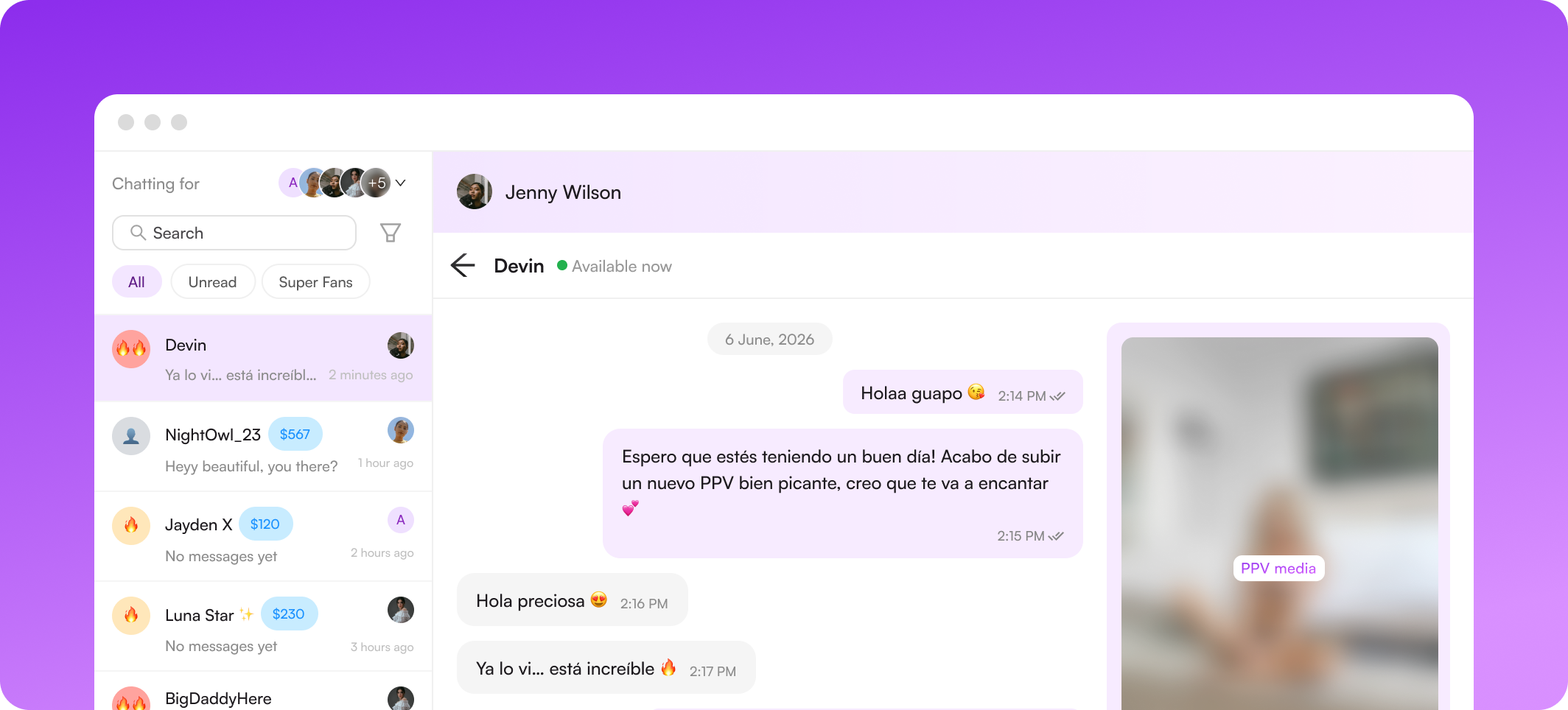
How Izzy handles languages
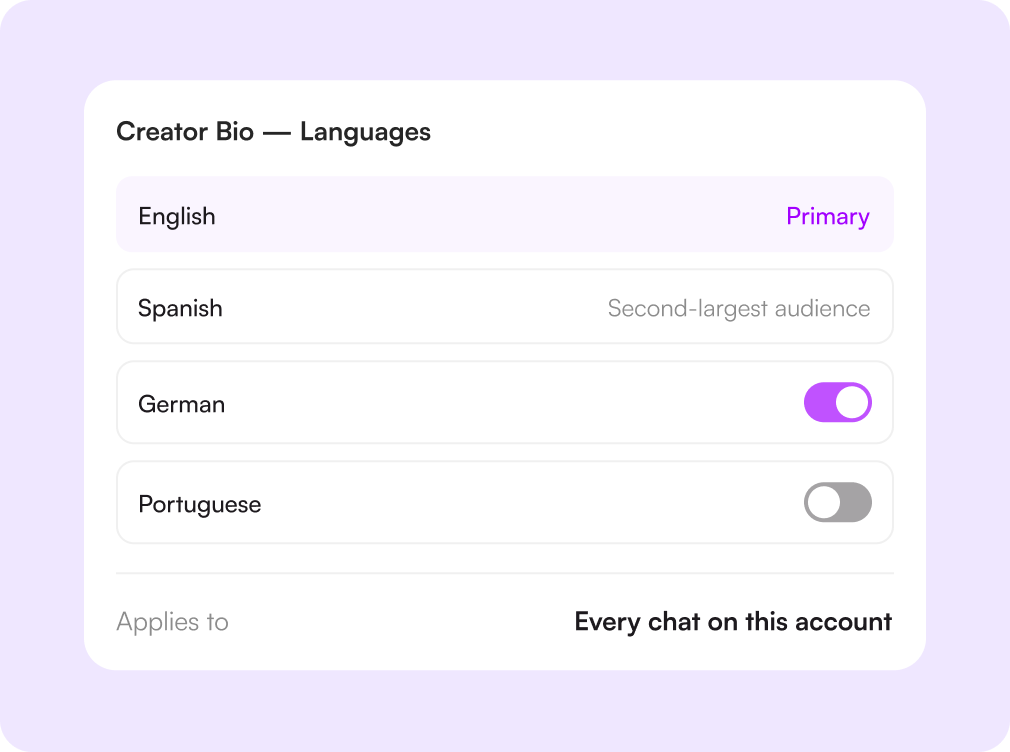
You decide which languages she speaks
Languages are part of the creator bio, alongside everything else Izzy knows about the persona she represents. Add the ones that fit the account and its audience — and remove any you'd rather she never use.
She keeps every chat consistent
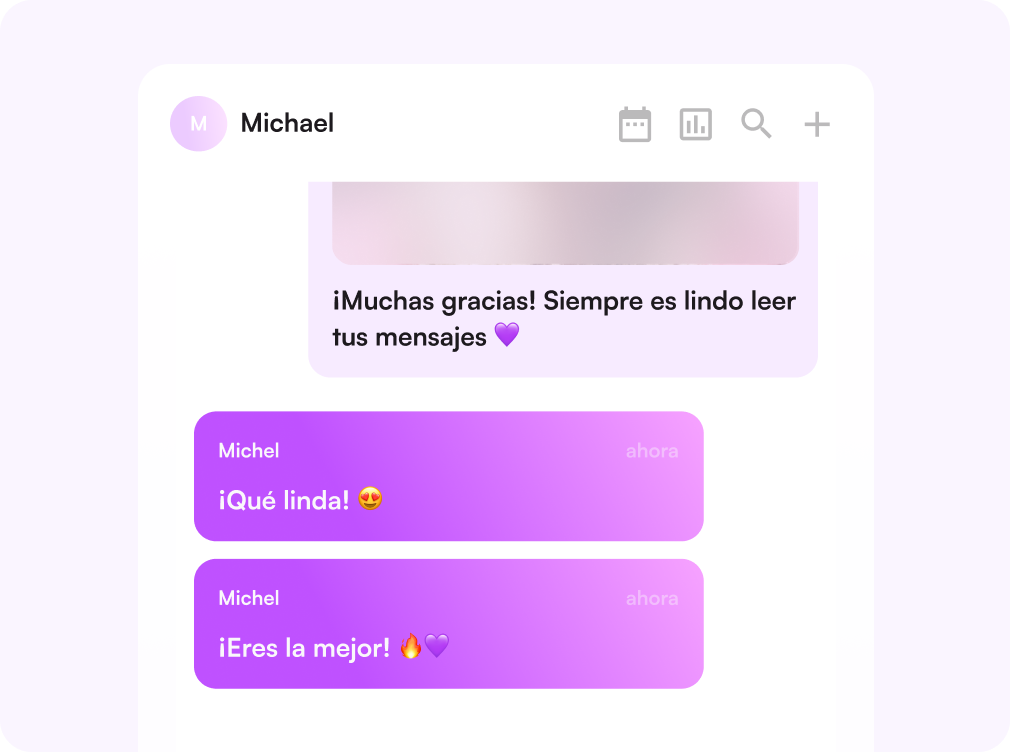
Bouncing between languages mid-conversation is what makes a fan suspicious. Izzy picks the language on the fan's first message and holds it for the rest of the thread, switching only when the fan asks her to.
Auto-translation for the chats your team runs
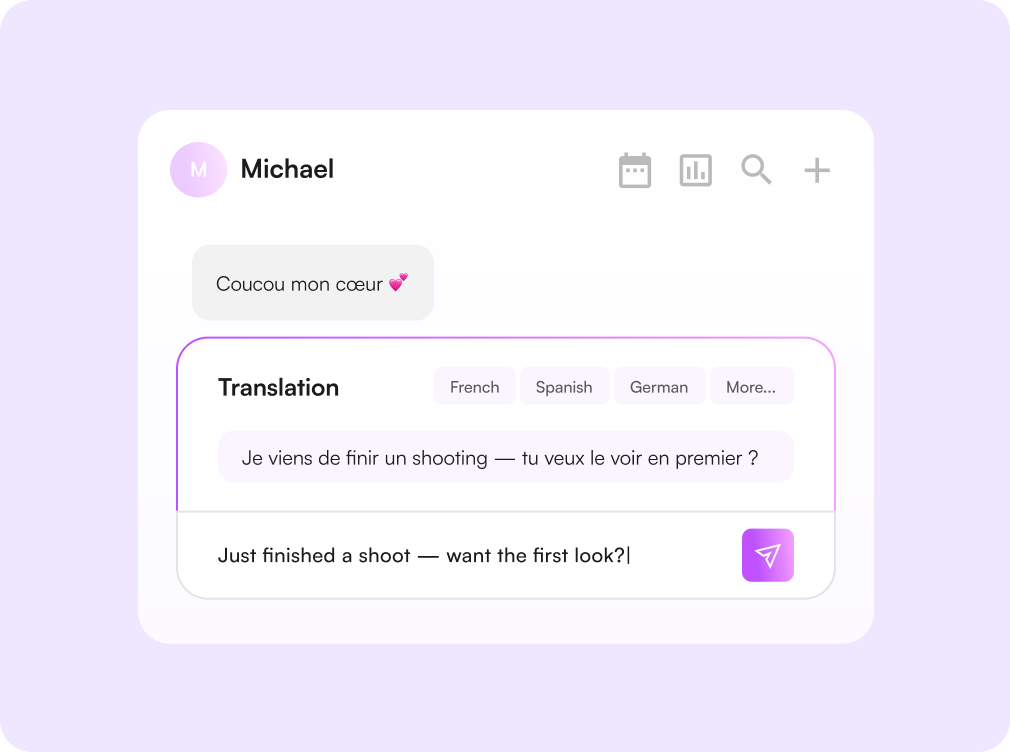
Click the translation icon in the chat panel and flip "Translate all chats" on. Every fan and creator message is shown with a translation, and once the fan's language is set, your outgoing replies are translated too. It covers the whole inbox, with no per-chat setup.

Challenges solved by languages & translation
Foreign-language fans get generic openers
Everyone gets a real conversation
Izzy answers in the fan's own language from the first message, so a Mexican or German audience is treated as seriously as an English one.
Chatters paste messages into Google Translate
Translation lives in the inbox
One toggle shows every message in your language and sends every reply in theirs. No tab switching, no copy-paste, no lost minutes per chat.
Sudden language switches break the illusion
One language per conversation
Izzy holds the language the thread started in and never mixes two inside a single message.
Hiring native-speaking chatters is expensive
Cover new markets without new hires
The same team works across every region on the account, with Izzy taking the volume and translation covering the rest.
How it works
Set the languages
Add the languages the creator speaks to her bio. Those are the only ones Izzy will ever use.
Izzy reads the fan
She answers the first message in the language it arrived in, then keeps the thread there.
Turn on translation
For chats a person handles, flip"Translate all chats" and set the fan's language in the panel.
Work one inbox
Every conversation reads in your language, whoever is speaking, and wherever they're from.

Начните сегодня
Попробуйте 14 дней бесплатно. Настройка займёт всего 2 минуты — и вы сможете оценить AI-инструменты Supercreator.
Карта не нужна.
Запишитесь на демо
Мы покажем, как работает Supercreator, и поможем настроить ваш OnlyFans.
Наши эксперты не кусаются ;)

Тарифы — от $15 в месяц o
Ваш индивидуальный тариф — на странице цен
CRM Lite
Бесплатная CRM со всеми базовыми инструментами. Чаты, фанаты и команда — в одном месте.
AI-агент + CRM
Автоматизируйте чаты и экономьте часы каждый день: AI отвечает, продаёт и держит фанатов вовлечёнными.
CRM Premium
Растите на OnlyFans с лучшей CRM, автоматизацией и AI-инструментами.
Frequently Asked Questions
Couldn't find an answer?

