


OnlyFans Fan CRM Lists, Exclusions and Purchase History
Every fan gets a profile: what they bought, what they spent, which lists they belong to, and which automations they should never receive. Segment once, and your team and your bots both work from the same source of truth.


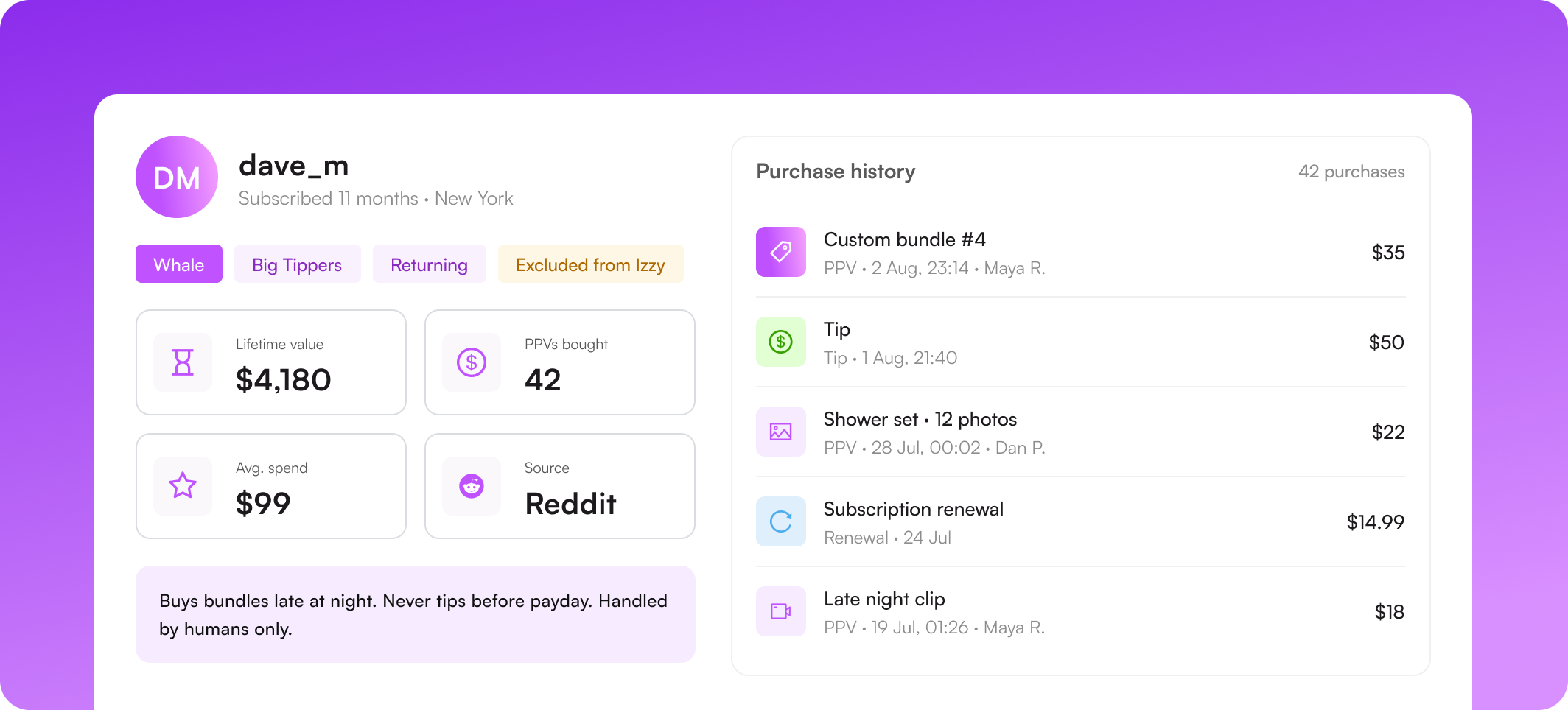
What you can do with Supercreator's fan CRM


Fan lists and segments
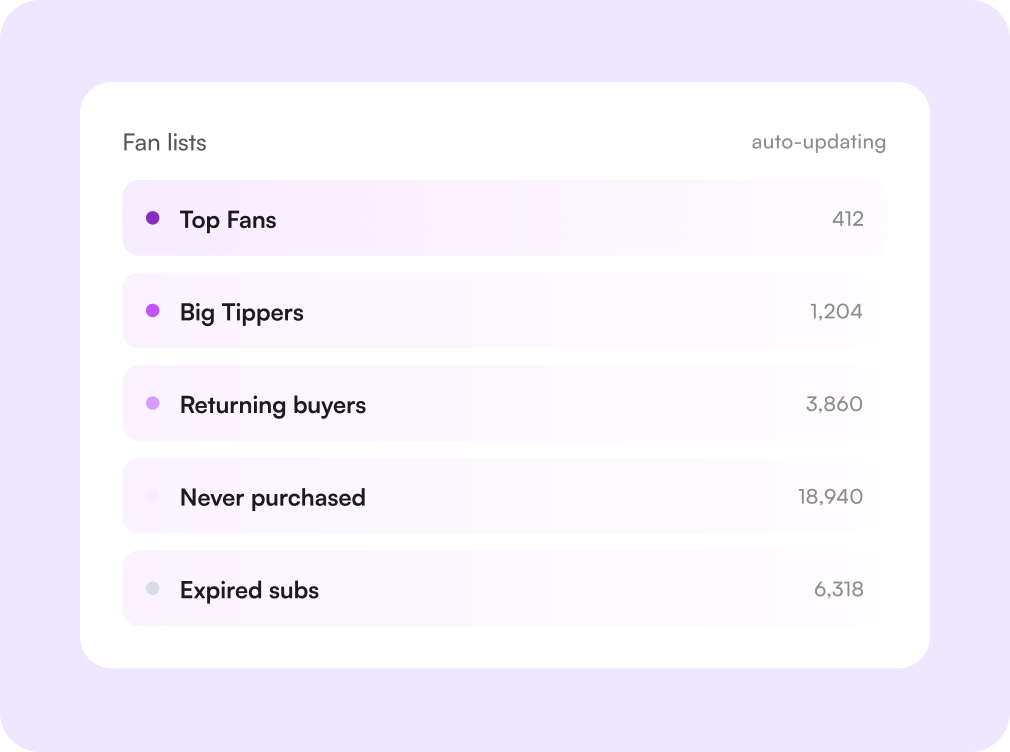
Group fans by what they actually do. Spending tier, purchase frequency, source, activity, or any custom list your team keeps by hand. Lists update themselves as fans buy and go quiet, so a segment is never a stale spreadsheet you forgot to refresh.
Exclusions from fan lists
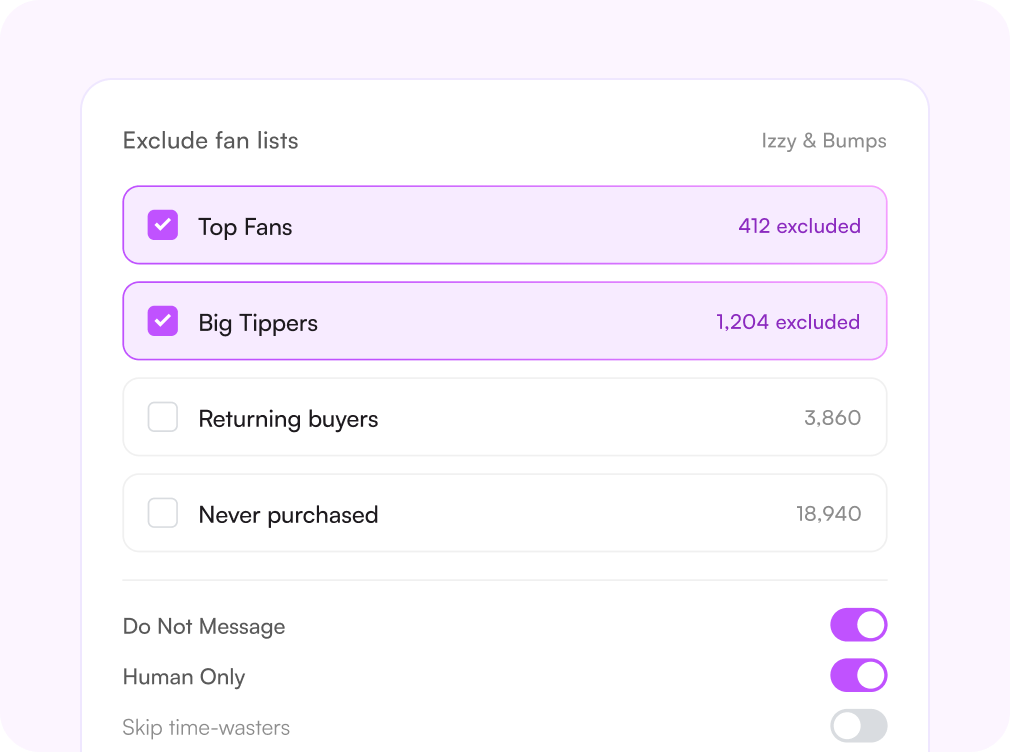
Some fans should never get an automated message. Tick the lists you want held back, and Izzy, bumps, and mass sends skip them entirely, while your chatters keep those conversations by hand. Set it once per account, and the exclusion travels with the fan wherever they show up.
Izzy & Bumps
Add any fan list to your exclusions
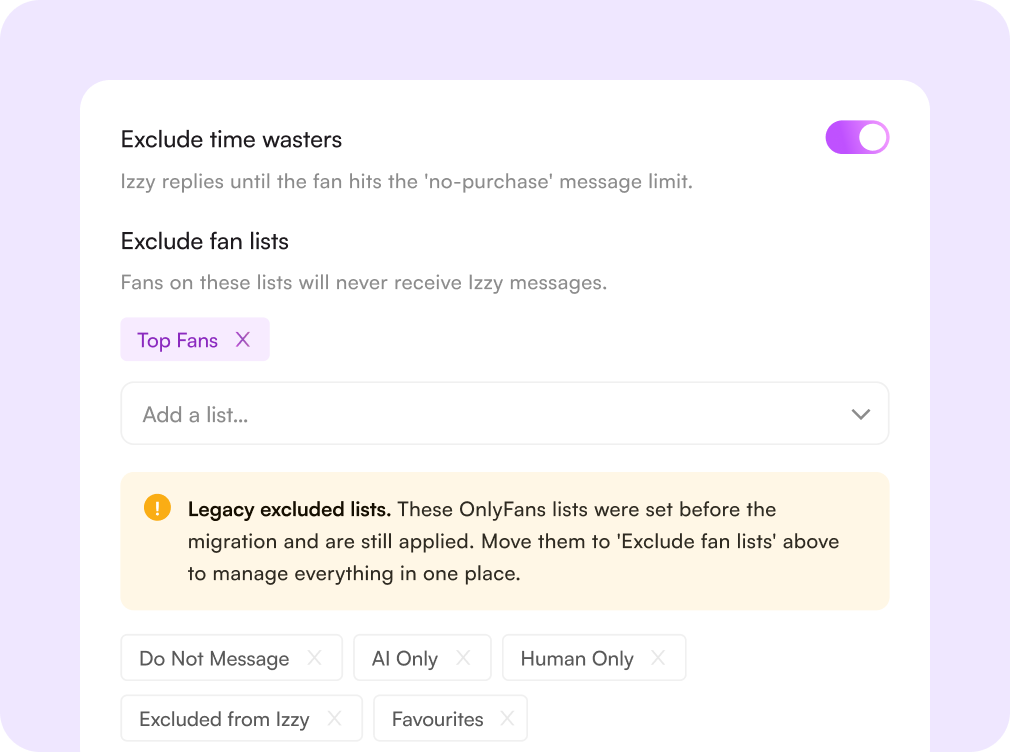
Customers with Fan Lists can drop any custom list straight into their Izzy and Bumps exclusion settings. Fans on those lists are skipped automatically across both features.
- Works for both Izzy and Bumps
- Use spend-based or manual lists
- Remove a list in one click
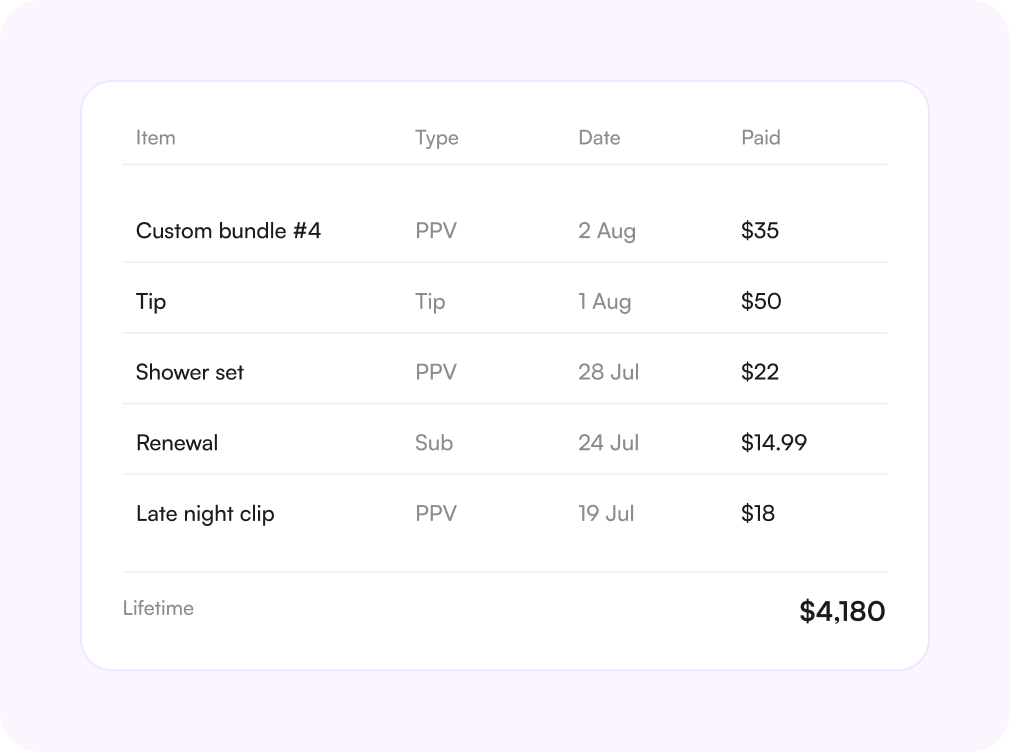
Purchase history on every fan
Open a conversation, and you already know what this fan has bought, what they paid, when they bought it, and which chatter closed it. No scrolling back through months of chat to find out whether they've already seen the set you're about to send.
Lifetime value and fan tiers
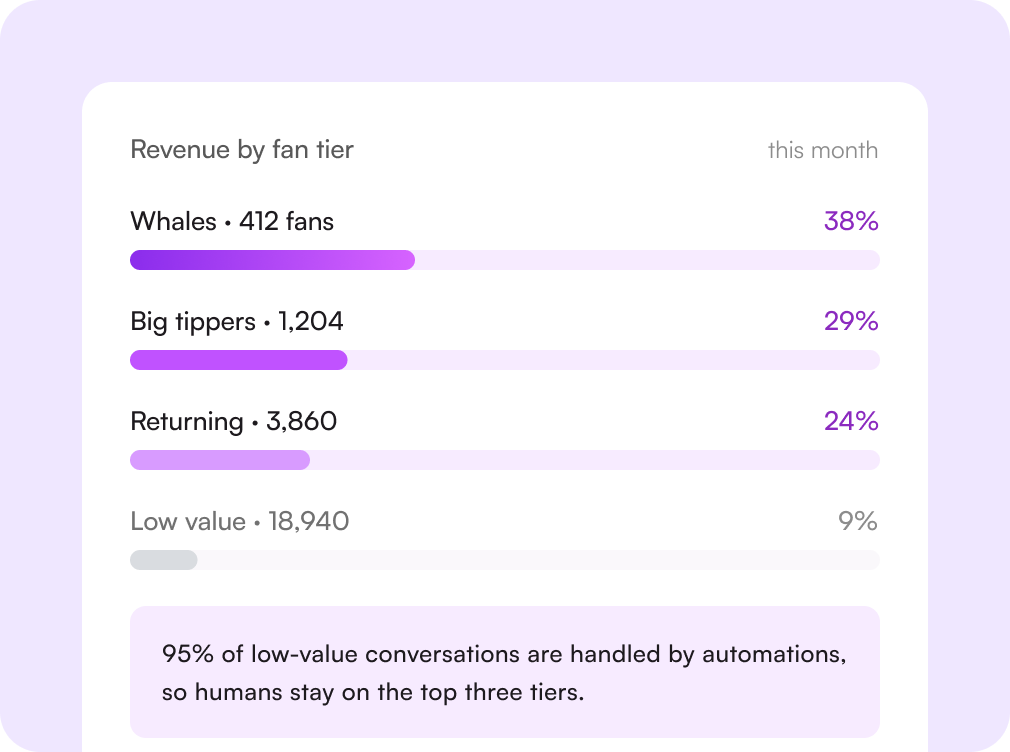
The CRM ranks fans by what they are actually worth over the whole relationship, not by how chatty they are. Tiers make revenue distribution obvious, so you can put human attention on the fans who pay for it and route the rest into automations.
Notes, tags, and preferences
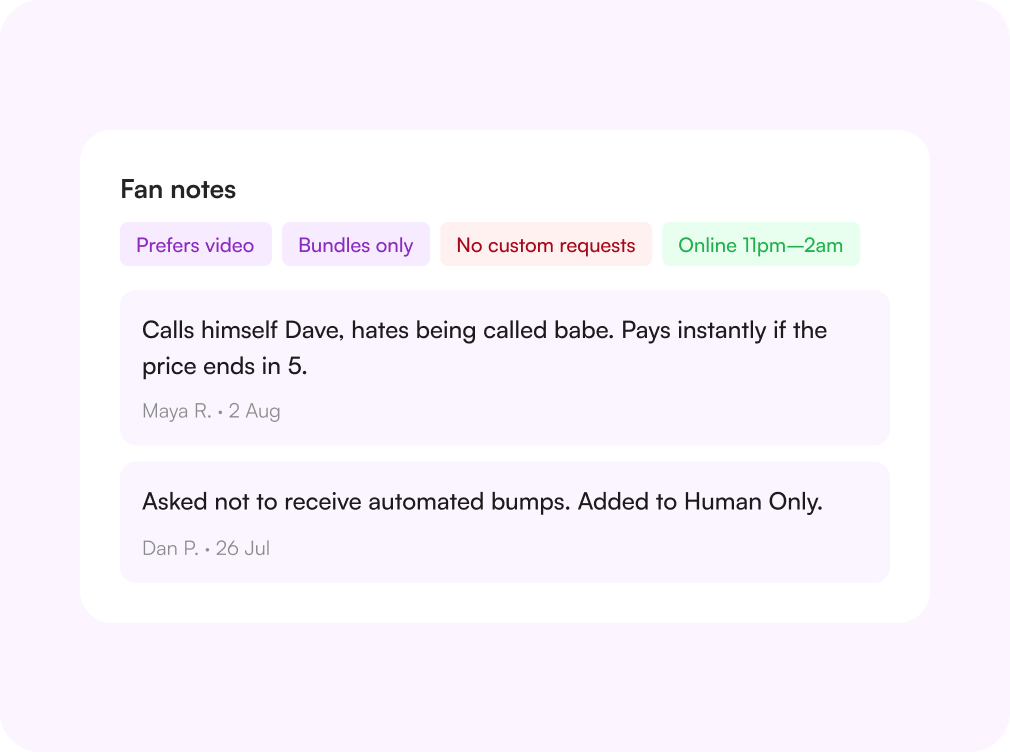
What a fan likes, what they refuse, the name they want to be called. Chatters write it down once, and every teammate who opens that chat sees it, so handovers stop resetting the relationship to zero.
Segments your inbox understands
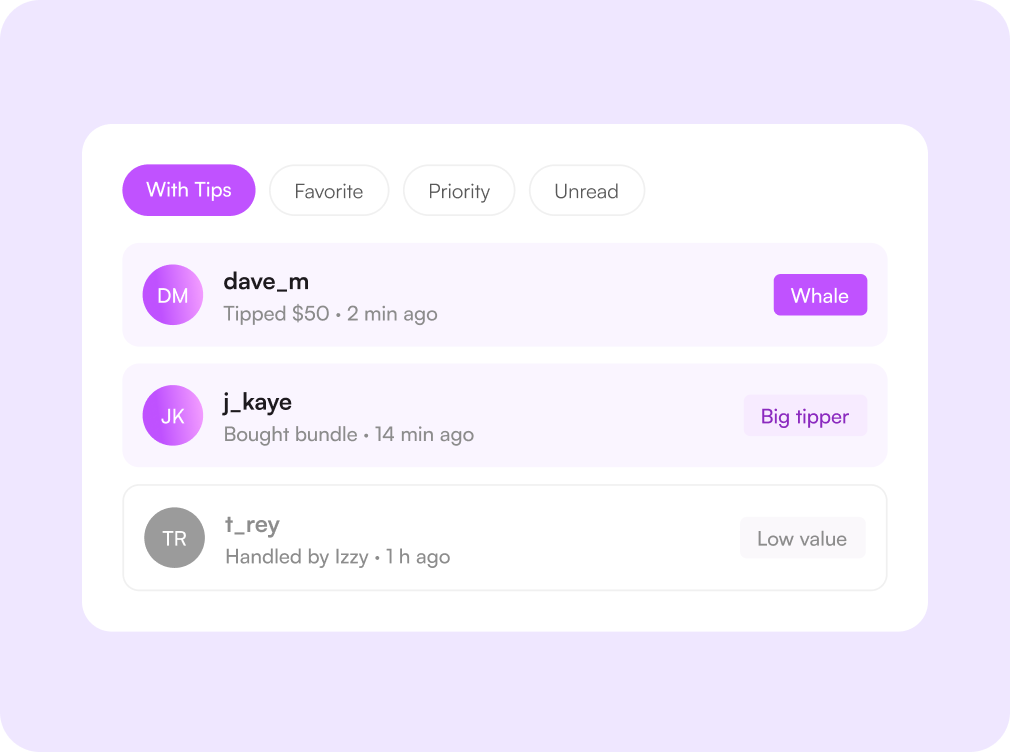
Lists aren't a separate screen you visit once a month. They filter the inbox, target mass messages, and decide which automations may talk to, so a chatter starting a shift can open the queue that matters and work down it.

Challenges solved by Supercreator's fan CRM
Fan context lives in people's heads
One profile every chatter can read
Purchases, notes, preferences, and lists sit on the fan record, so a shift handover doesn't cost you the relationship.
Automations messaging the wrong fans
Exclude a list, and it stays excluded
Your best spenders and anyone who asked to be left alone are automatically held back from Izzy, bumps, and mass sends.
Rsending content fans already own
Purchase history before you press send
Every PPV, tip, and renewal is on the record, so pricing and offers are based on what this fan has actually bought.
Attention spread evenly across thousands of fans
Tiers point your team at the buyers
Fan tiers show where revenue really comes from, so human effort goes to the top spenders and automations handle the rest.
How the fan CRM works
Connect your account
Linking takes minutes over a secure connection. No credentials stored, no technical setup.
Import fans and history
Fans, purchases, tips, and renewals are pulled in and built into profiles automatically.
Build your lists
Use the tiers you get out of the box or define your own, then pick which lists the automations may touch.
Work the queue
Chatters open the segment that matters, automations cover the rest, and every sale writes back to the fan record.

Начните сегодня
Попробуйте 14 дней бесплатно. Настройка займёт всего 2 минуты — и вы сможете оценить AI-инструменты Supercreator.
Карта не нужна.
Запишитесь на демо
Мы покажем, как работает Supercreator, и поможем настроить ваш OnlyFans.
Наши эксперты не кусаются ;)

Тарифы — от $15 в месяц o
Ваш индивидуальный тариф — на странице цен
CRM Lite
Бесплатная CRM со всеми базовыми инструментами. Чаты, фанаты и команда — в одном месте.
AI-агент + CRM
Автоматизируйте чаты и экономьте часы каждый день: AI отвечает, продаёт и держит фанатов вовлечёнными.
CRM Premium
Растите на OnlyFans с лучшей CRM, автоматизацией и AI-инструментами.
Frequently Asked Questions
Couldn't find an answer?

