


Chat Performance & Analytics for Izzy AI
See exactly what your AI chatter earns, sends, and escalates. Sales after the OnlyFans cut, messages sent, fans contacted, active chats, and conversion rate, per creator and per conversation, are updated live.


What you can measure
Performance metrics in one strip
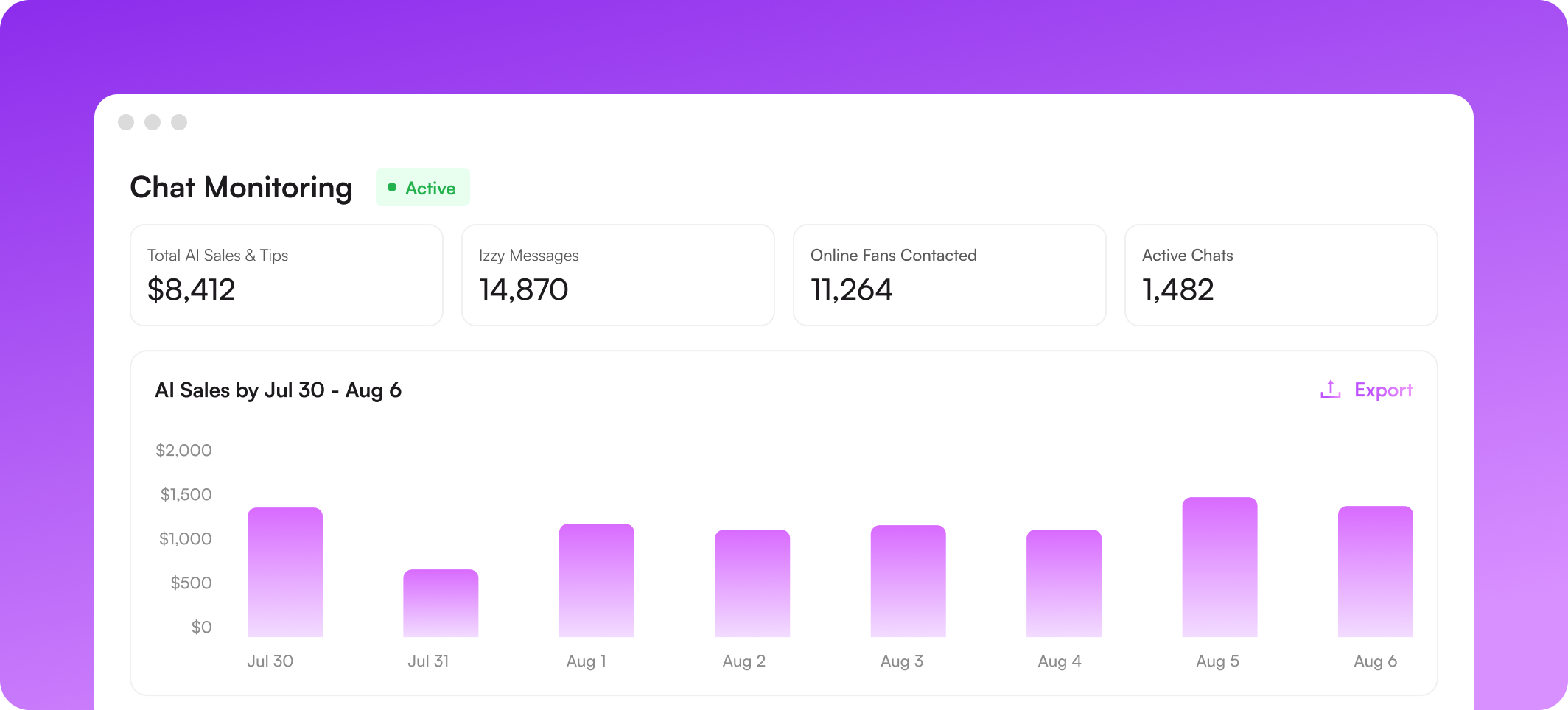
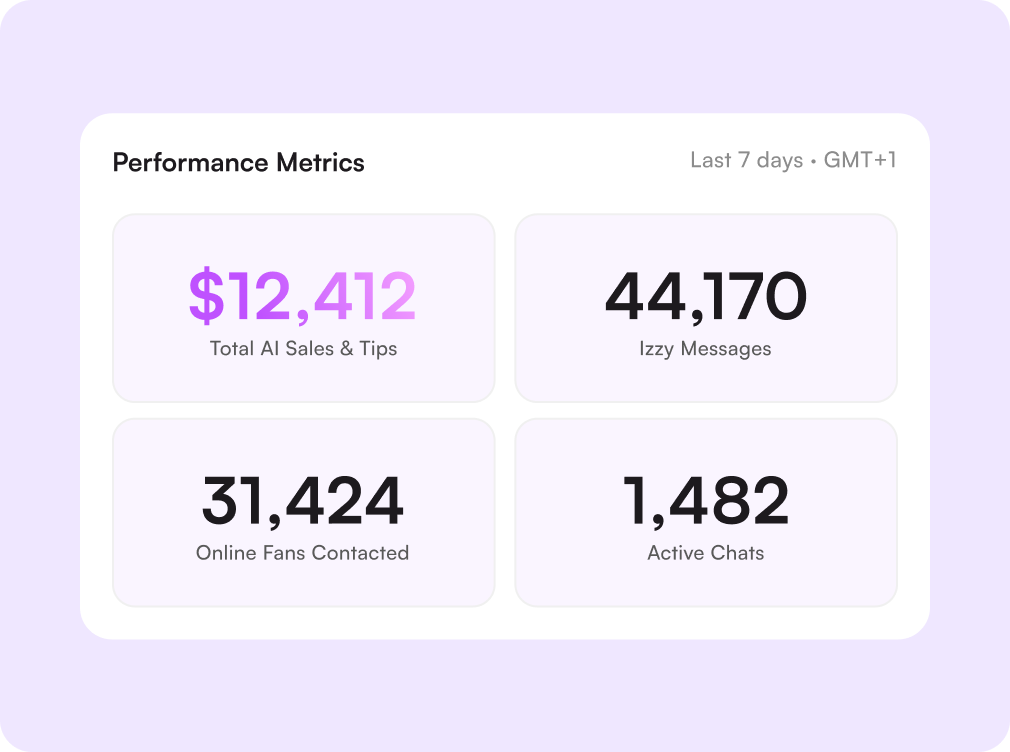
Total AI sales and tips, Izzy messages, online fans contacted, and active chats sit at the top of the monitor. Pick any date range and time zone, and switch the chart between sales and messages to see which days the AI actually earned.
Every chat, with the numbers behind it
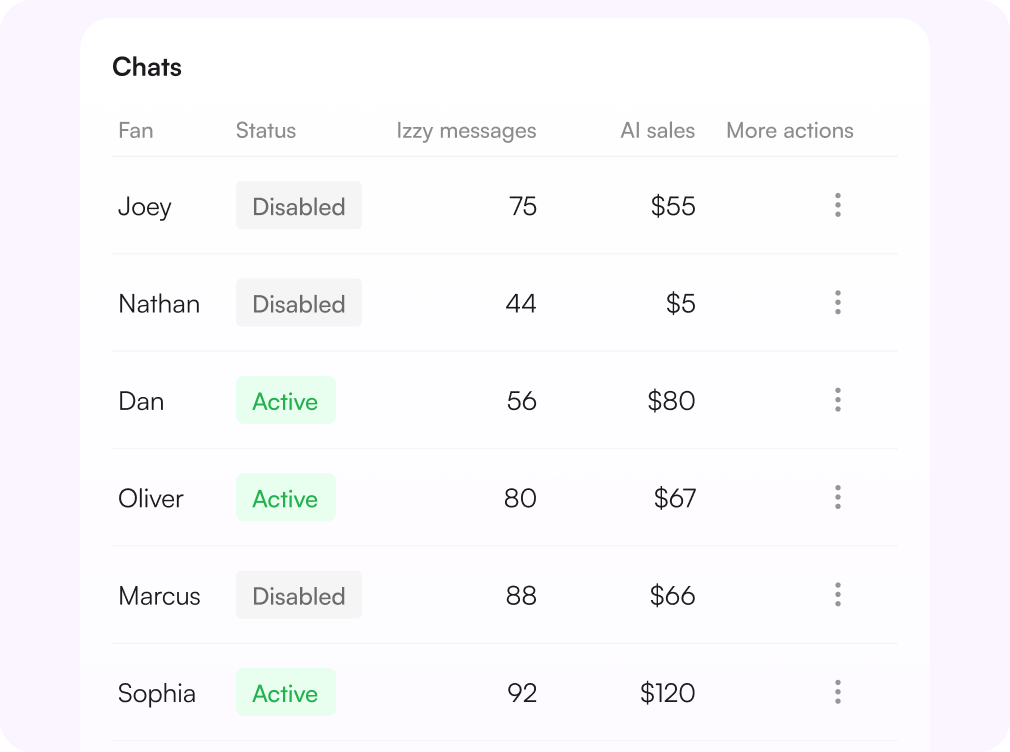
Search for any fan by name, username, or ID and see Izzy's message count, the sales that came out of it, when the chat started, and when the AI last replied. Status tags show what is on, manually activated, disabled, or exited, including chats Izzy left over a potential terms of service violation.
Compare creators, then drill in
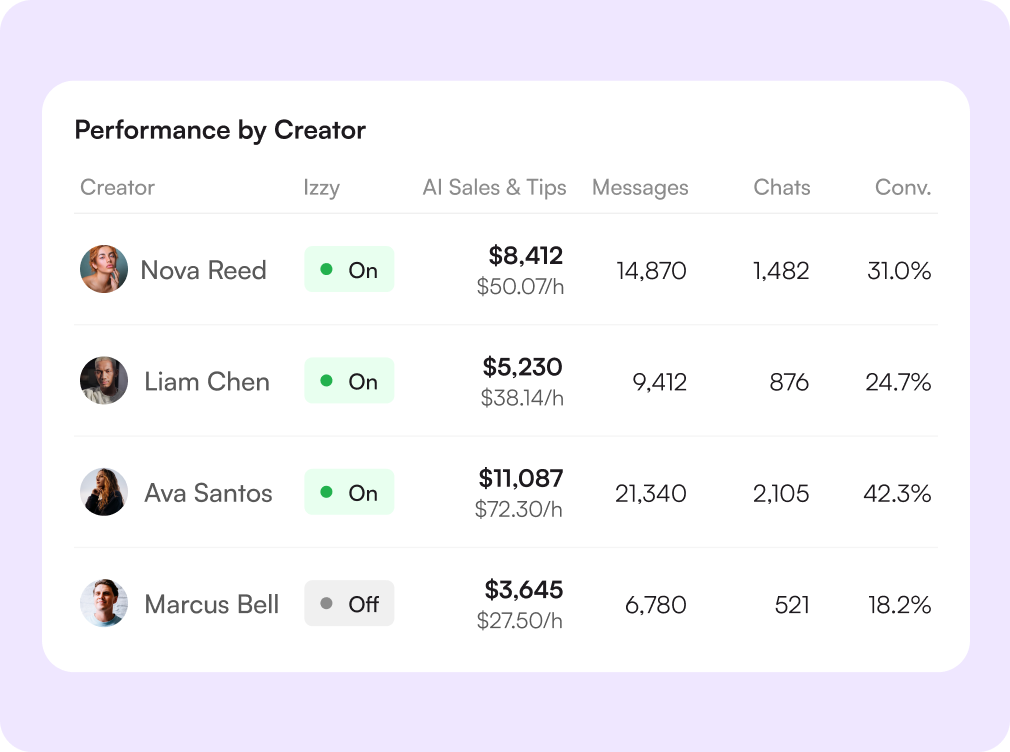
One row per account: Izzy AI status, total sales and tips, messages, active chats, and chat conversion rate. Filter by group, sort by any column, then open the chat monitor for a single creator. The live feed on the right logs escalations and manual changes as they happen.
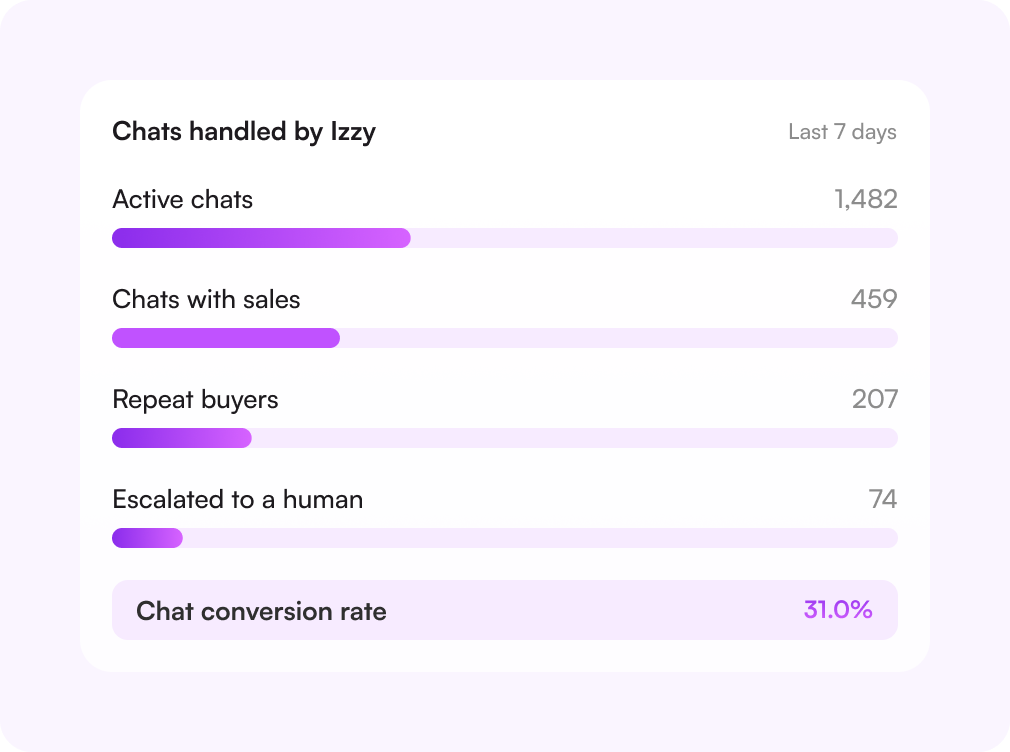
A conversion rate you can act on
The funnel narrows from active chats to chats that produced a sale, so you can see how much of Izzy's volume converts. Export any view to CSV and hand the same numbers to a manager or a client.

Challenges solved by AI chat analytics
No proof that the AI is earning
Revenue attributed to Izzy
AI sales and tips are counted separately, after the OnlyFans cut, at an hourly rate.
AI running as a black box
Open any chat it touched
View Chat on every row shows the conversation Izzy actually sent.
Escalations found too late
Live feed of every event
Escalated chats, violations, and manual on/off changes are timestamped and attributed.
Accounts compared by hand
One table for all creators
Sales, messages, active chats, and conversion rate side by side, sortable and exportable.
How chat analytics works
Turn Izzy on
Enable the AI chatter on an account or on individual chats you choose.
Watch the metrics
Sales, messages, fans contacted, and active chats populate as the AI works.
Review the chats
Filter by active or inactive, open a conversation, or step in where it matters.
Export and compare
Export any table to CSV and compare creators week over week.

Начните сегодня
Попробуйте 14 дней бесплатно. Настройка займёт всего 2 минуты — и вы сможете оценить AI-инструменты Supercreator.
Карта не нужна.
Запишитесь на демо
Мы покажем, как работает Supercreator, и поможем настроить ваш OnlyFans.
Наши эксперты не кусаются ;)

Тарифы — от $15 в месяц o
Ваш индивидуальный тариф — на странице цен
CRM Lite
Бесплатная CRM со всеми базовыми инструментами. Чаты, фанаты и команда — в одном месте.
AI-агент + CRM
Автоматизируйте чаты и экономьте часы каждый день: AI отвечает, продаёт и держит фанатов вовлечёнными.
CRM Premium
Растите на OnlyFans с лучшей CRM, автоматизацией и AI-инструментами.
Frequently Asked Questions
Couldn't find an answer?

